Click here to download the module
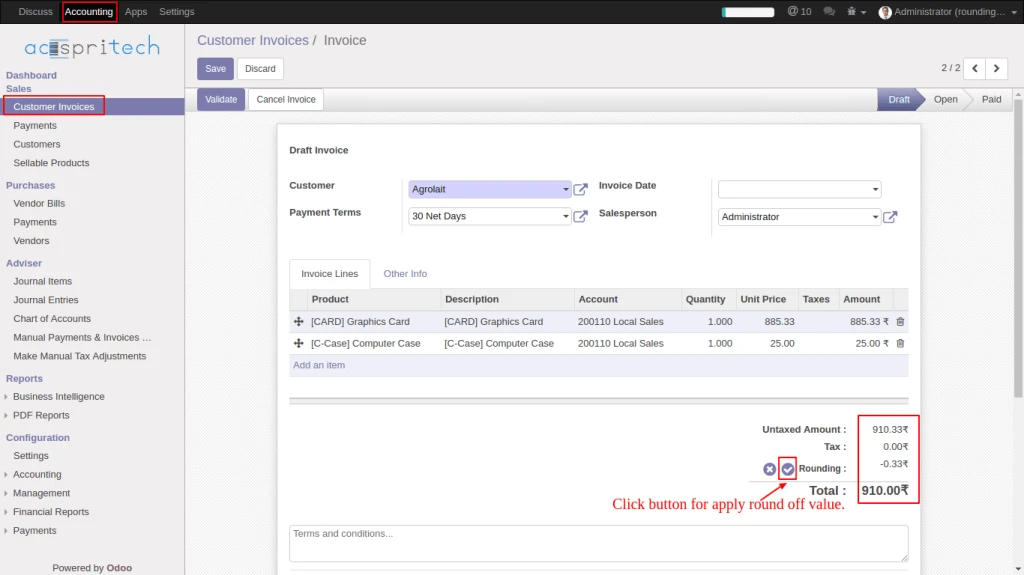
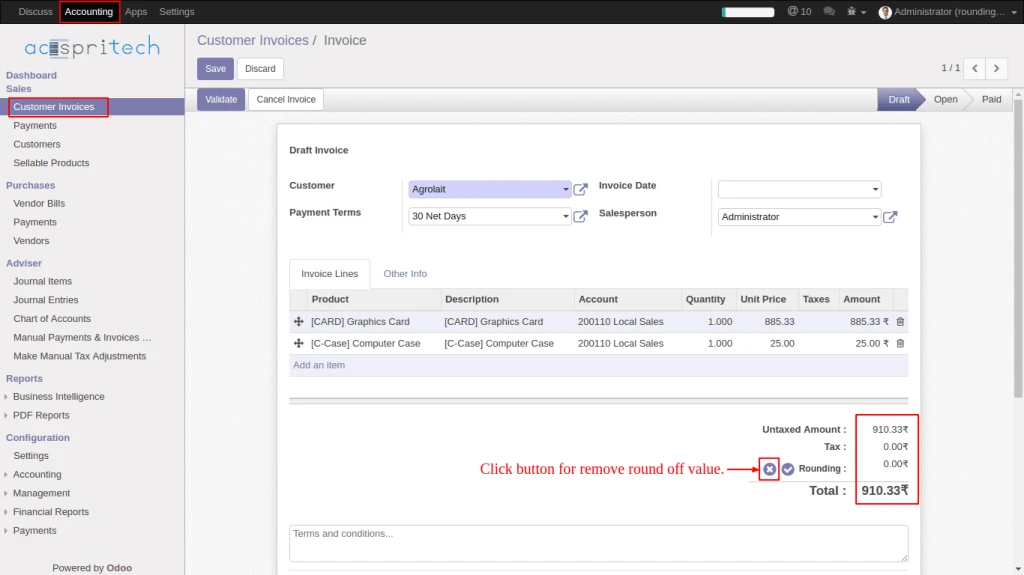
Note: While doing each and every perform into invoice click on apply or remove rounding button for rounding amount.
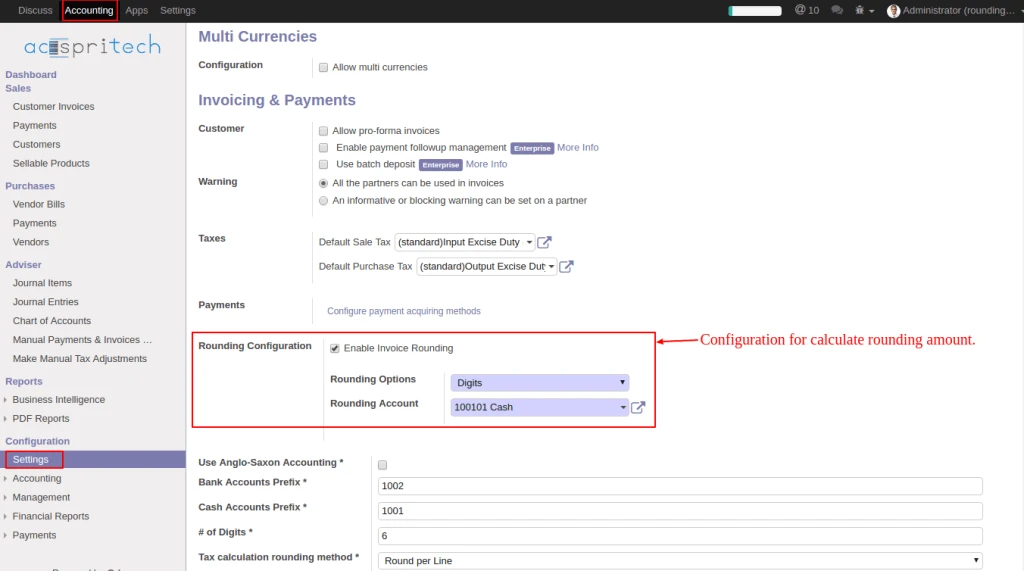
In Accounting configuration, checked “Enable Invoice Rounding”, select the (Rounding option and set Rounding Account).
From Customer Invoice click on (rounding apply) button for calculate rounding amount.
From Customer Invoice click on (rounding remove) button for remove rounding amount.
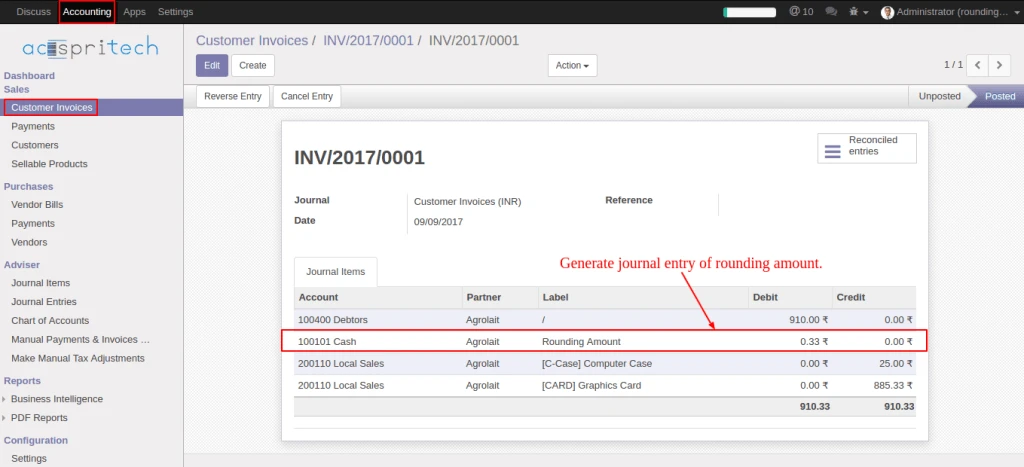
Once invoice validate generate journal entry of rounding amount.
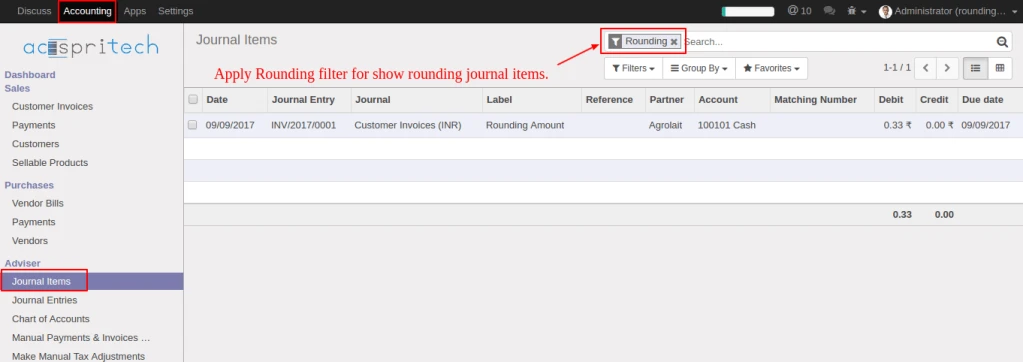
From journal items menu, select filter “Rounding” for display rounding journal entries.
Advertisements