Login in to Magento Admin.
Go to Stores -> Configuration form Magento Navigation
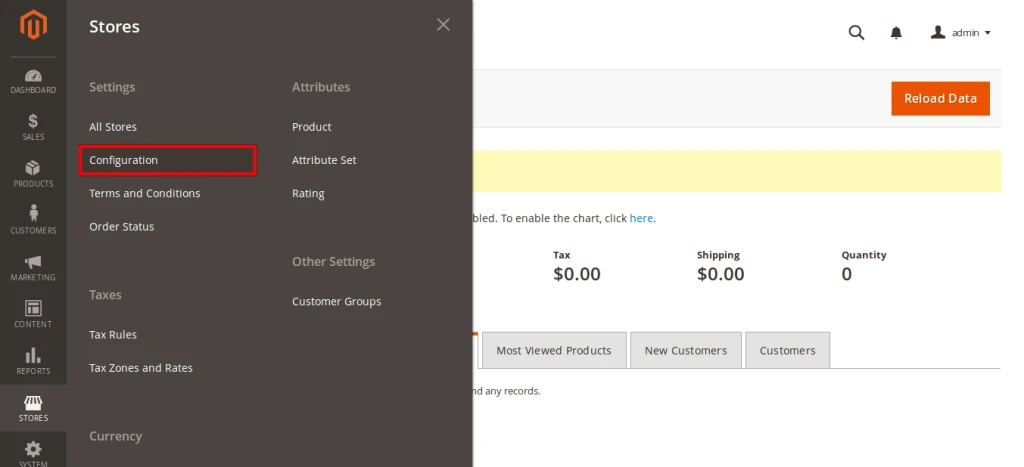
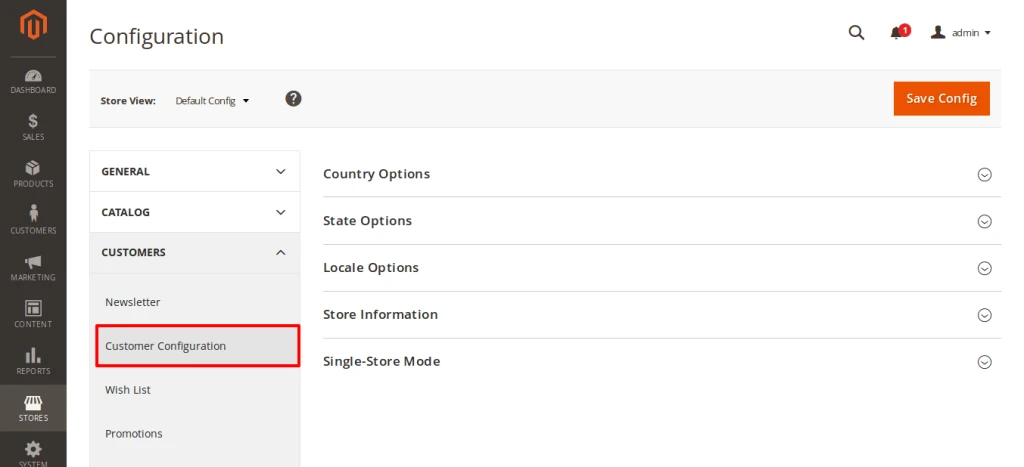
Now, Go to Customers section and click on Customer Configuration
Now, unchecked use system value check box and select Yes for enabled “Required Emails Confirmation”
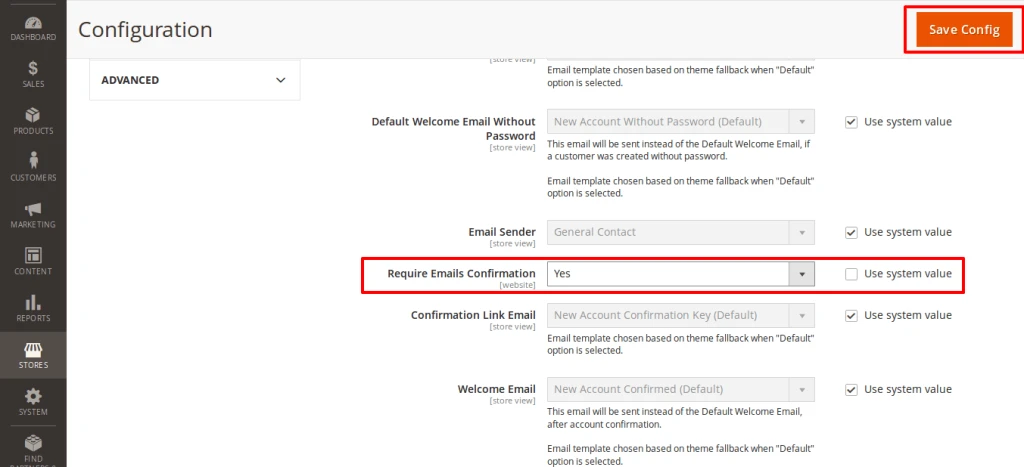
After that click on Save Config
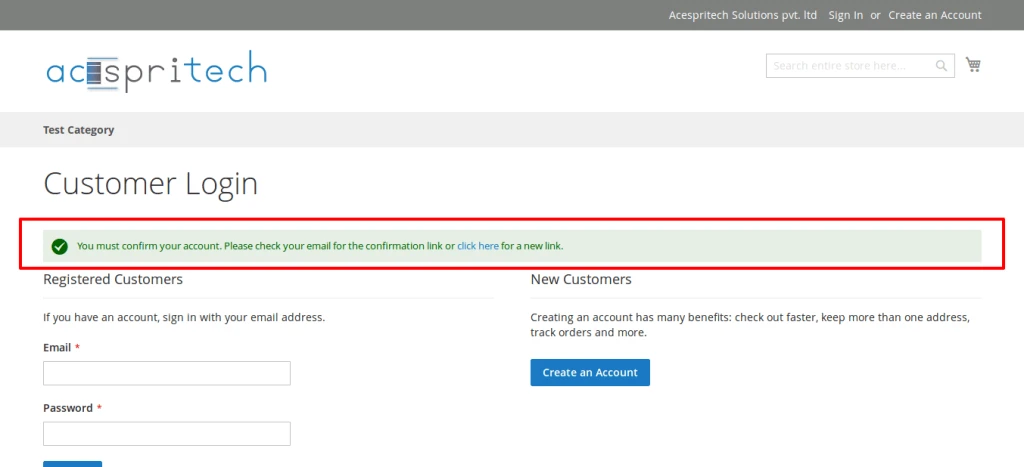
So , Finally you can see customer have to Verify Email address for registering on your stores.
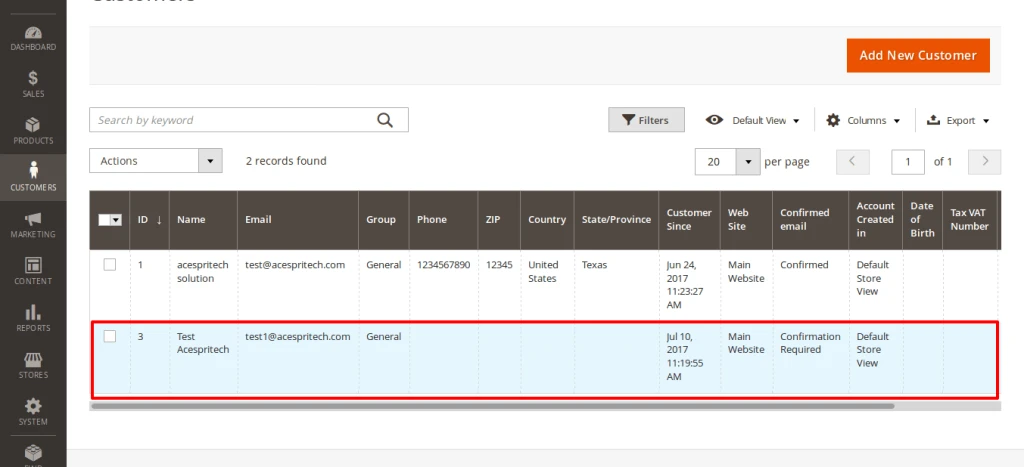
Also , you can see customers on admin who has not verified email address.
For that go to Customers -> All Customers
and on the grid section data you can find “Confirmed email” Column.
Nice…Very Good explanation.