Save your customer time and prevent from typing errors.
Auto fill state, city and postal code for selected address.
Address autocomplete using Google Map Address Autocomplete API key.
How to Use:-
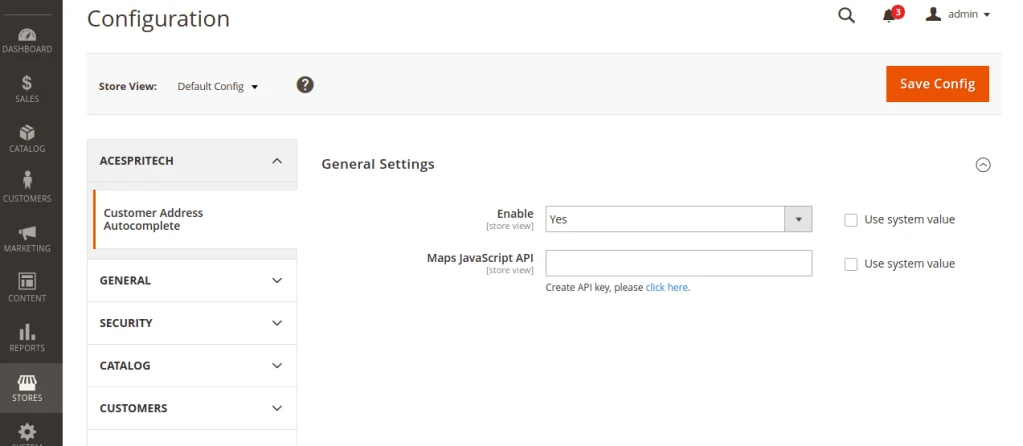
First go to the admin panel STORES –> Configuration –> Acespritech –> Customer Address Autocomplete tab. And Enable module first and put your Api key in Map Javascript Api Field and Save Config.
Magento Customer Checkout Address Configuration
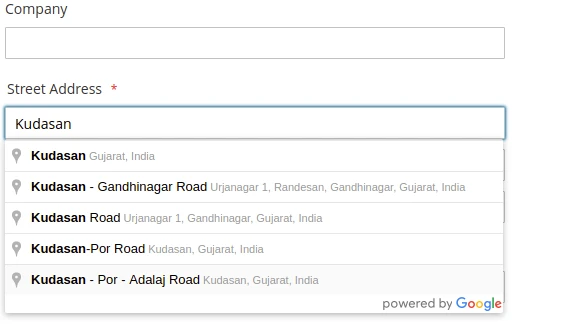
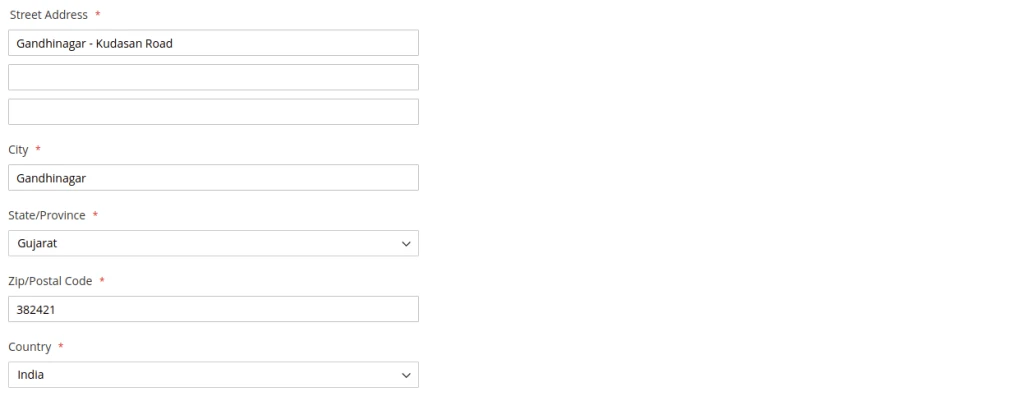
Than go to frontend Checkout page and Search Address and that will give you a Street Address with City and Zipcode/Postalcode .
Magento Checkout PageMagento Checkout Address Autocomplete Result
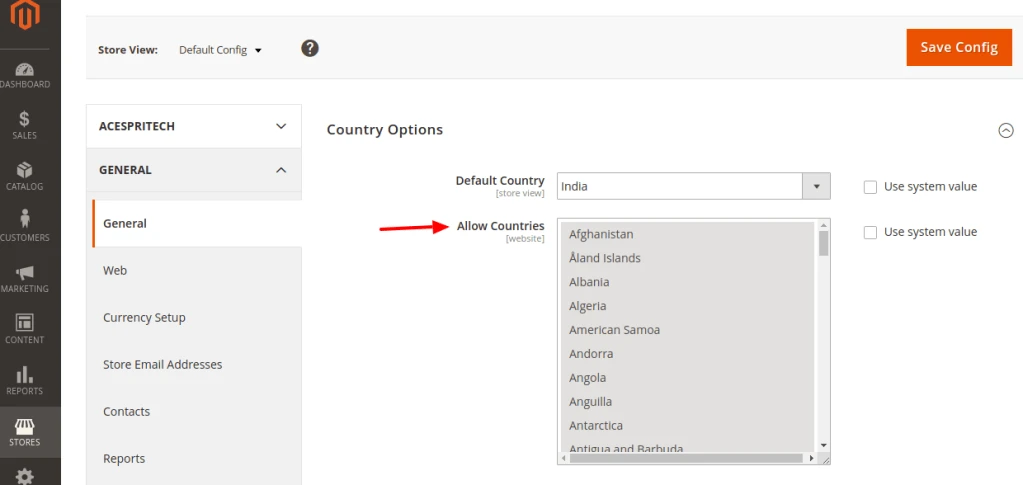
you also choose specific country to display search address from STORES –> Configuration –> general –> general –> Country Options –> Allow Countries –> choose you need.
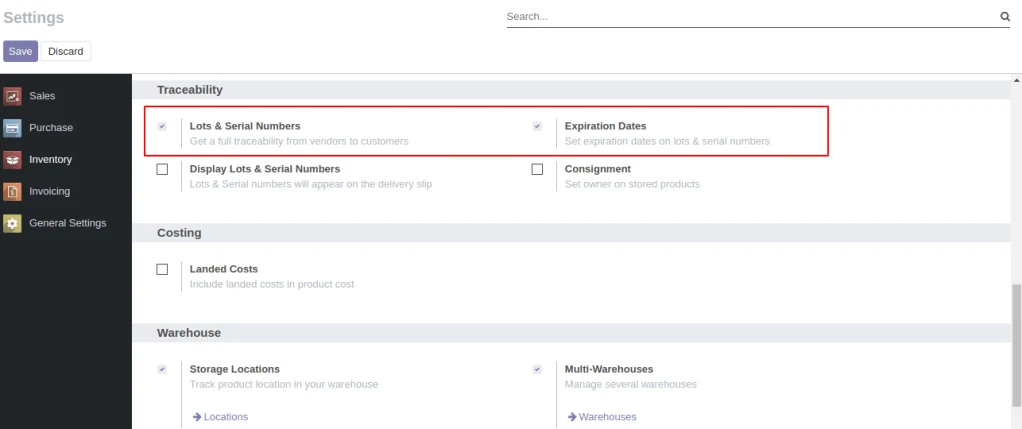
User need to enable Lots & Serial Numbers and Expiration Dates from Inventory/Settings/Traceability.
Configuration
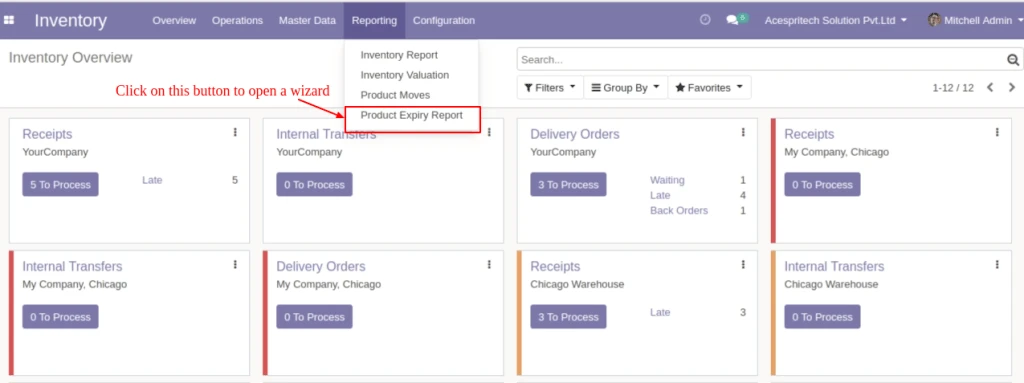
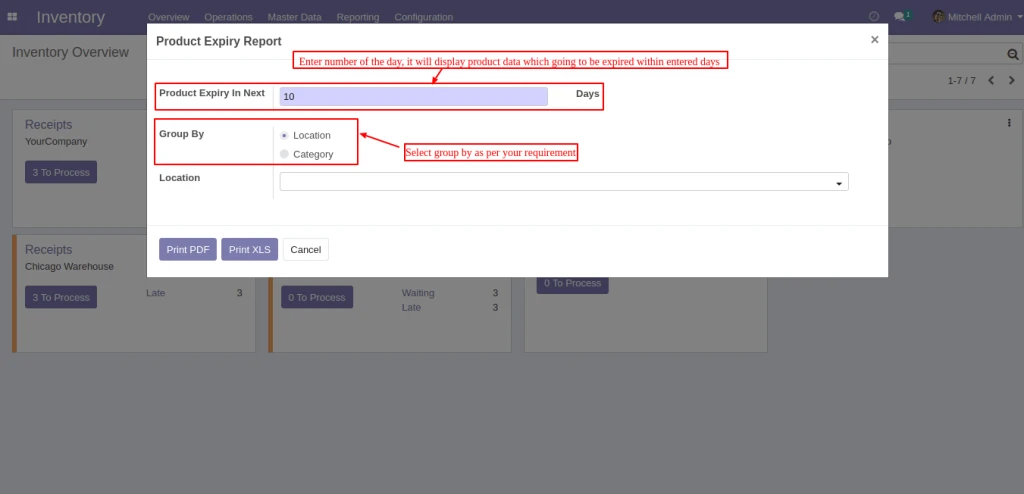
After selecting select the “Reporting” tab and then select the “Product Expiry Report” menu to open a wizard.
Product Expiry Report Wizard
Enter “Generate Report For(Days)” for display products which are being expiring expiring during entered days.And select “Group By” option by which you want to do group by of data.You can group by(Location) or group by(Category)
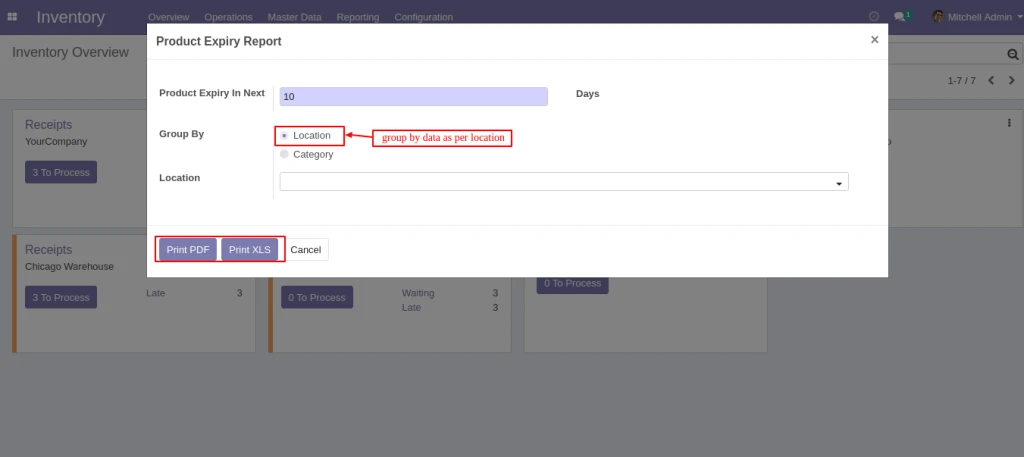
Product Expiry Days
If you want to display data of specified location then select locations in “Location” field.If you want to display products of all locations which products are available then select nothing in “Category”. To print report click on “Print PDF” or “Print Excel” button.
Group by Location
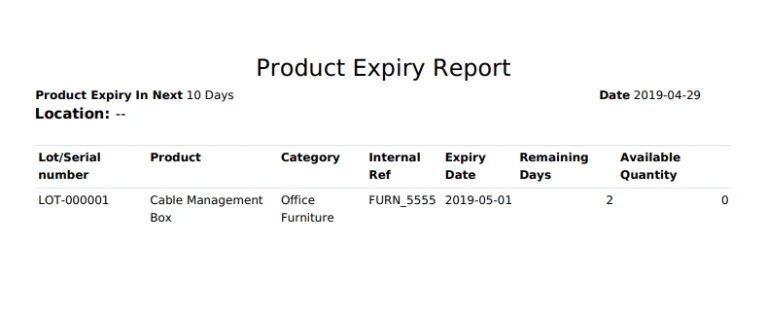
Display products which are group by “Location”.
Product Expiry Report
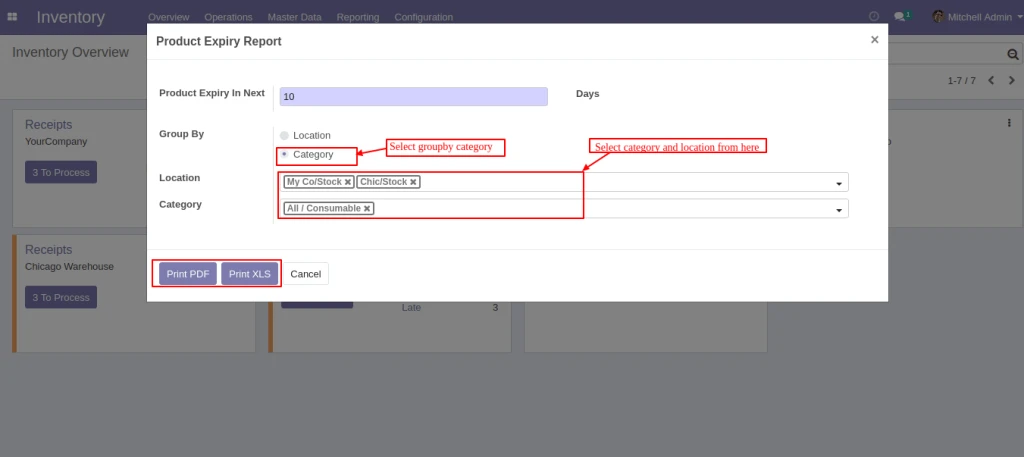
If you want to display data of specified category then select group by(Category) option and select categories in “Category” field.If you want to display products of all categories which products are available then select nothing in “Category”. To print report click on “Print PDF” or “Print Excel” button.
Commission calculation based on Product, Product category, Agent
Manage the commission based on Product Sell Price, Product Profit Margin.
Manage the commission payment.
How to use
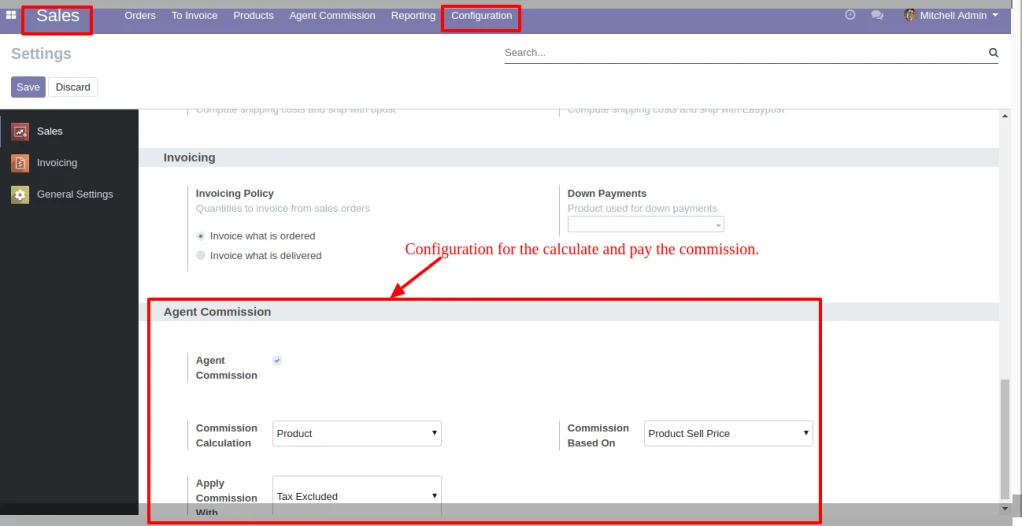
In Sales > Configuration, under the Agent Commission, set the option for Commission Calculation, Commission Based on and Apply Commission With. Based on this configuration the commission is calculate and paid.
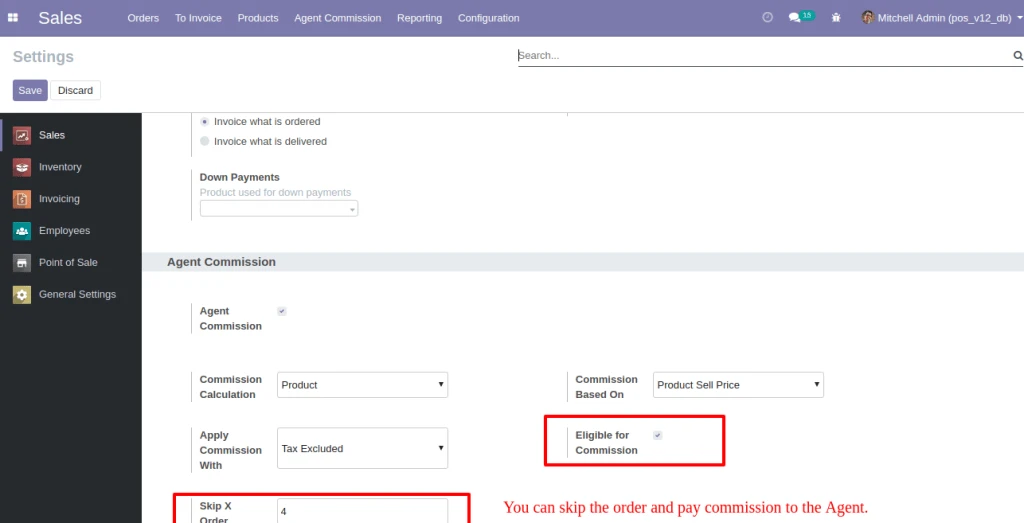
User can set the order that you want to skip. Based on this configuration the commission is calculate and paid.
Sale Configuration Skip Order
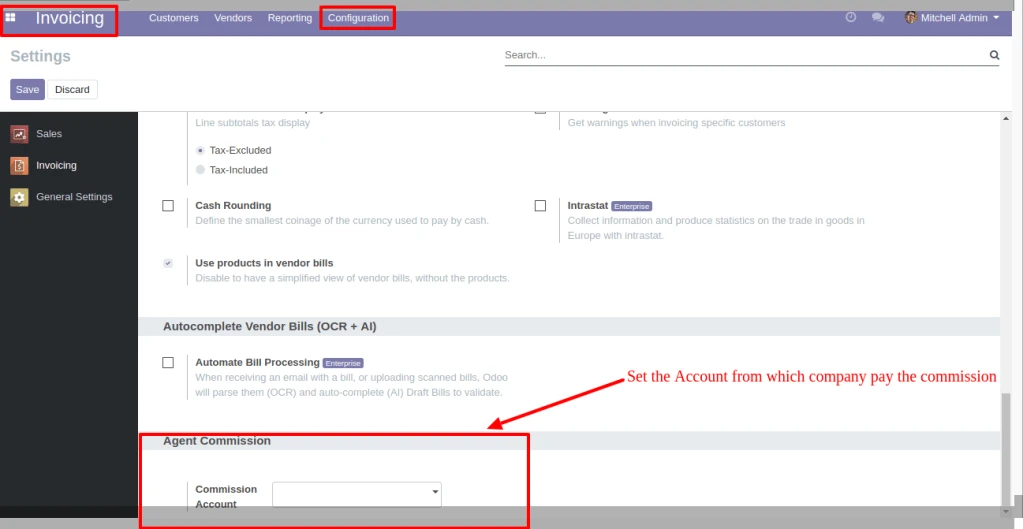
In Invoicing > Configuration, under the Agent Commission, set the option for Commission Account. Based on this configuration the commission is paid.
Invoice Configuration
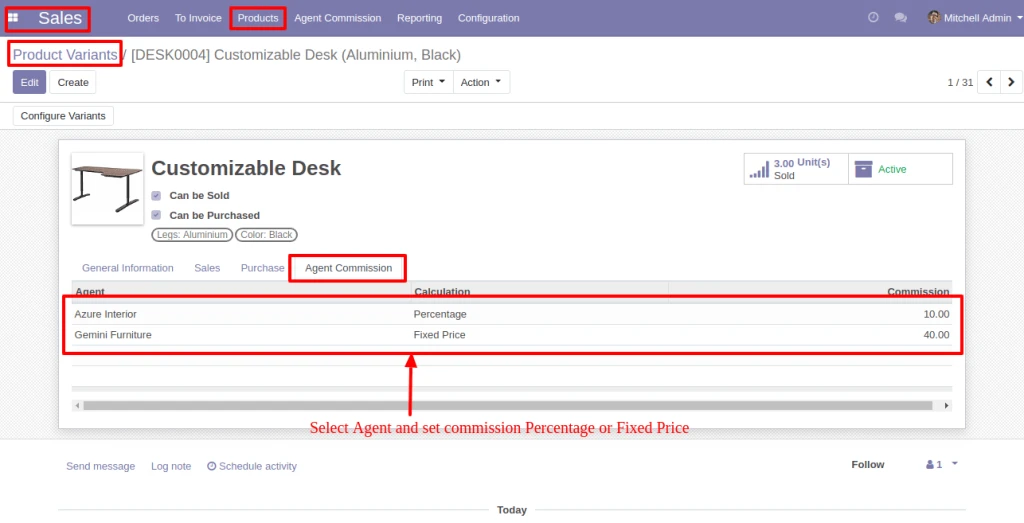
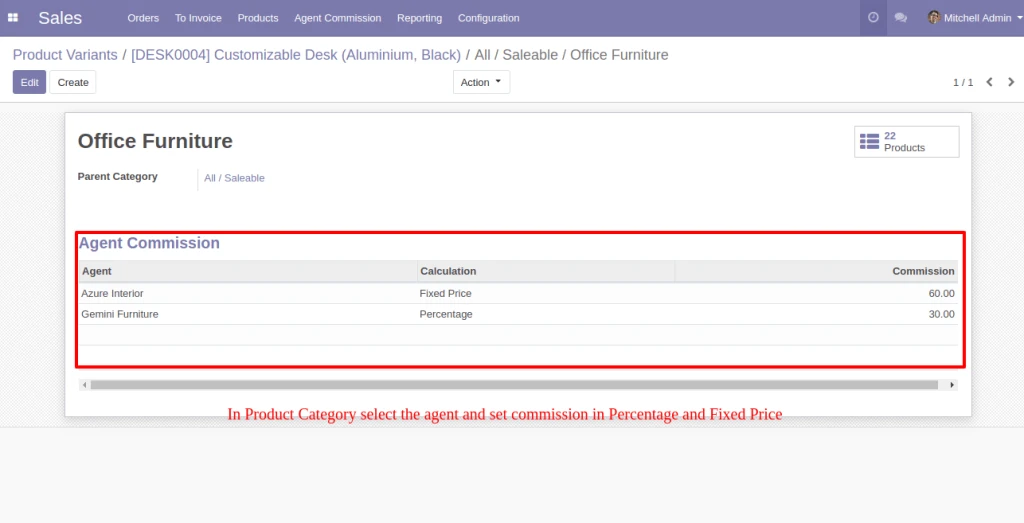
In Products, below the Agent Commission tab, select the Agent and set Compute Price as Fixed price or Percentage. The same configuration is also available in the Product Category and Customer.
If Agent is selected in Sale Order, he will be eligible for commission as per the Configuration.
Product Variant
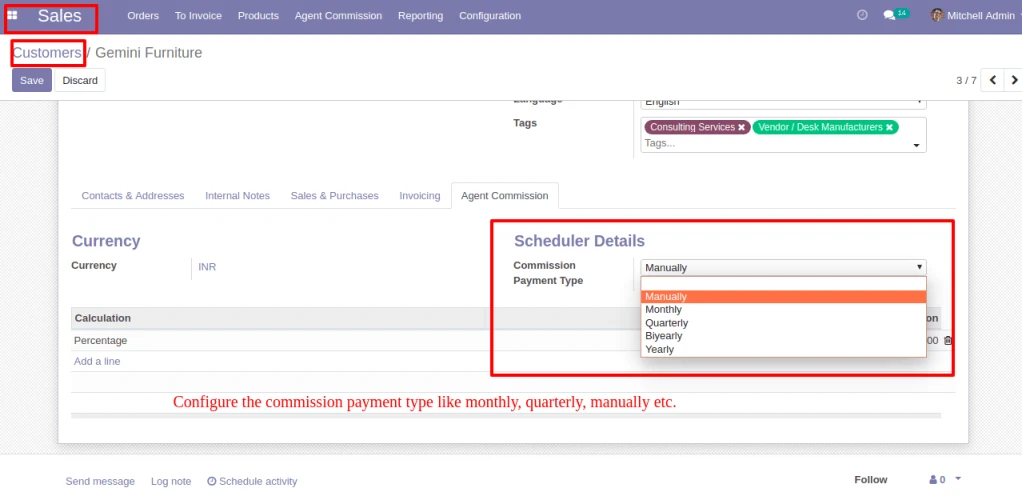
In Customer > Agent Commission, Configure the Commission Payment type like monthly, quarterly, manually etc.
Payment Type
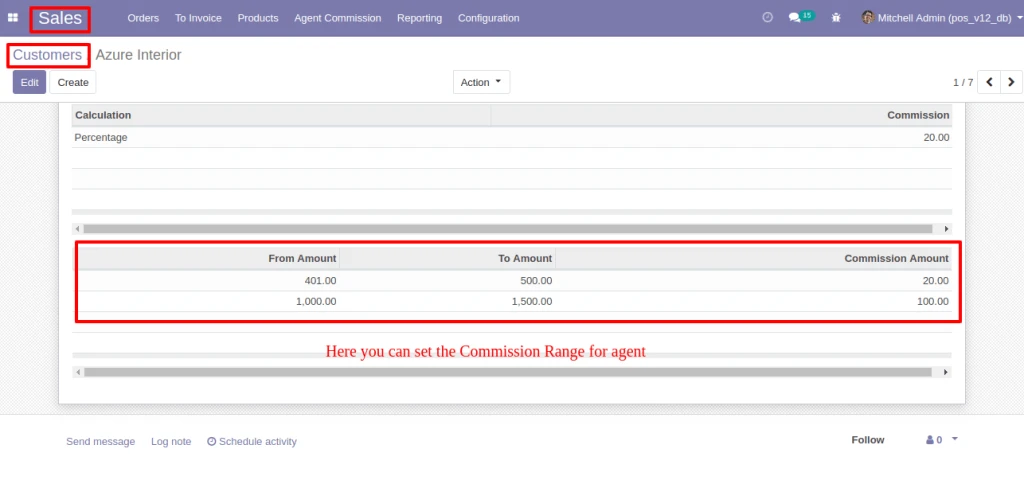
In Customer > Agent Commission, Configure the Commission Range, If Sale Order amount is between the range then Agent get commission which is configured.
Commission Range
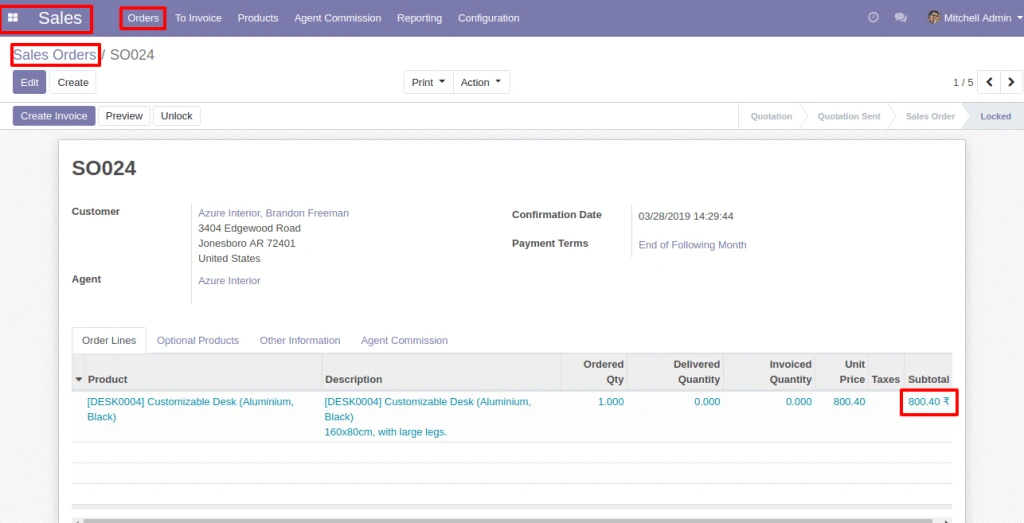
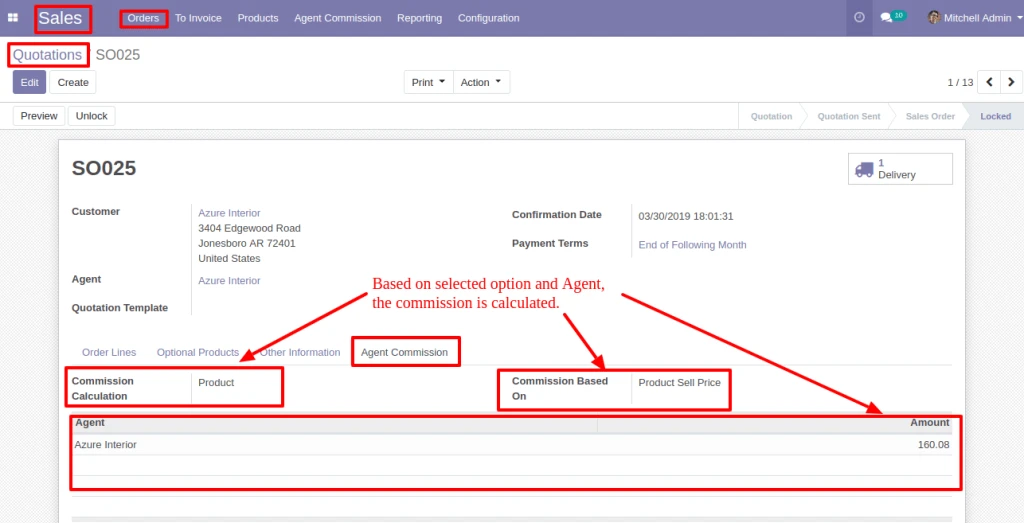
In Sale Order, below the Agent Commission tab, based on the Agent and commission calculation option, Commission is calculated.
Sale Order
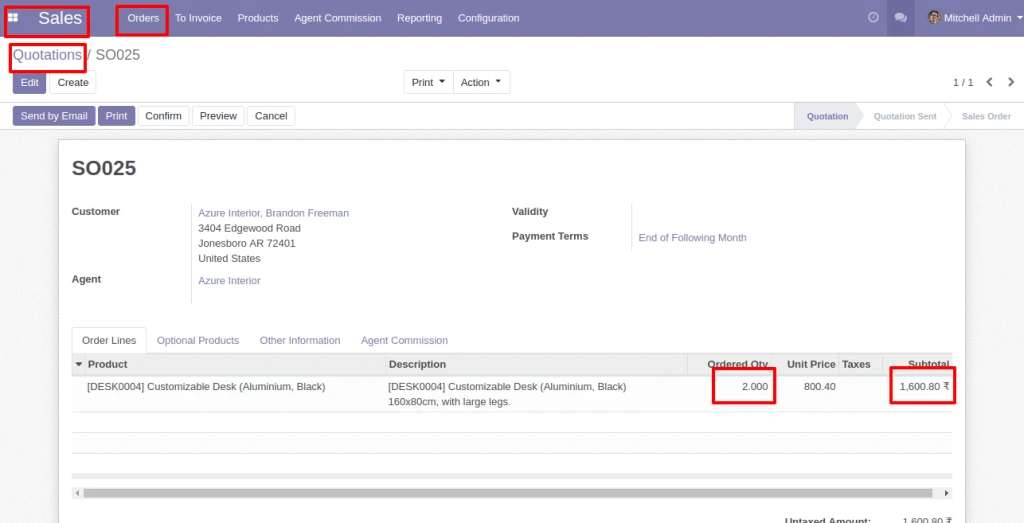
If commission is based on ‘Product/Product Category/Agent’, Commission will be calculated for each Order Lines.
Product CategoryProduct CategorySale Order Commission
Note : If Commission is based on ‘Product/Product Category’, Commission will be calculated as per quantity for each order line.
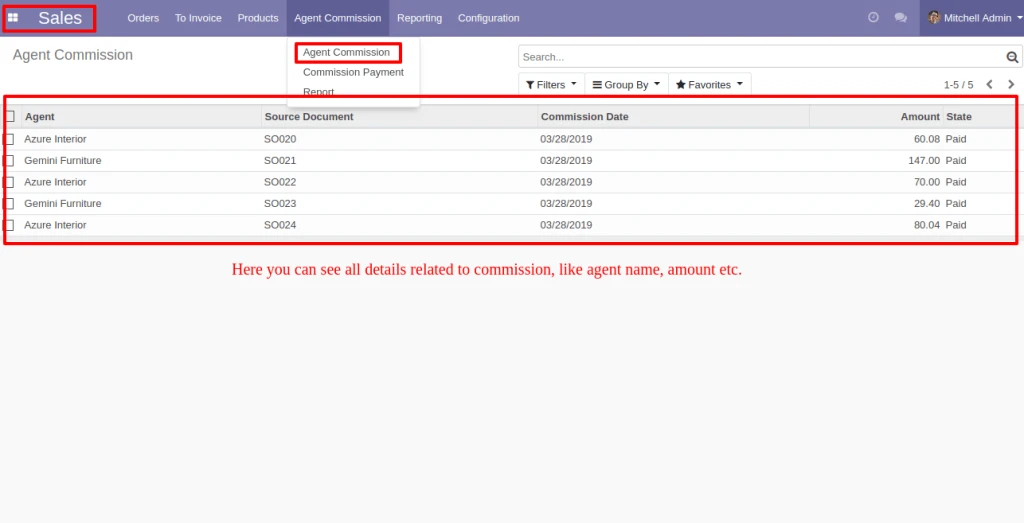
Into Agent Commission menu, you can see the Commission detail.
Agent Commission Details
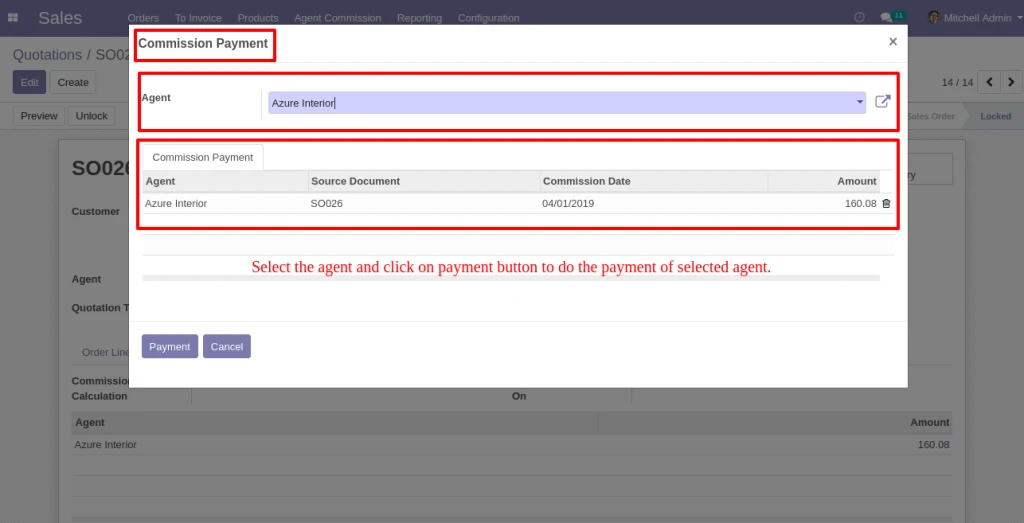
By Clicking on the Commission Payment, Vendor Bill can be generated by filterring Commission records.
Agent Payment
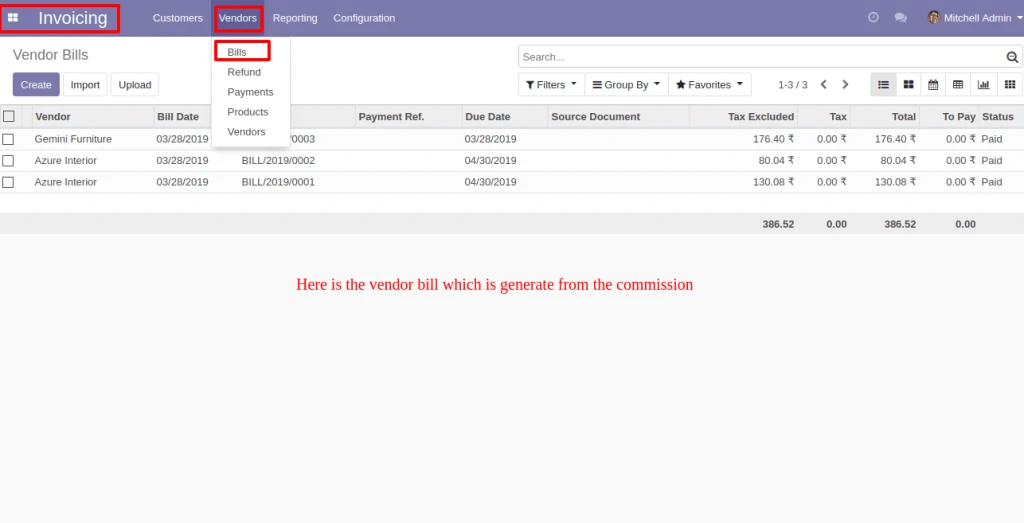
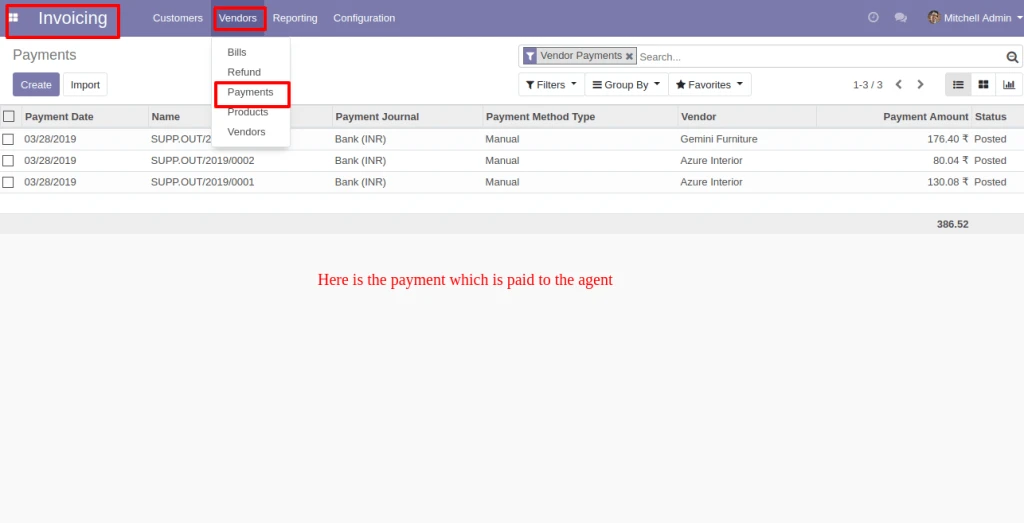
Here below is the Vendor bill which is generate from the Commission and related payment also be created.
Vendor BillPayment
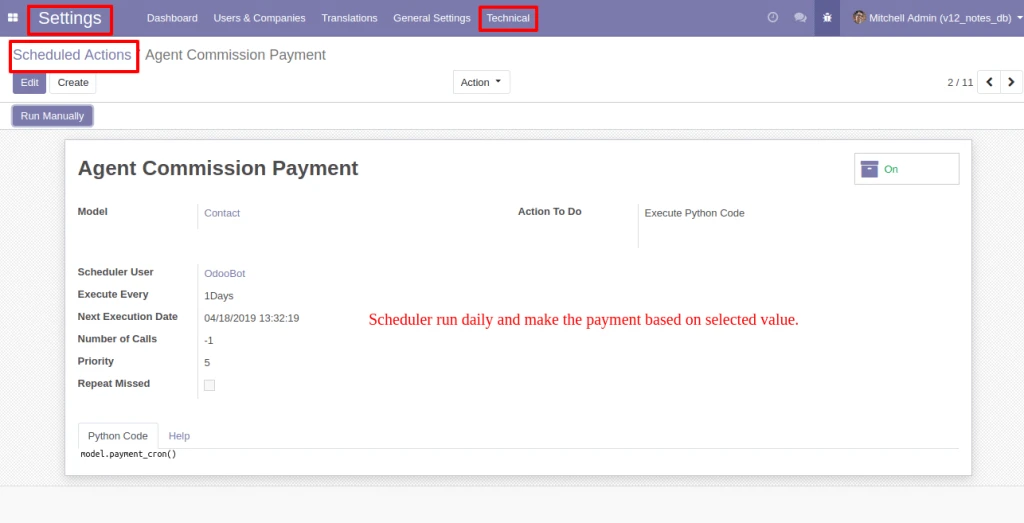
Schedular will run everyday and make the payment based on selected Payment Method(Monthly/Quarterly/Bi-Yearly/Yearly) in Agent form view.
Scheduler Run Daily
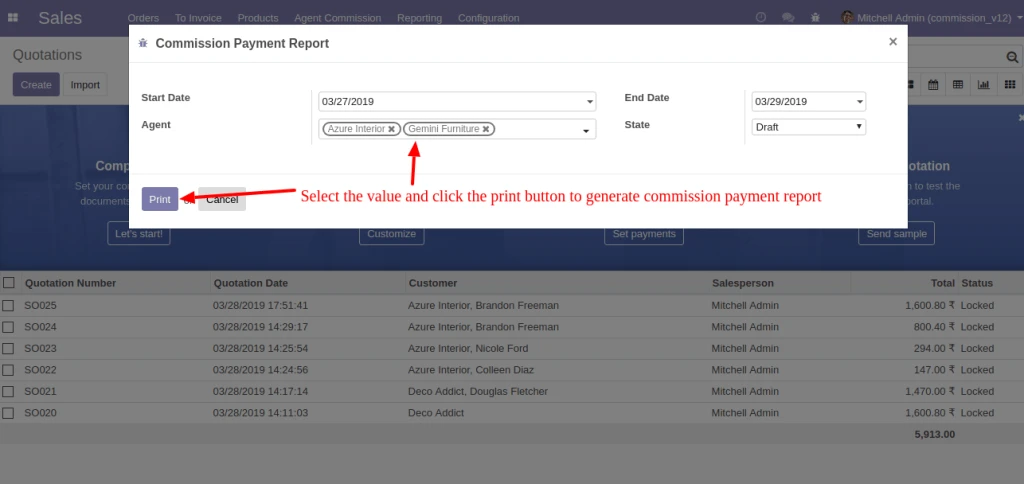
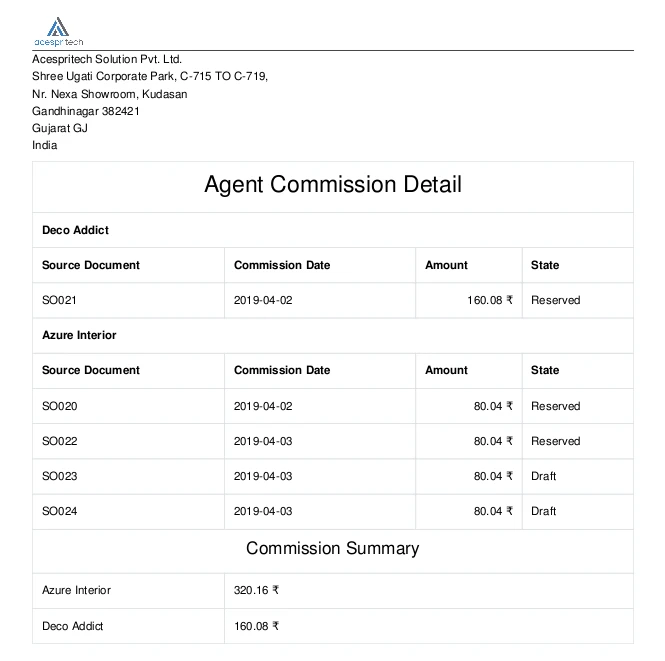
By clicking in Report menu, Commission Payment Report can be generated with having different filters as shown in image.
Commission Payment Report
Here below is the Commission Report for selected Agent(s).