Features
Easy To Manage Sales Commission.
Give commission to Sales Person.
Commission calculation based on Product, Product category, Sales team, Customer
Manage the commission calculate on Order confirmation, Invoice Validation, Invoice payment.
Manage the commission payment via Salary or Invoice.
How to use
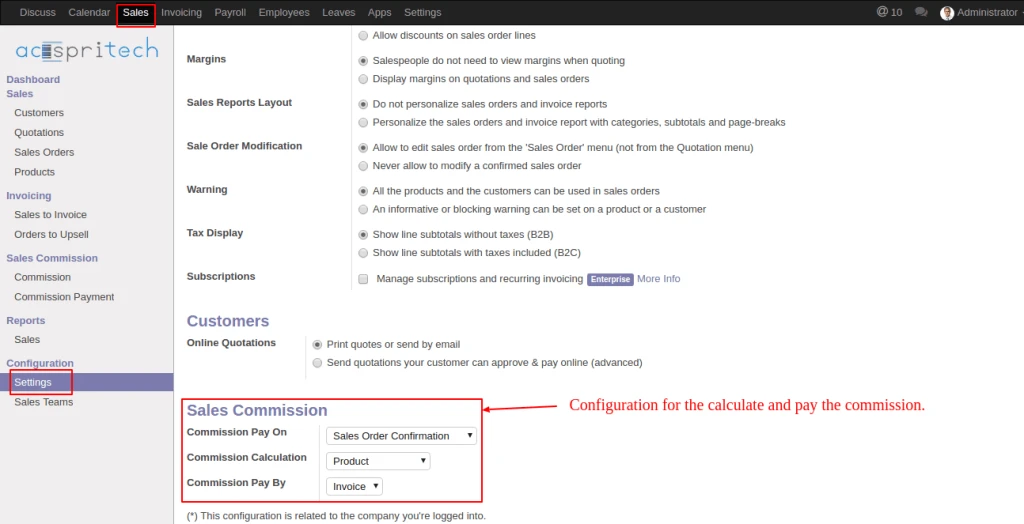
In Sales configuration, under the Sales commission, set the option for Commission Pay on, Commission Calculation, Commission Pay on. Based on this configuration the commission is calculate and paid.
Odoo Sale Configuration
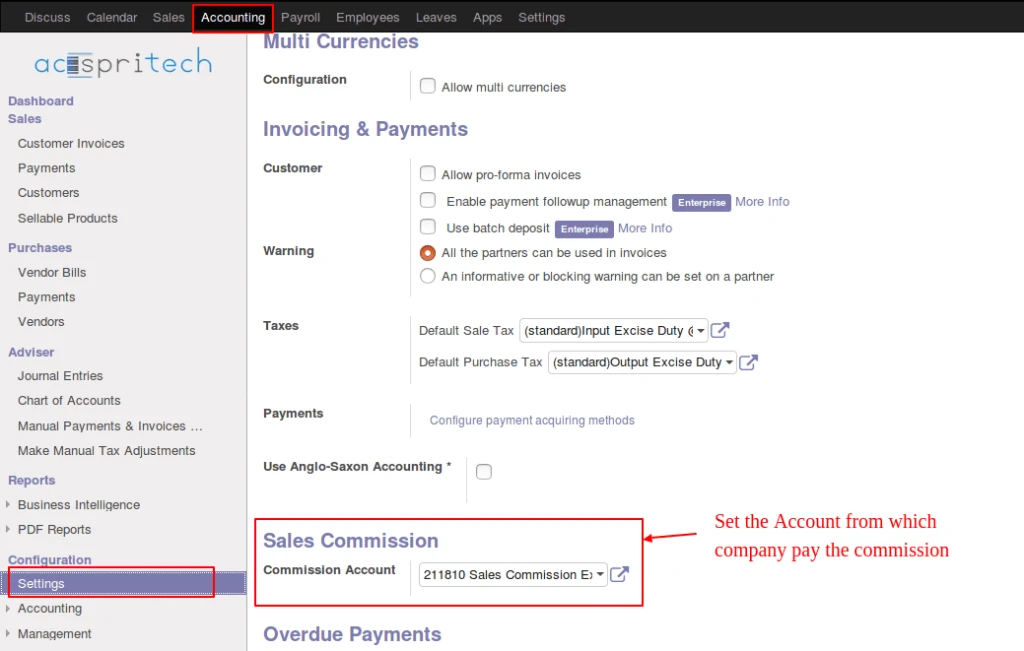
In Account configuration, under the Sales commission, set Account so when company pay the commission at that time commission pay from selected account.
Odoo Commission Account
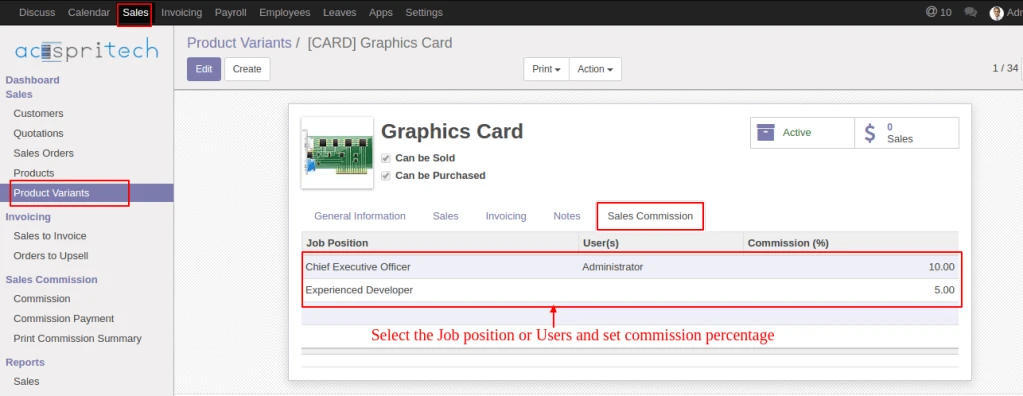
In Products, below the Sales commission tab, select the Job Position or Users and Commission percentage. This same configuration also available into the Customer, Product Category and Sales Team view.
Odoo Commission Configuration
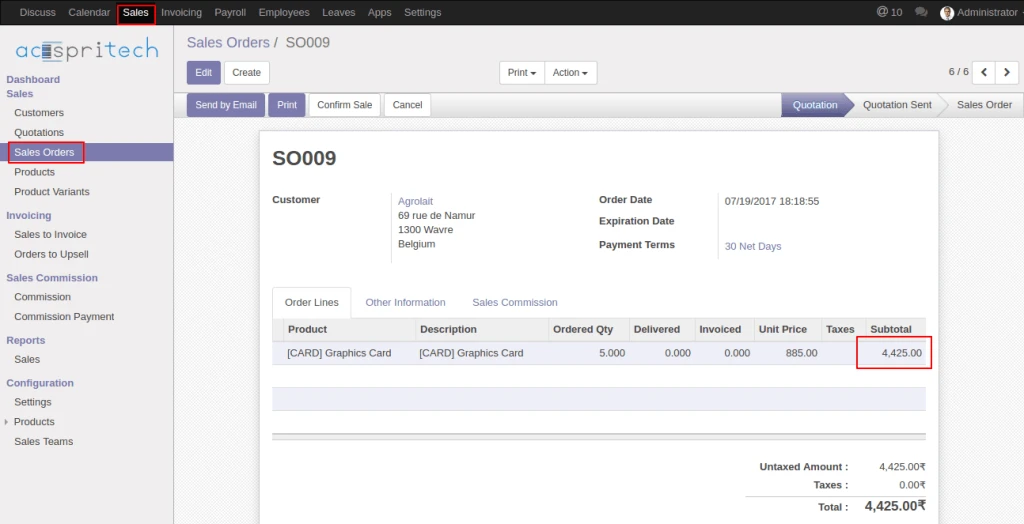
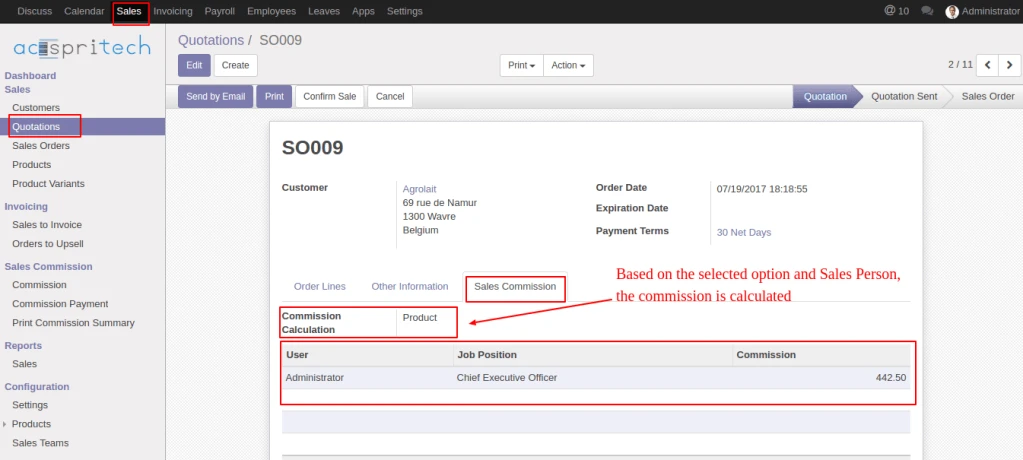
In Sale order, below the Sales commission tab, based on the Sales person and commission calculation option, commission data is calculated.
Odoo Sales OrderOdoo Commission Calculator
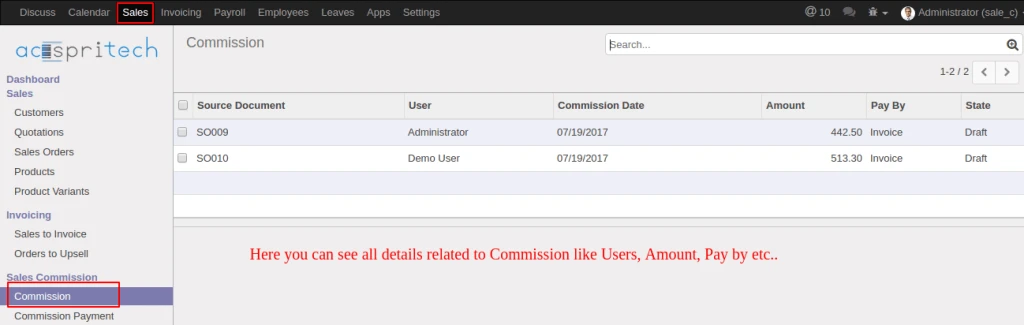
Into Commission menu, you can see the commission’s detail like user, amount, pay by etc…
Odoo Commission Data
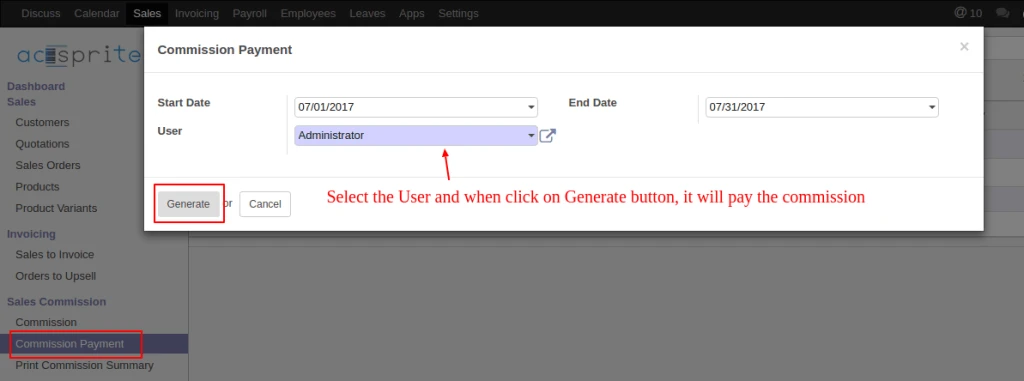
Click on the commission payment, into opened pop-up, select the user, when click the generate button it will paid the commission which is pay by ‘Invoice’ and make the account Journal entries.
Odoo Wizard Pay Commission
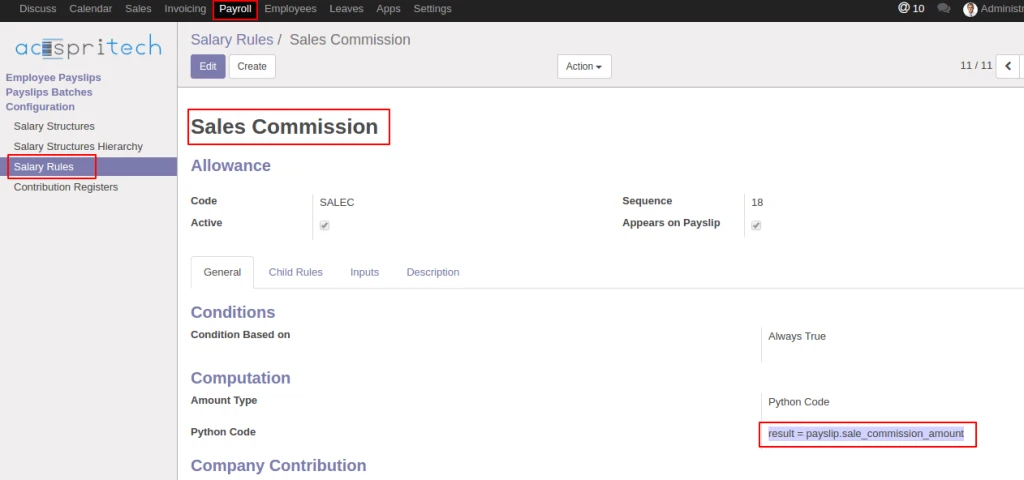
When module is install, into salary rule, you get new salary rule for pay the commission by Salary.
Odoo Commission Salary Rule
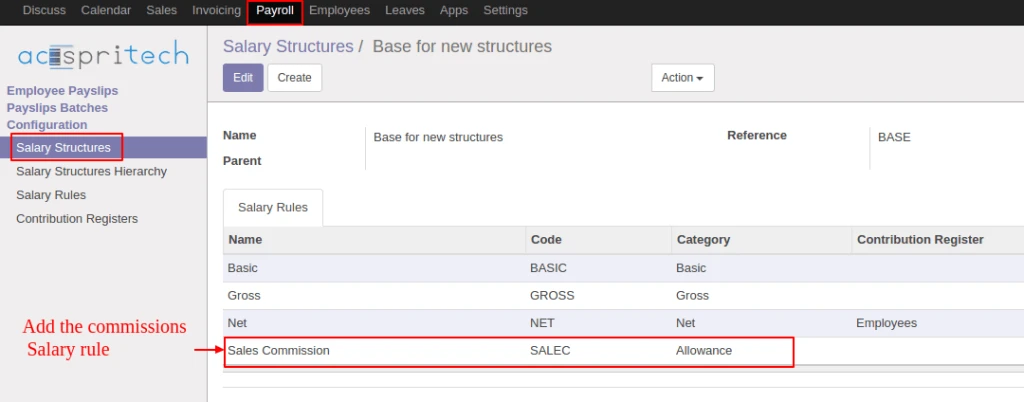
Add this new salary rule to Salary structure, so when employee payslip is create at that time employee related user’s commission amount is added into employee’s salary amount.
Odoo Salary Structure
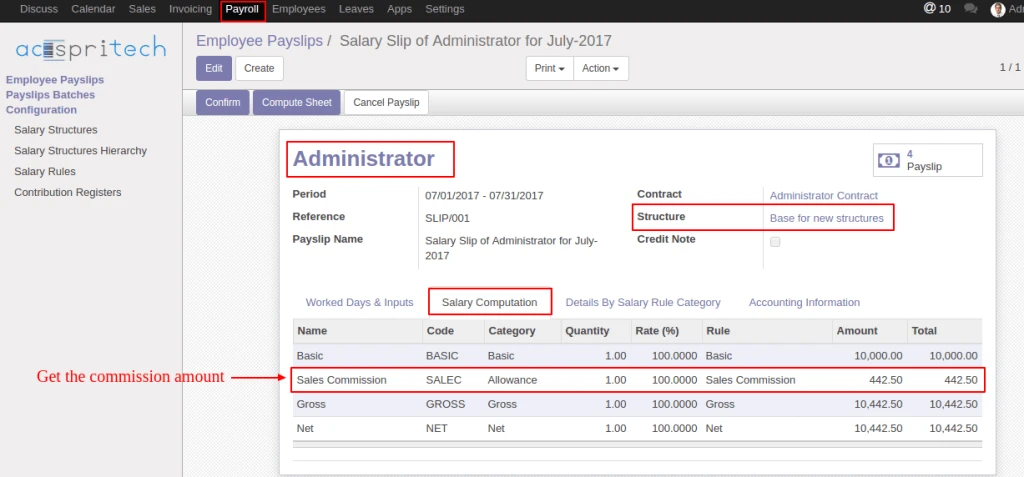
When the employee salary slip is generate, it will automatically added the commission amount and when confirm payslip, employee related user’s commission set to ‘Paid’.
Odoo Commission Payslip
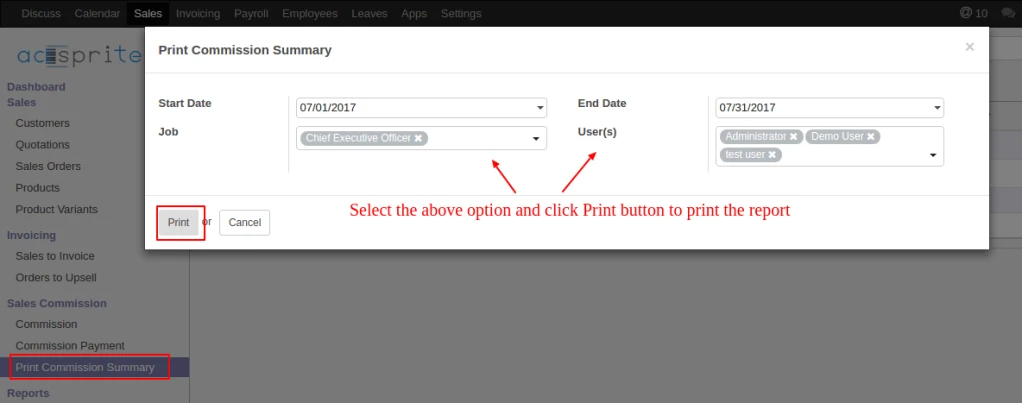
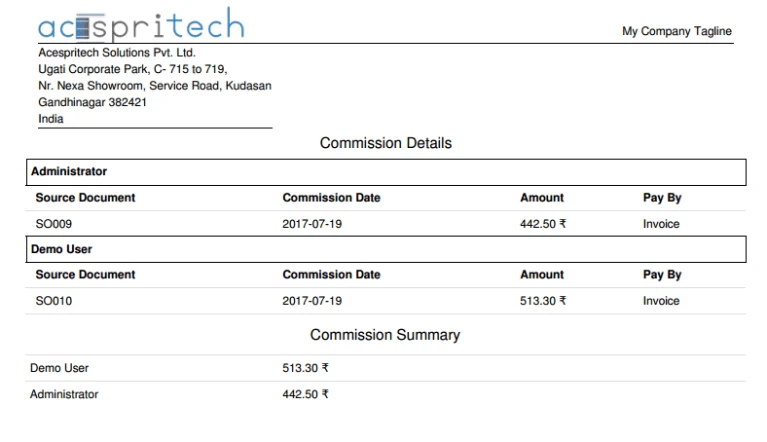
Click Print Commission summary menu, into opened pop-up, select the available options and click print button for printing the commission report.
Note: While doing each and every perform into invoice click on apply or remove rounding button for rounding amount.
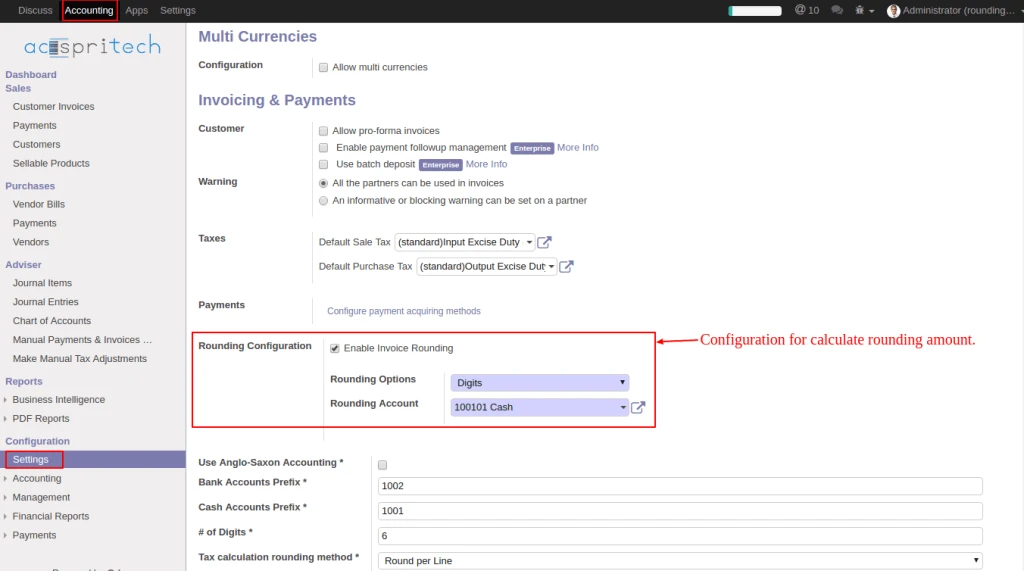
In Accounting configuration, checked “Enable Invoice Rounding”, select the (Rounding option and set Rounding Account).
Odoo account configuration
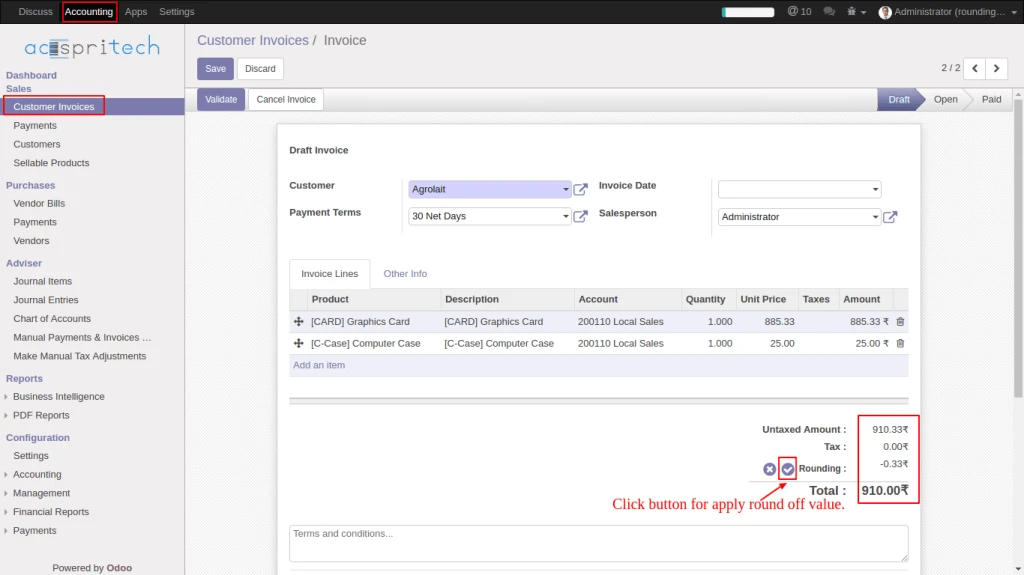
From Customer Invoice click on (rounding apply) button for calculate rounding amount.
Odoo applying round off
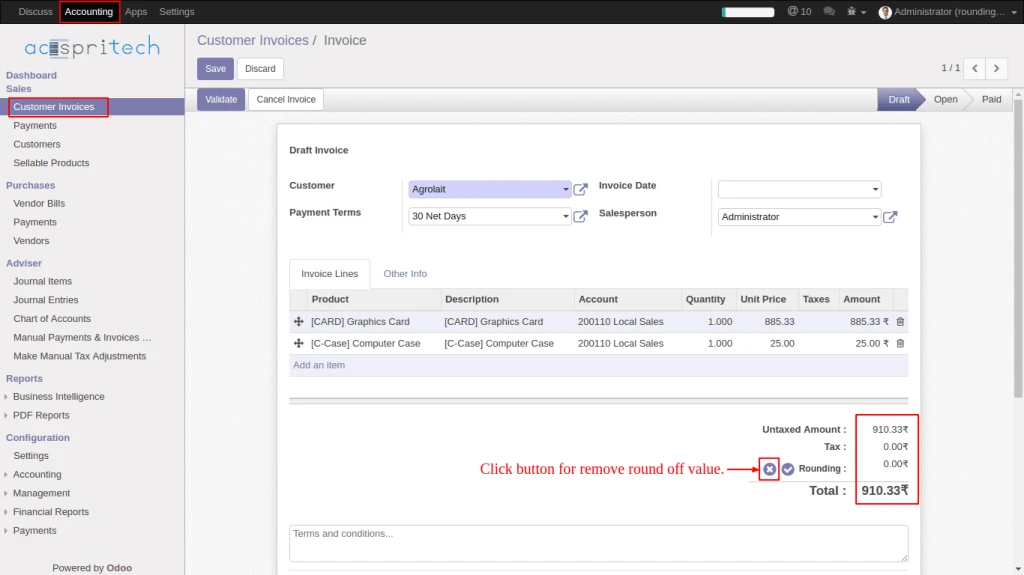
From Customer Invoice click on (rounding remove) button for remove rounding amount.
Odoo invoice remove round off
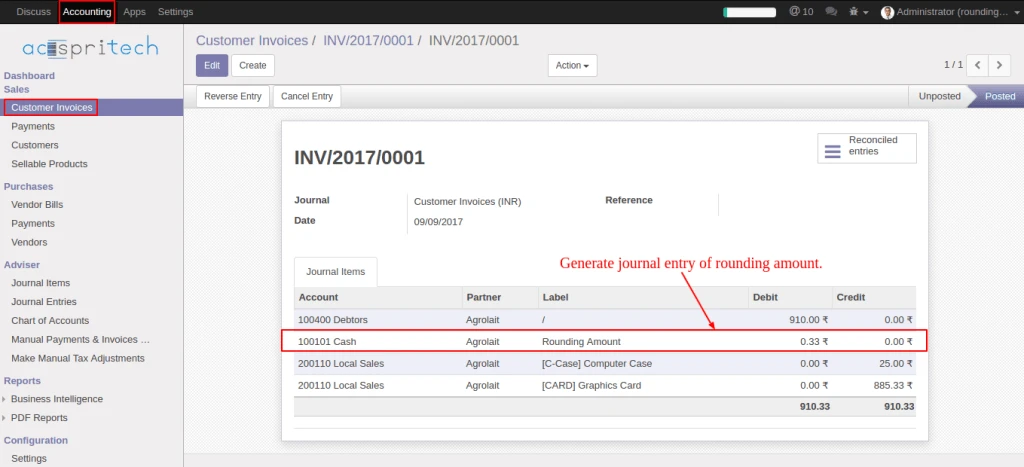
Once invoice validate generate journal entry of rounding amount.
Odoo journal entry
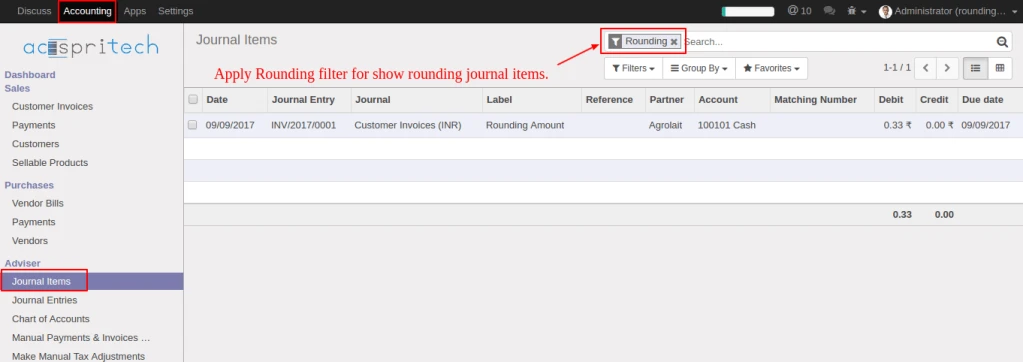
From journal items menu, select filter “Rounding” for display rounding journal entries.
Odoo filter journal entey
Share this:
Click to share on Facebook (Opens in new window)
Click to share on LinkedIn (Opens in new window)
Click to share on Twitter (Opens in new window)
Click to share on Reddit (Opens in new window)
Click to share on Tumblr (Opens in new window)
Click to share on Pocket (Opens in new window)
Click to share on Pinterest (Opens in new window)
More
Click to print (Opens in new window)
Click to email this to a friend (Opens in new window)