Features
- By configure “Cost Of Goods” you can set cost for any product in store.
- Cost price help to track profit reports.
- We can use cost price in WooCommerce.
- WooCommerce detailed Profit report.
- Filter by
- Profit by date
- Profit by product
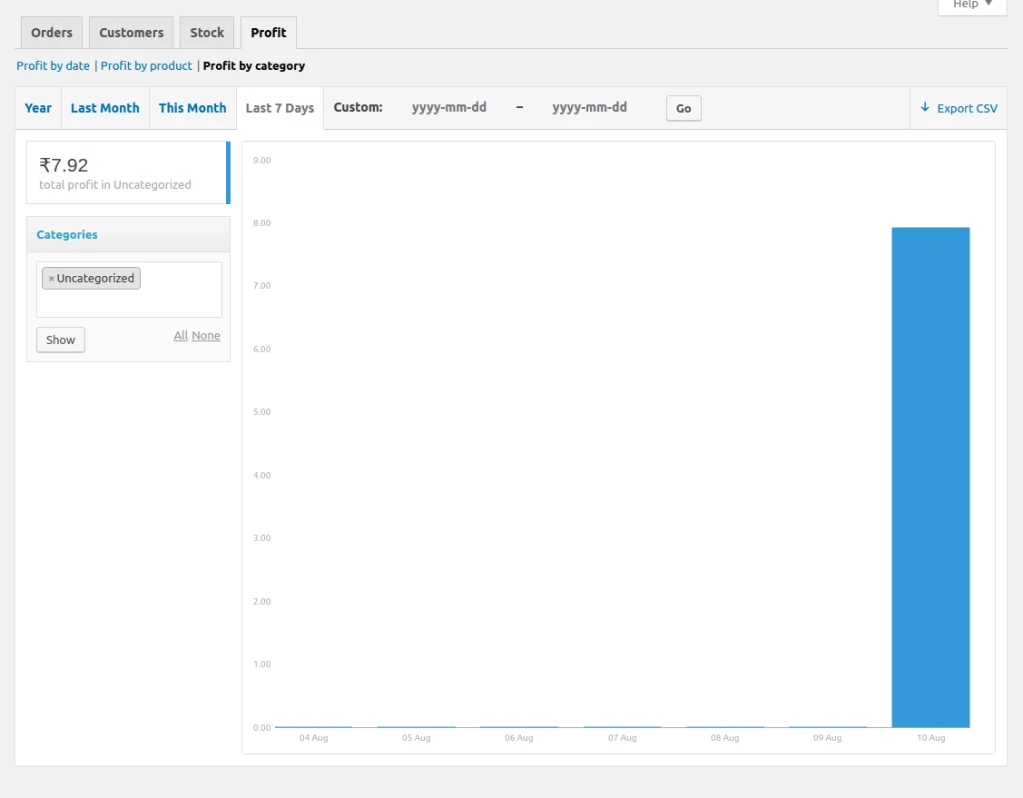
- Profit by category
- Details of profit for every product sold.
Simple Product Cost Configuration
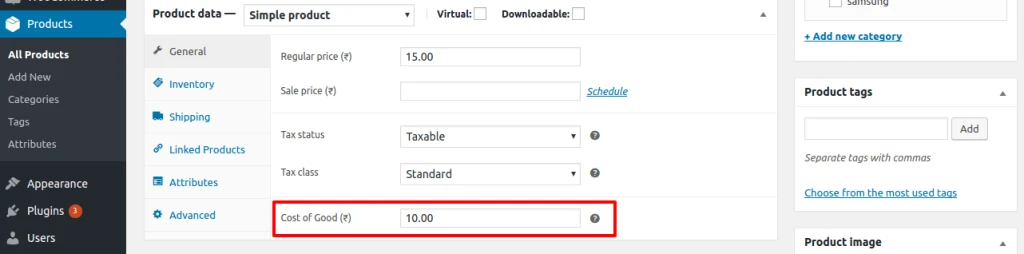
You can add from the Product Edit screen where a new “Cost of Good” field is added in General tab for simple products and this should be product cost of good.
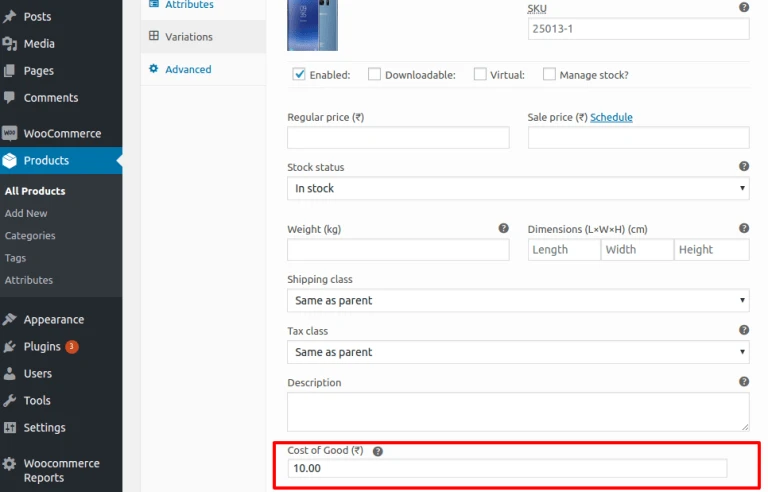
You can add cost of good for each variation product.
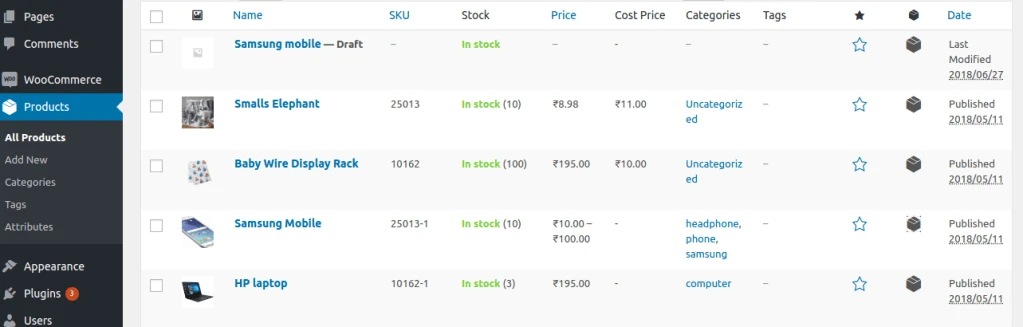
Product page display “Cost of Good” in column “Cost Price”.
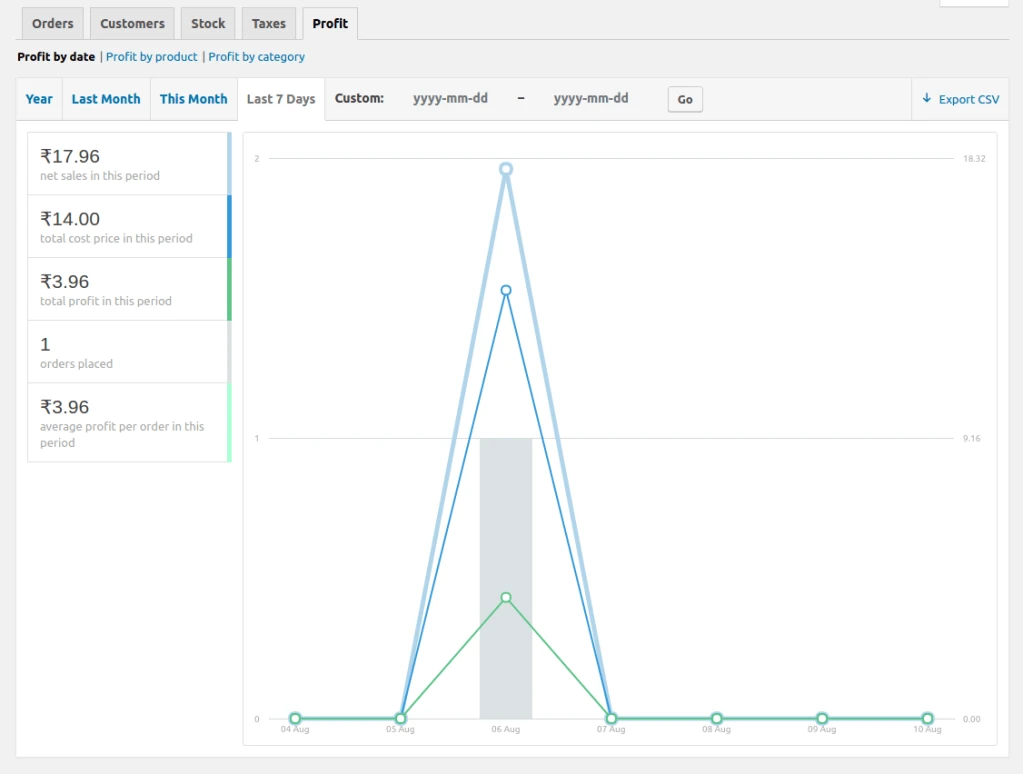
Profit report by Date
See your net sales, cost price, profit, and average profit per order for any date range.
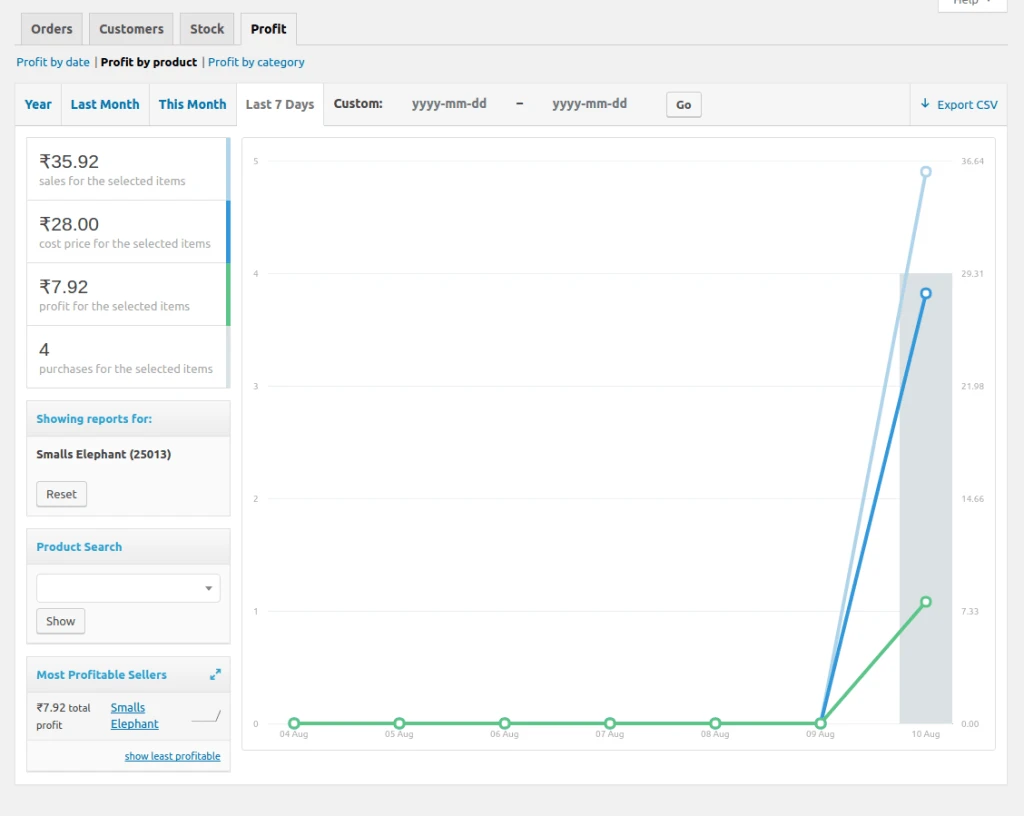
Profit report by product
Net sales for the selected item, total costs, total item profit, and total item purchases for the selected date range.
Profit report by category
See profit by product category. You can select one or more category for details.