Contact Form is your completely free and completely expandable form builder plugin for WordPress. It makes it easy to set up and add forms to your WordPress website using shortcodes. Admin create custom forms for all your needs with as many fields as you like. Make your site more efficient from visitor input to email response times with contact form plugin.
Click here to download
Features:-
Easy row and column layouts.
Have a form ready to go in literally minutes.
Customizable email notifications from any form.
8+ field types with its class id and name also include select-option fields.
Drag and drop feature to make it easy to change form field positions.
It’s easy to add field’s labels, classes, id and name or other details.
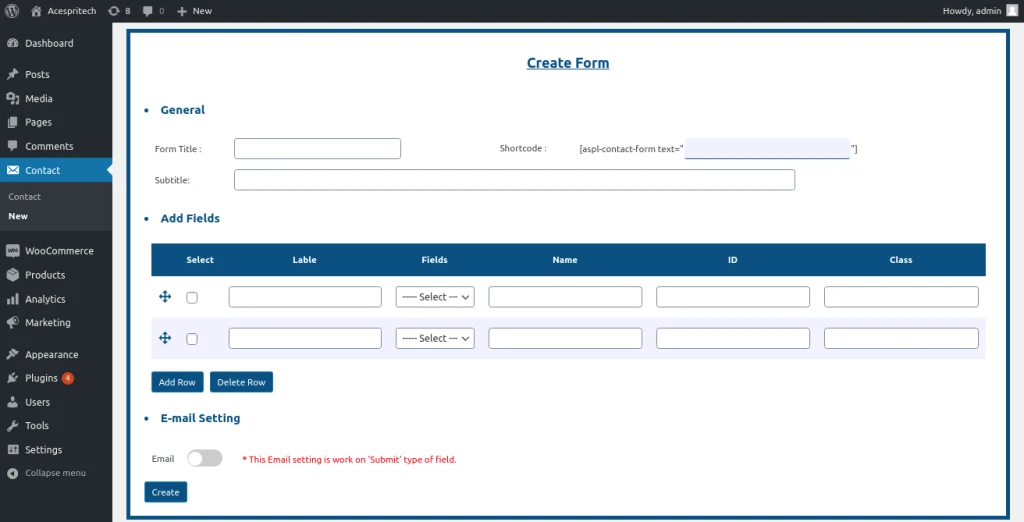
Create a new Contact Form
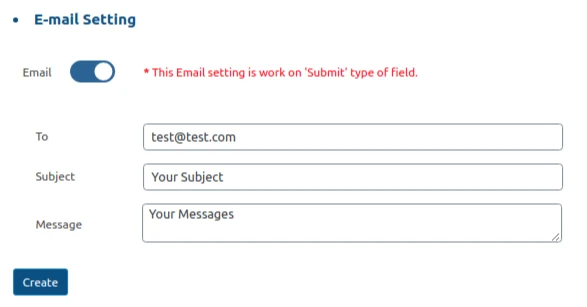
Email configuration
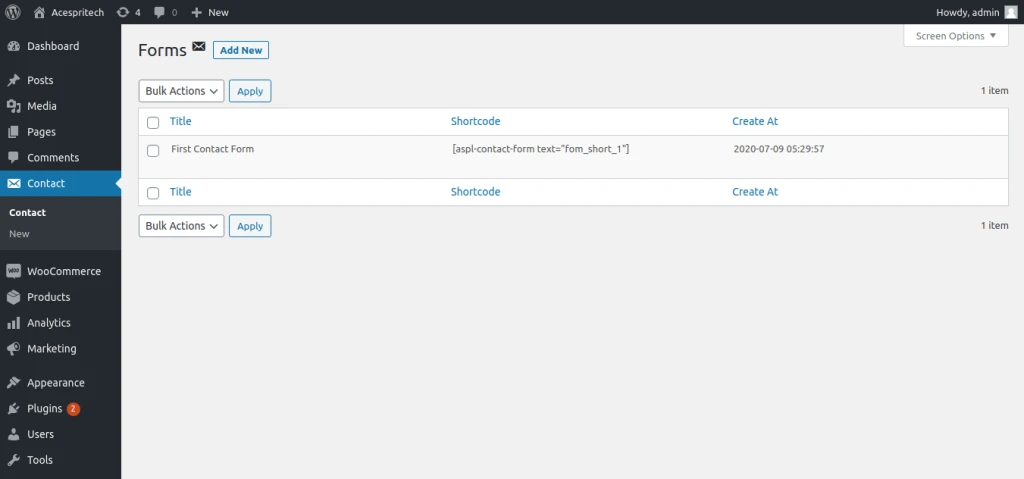
List table of Forms Data
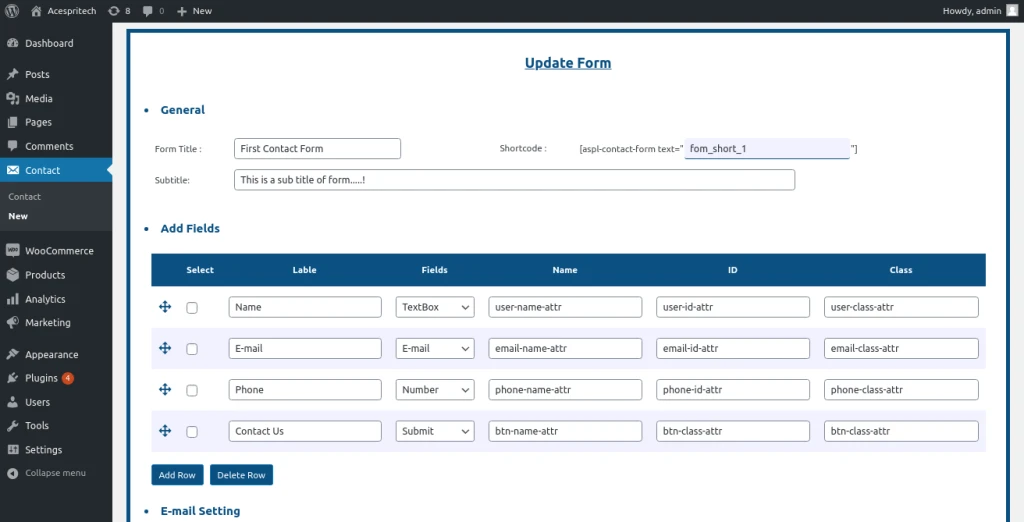
Update Existing form data
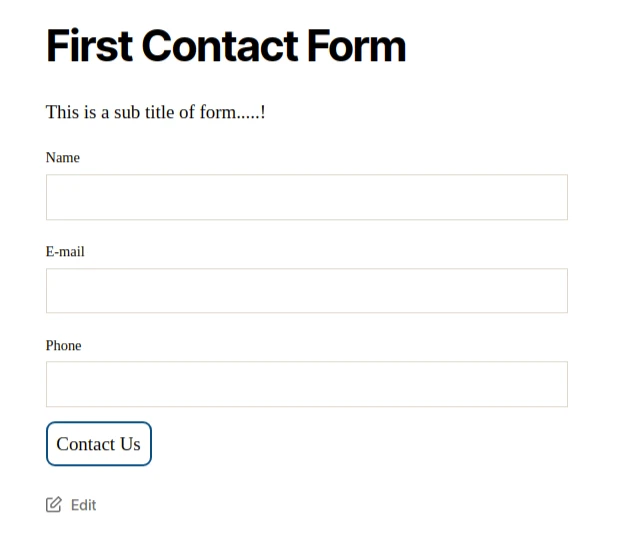
Frontend side form view
Share this:
Click to share on Facebook (Opens in new window)
Click to share on LinkedIn (Opens in new window)
Click to share on Twitter (Opens in new window)
Click to share on Reddit (Opens in new window)
Click to share on Tumblr (Opens in new window)
Click to share on Pocket (Opens in new window)
Click to share on Pinterest (Opens in new window)
More
Click to print (Opens in new window)
Click to email this to a friend (Opens in new window)
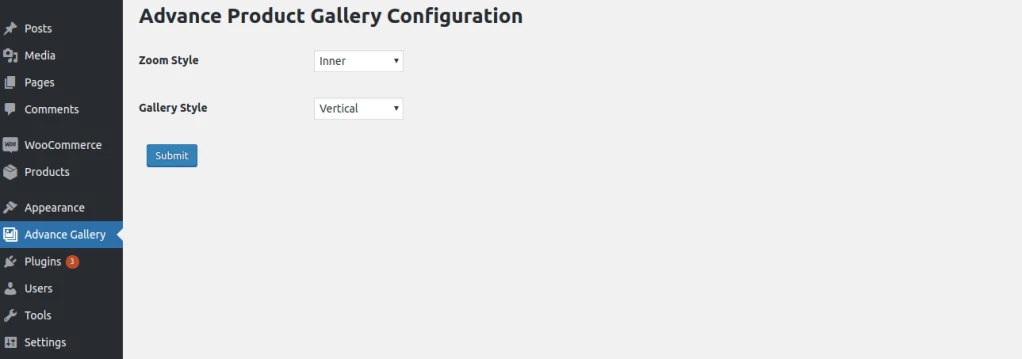
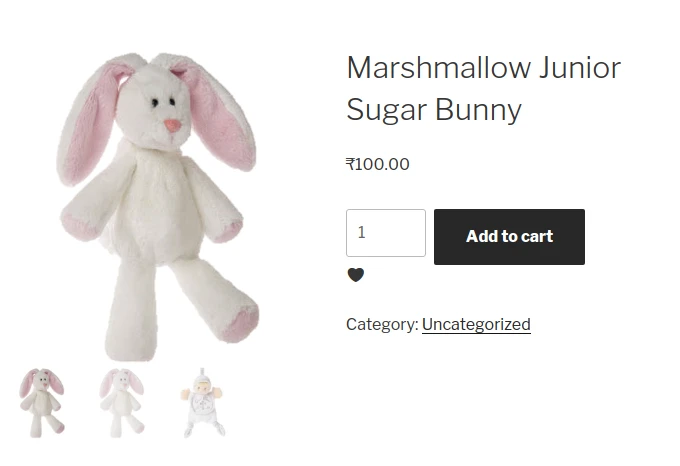
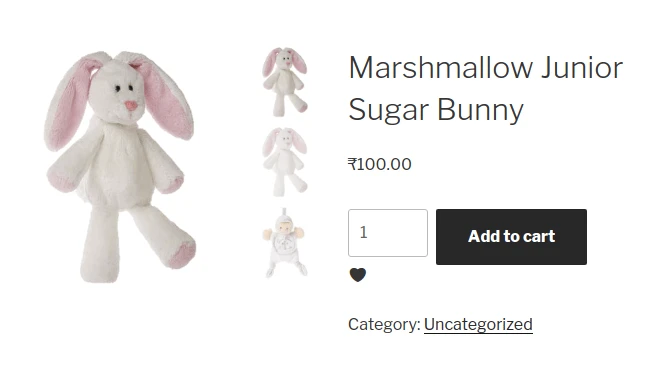
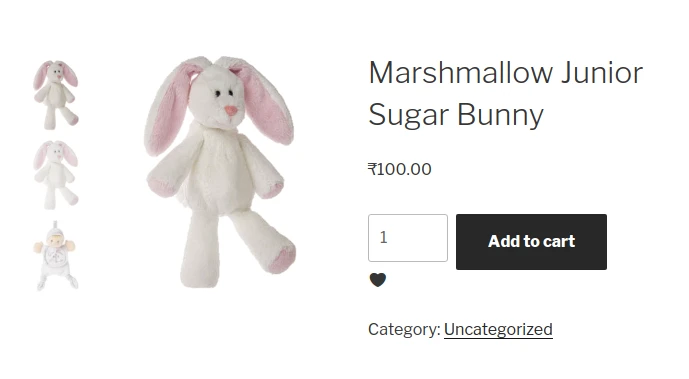
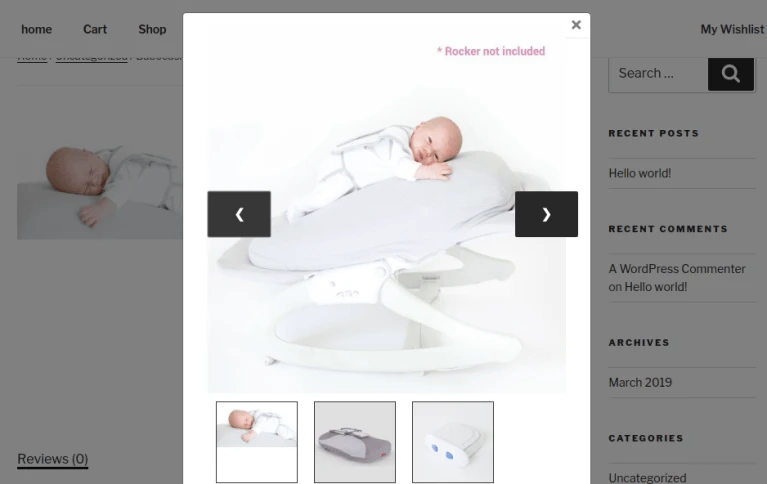
It is an extremely user-friendly WooCommerce product gallery plugin for your e-commerce site. This plugin is for change product gallery layout. Horizontal and vertical thumbnail gallery and provide inner and outer zoom effect for gallery images.
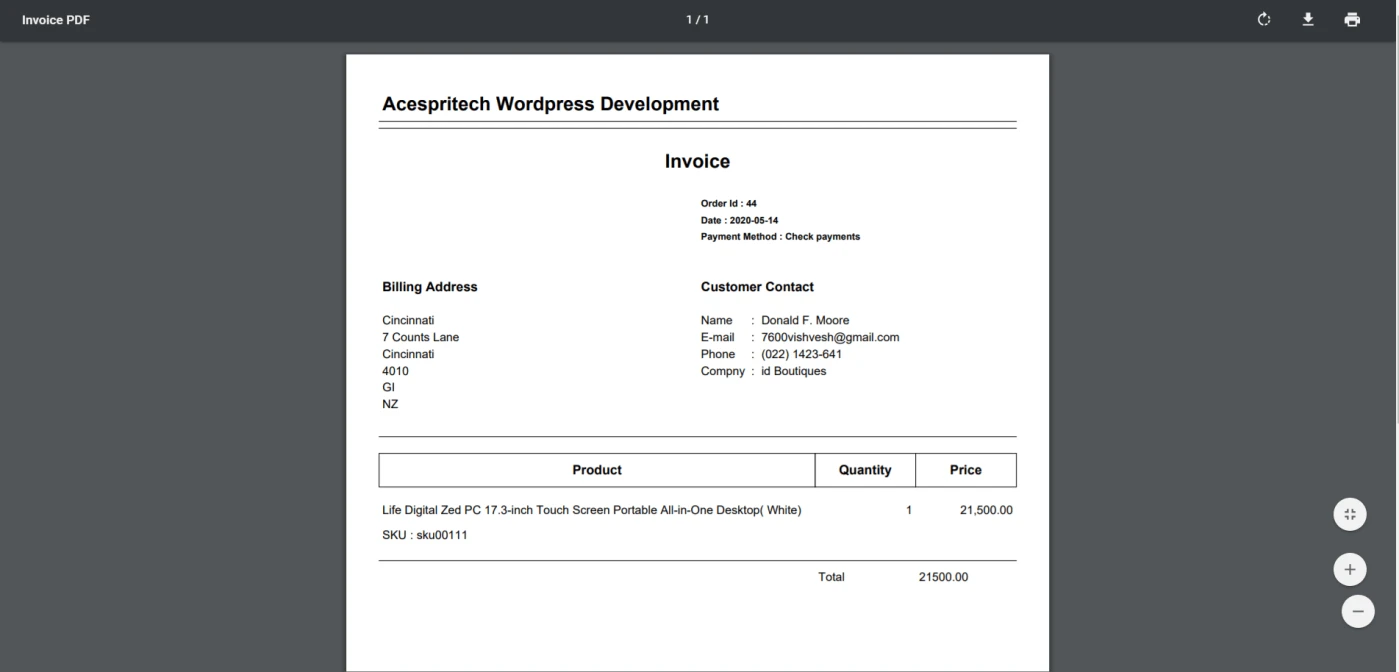
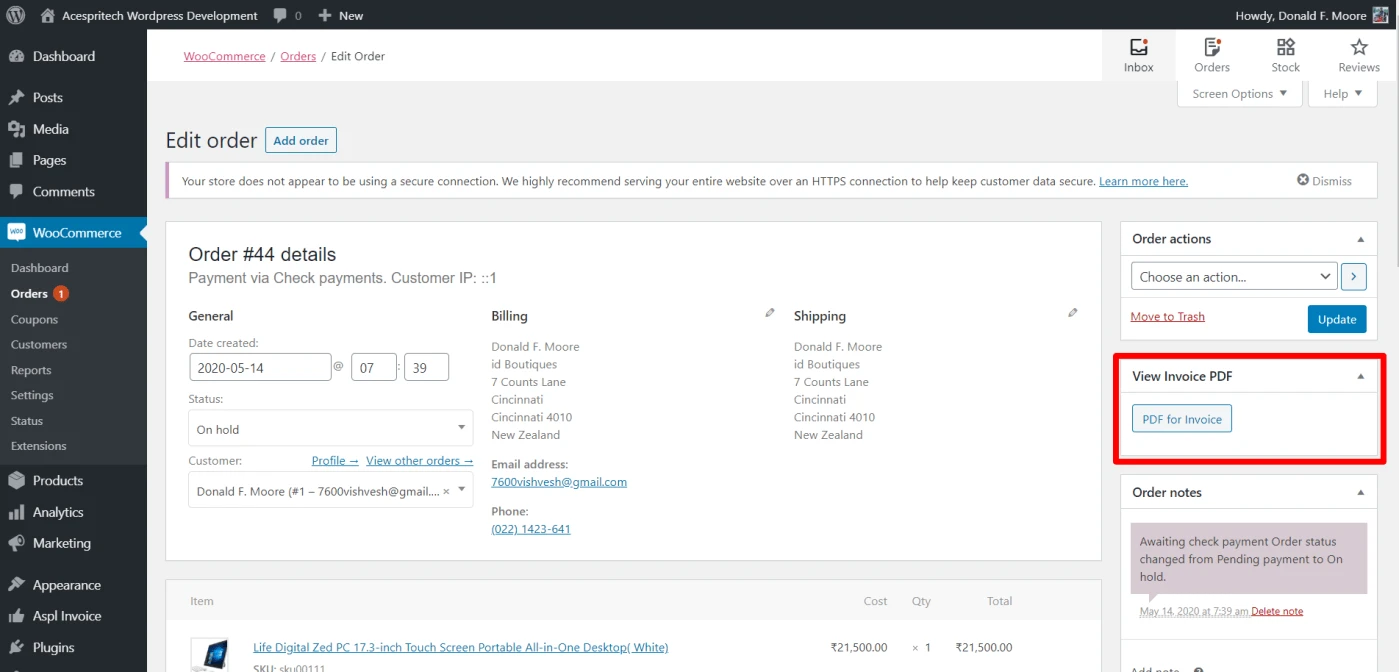
The ASPL Email PDF Invoice facilitates the invoice pdf generation and the download from the order page for the admin and user and email it with woocommerce order email.
Click here to download
Features:-
Automatically attach invoice PDF to WooCommerce emails.
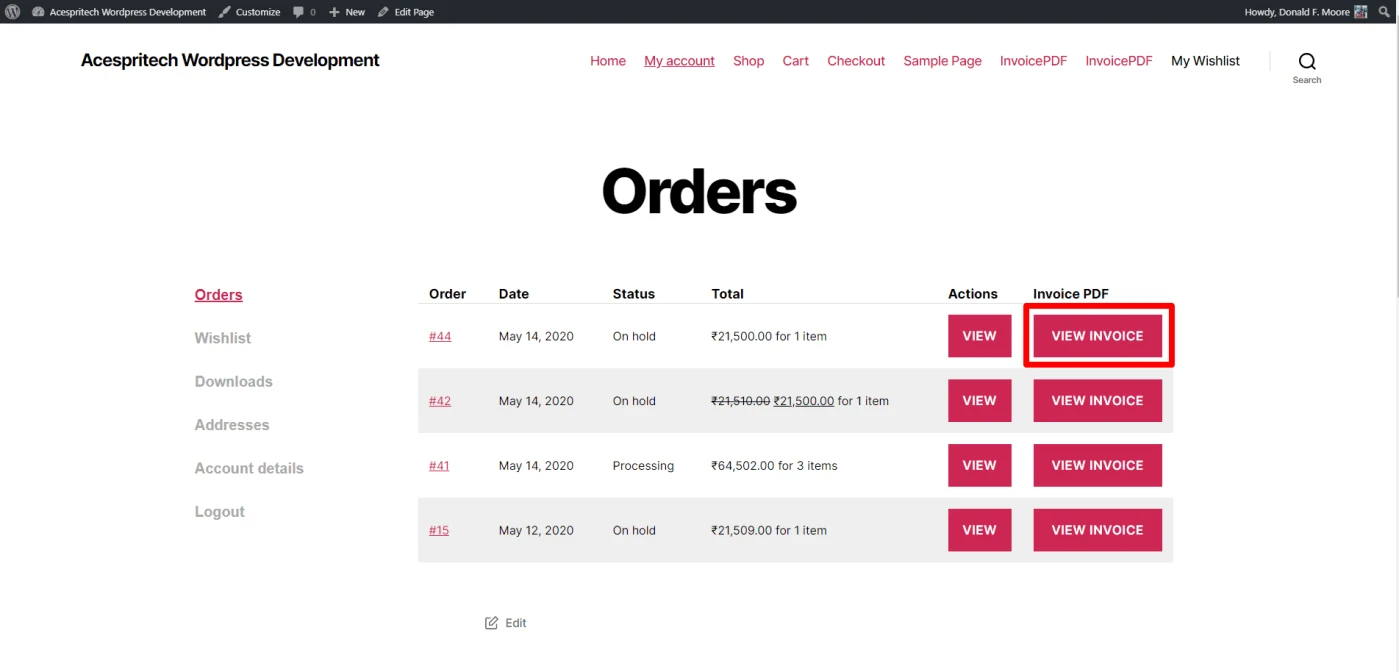
Show / Download the order PDF invoice from the order admin page and user can download it from my-account order page
It’s work on order status update.
Invoice PDF View.
Invoice View
Display Metabox to show particular order invoice. Order Invoice
Display Invoice to user in myaccount area in order list.
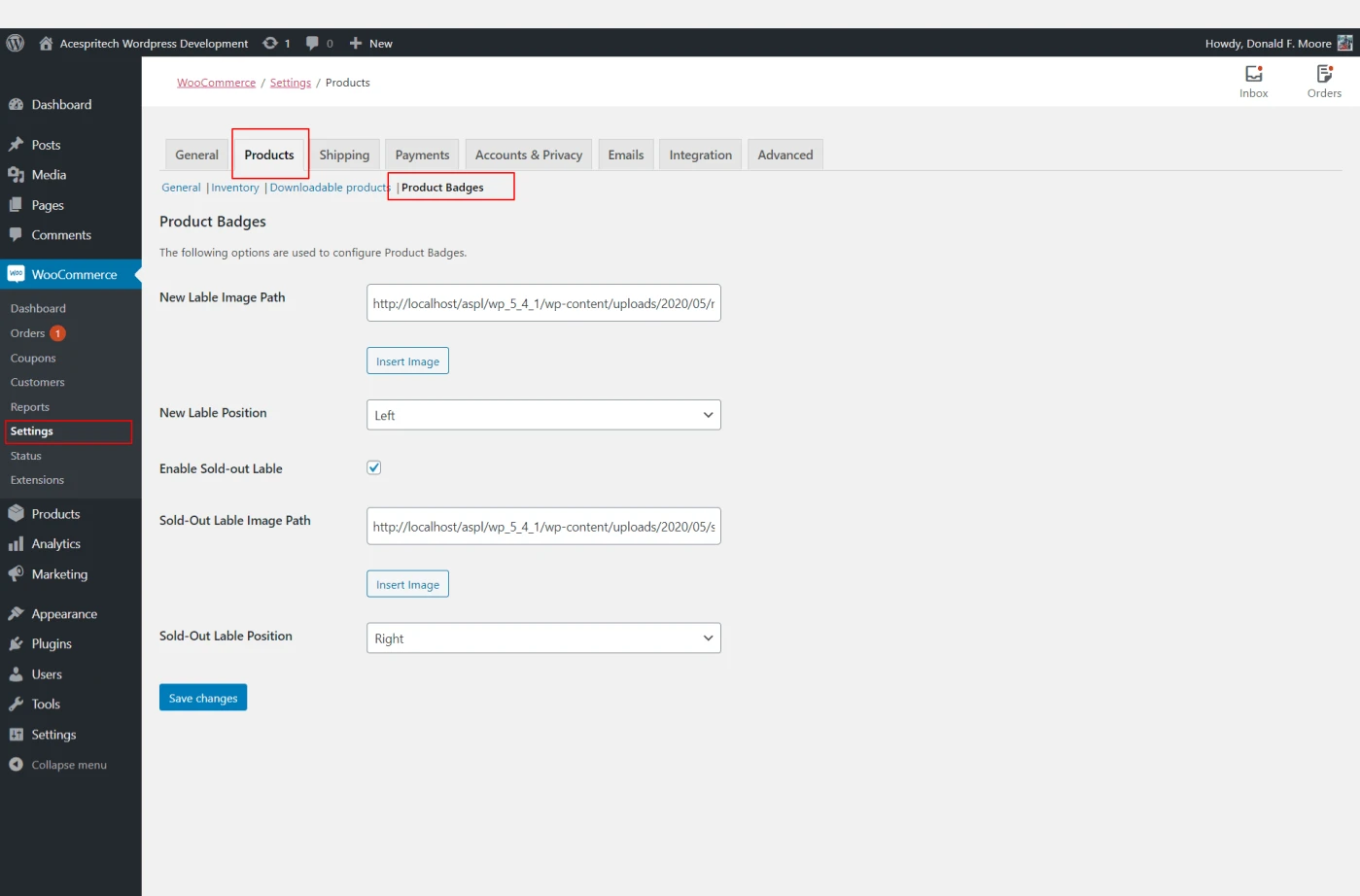
Make your website more attractive with badges inviting customers to buy. this
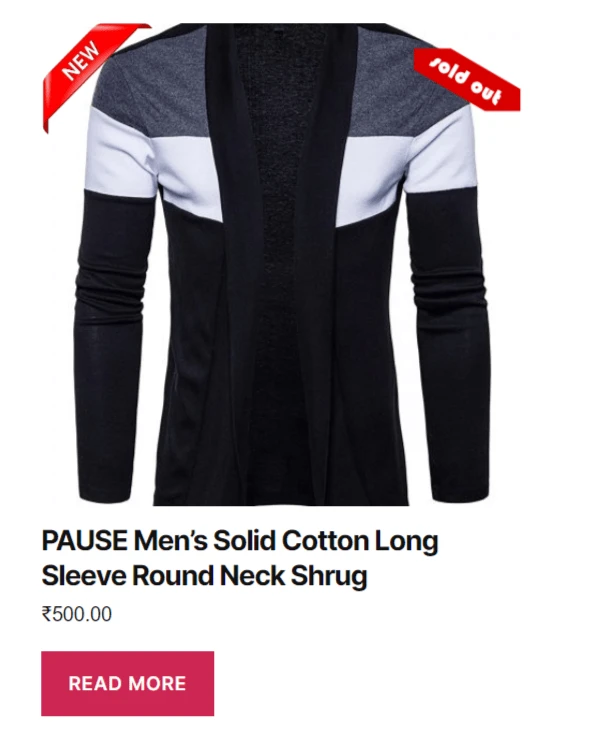
plugin helps to display product as ‘new’ label and product is ‘sold-out’. Admin
has an access to change Badges images and its position.
Click here to download
Features:-
Admin can include images of Badges.
Badges display on the product image in a product loop – item.
The admin has two options to set the position of Badges right side and left side.
The ‘sold-out’ functionality is display on product is out of stock and it’s enabled by setting.
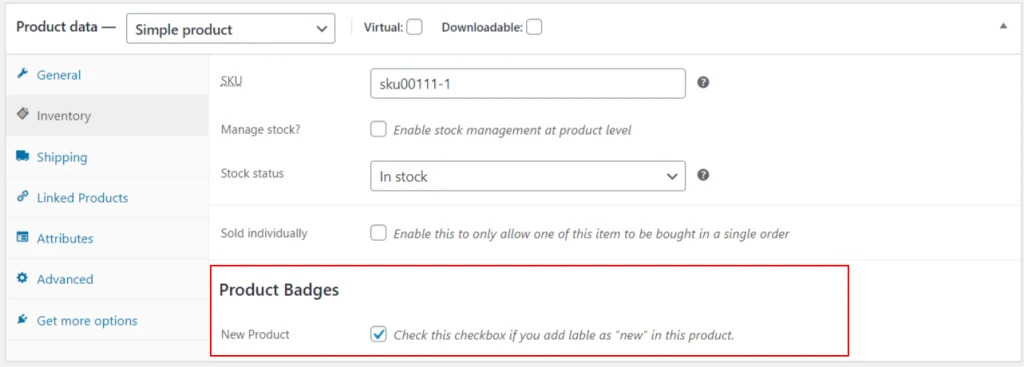
Admin can manage ‘new’ product label configuration by a product data tab.
Enable ‘new’ label for product.
Enable New liable Product
Setting page for Product Badges.
Setting Page for Product Badges
Setting page for Product Badges.
Front end Side Display Product Badges
Share this:
Click to share on Facebook (Opens in new window)
Click to share on LinkedIn (Opens in new window)
Click to share on Twitter (Opens in new window)
Click to share on Reddit (Opens in new window)
Click to share on Tumblr (Opens in new window)
Click to share on Pocket (Opens in new window)
Click to share on Pinterest (Opens in new window)
More
Click to print (Opens in new window)
Click to email this to a friend (Opens in new window)
ASPL Feedback System Plugin will help you to get the genuine and valuable
feedback from your potential user. This will play a vital role in your business
success.
Click here to download
Features:-
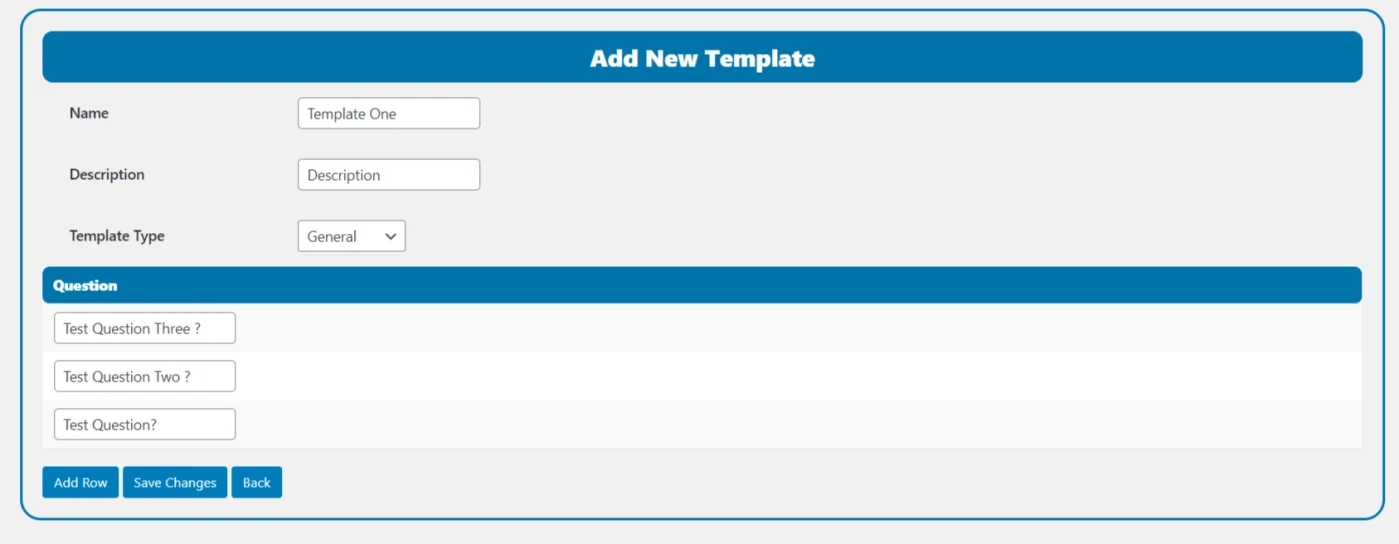
Admin can create multiple feedback template with bunches of
questions and multiple answer for that question.
Admin can add feedback page link in the menu and anywhere
in theme to customer feedback.
Admin is set to display template on the Feedback page.
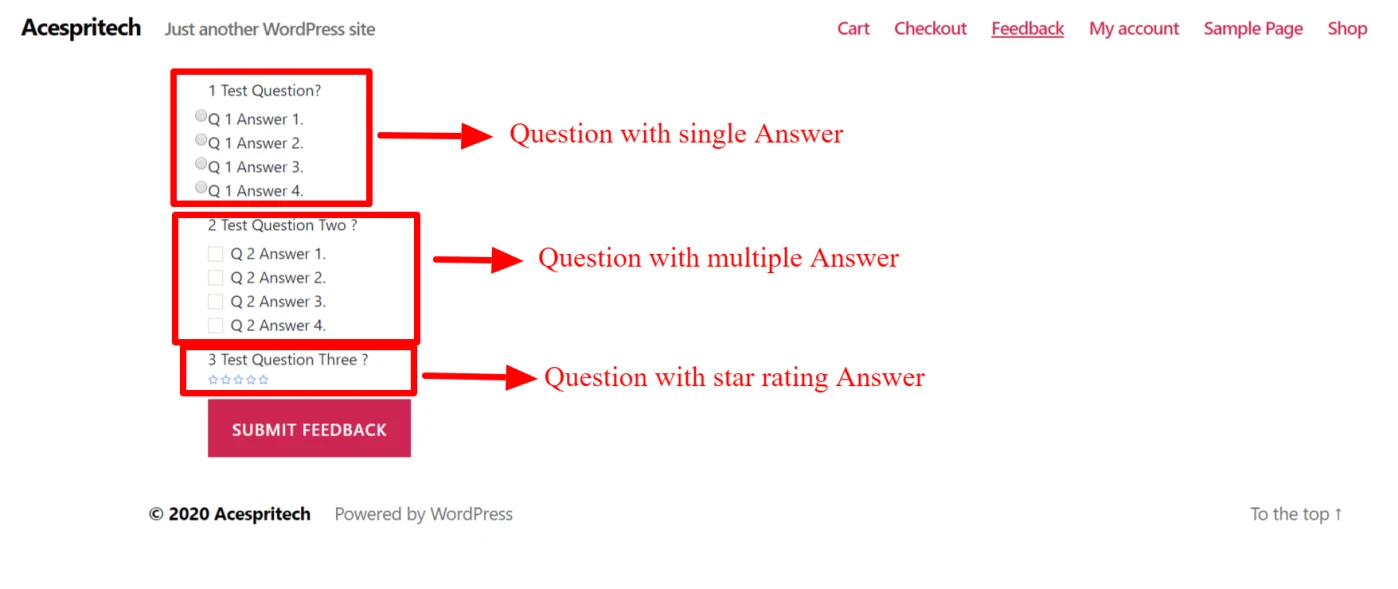
Customer get multiple options to submit one question’s answer.
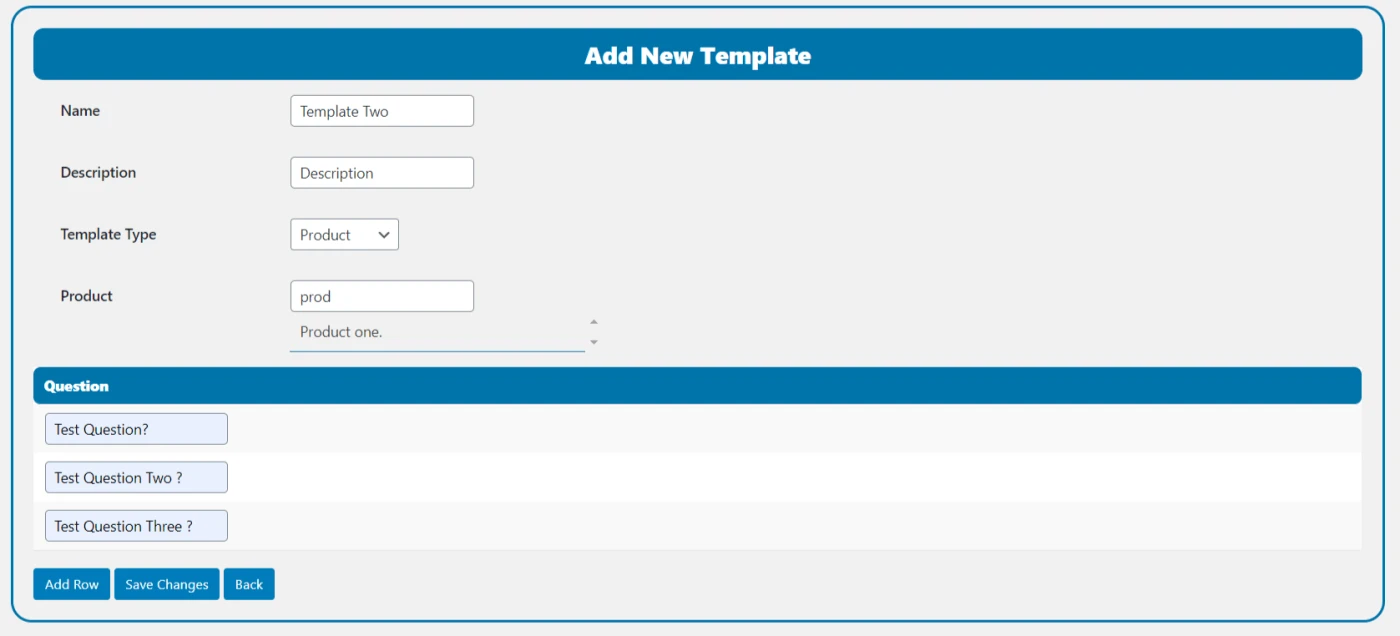
Admin can have types of feedback template: For Products and General.
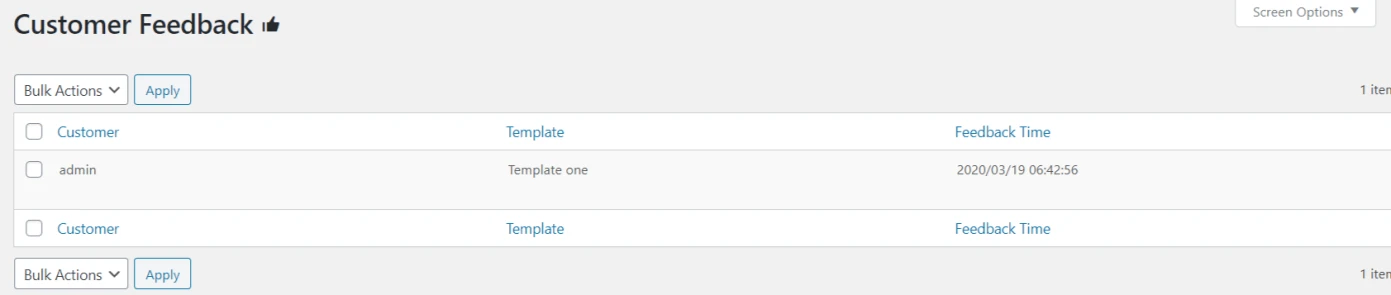
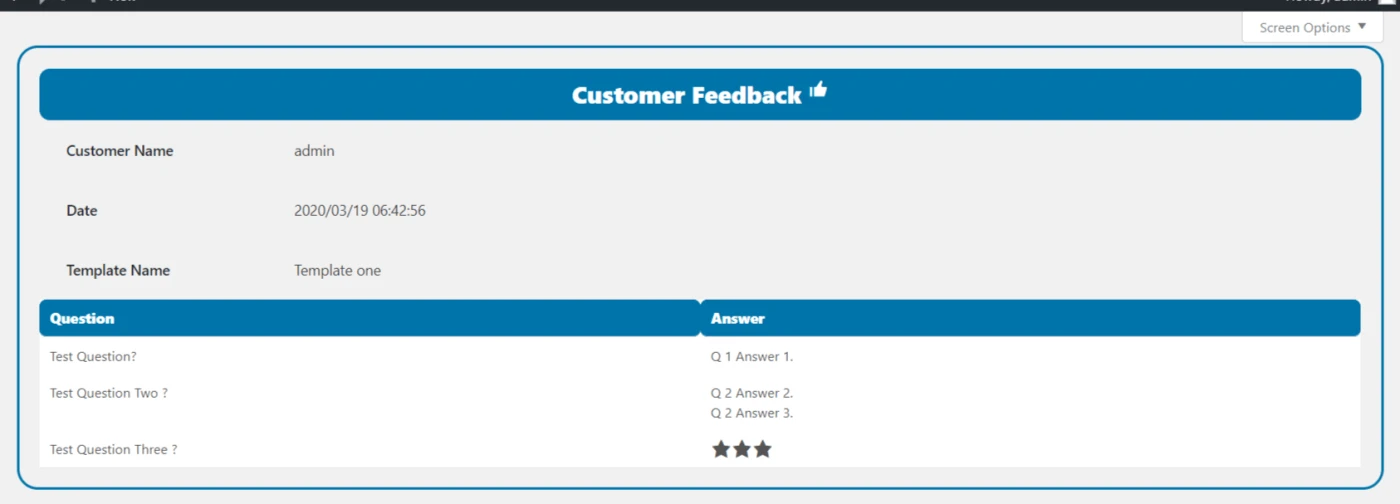
Display feedback template and Customer Feedback lists in table view.
Send E-Mail to customer for feedback on purchase product.
Admin is setting to set the duration for sending Email and the
limitation number of emails.
Admin can add view star rating option for the Question’s answer in feedback template.
Create a new Template.
Create New template
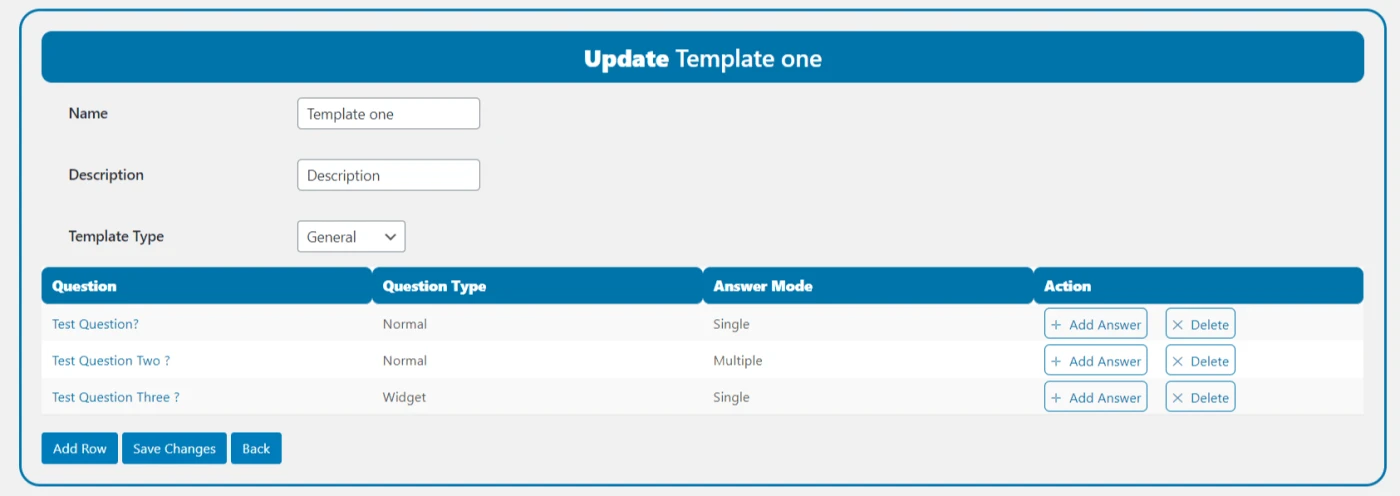
Update a Template.
Update Template
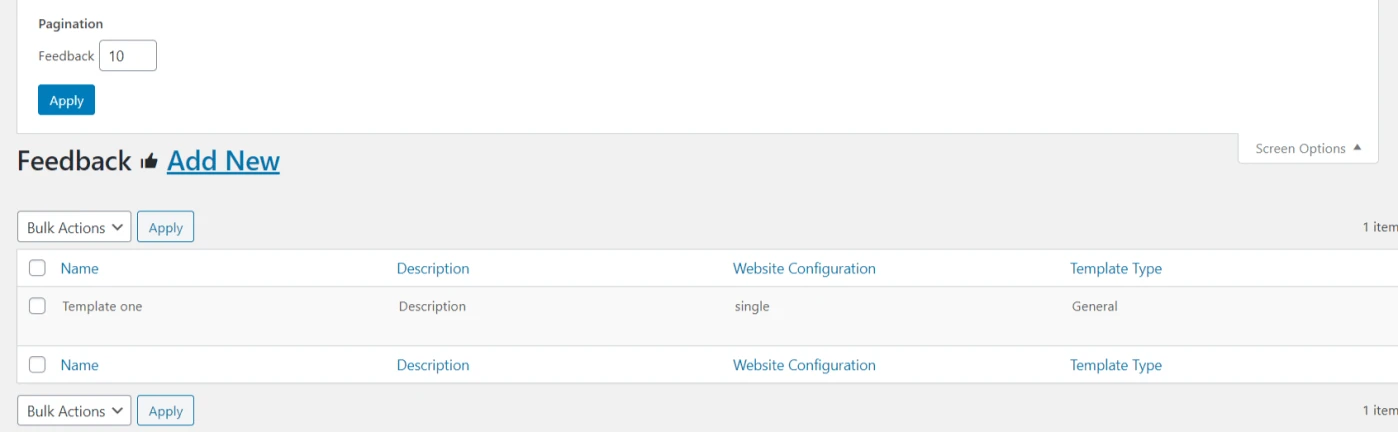
Template list for admin.
Template List for Admin
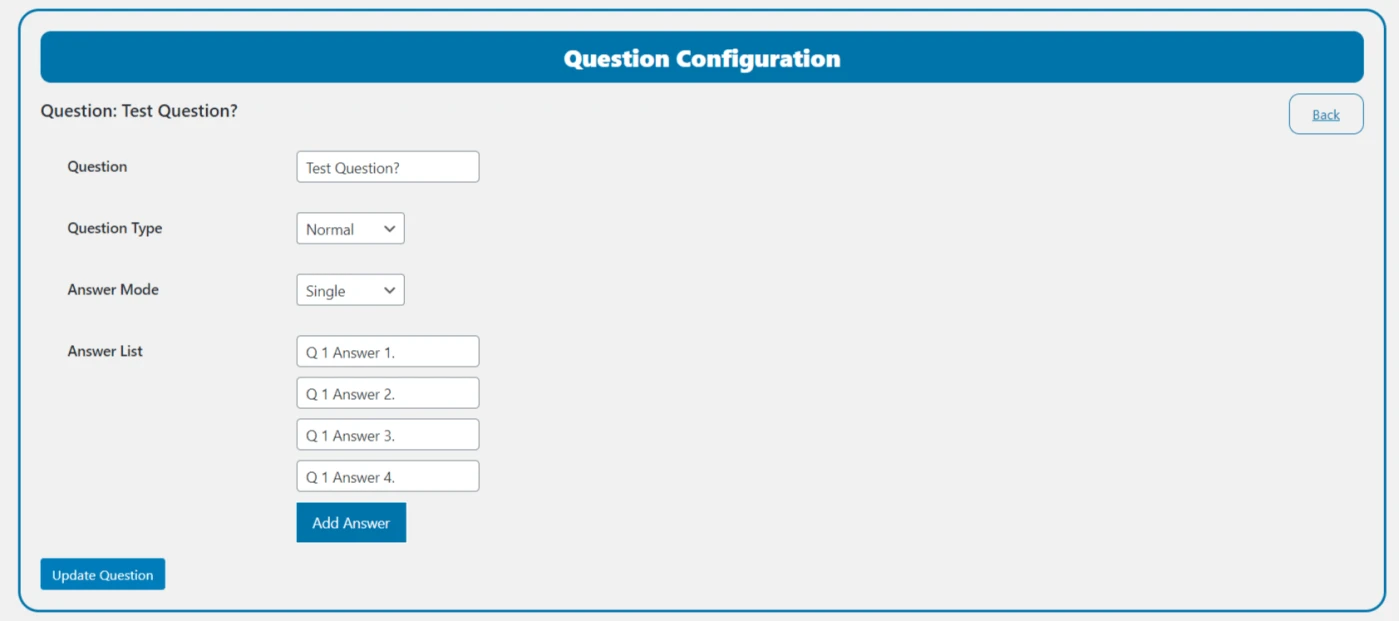
Add answer and configuration Question.
Add answer and Configuration Question
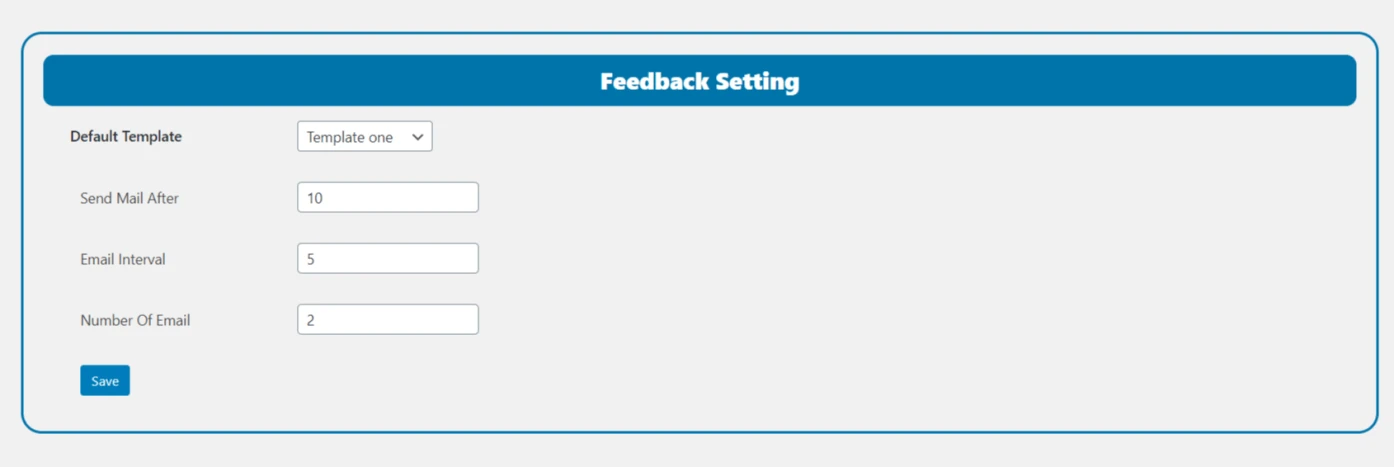
Feedback plugin setting page for send email or set
template.
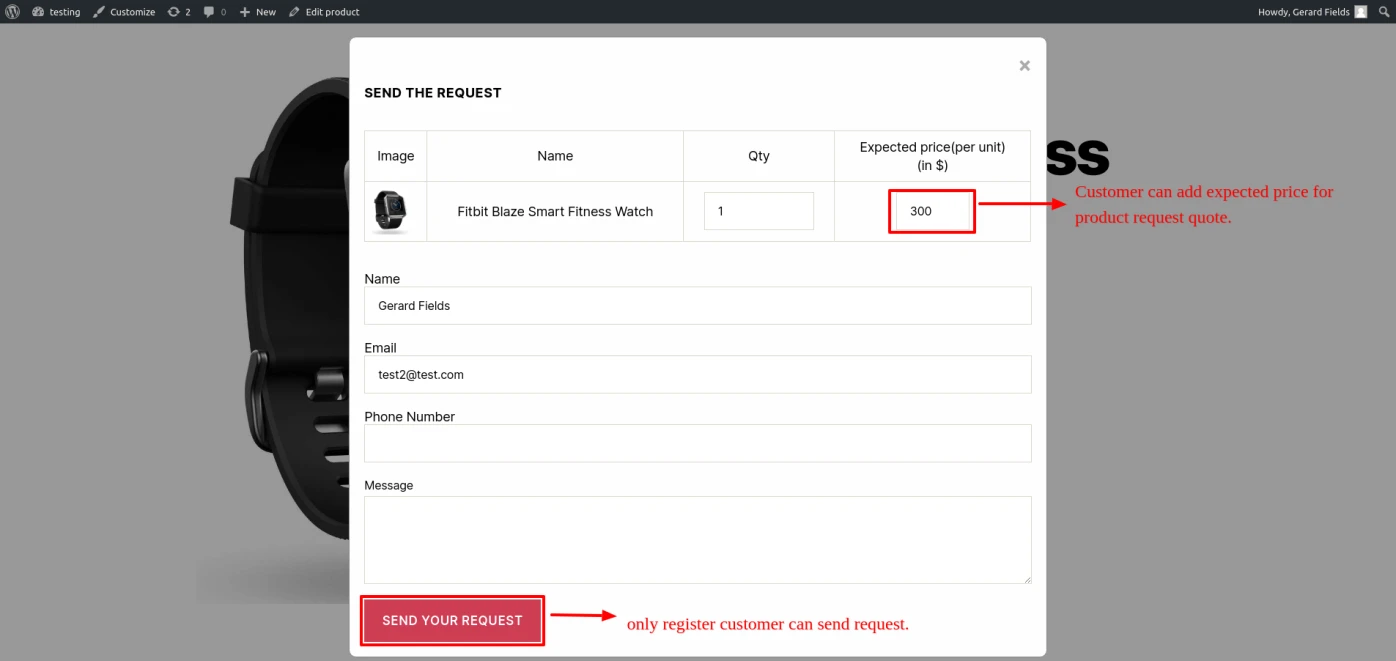
Product quote request submission for logged-in users only.
Provides a customizable form for users to submit a Product Quote.
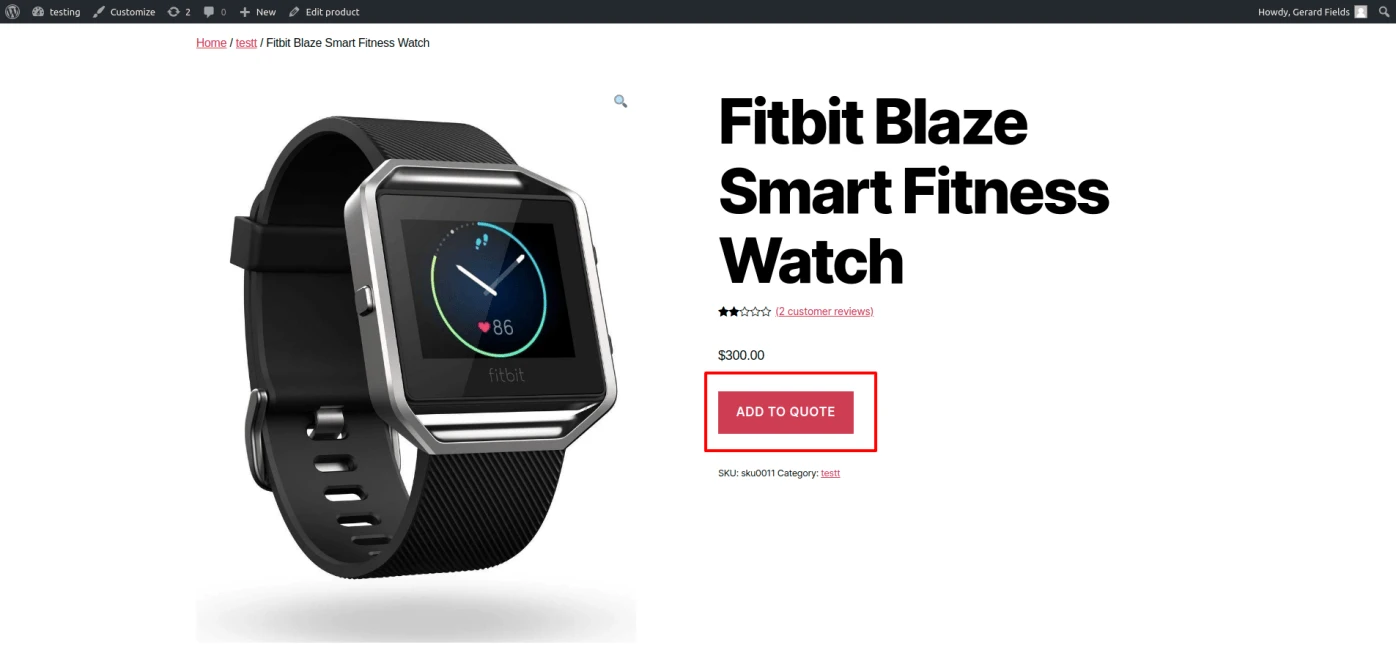
Display product add-to-quote button in product page.
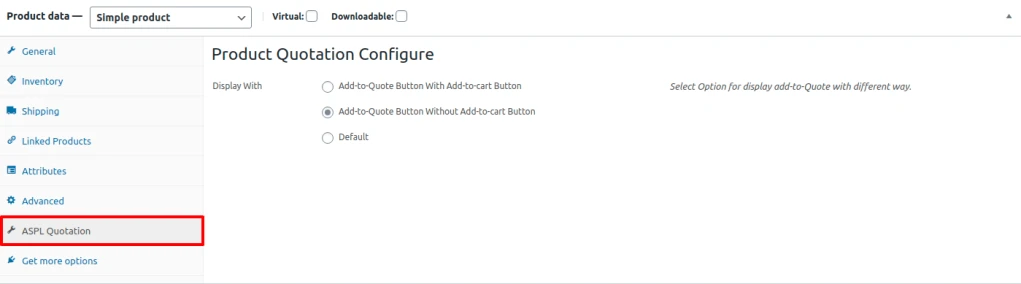
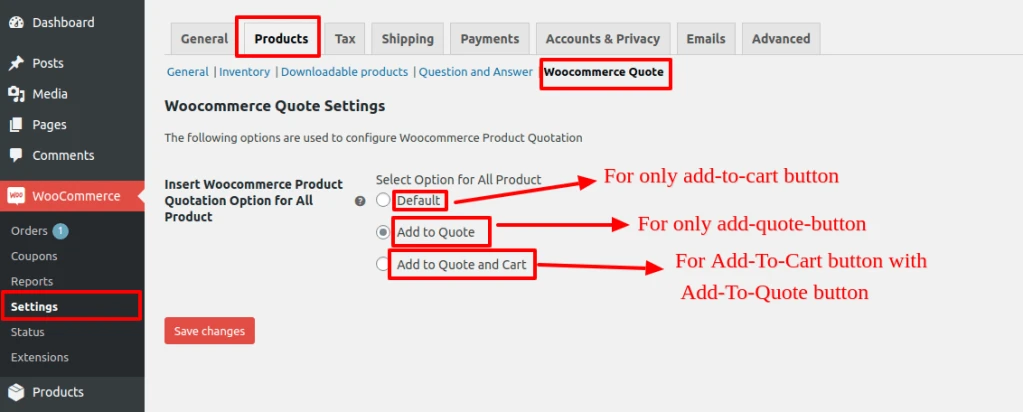
There are three option to set product quote button (1) add-to-quote with add-to-cart button (2)
add-to-quote button without add-to-cart button and (3) default.
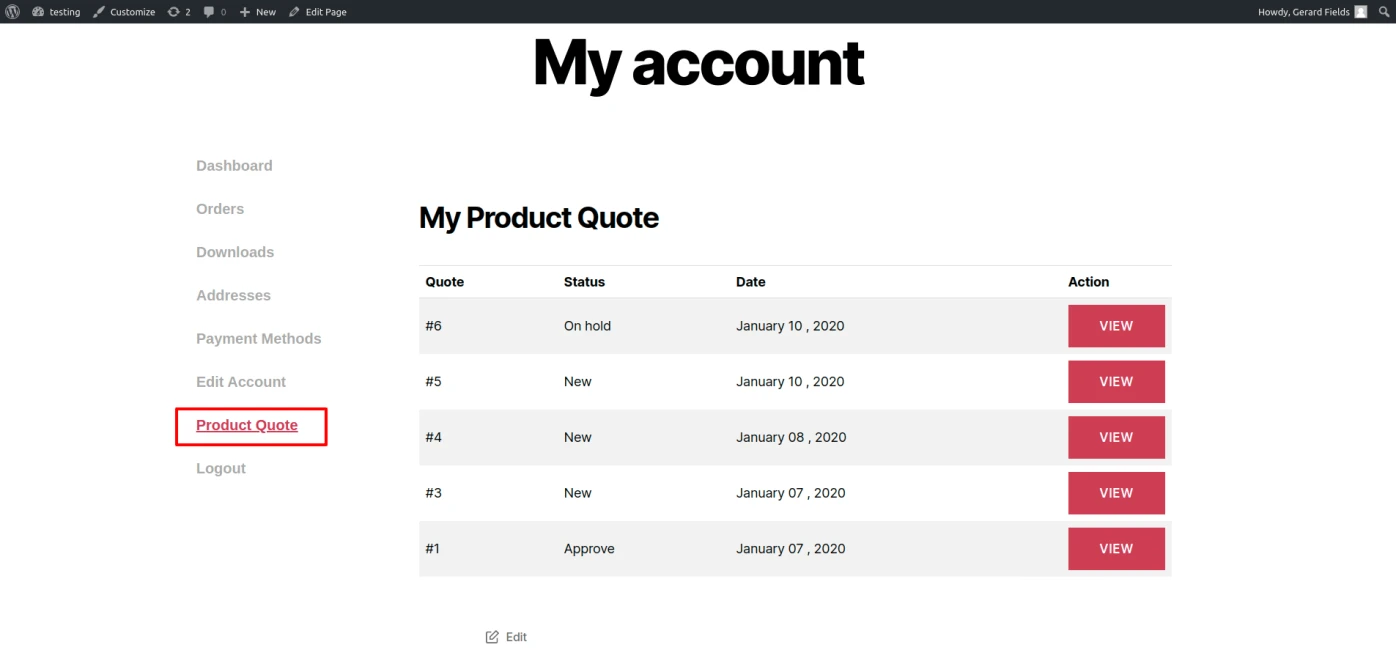
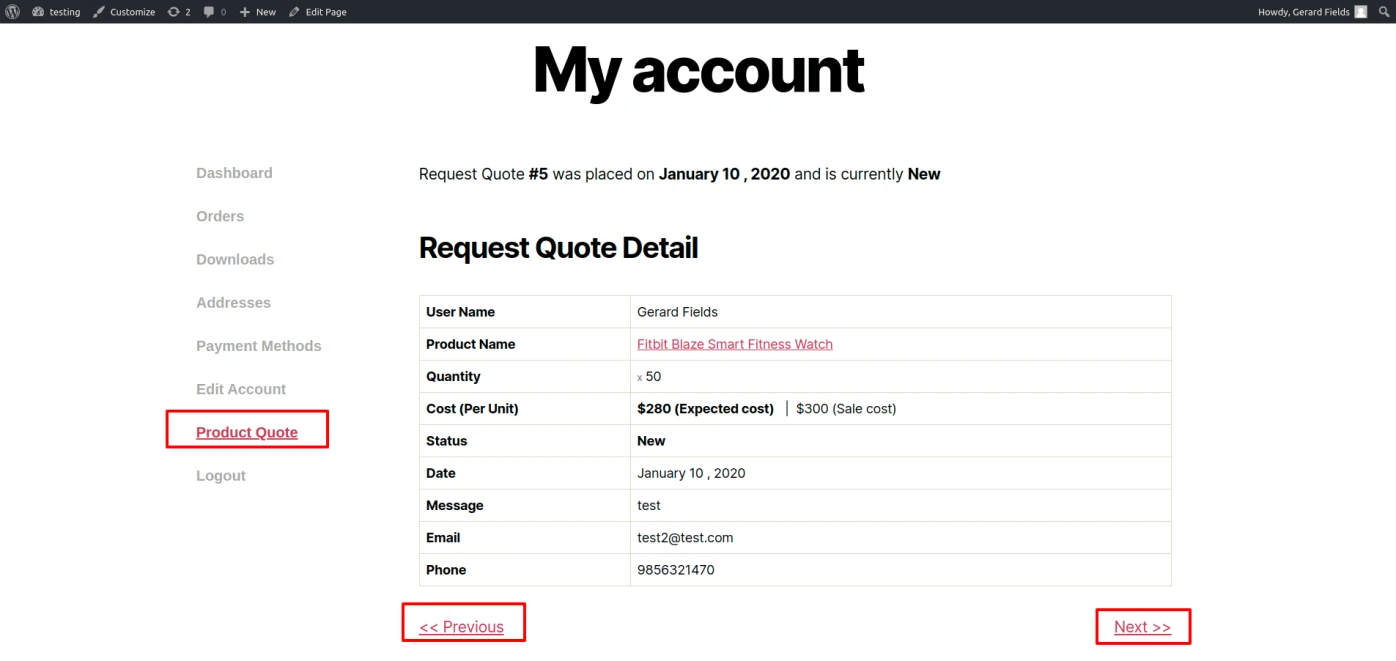
Display user all request quote detail in my-account area which is submitted with status.
Admin acn delete request of product quote and change status of Quote.
User get gmail whene Request status is update by admin.
Admin can Add To Quote Button for all page from
WooCommerce – Setting – Products – Woocommerce Quote.
Admin can configure add to quote button for particular product in product tab ‘ASPL Quotation’.
Product Configuration for Quotation
Admin can easily set product quote option with multiple way to display quote for all products form WooCommerce – Setting – Products – WooCommerce Quote.
Set Option for all Product
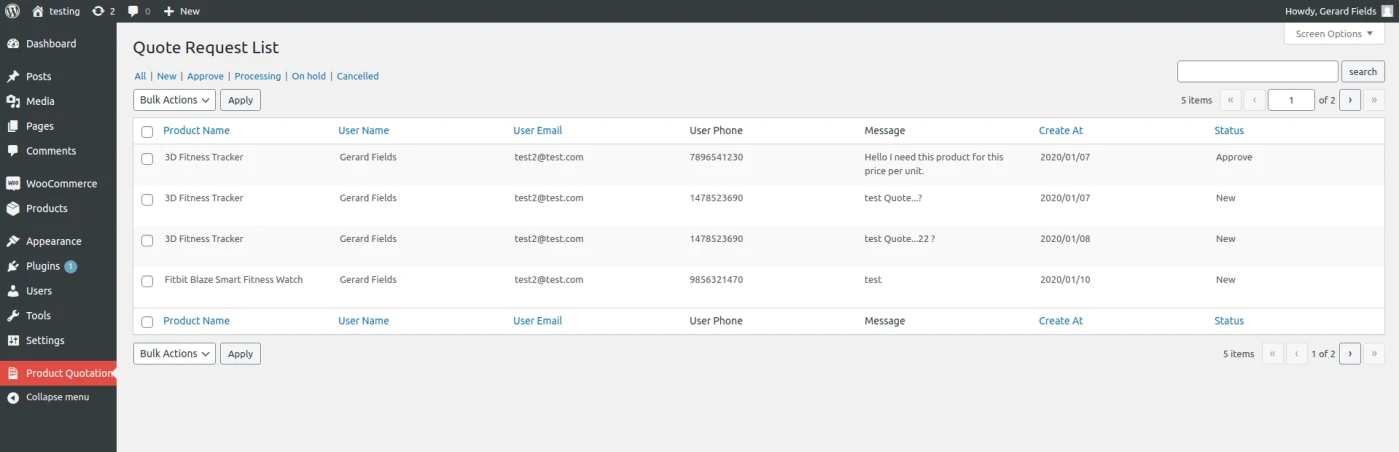
Admin can see the list of product request and edit or delete and update request status.
Product Request List
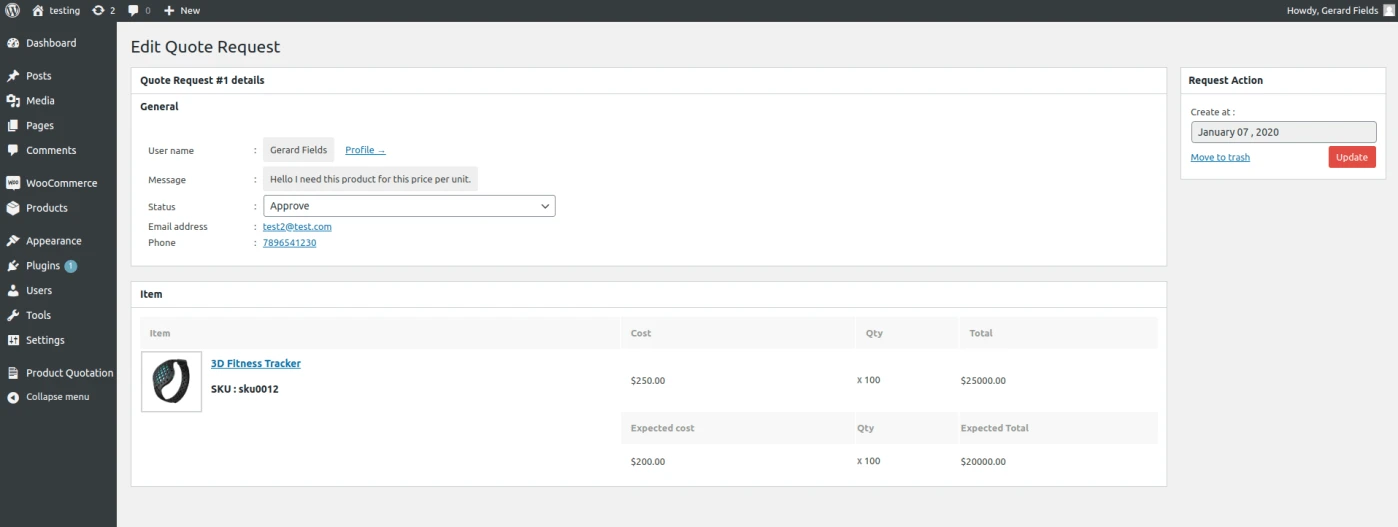
Admin can see all detail in edit page of request quote like customer profile, customer contact number, customer email id, customer request message and comparison between original and expected product price.
User get gmail when admin can change product quote status.
Product Quote Request Edit
User can see his request quote list in my account area .
Product Quote Data User Side
User get all the detail of request quote one by one in product quote view page in my account area.
Product Quote Request Detail User Side
Button of add to quote is display in product page by admin configuration in product tabs.
Product Quote Button in Shop Page
User can click on add to quote button then open this quotation form to user can easily request for product quotation. (Only register user can send the product quote request)
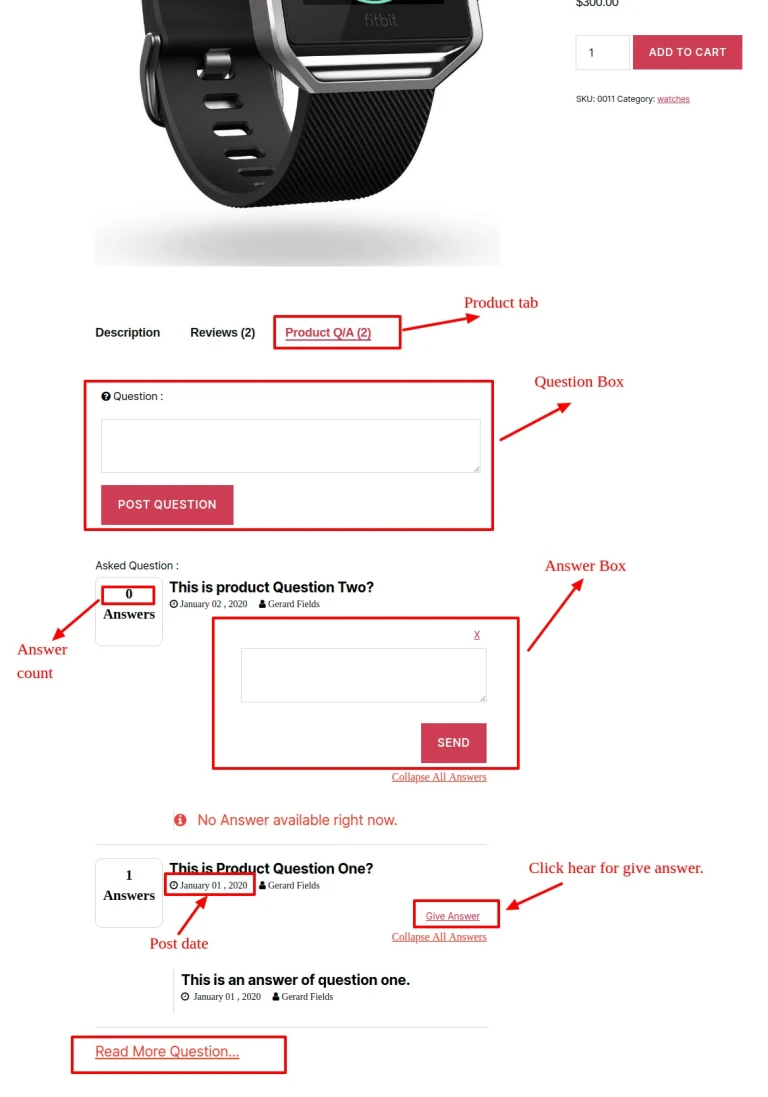
Let your users ask a question on specific WooCommerce products.
Let your users answer a question on the product page.
Manage easily questions and answers.
This plugin allows register customer of your shop to ask questions about products. Both admin
and other register customer can answers to them and guest customer can see all question and answer
of all product of your shop.
Work with simple product and variable products.
Avails logged-in customers to ask question and give answer about each product.
User can give multiple answers for one question for same login account.
It is working on simple product and variable product in WooCommerce.
No configuration needed! just install and it will start working from there, you can change the settings at any time though.
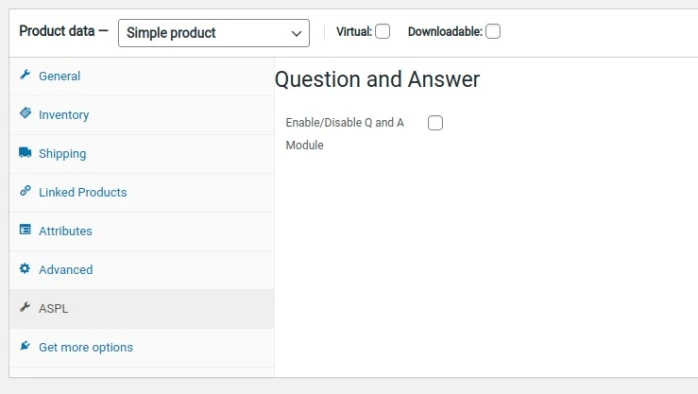
Product Edit Page
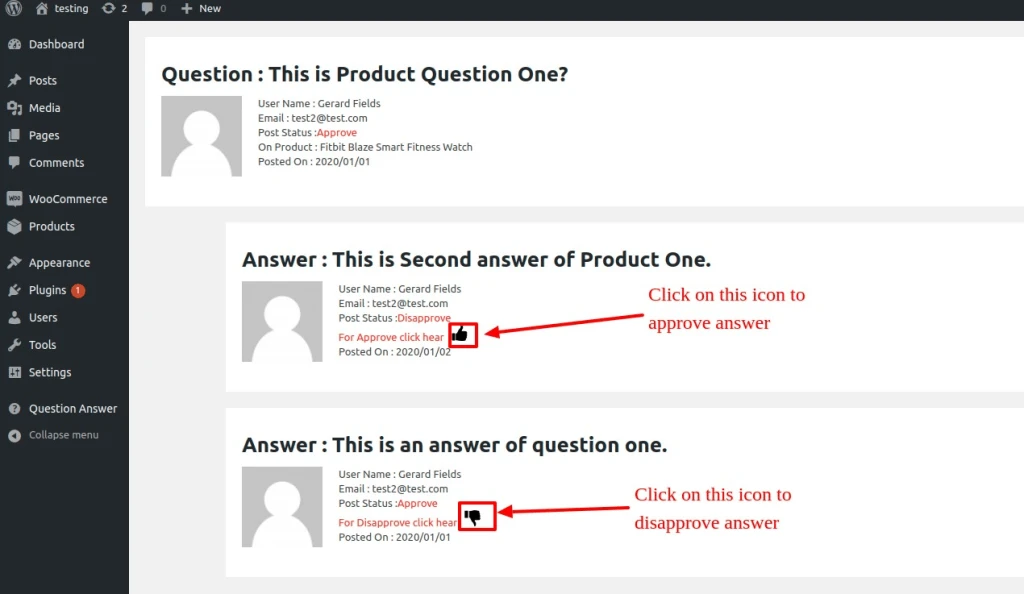
This plugin allows the customers to ask questions about each product in your store and any one can answers for those Questions and admin can delete/approve/disapprove answers and question both
Question and Answer Product Tab
Admin can enable Product Q/A tab in particular product page and disable for particular product page.
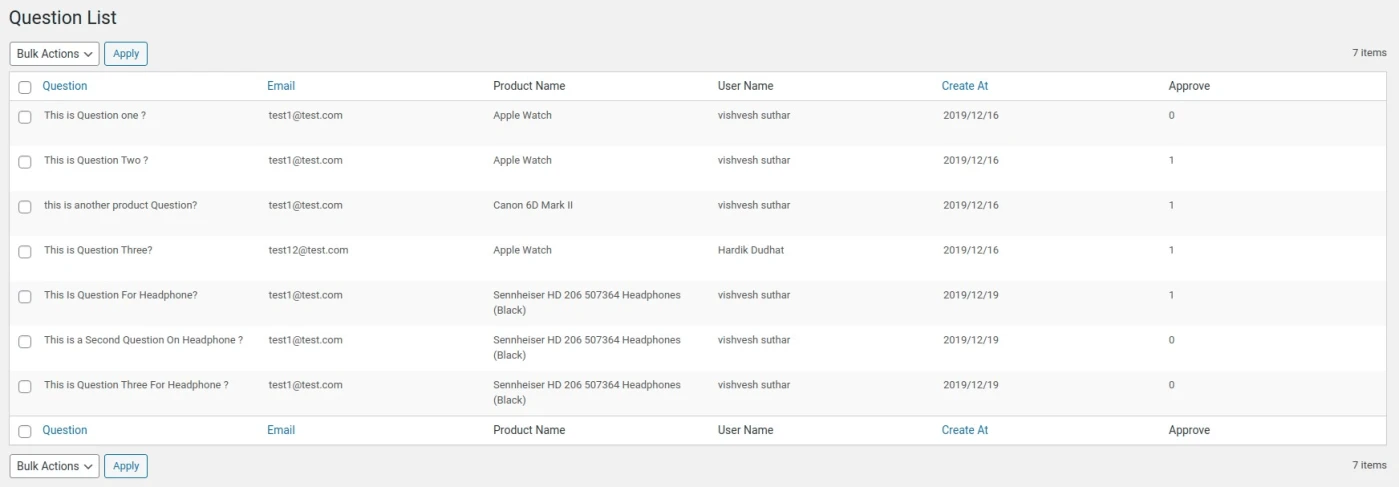
Admin can show list of question order by post date ,user name ,user email id and approve status.
Question List : Question List
Answer List
Answer List
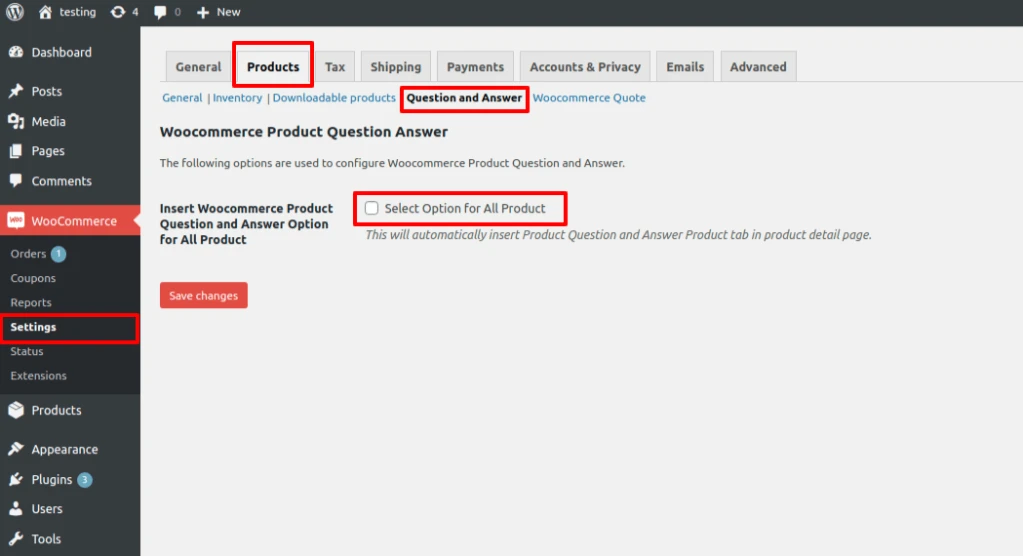
Admin can enable question and answer product tab for all product using WooCommerce – Setting – Products – Question and answer.
Woocommerce Advance Report plugin shows you all sales and order
information in one report dashboard in very easy to understand graph
view format.
Click here to download
Features:-
Display today’s total earnings by date.
Displays Top Products and Top Five Category.
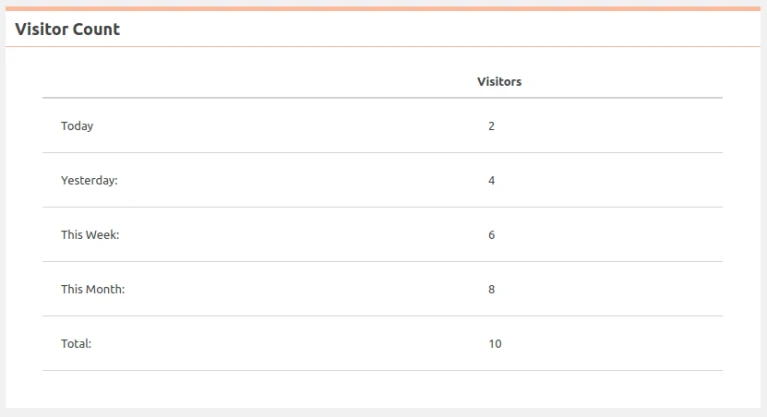
Shows the visitor count.
Shows the number of Coupons and Payment Gateway.
Display total amount of refund and count number of it.
Shows total amount of sales, taxt and average sales per order.
It display count of total product ,order and total register customers.
It graphically present:
This month sales by date
Weekly gross
last two month gross
Last six month gross
Order count by country
Top five ctegories order count
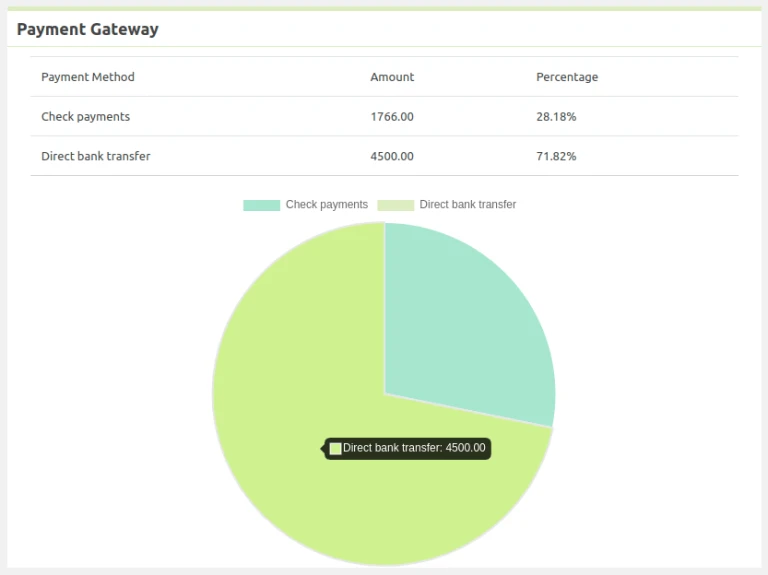
Payment gateway.
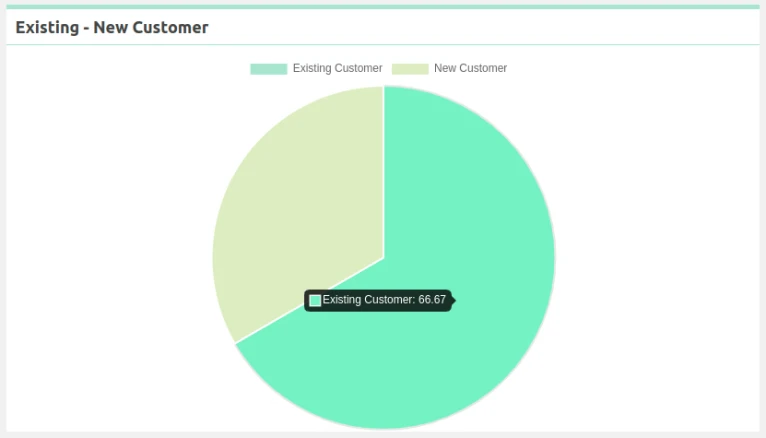
Existing-New customer
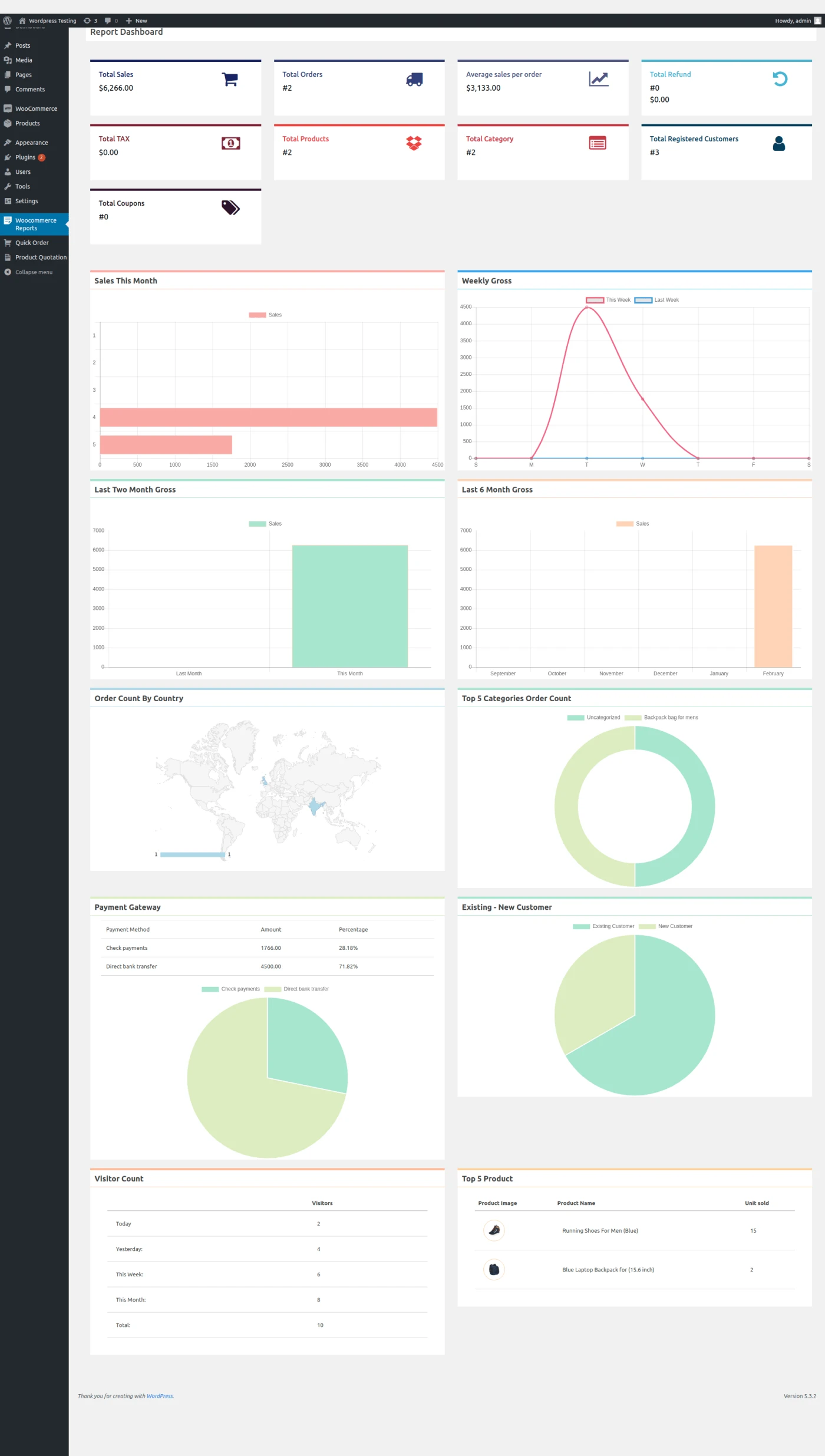
Report Dashboard –
WooCommerce Report Dashboard
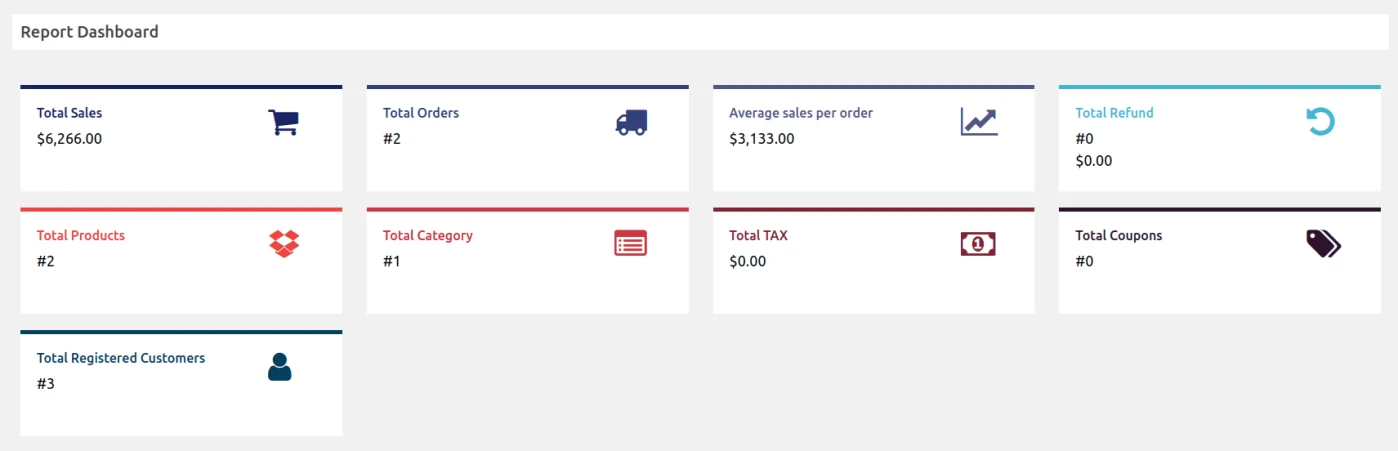
Total summaries like – Total sales, total order count, average
sales per order, total refund amount and count, total product
count, total ctegories count, total tax amount, total coupons
count and total numbers of registered customer.
Report Summary
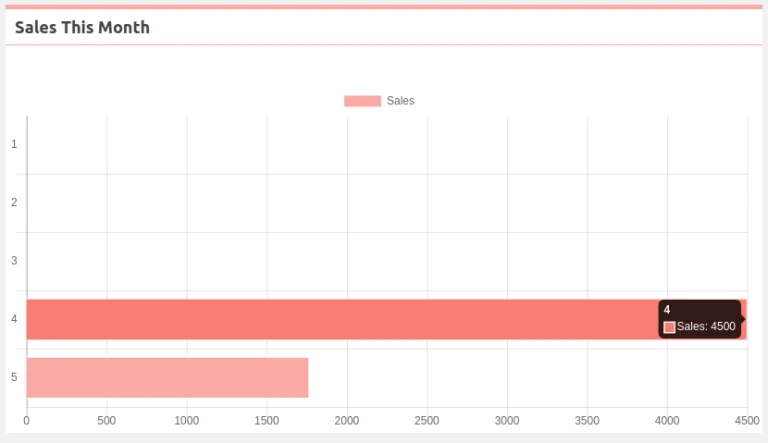
Sales this month : It is comparison graph of day by day
in this month.
Sales this Month
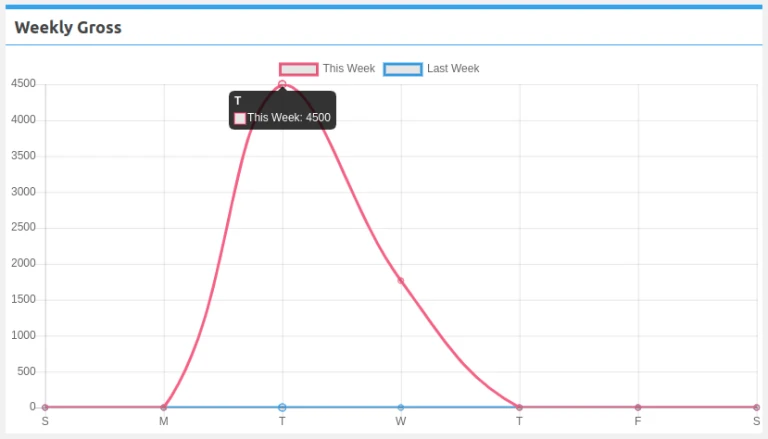
Weekly gross : It is comparison graph of two week one
is this week and other is last week in this month.
Weekly Gross
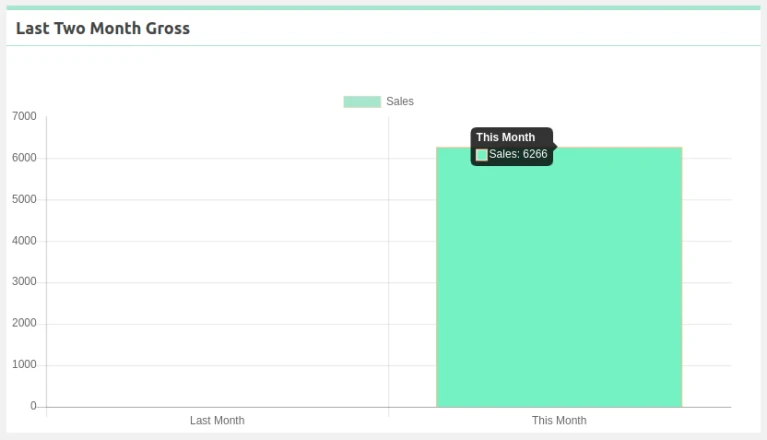
Last two months gross : It is comparison graph of two
months one is this month and other is last month.
Last Two Month Gross
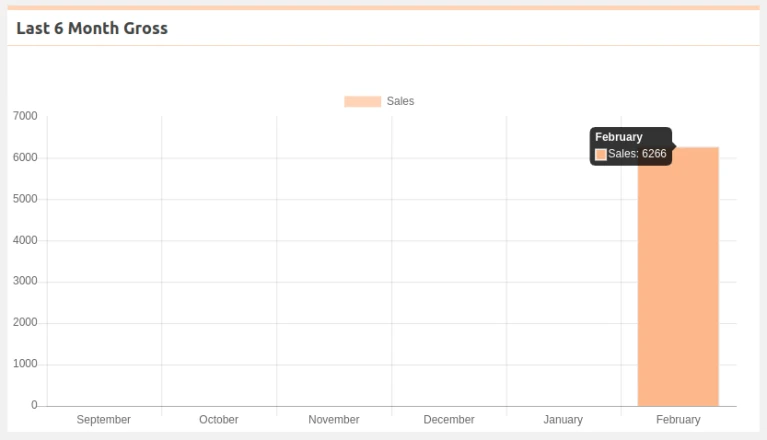
Last six months gross : It is comparison graph of six
months of this year.
Last 6Month Gross
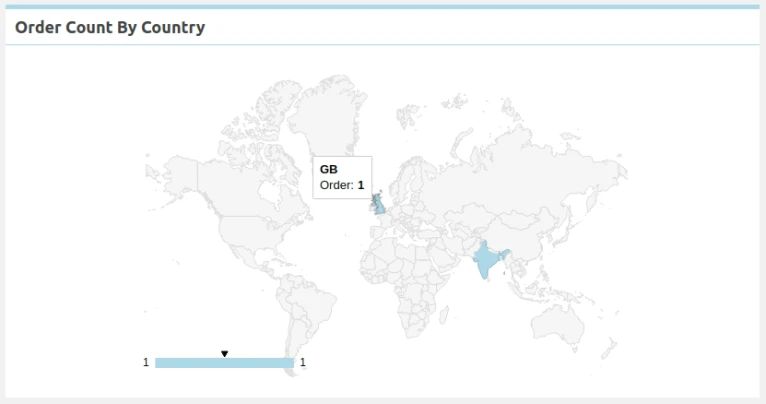
Order count by country : It’s shows all order count by
country in map.
Order Count by Country
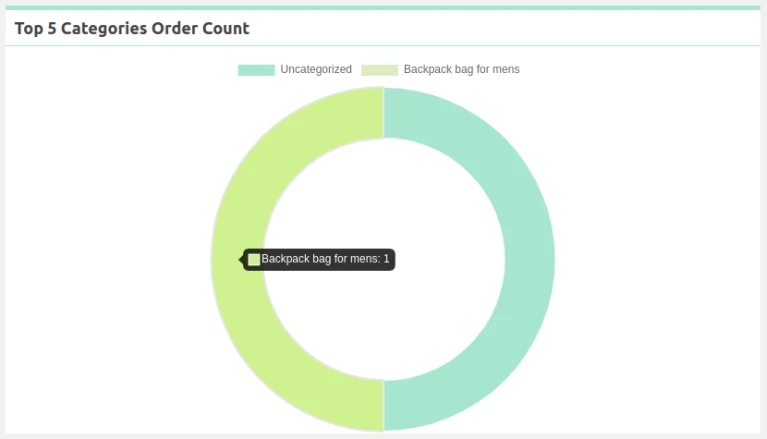
Top five categories order count – It’s display all order
count by top five categories in graph.
Top5 Categories Order Count
Existing-New customer : It’s shows comparison of
Existing customer and New customer count.
Existing and New Customer Count
Payment Gateway : It’s display list of payment methods
with total amount and graphical comparison of them.
Payment Gateway
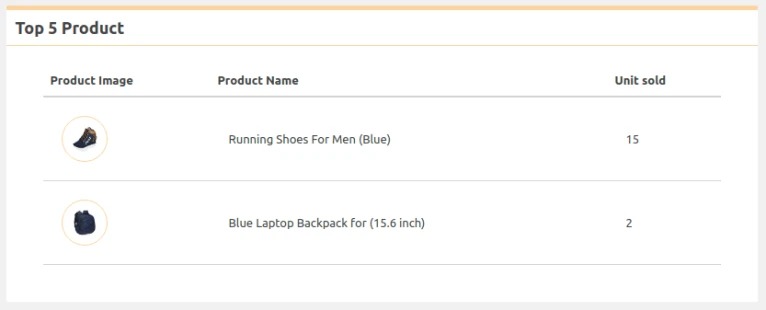
List of top five product : It’s display list of top five
product with count of unit sold.
Top Five Products with Unit Sold
Visitor count : It’s shows list of Today ,Yesterday ,This
week ,This month ,Total visitors count.