Click here to download the module
How To Use
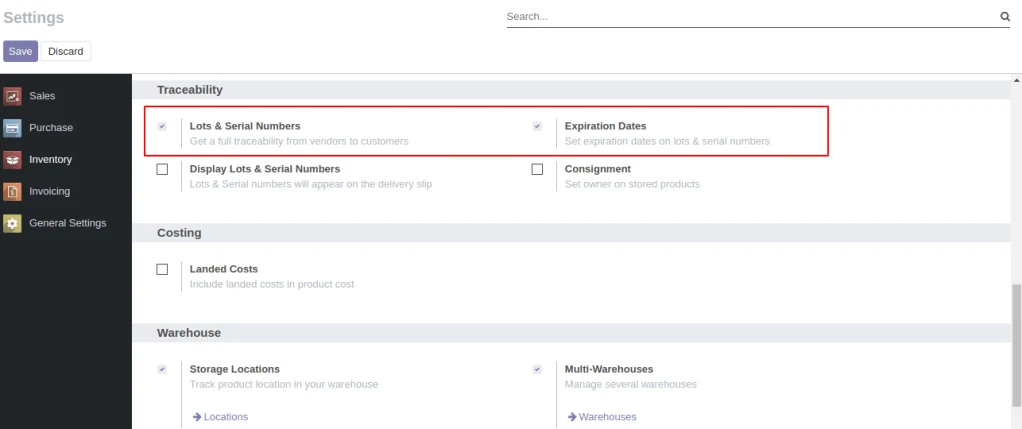
User need to enable Lots & Serial Numbers and Expiration Dates from Inventory/Settings/Traceability.
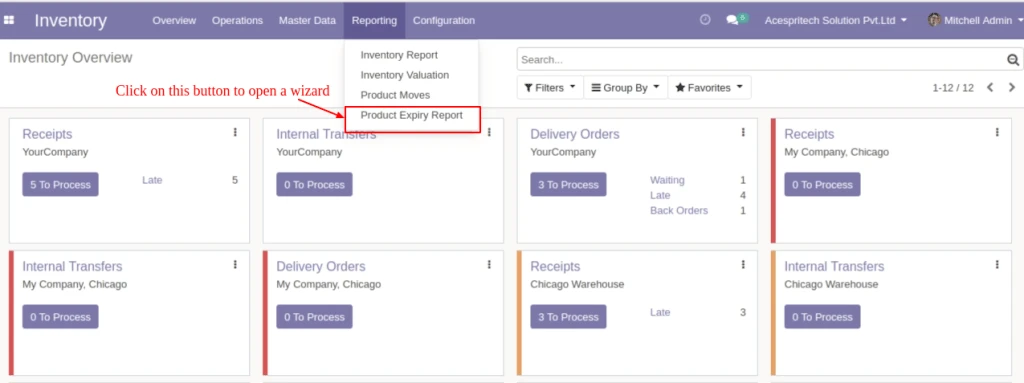
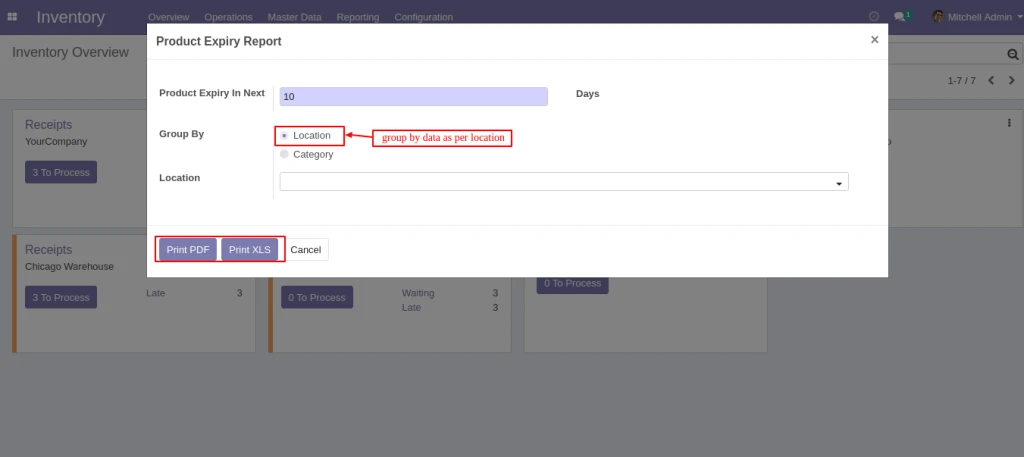
After selecting select the “Reporting” tab and then select the “Product Expiry Report” menu to open a wizard.
Enter “Generate Report For(Days)” for display products which are being expiring expiring during entered days.And select “Group By” option by which you want to do group by of data.You can group by(Location) or group by(Category)
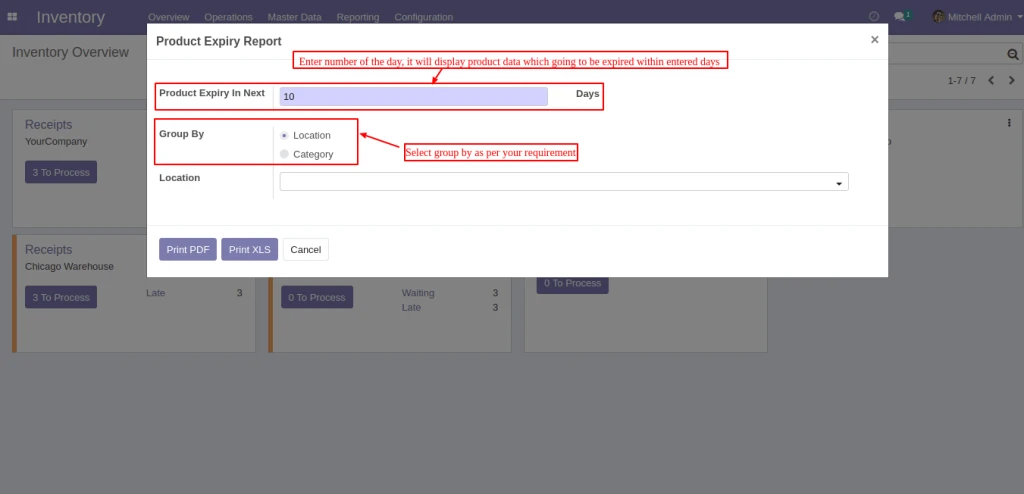
If you want to display data of specified location then select locations in “Location” field.If you want to display products of all locations which products are available then select nothing in “Category”. To print report click on “Print PDF” or “Print Excel” button.
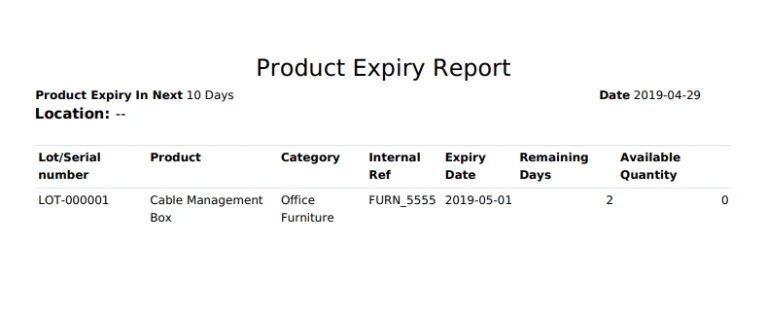
Display products which are group by “Location”.
If you want to display data of specified category then select group by(Category) option and select categories in “Category” field.If you want to display products of all categories which products are available then select nothing in “Category”. To print report click on “Print PDF” or “Print Excel” button.
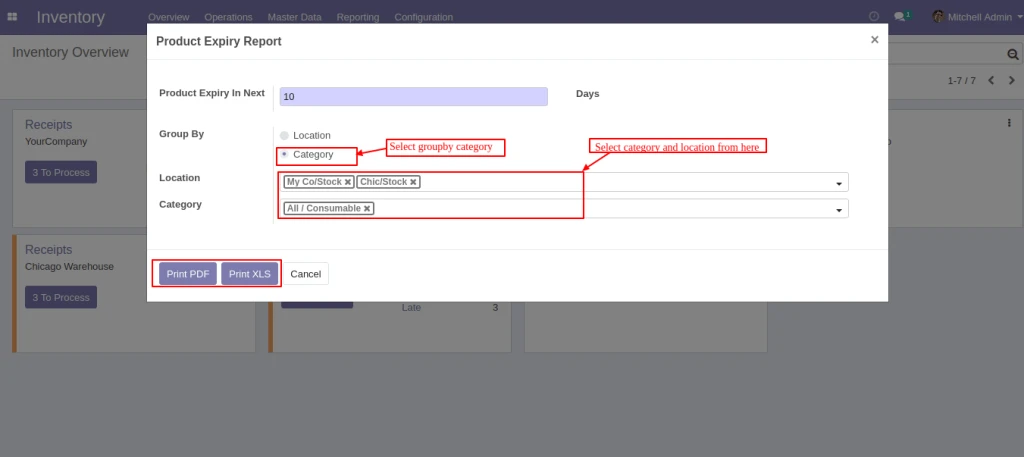
Display data which is group by “Category”.