Click here to download the module
Fetures
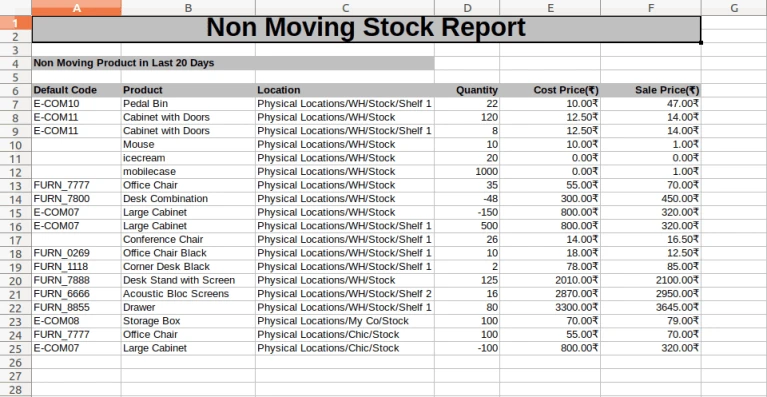
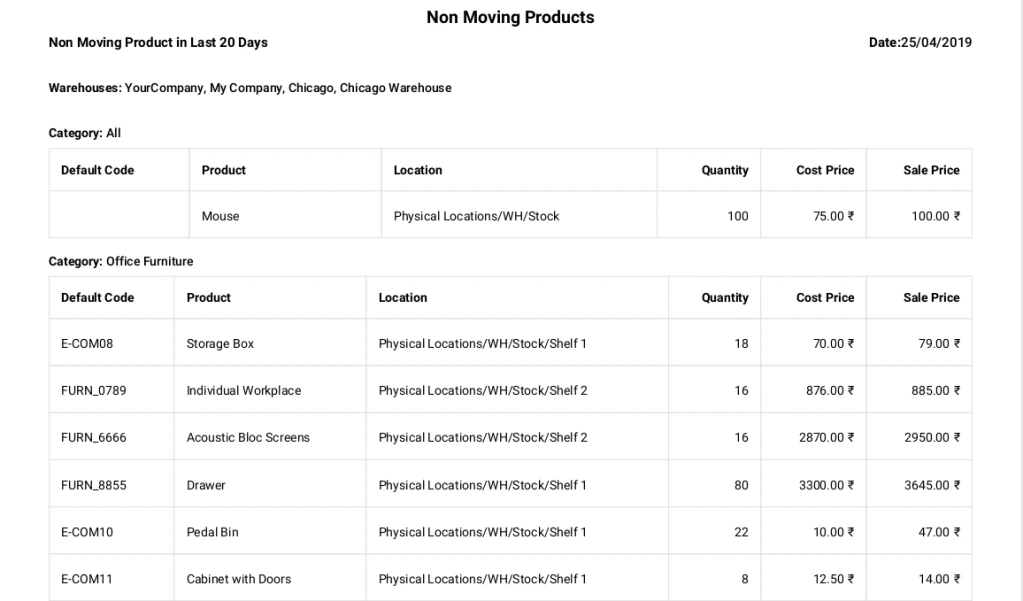
- Generate Non Moving Stock Report in PDF and XLS Files, Reports can also be send through email.
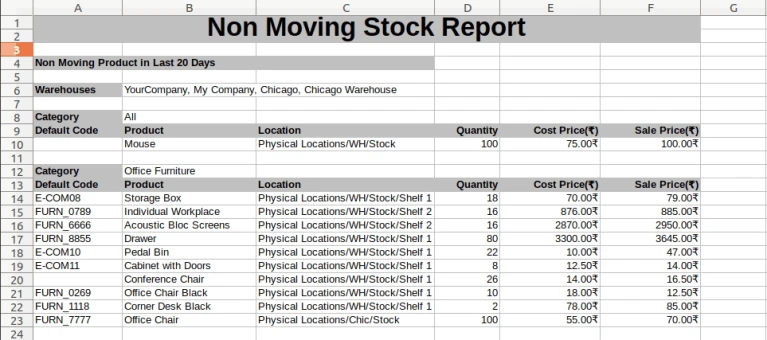
- You can view report using group by product category.
How To Use
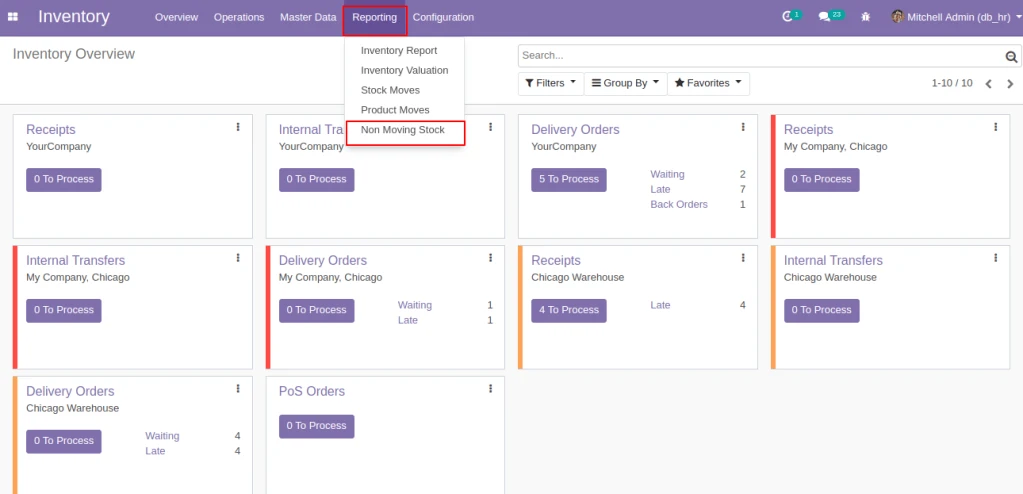
Go to Inventory > Reporting > Non Moving Stock
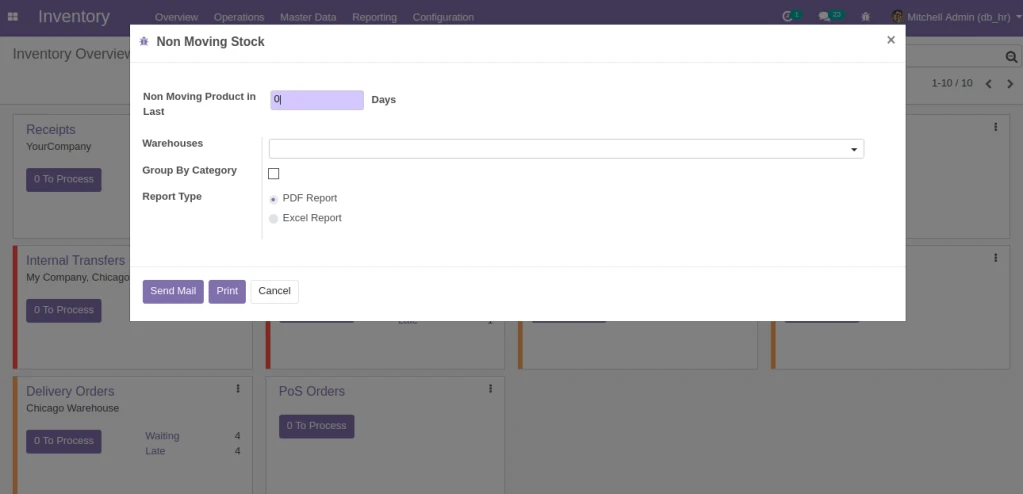
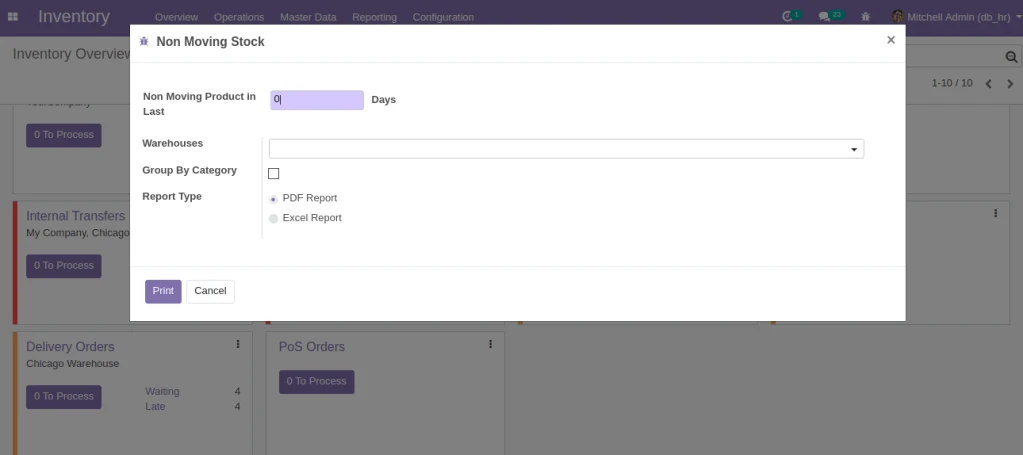
Define Report Criteria.
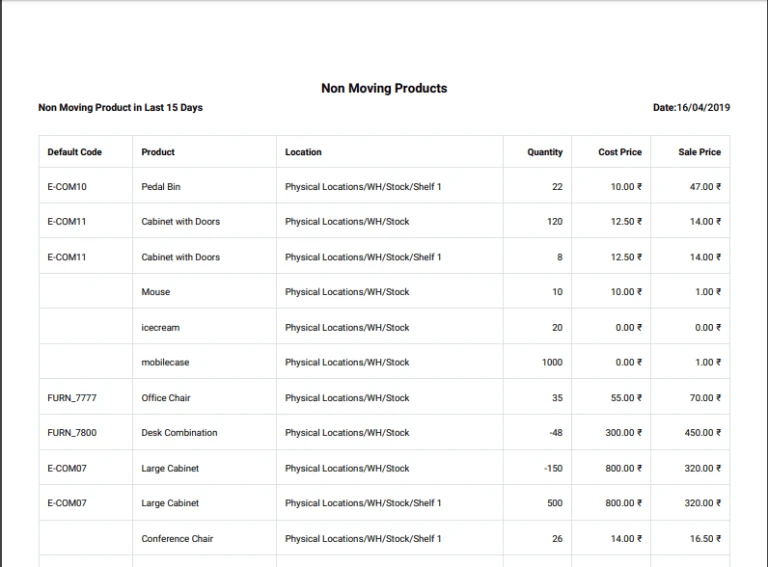
PDF file.
XLS file.
Group By product category.
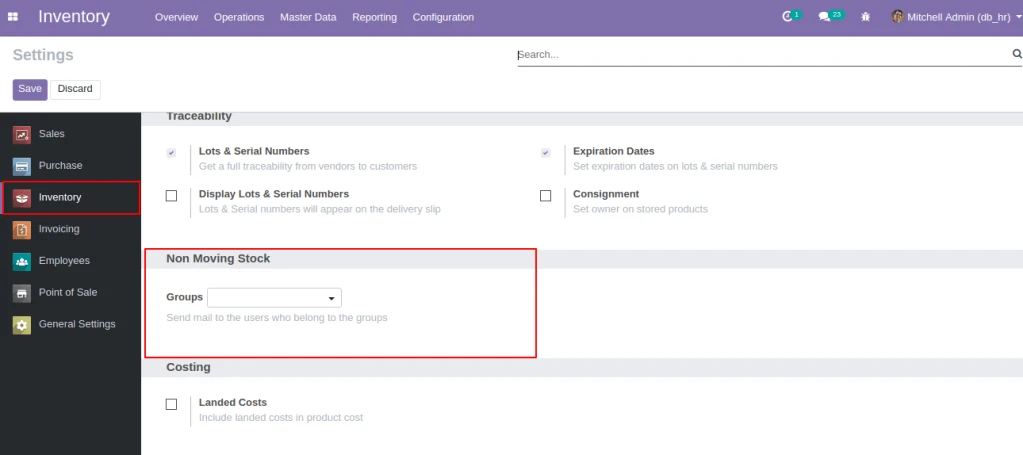
Select the groups from configuration to send the mail to users who belong to that groups.
You can send the email using send mail button.