We have improved our existing loyalty system and make lots of enhancement. In new system, referral customer and employee will be tracked and get benefits of sales occurred from Sales Order or POS.
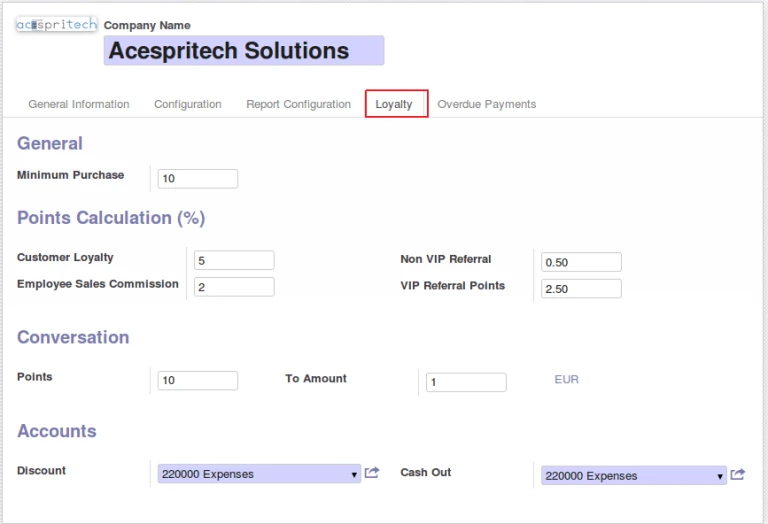
Loyalty point begin when customer start purchasing above Purchase Limit and then after customer will always get point on every purchase. In configuration, there are some general configuration for getting points for each one. It is easy to define accounts for discount and cash out.
Loyalty Global configuration
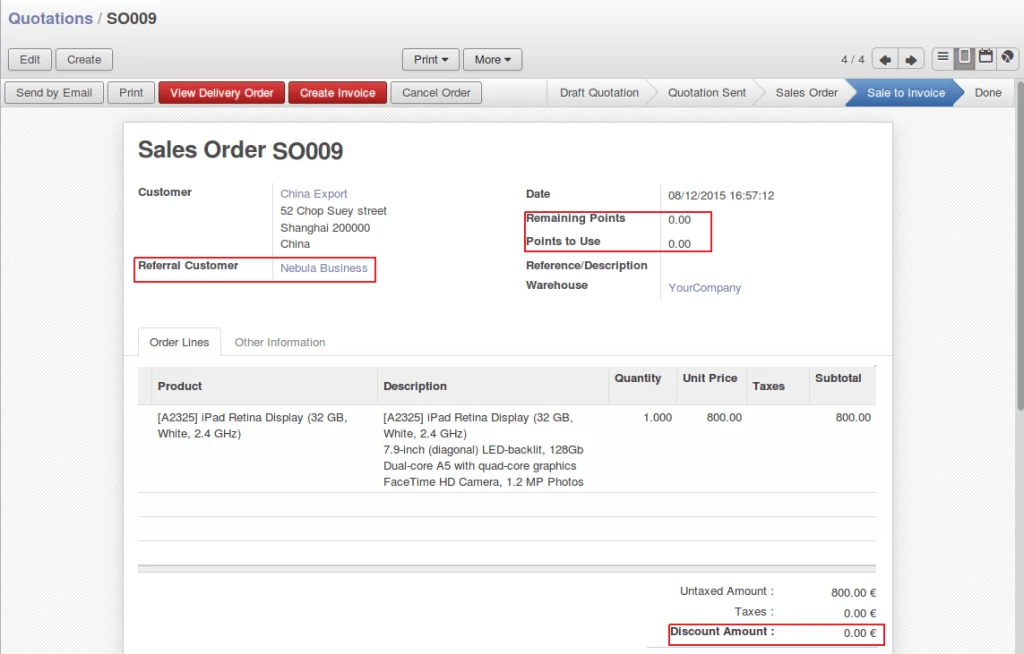
In Sales Order form, you can select Referral Customer and enter how many points to redeem. Redeem points will be automatically converted into discount amount.
Referral Sale Order
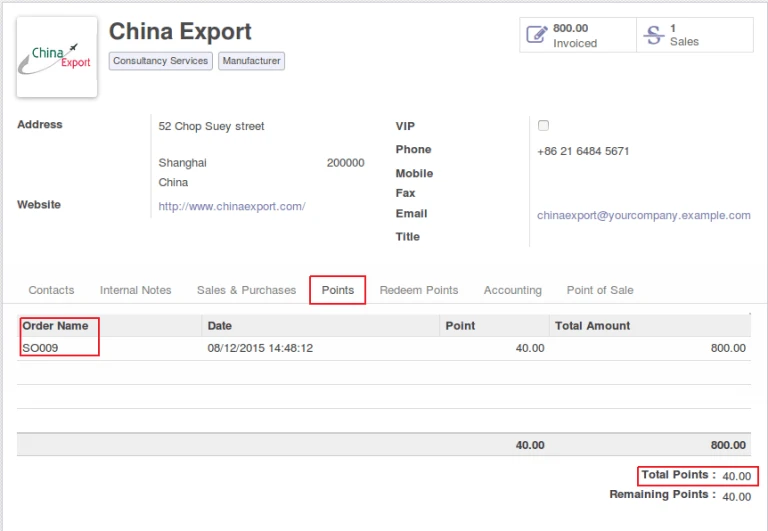
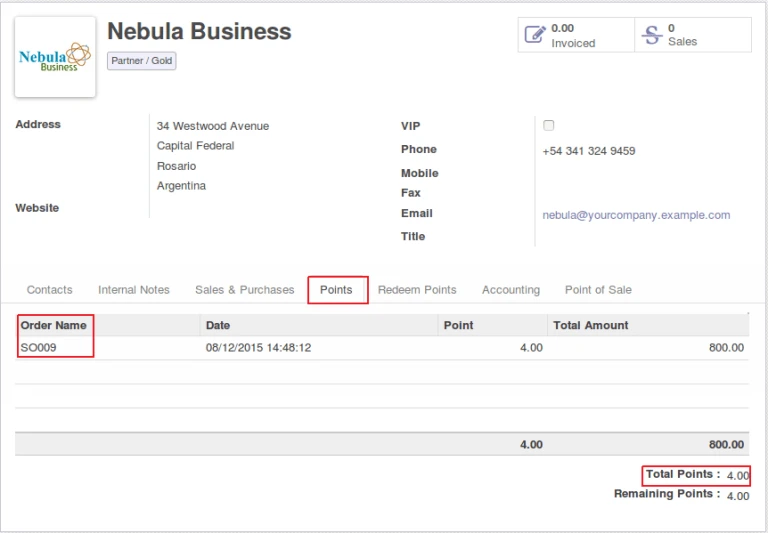
Points will be added in customer after invoice will be paid. (created from sales order).
Customer loyalty points
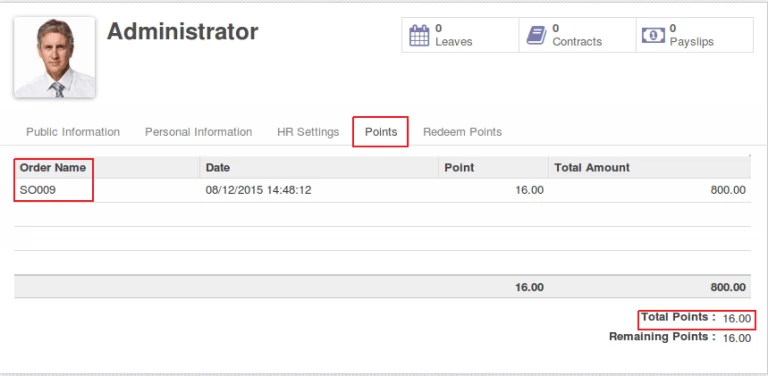
Referral customer and employee (sales person) will earn points.
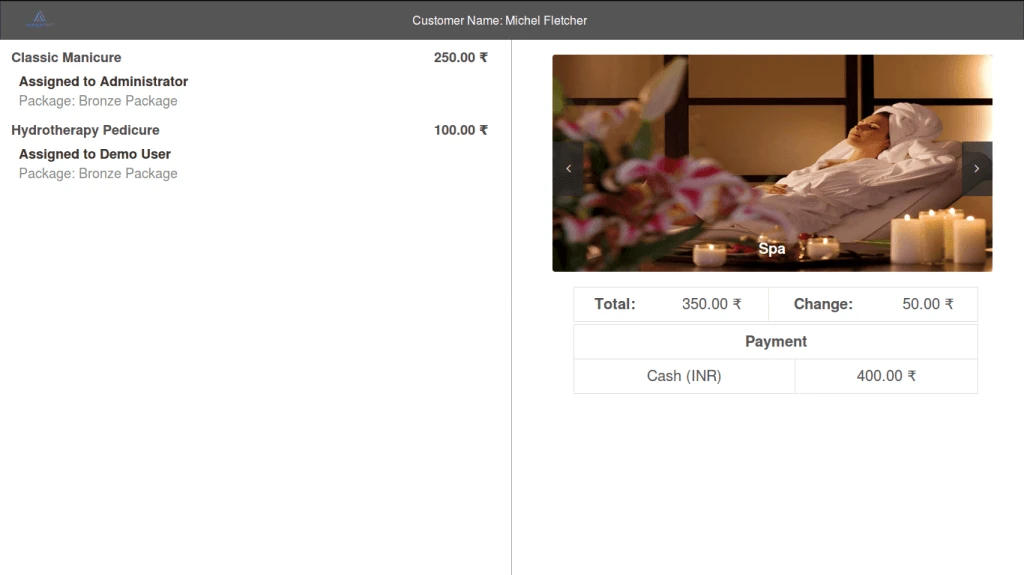
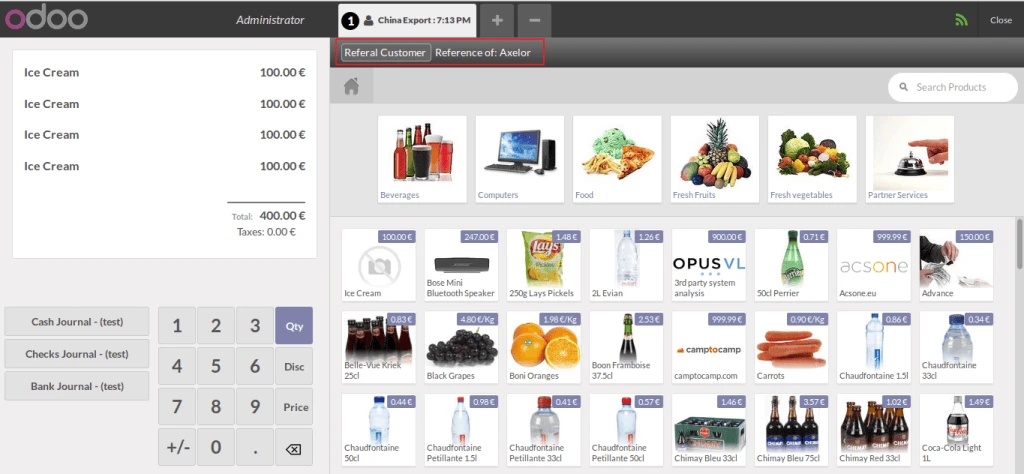
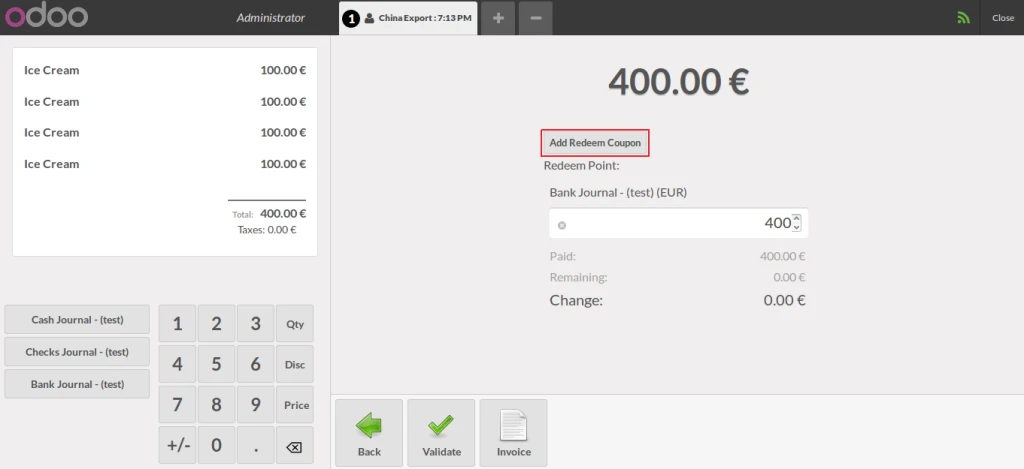
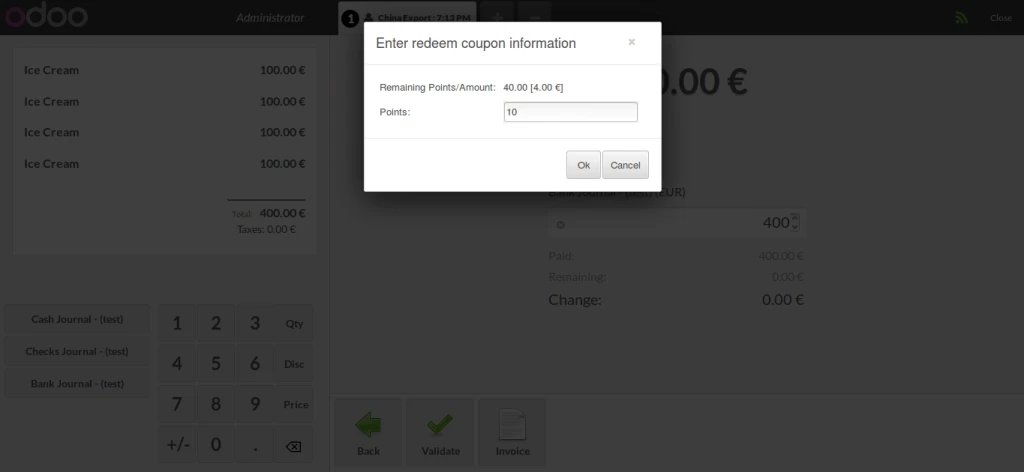
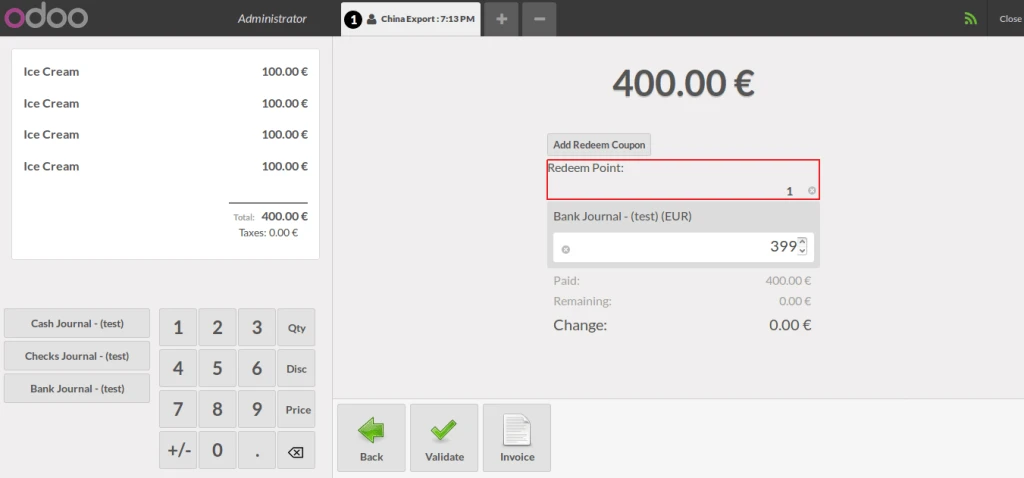
You can select Referral Customer from POS and redeem points.
POS Referral salePOS Payment with earned pointsPOS redeemPOS point to amount
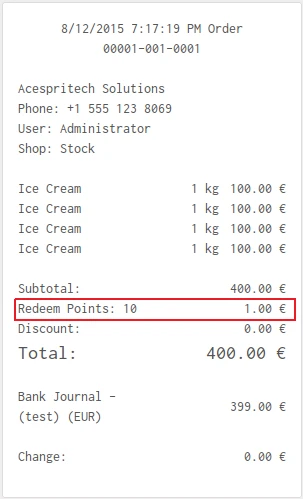
It will print redeem point in POS Receipt.
POS receipt with point information
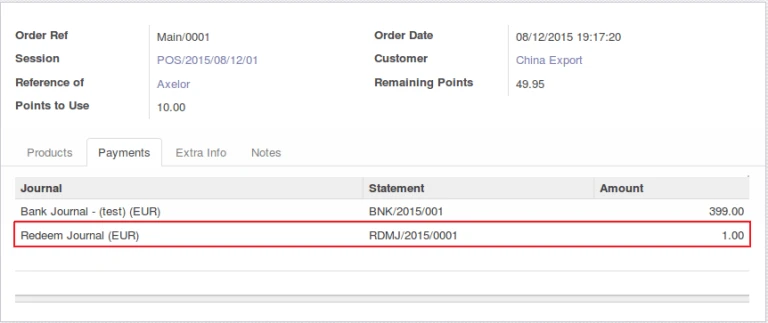
It will make separate journal entry for redeem points entered from POS.
POS Redeem journal
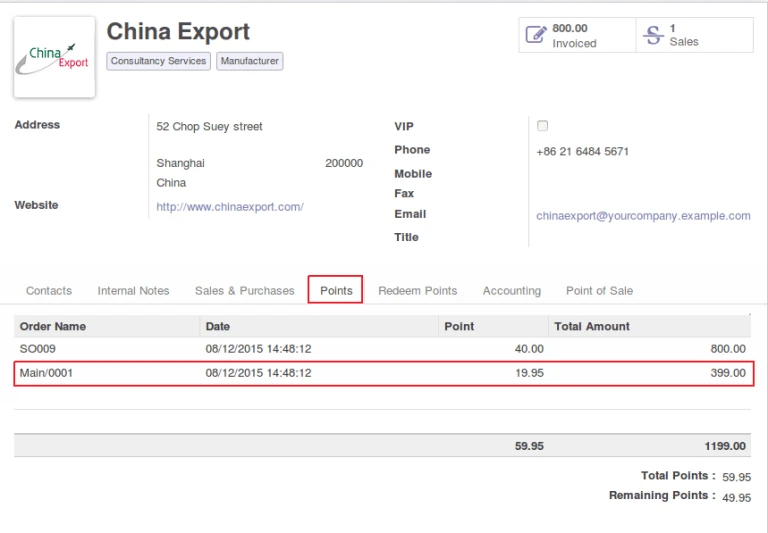
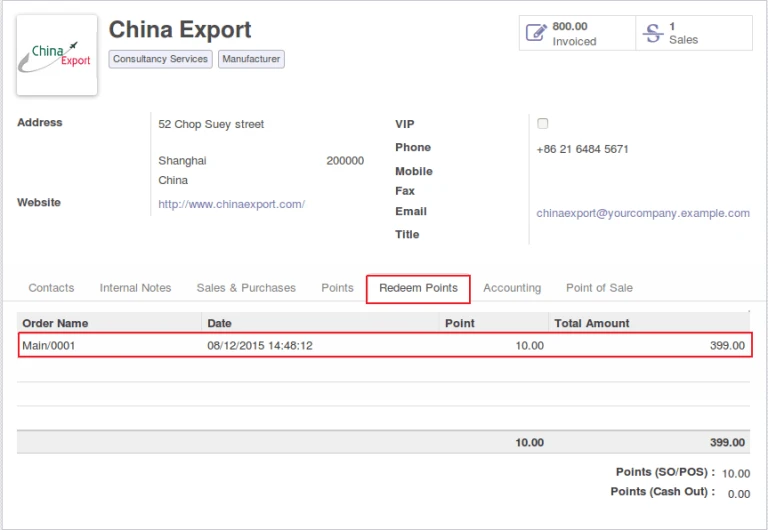
We can have all points information in customer form also like below images.
Points earned from POSOdoo customer’s redeemed point information
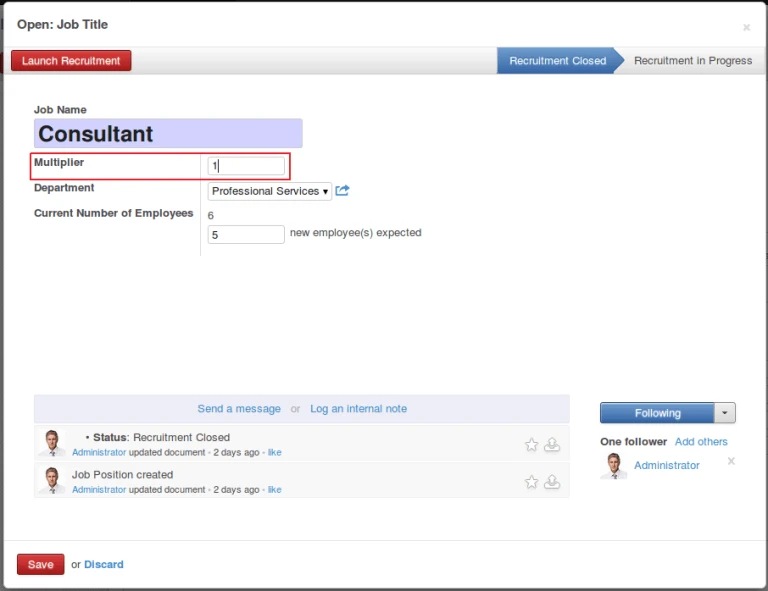
Employee will get commission amount in their salary as per their sales during a month and job position in company. Multiplier value will be use for calculation of monthly commission amount. Employee contract must have Working Schedule define.
Employee job position
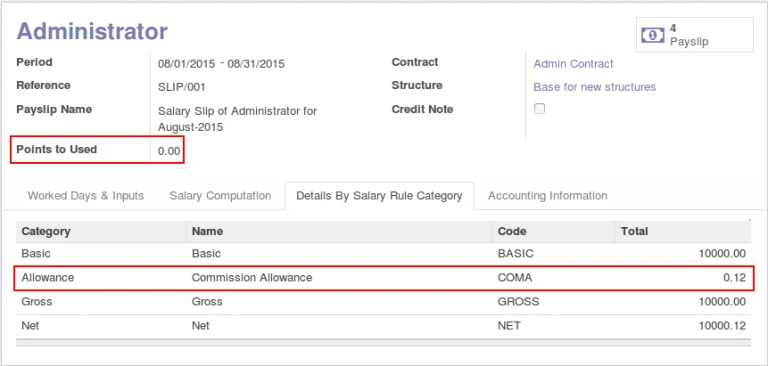
At time of creating employee payslip, employee points will be automatically selected and use in calculation.
Odoo hr payslip
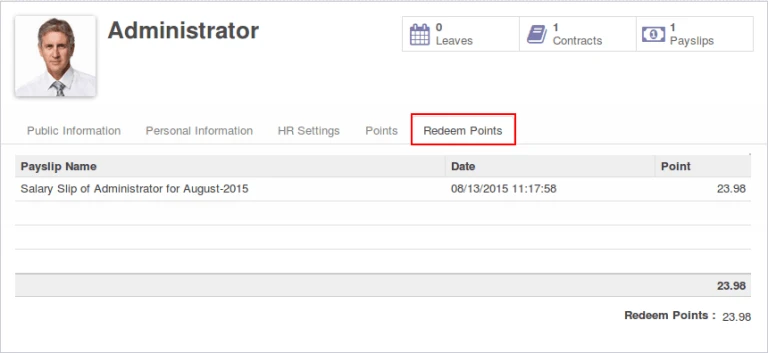
Once employee payslip is confirmed, we will have corresponding points entry in employee form.
Odoo hr employee redeem
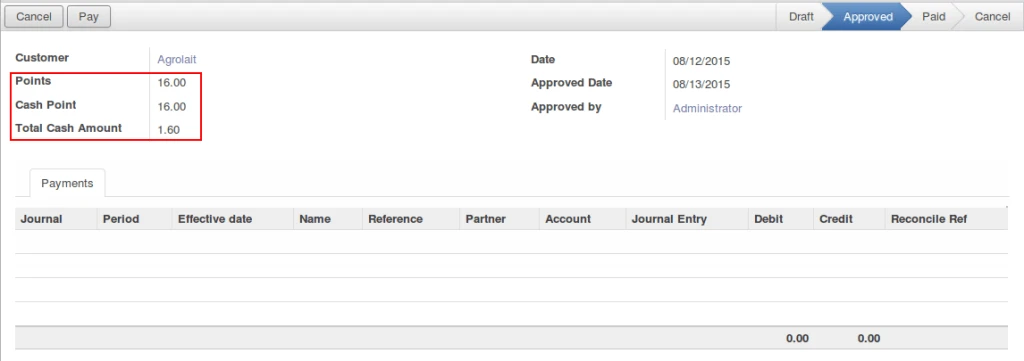
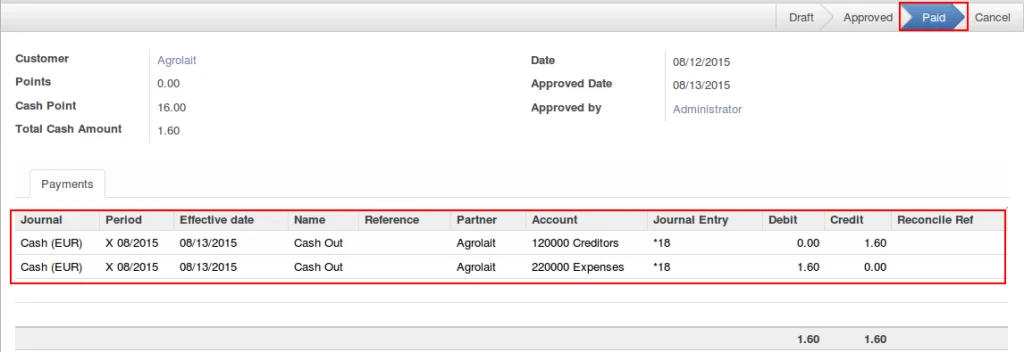
In this system, its possible to provide CASH amount to customer instead of discount during purchase and also generating valid accounting entries.
Cash out approvedCash out paid
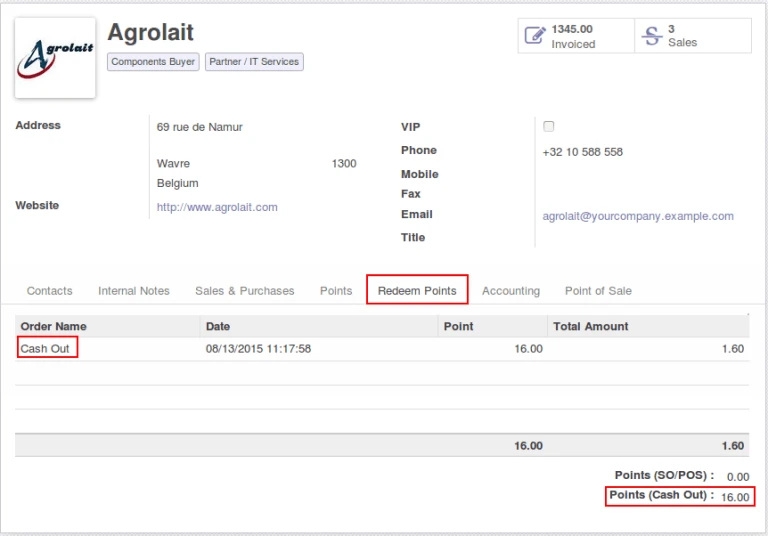
Cash Out will make entry same like redeem point for customer.
Odoo customer redeem
Share this:
Click to share on Facebook (Opens in new window)
Click to share on LinkedIn (Opens in new window)
Click to share on Twitter (Opens in new window)
Click to share on Reddit (Opens in new window)
Click to share on Tumblr (Opens in new window)
Click to share on Pocket (Opens in new window)
Click to share on Pinterest (Opens in new window)
More
Click to print (Opens in new window)
Click to email this to a friend (Opens in new window)
Many companies are providing loyalty features to their regular customers.
We have implemented the same feature in Odoo POS 7.0 which will allow us to use point system.
Lets have a look that how it is working.
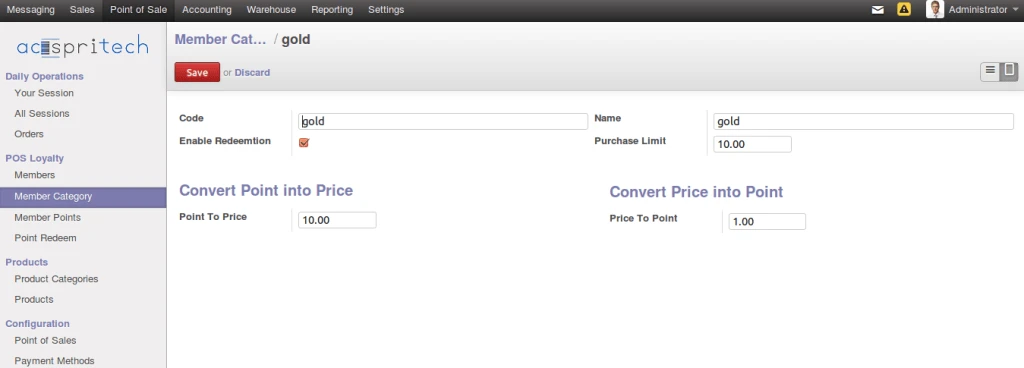
From Odoo Point of Sale menu, we can see there are some menus to manage members. We can create member categories as per our company criteria.
There are three main fields as mentioned below,
– Purchase Limit (Customer must purchase upto or more than this amount then only he can get points or he can use points if he has from past purchase)
– Point to price,
– Price to point.
POS Member Category
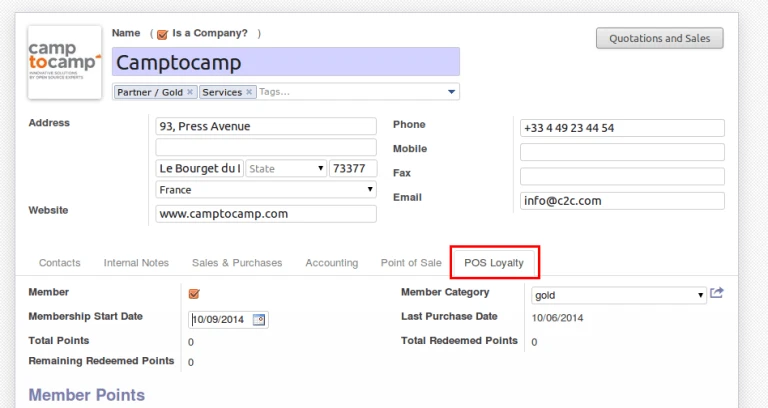
Once we create category, then we have to assign that category to member (customer)
Assign category to member
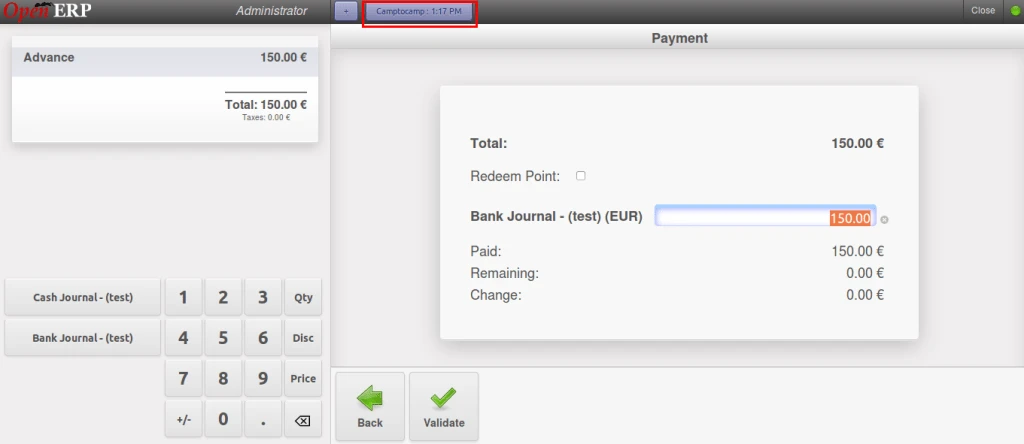
Now customer will purchase something above his purchase limit.
Earning points on purchase limit
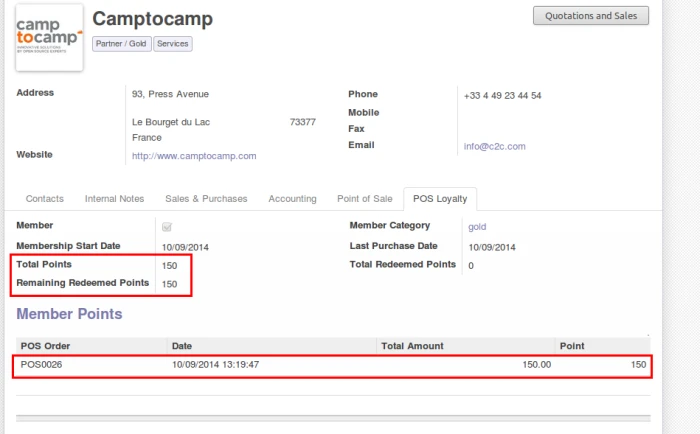
So we can see how this will affect in points.
Earned points from POS Purchase
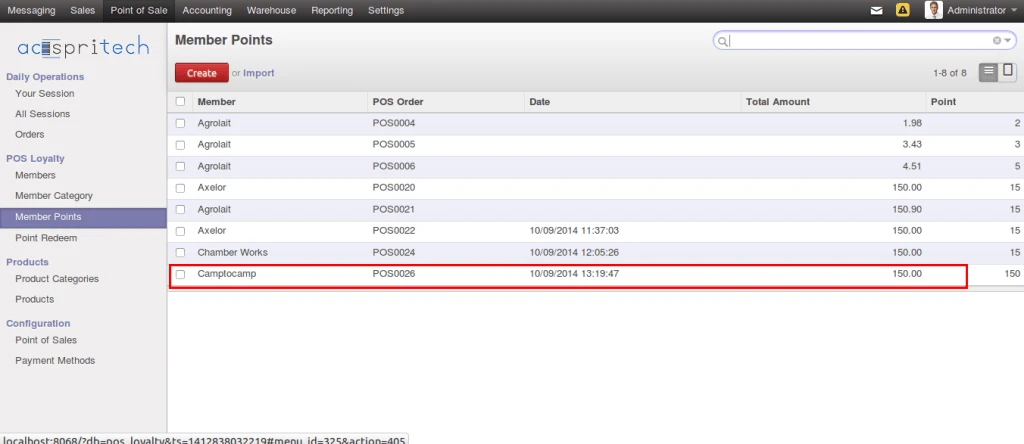
Below screen shows all list of points for all customers.
All member points
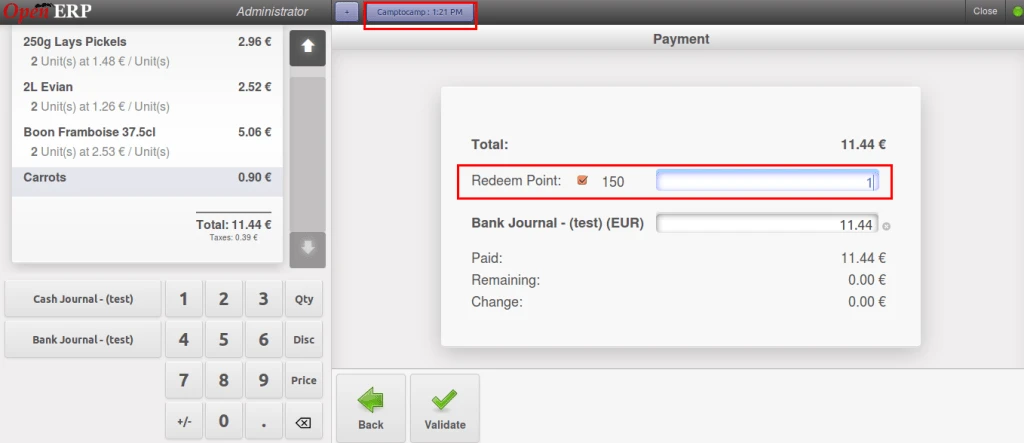
If any customer want to use his points, then we can do this way. Check below screen.
Use loyalty points in POS
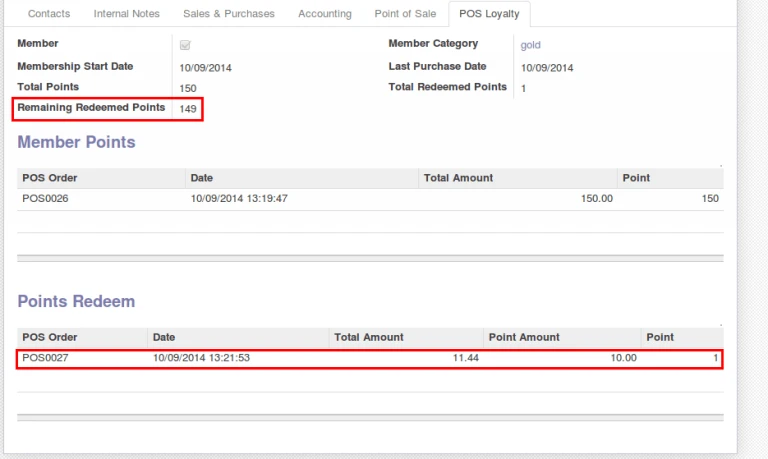
Same will be affected in customer history also.
Points History
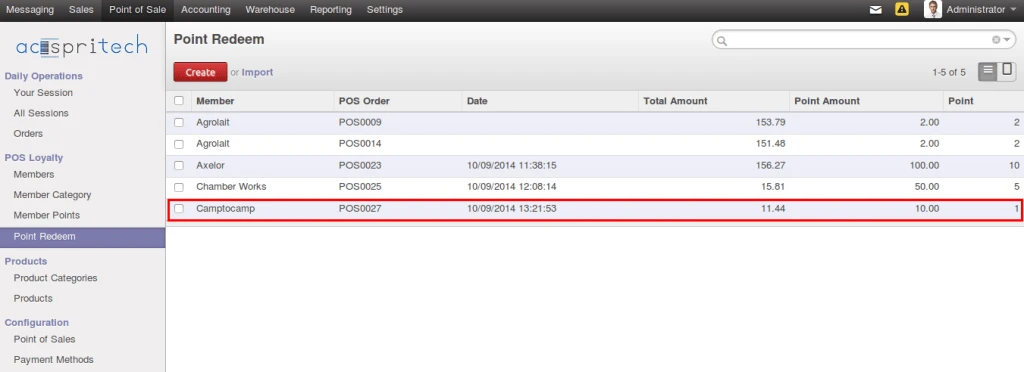
Here is all points history same like all members points history.