Assign unique serial number when we receive product during purchase process and when we sale from POS, at that time also use the same serial number which we have assigned during receiving.
This is the main feature in this module that we have created in Odoo v8.
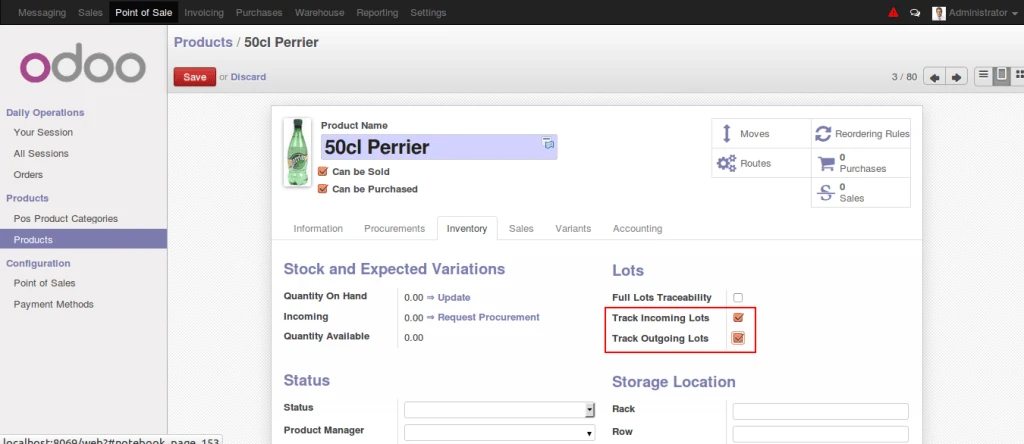
In below screen, we can see that we have marked Incoming, Outgoing tracking using serial number. So now whenever we sale or receive using warehouse module, at that time serial number is compulsory otherwise we can not deliver or receive this particular product.
Odoo Product Configuration for Serial Tracking
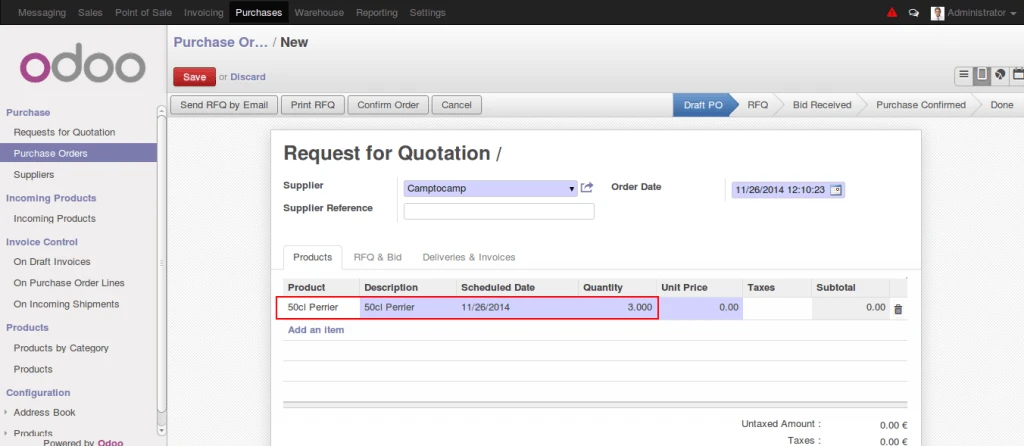
Following screen is normal purchase order screen in which we are taking one product for example and we are purchasing some quantities.
Odoo Purchase Order
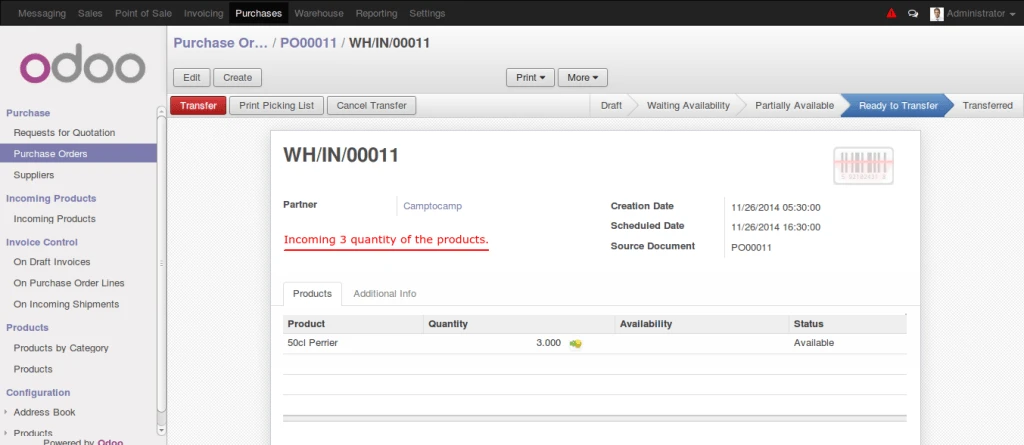
This is incoming shipment form screen from where now we will click on “Transfer” button and lets see next process.
Odoo Incoming Products
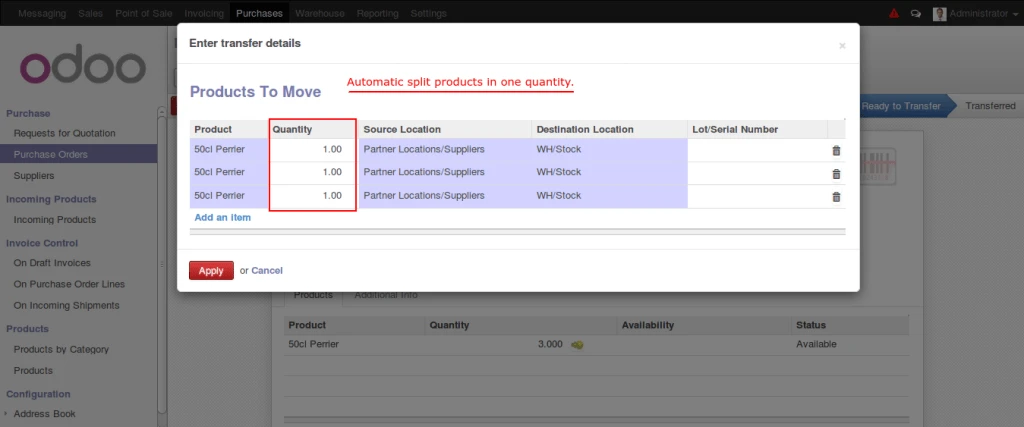
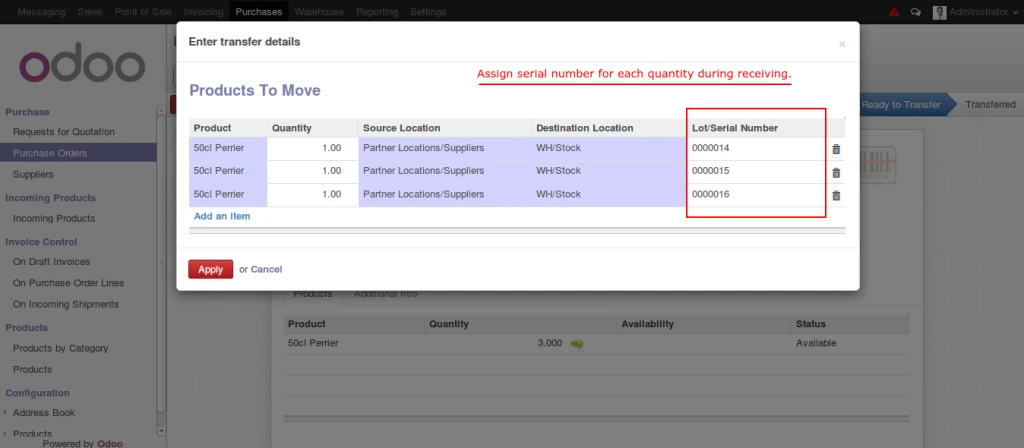
“Transfer” button will open popup with all products splitted by one quantity.
Receiving Products
Now we can assign serial number to each different quanaities of particular products.
Assign serial number
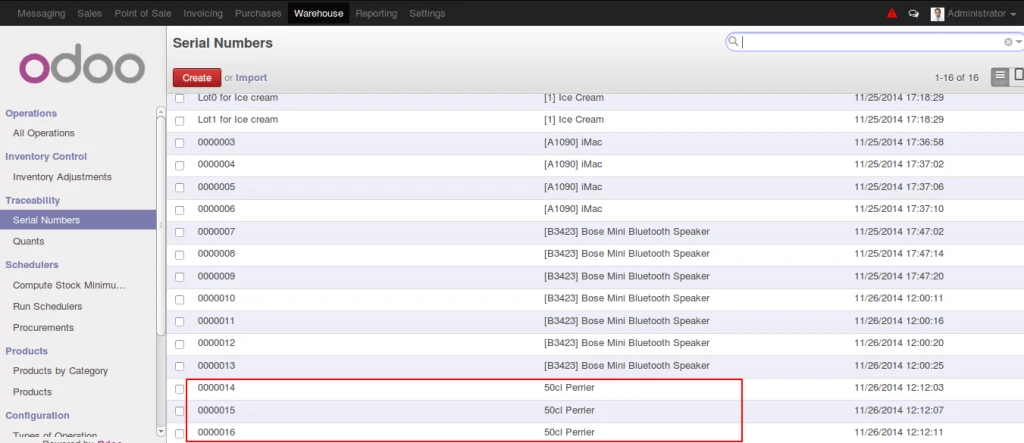
Here is the list of Serial Numbers with products.
Odoo Serial Number List
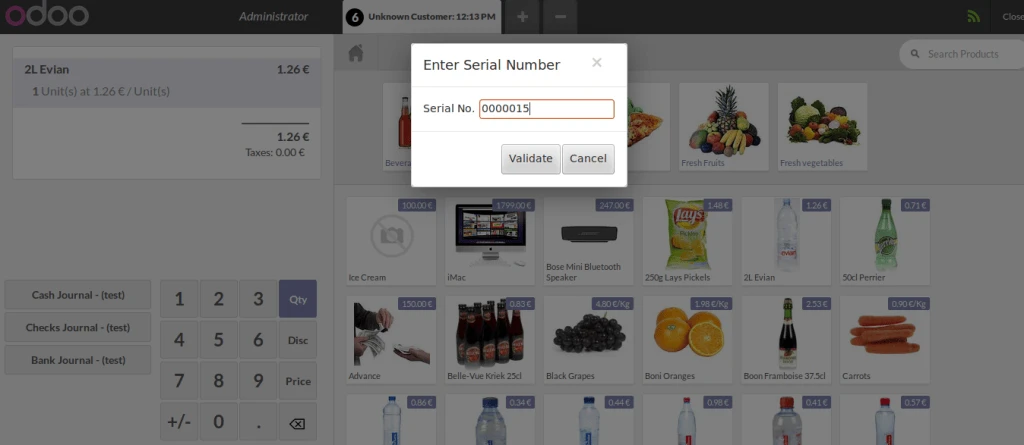
Now its turn for sales. We are salling products from POS Frontend and we are checking that if Outgoing track is required than serial number is required to enter here.
Assign serial number from POS
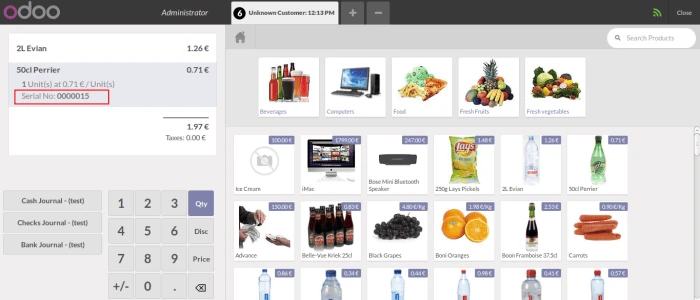
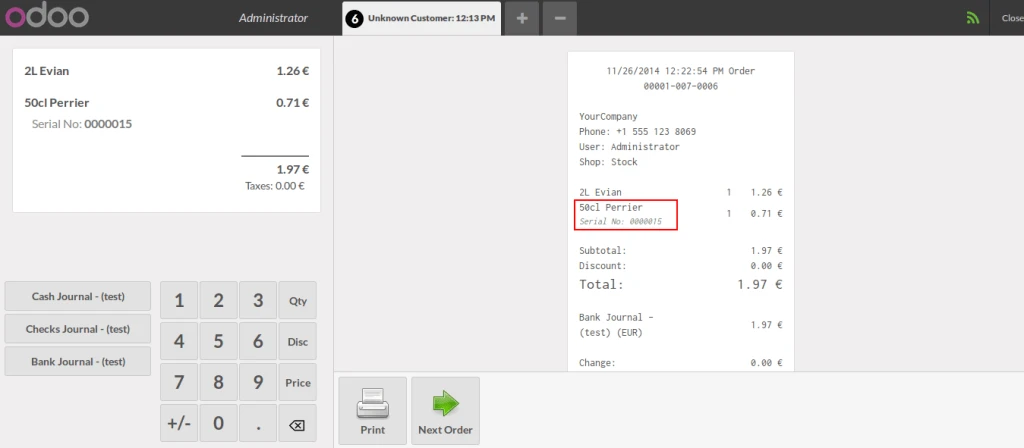
Once we add product with serial number then we can see serial number in product list also.
Products added in pos list
Same serial number we can see in POS Receipt also.
POS Receipt with serial nuber
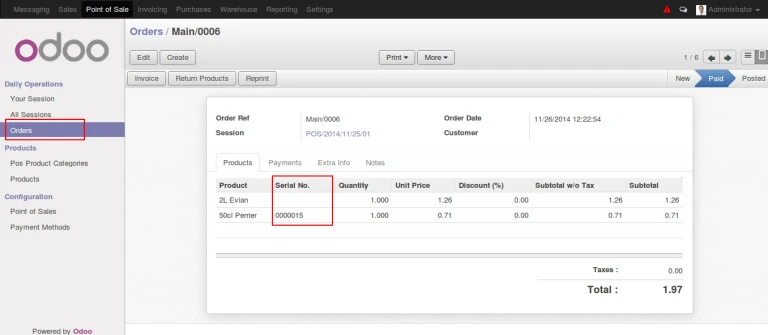
We have added field for Serial Number in POS Backorder too.
POS backorder with serial number
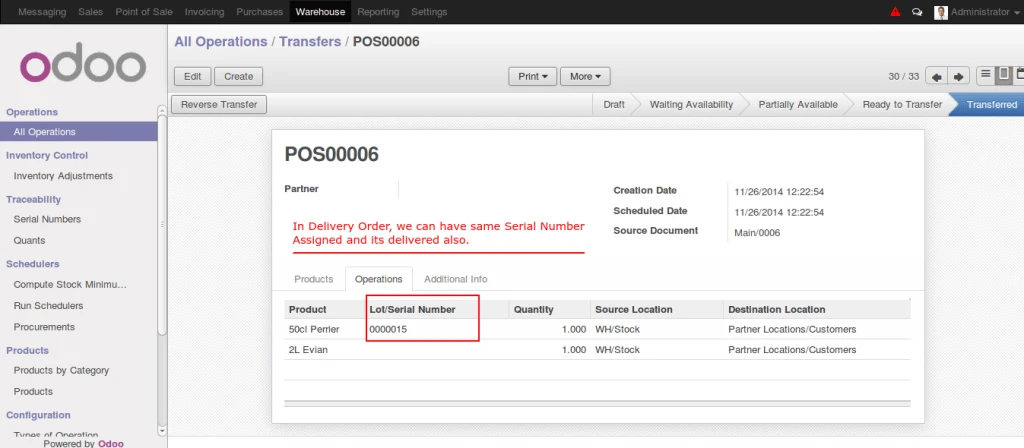
And the order will be delivered successfully with serial number.
Delivery Order with serial number
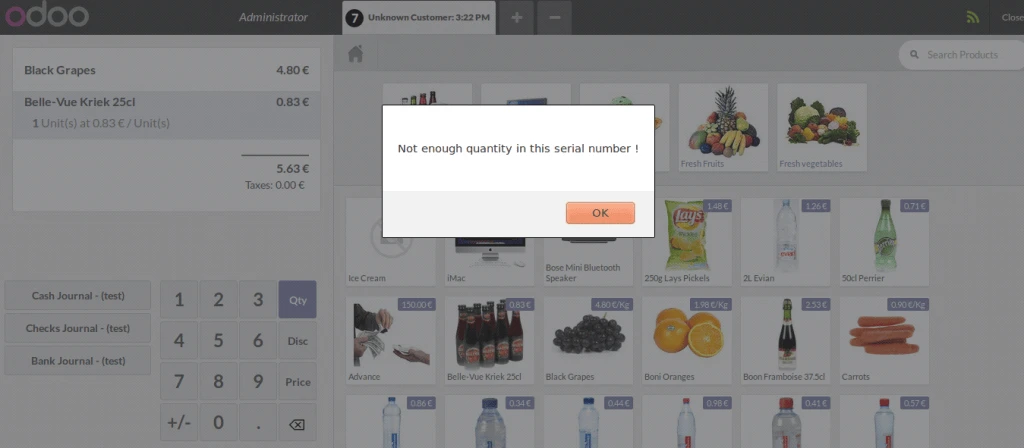
Now if we assign same serial number again for the same product which we already sold then POS will raise an error and will not allow us to do the process as displayed in below screen.
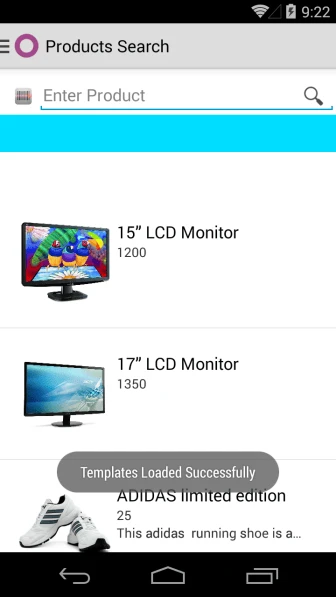
New feature for Odoo android application which will show product variants, stock information.
A product variant is a specific item that is grouped with related variants that together forms a product. Variants usually vary from each other in one or more properties. Each product variant is based on the same product definition. Example : Shirt is product with different attributes like color, size etc and create variants based on it.
In Odoo, user can define product template and their variants. We are making android application which display templates and their variants and stock of each variants for easy work.
All Products
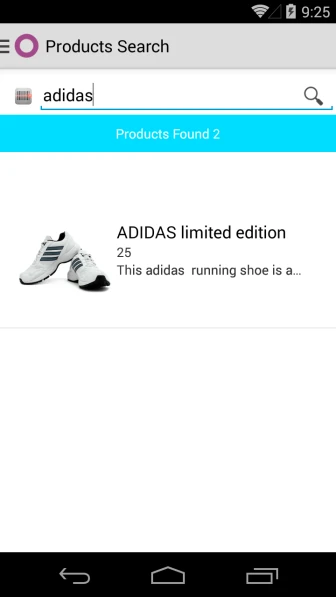
You can search product template by using name or scanning barcode.
Search Product
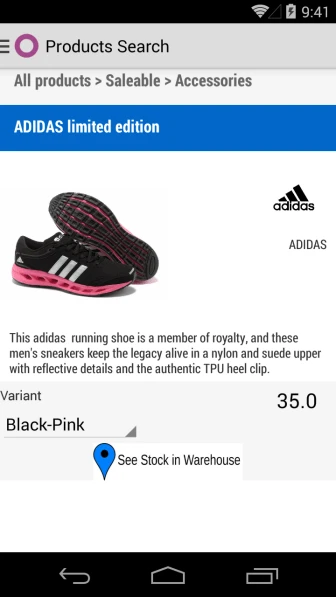
Once you will click on selected template, it will display complete information with variants.
Product Variants
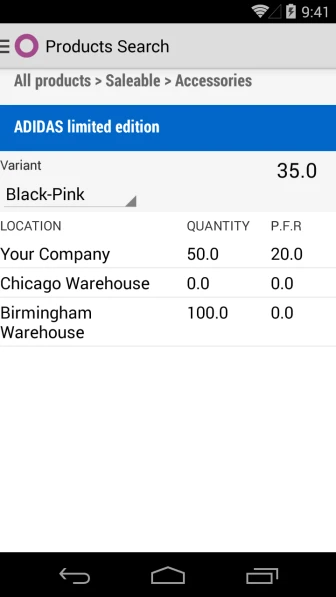
User can check available and incoming qty of each variant of selected template also.
Many companies are providing loyalty features to their regular customers.
We have implemented the same feature in Odoo POS 7.0 which will allow us to use point system.
Lets have a look that how it is working.
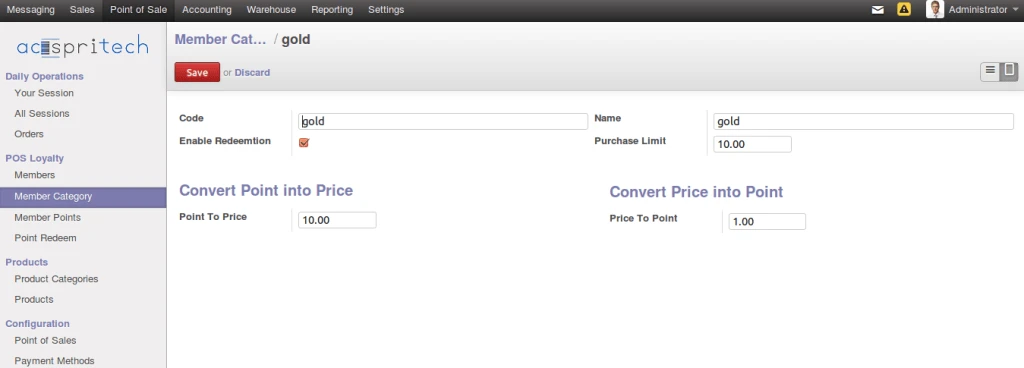
From Odoo Point of Sale menu, we can see there are some menus to manage members. We can create member categories as per our company criteria.
There are three main fields as mentioned below,
– Purchase Limit (Customer must purchase upto or more than this amount then only he can get points or he can use points if he has from past purchase)
– Point to price,
– Price to point.
POS Member Category
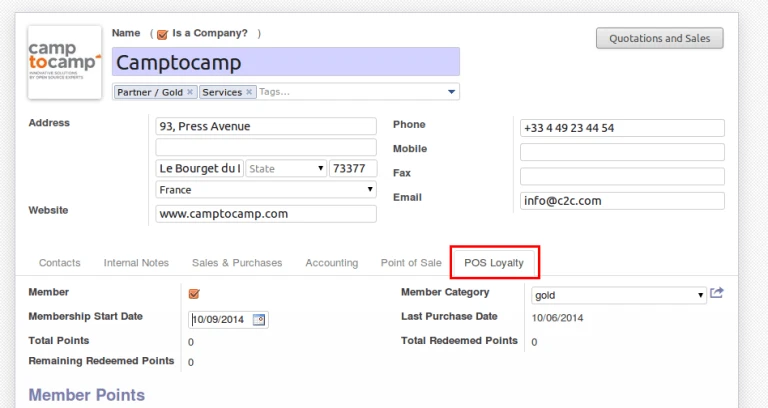
Once we create category, then we have to assign that category to member (customer)
Assign category to member
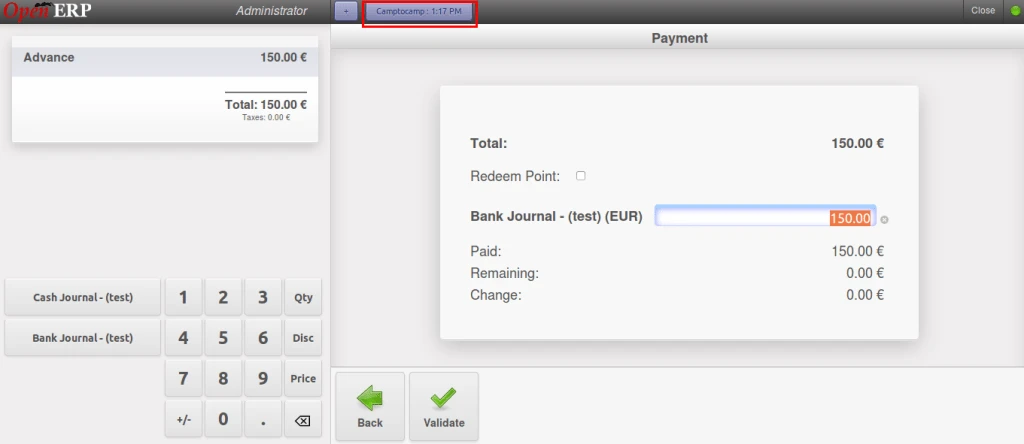
Now customer will purchase something above his purchase limit.
Earning points on purchase limit
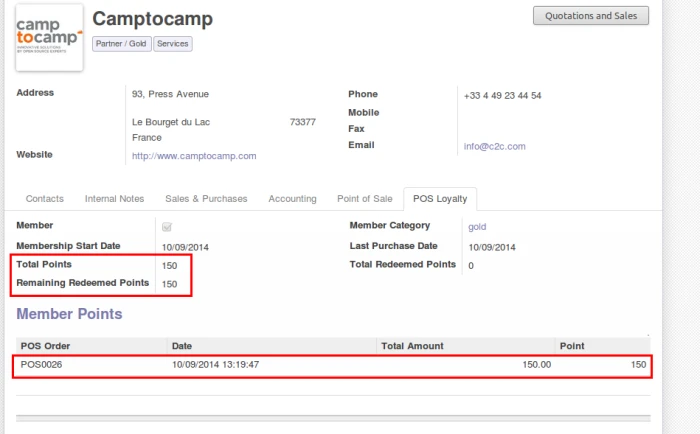
So we can see how this will affect in points.
Earned points from POS Purchase
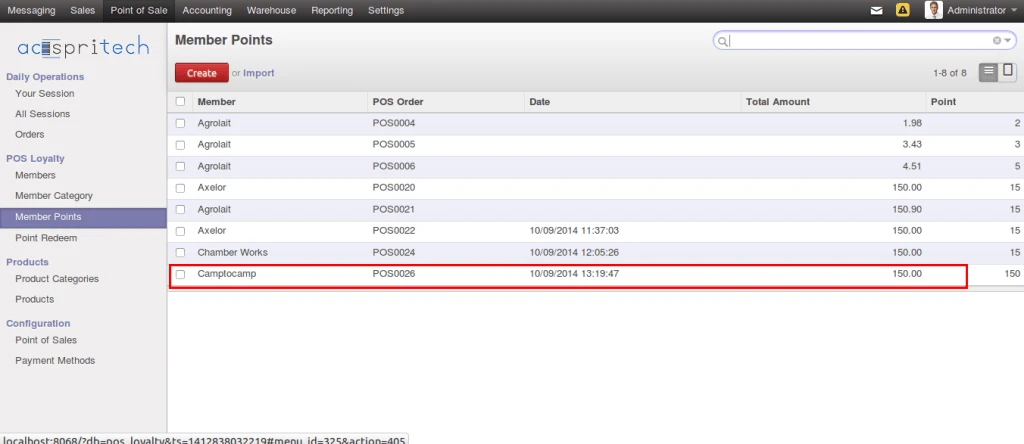
Below screen shows all list of points for all customers.
All member points
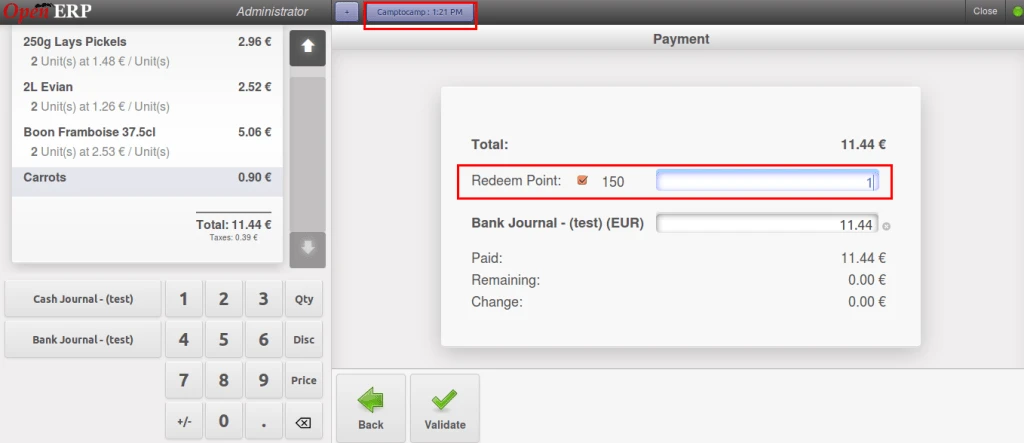
If any customer want to use his points, then we can do this way. Check below screen.
Use loyalty points in POS
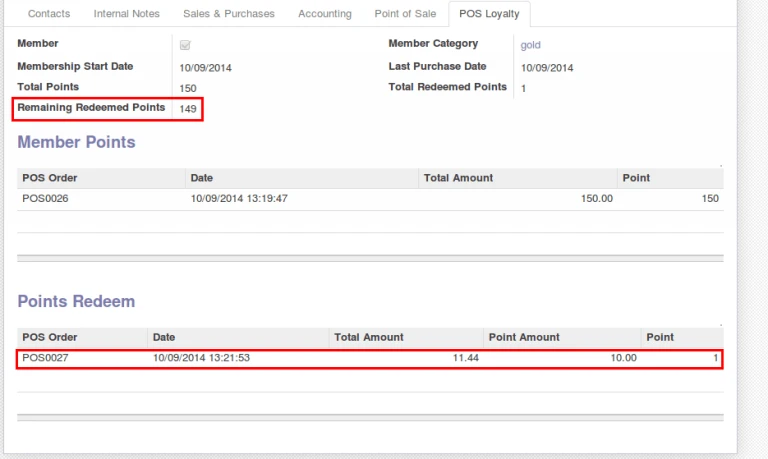
Same will be affected in customer history also.
Points History
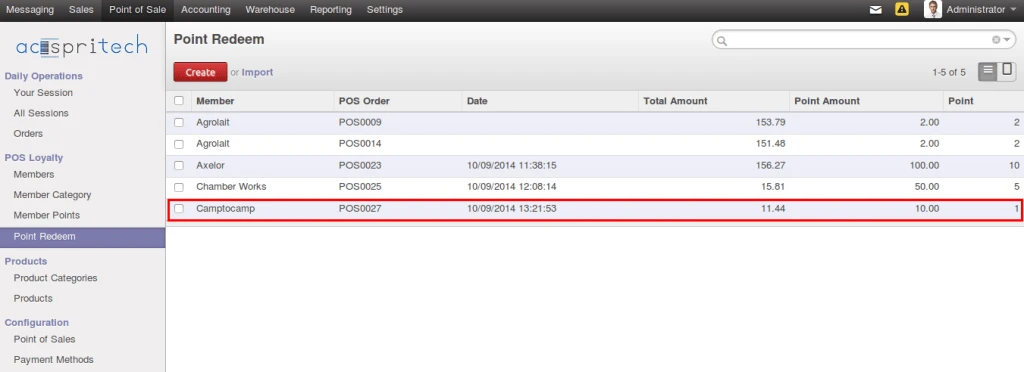
Here is all points history same like all members points history.
We have implemented application which will be useful to search product by scanning barcode and it will display product stock according to product template and according to different warehouses configured in your database.
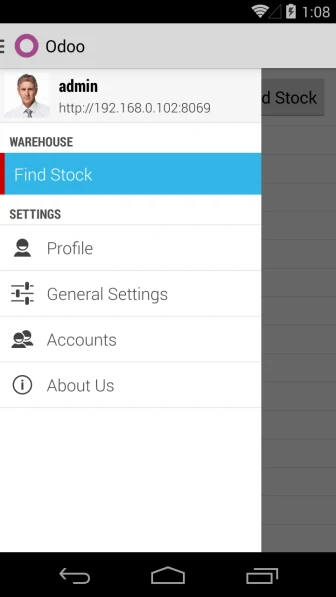
Menu
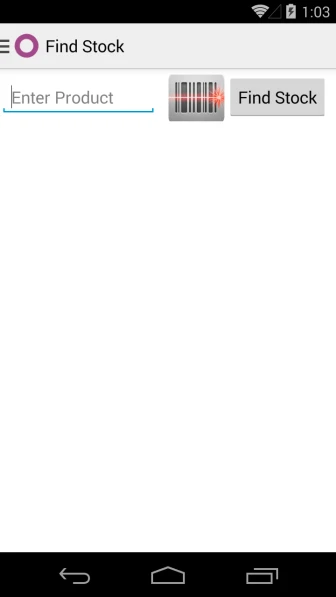
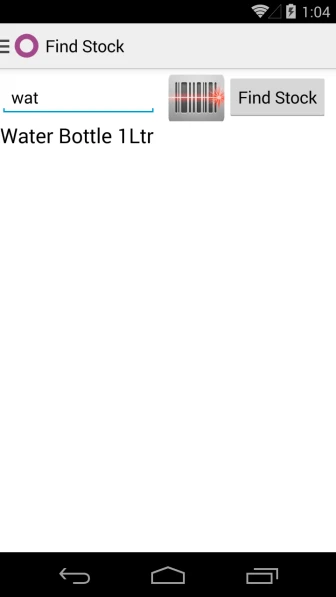
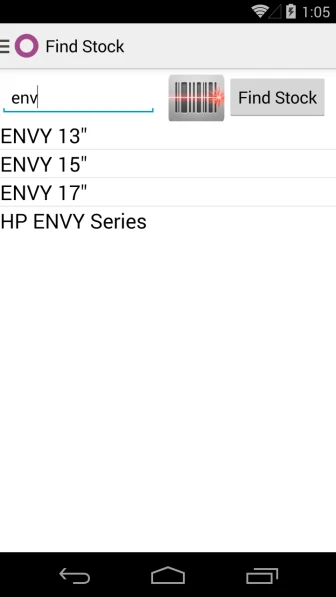
You can search product by writing name or reference of product or scan any barcode and that product or template will be selected automatically.
Main PageSearch Product
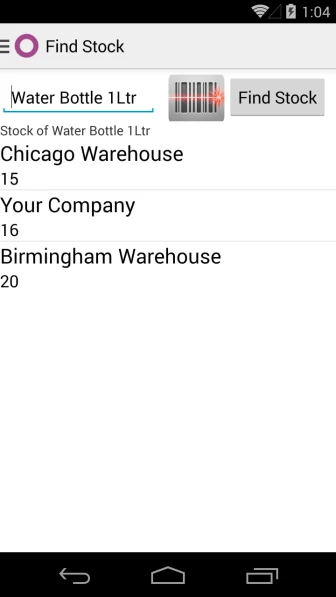
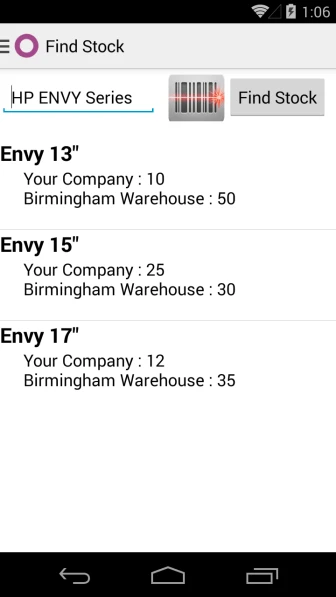
After selecting product, it will display stock information according to warehouses configured into database.
Display Product Search
In case of Product Template, it will display all products related with template and display stock.