The ASPL Email PDF Invoice facilitates the invoice pdf generation and the download from the order page for the admin and user and email it with woocommerce order email.
Click here to download
Features:-
Automatically attach invoice PDF to WooCommerce emails.
Show / Download the order PDF invoice from the order admin page and user can download it from my-account order page
It’s work on order status update.
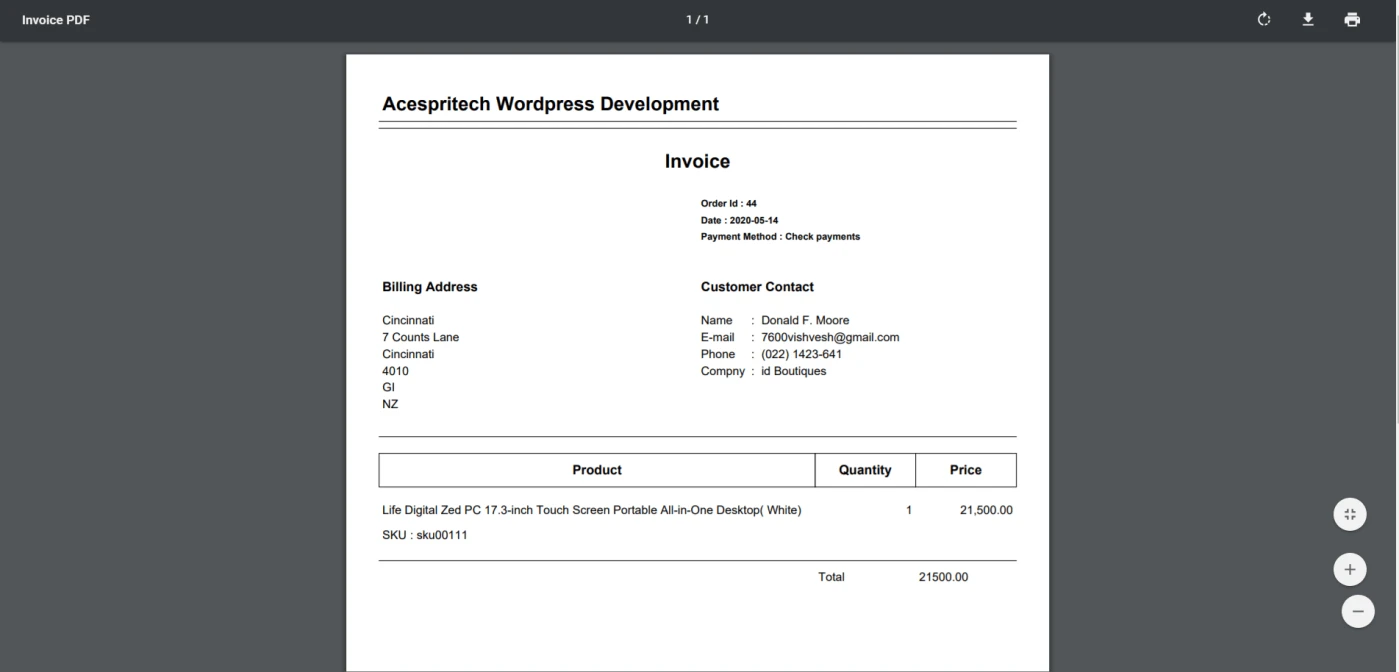
Invoice PDF View.
Invoice View
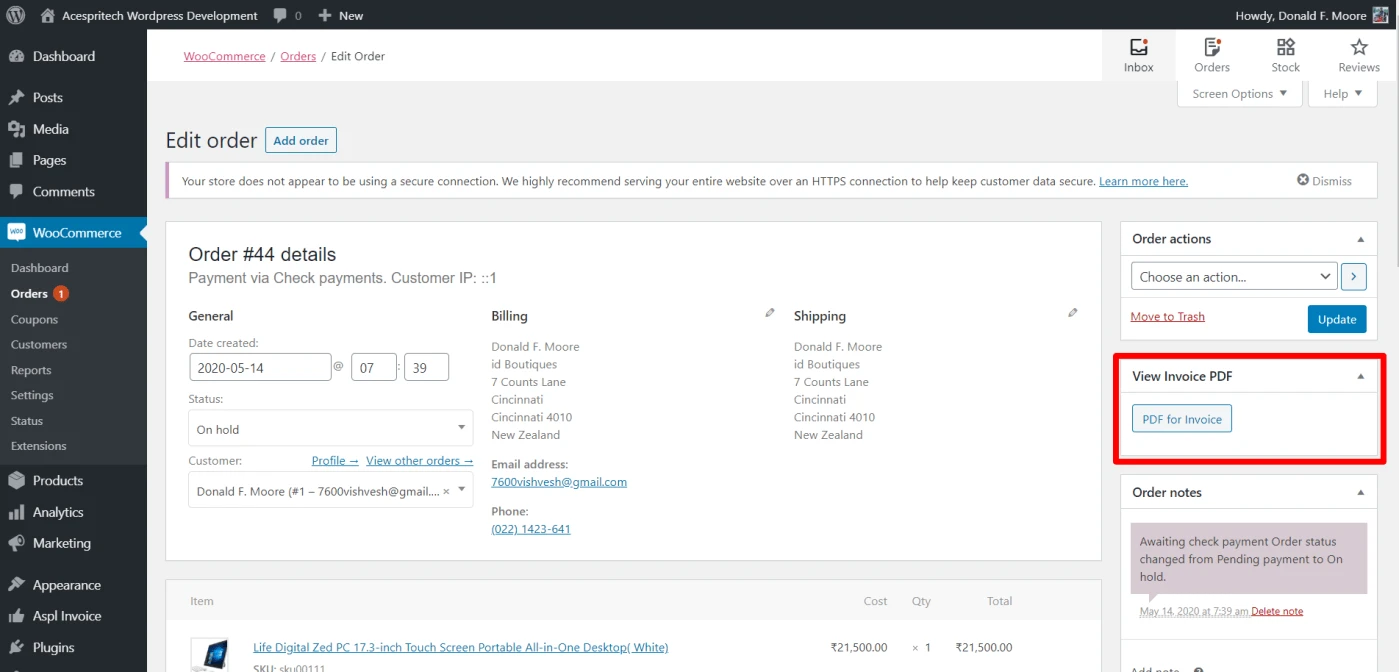
Display Metabox to show particular order invoice. Order Invoice
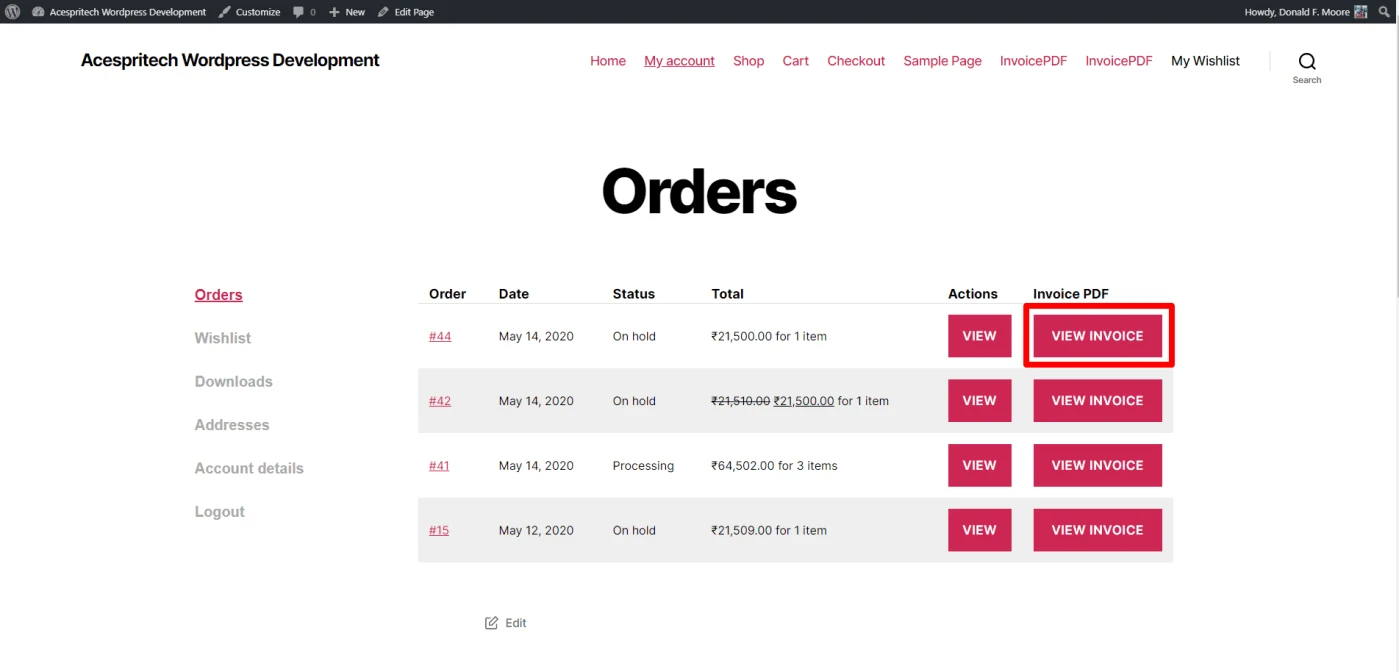
Display Invoice to user in myaccount area in order list.
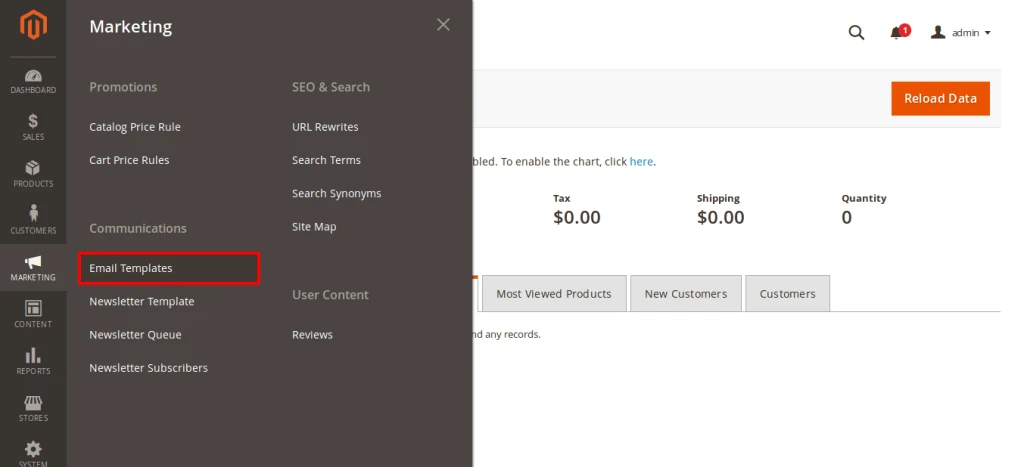
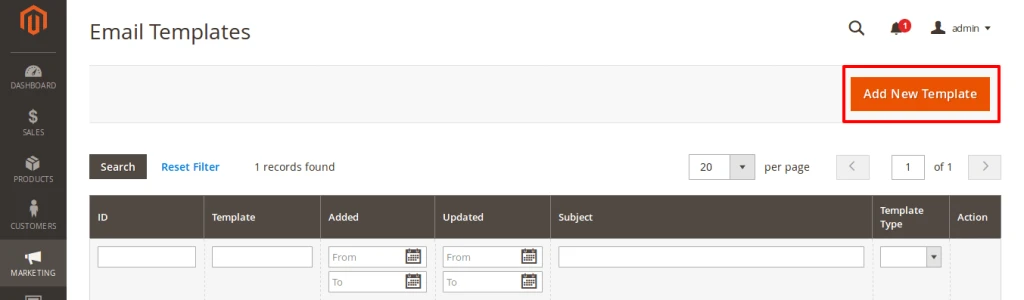
Go to Marketing -> Communications -> Email templates form Magento Navigation.
Go to Marketing Email Templates
Now, click on Add New Template.
Add New Email Template
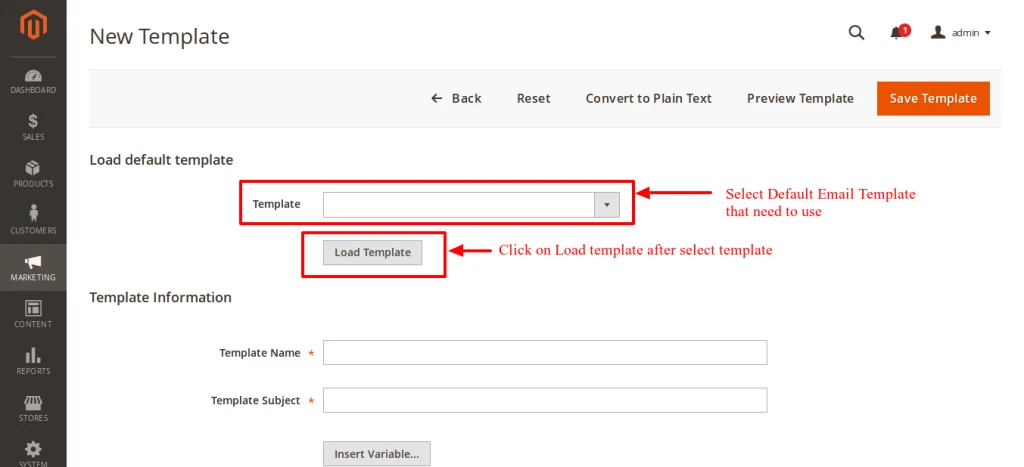
If you want to load default template than Select template and click on load template. After click in Template Information default content will be load.
Load Default Email Templates
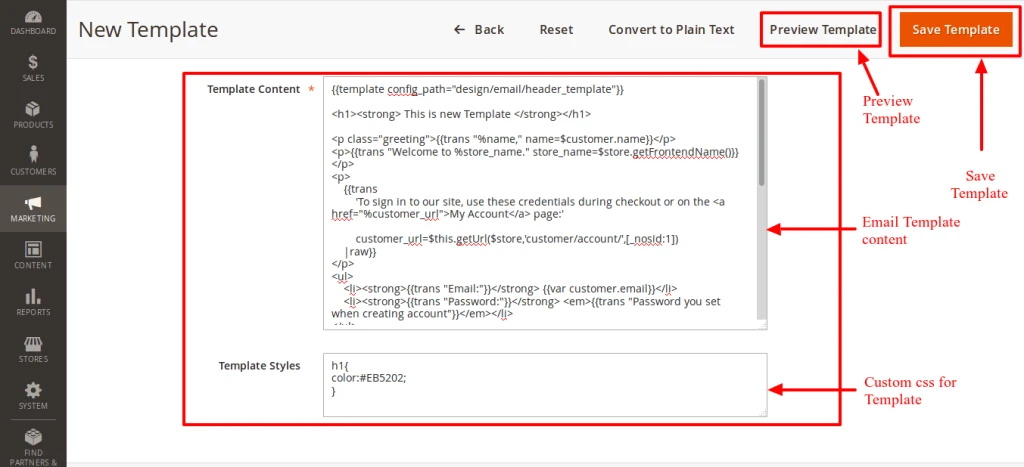
You can add content on Template Content section and also give custom CSS that you can write on Template Styles.
Modified And Create New email Template
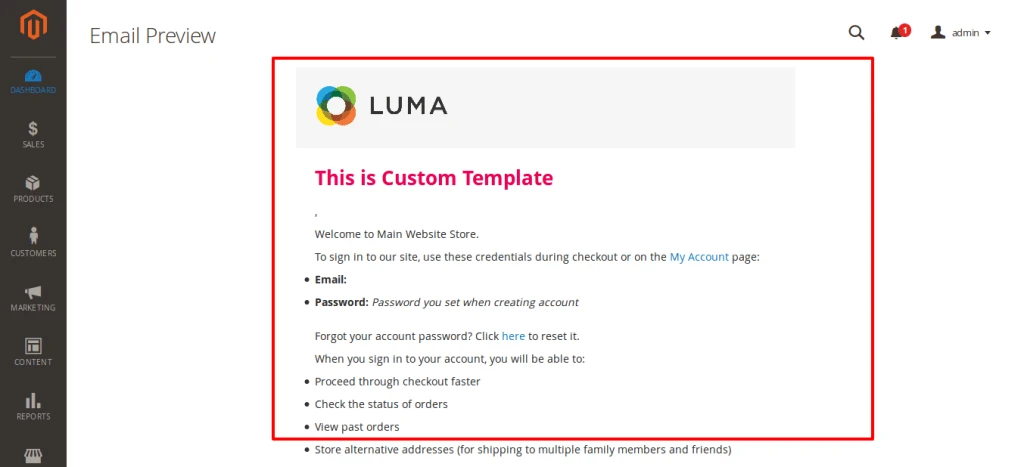
You can see preview of your Email template by click on Preview Template.
Email Template Preview
And after all perfect Save Template.
For change Default Welcome Email (New customer)
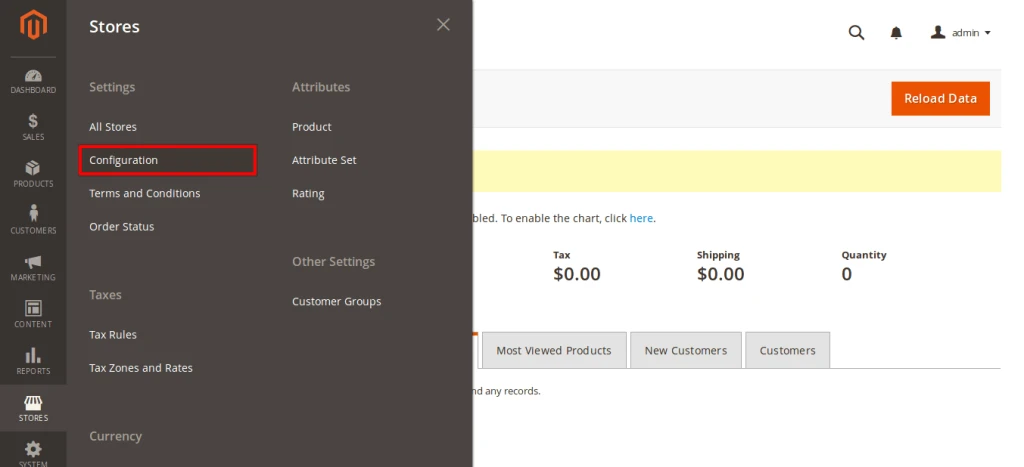
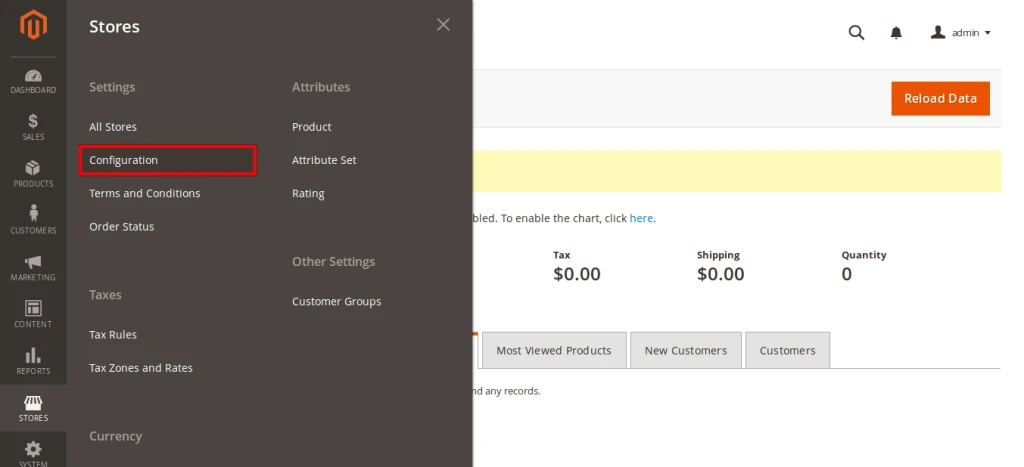
Go to Stores -> configuration from Magento Navigation.
Go to Stores Configuration from Navigation
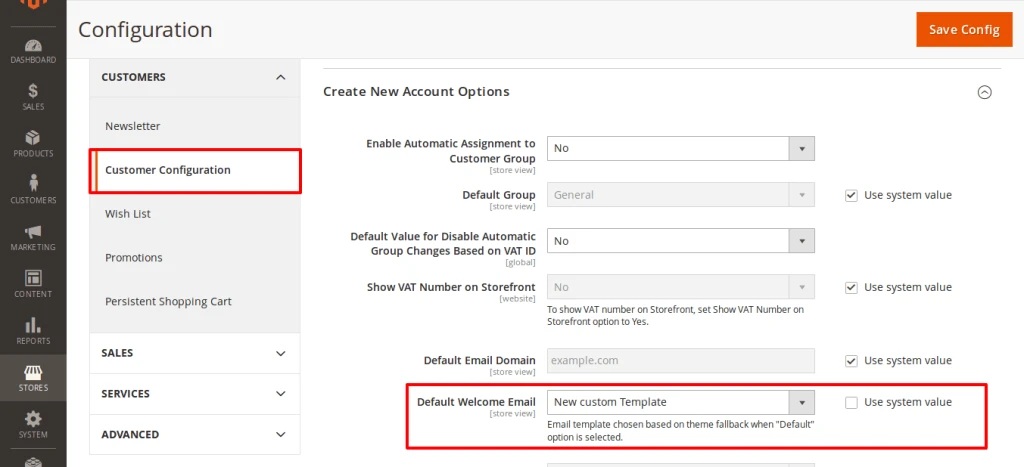
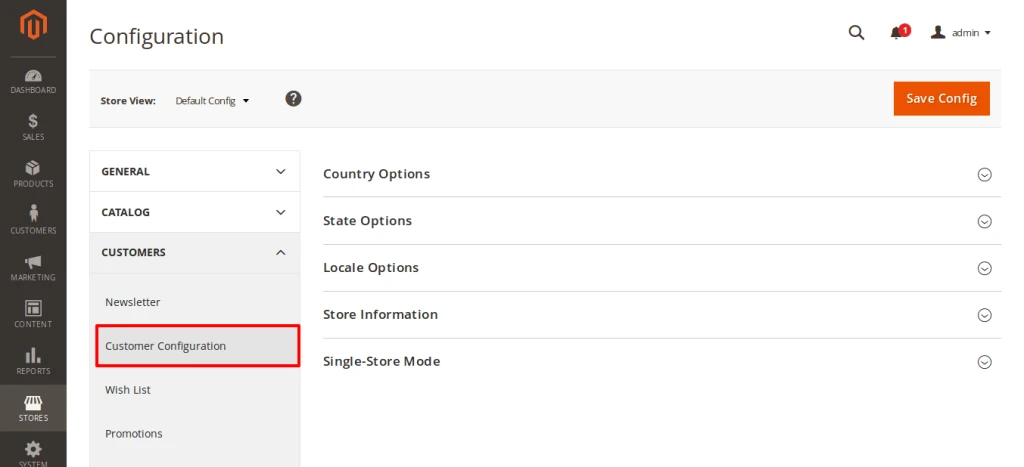
After that go to Customers -> Customer Configuration in that unchecked Use system value of Default Welcome Email and select your created custom template from drop box.
Set New Customer Email template to New Custom email Template
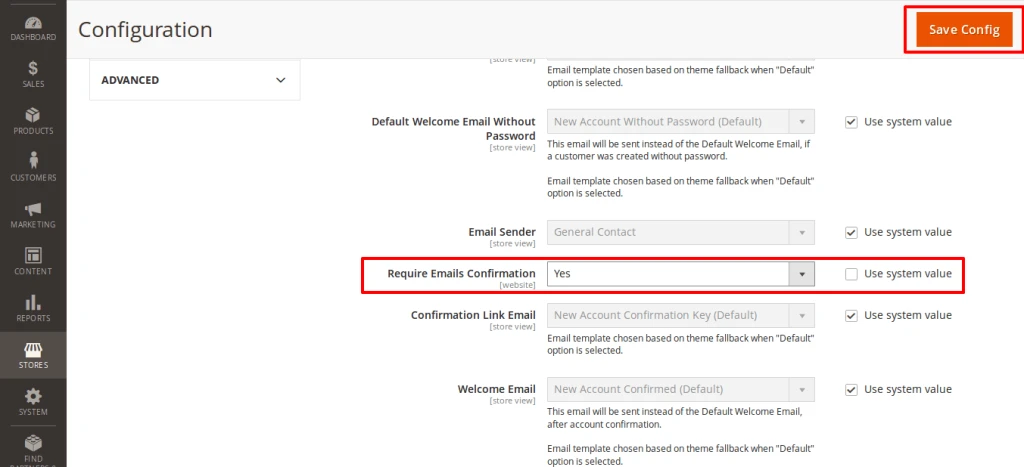
Save Configuration by click on Save Config button.
Before few days, I posted a topic for “Email configuration using SMTP in OpenERP“. Today with the help of that feature, my next topic is, “How to send an email while converting leads into opportunities ?”
I have created a video which will be helpful for anyone.