Login in to Magento Admin.
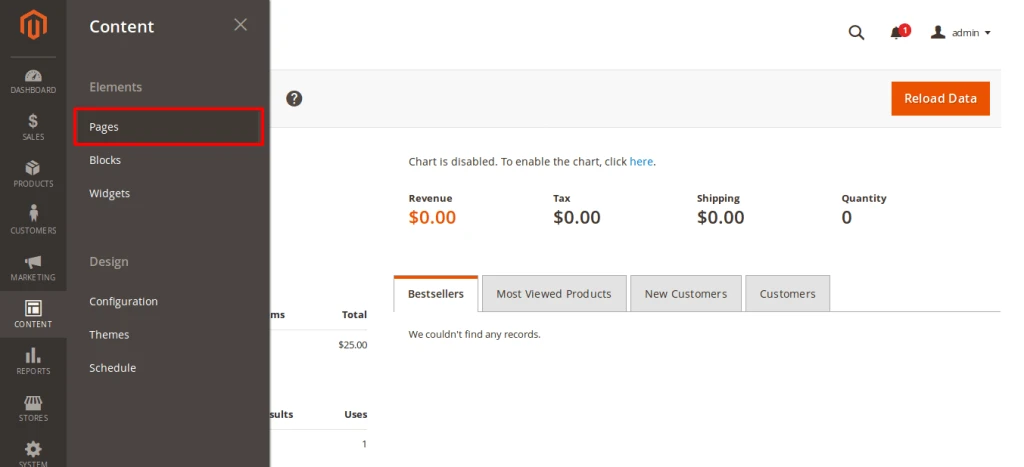
Go to Content -> Pages From Navigation
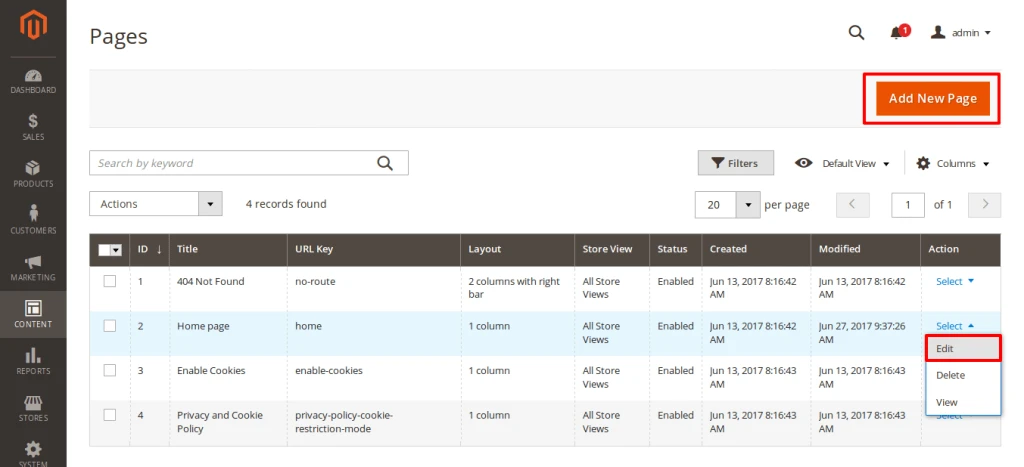
Click on “Add Page” Or Edit existing page.
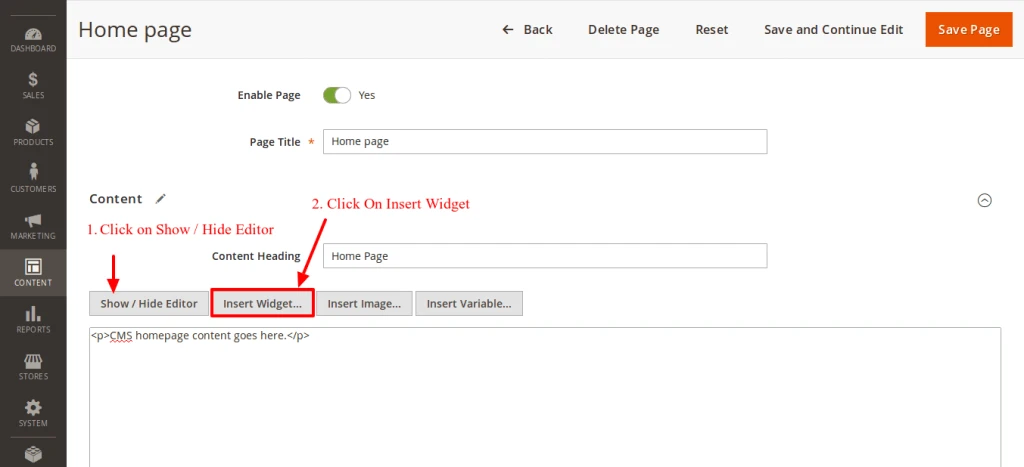
Fill out Basic details of page after that on content section hide editor by click on Show/Hide Editor and click on Insert Widget.
OR you can also insert widget from editor by click on below symbol

Select CMS Static Block Widget from drop down box and select Static Block that you want to insert
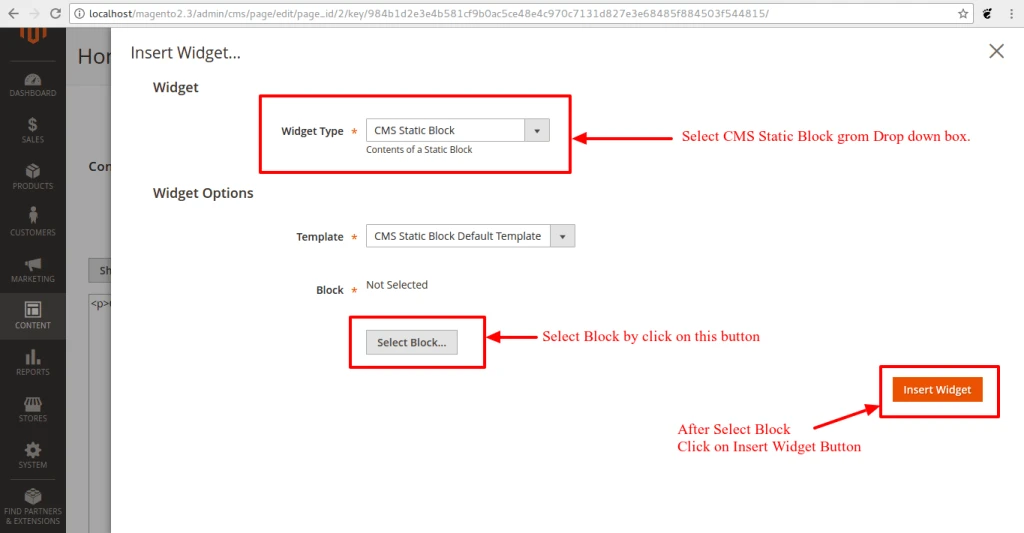
After that Save Page.
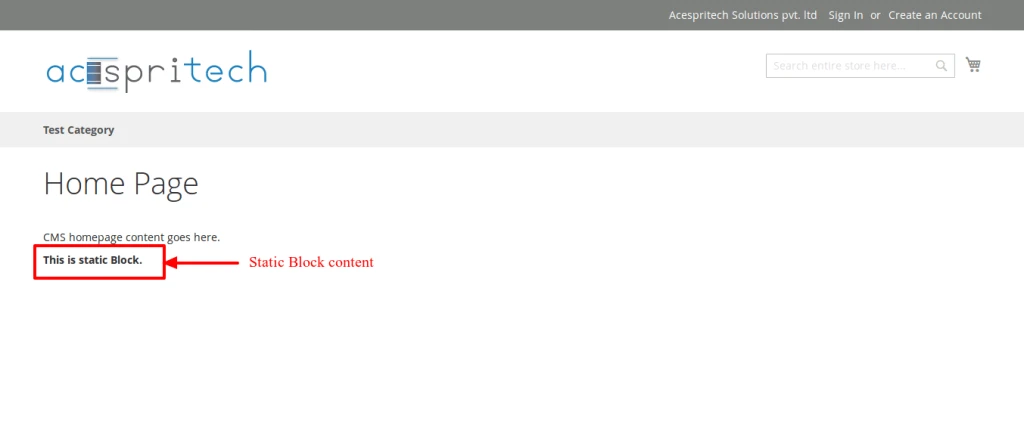
You can see Inserted static block on that page front side.