Login in to Magento Admin.
Go to Marketing -> Catalog Price Rule From Navigation
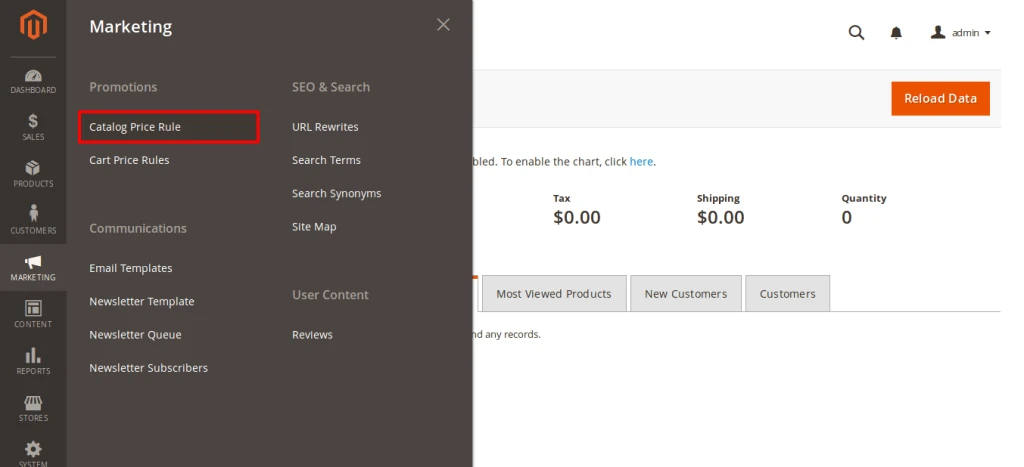 Go to Marketing promotion Catalog price Rule
Add New Rule from Catalog Price Rules Magento Admin page.
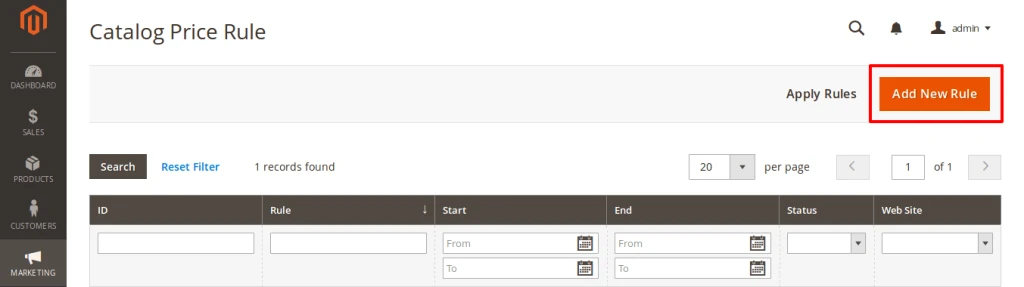 Add new Catalog Price Rule From Magento Admin
Fill out below *Requierd fields of cart price rules
-
Rule Name: Enter your Rule name Like Monsoon Sale , Summer sale etc
-
Websites: If stores have multiple website than select specific website.
-
Customer Group: Select Group who can get benefit this rules.
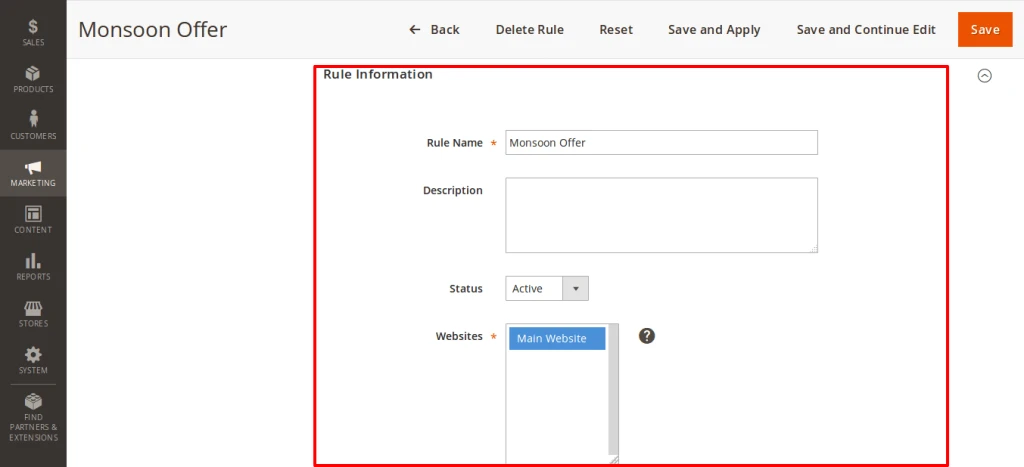 Catalog Price Rule fill out details part-1
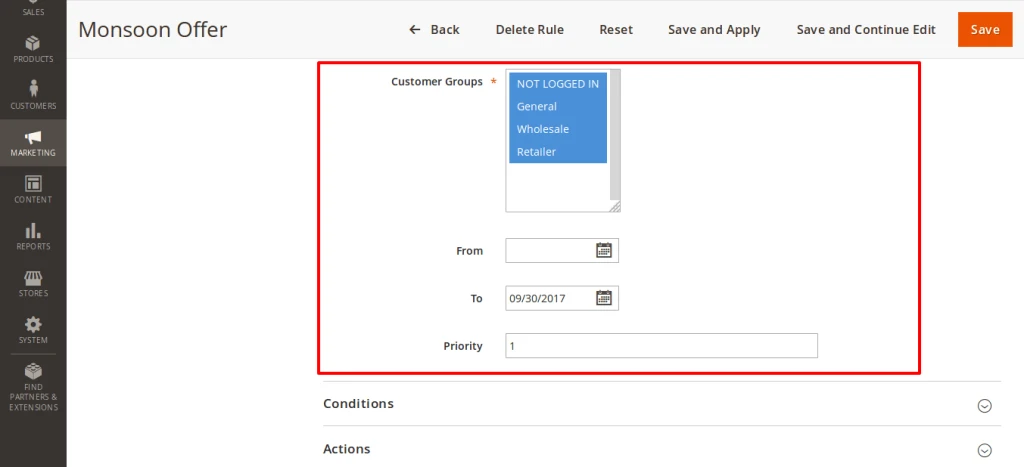 Catalog Price Rule fill out details part-2
You can write condition and Configure Action for Catalog price rule.
After that Save and apply Catalog Price Rule and re-index your site.
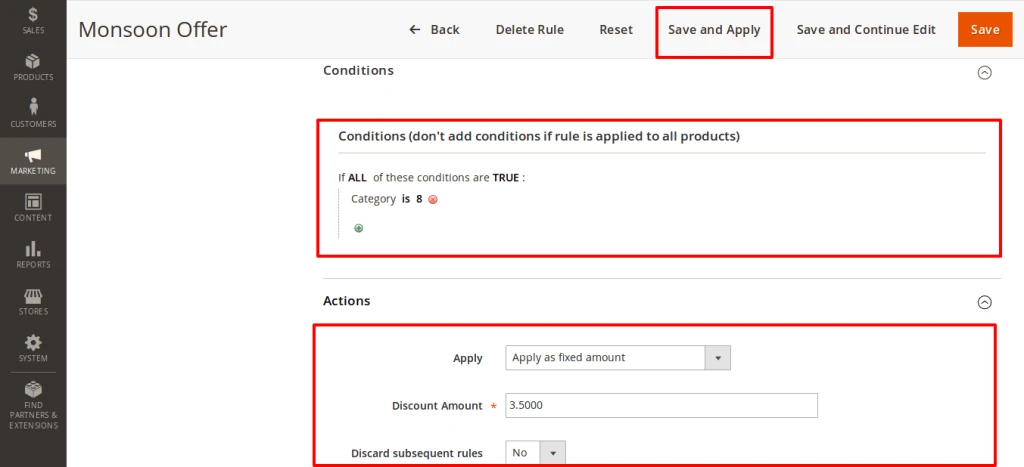 Catalog Price Rule configure condition and action
finally , on Front-end catalog product price rule applied.
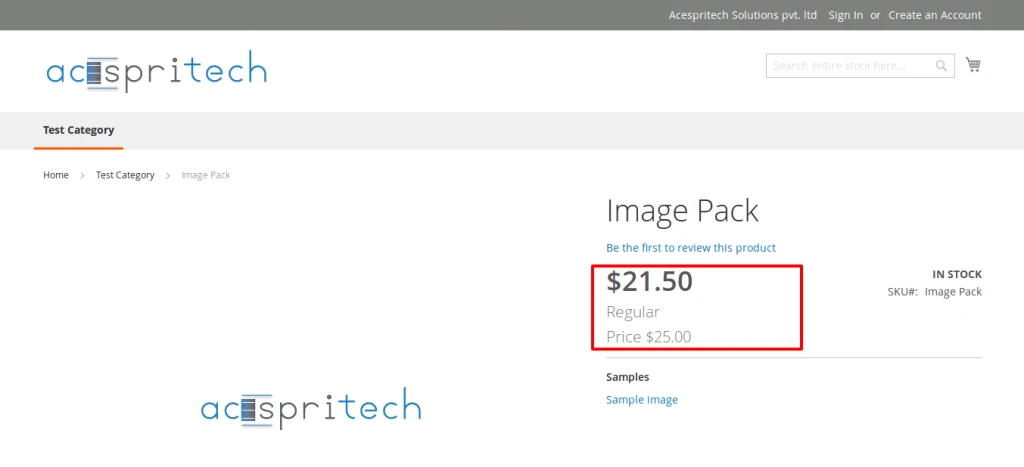 catalog price rule applied according conditions
Share this:
- Click to share on Facebook (Opens in new window)
- Click to share on LinkedIn (Opens in new window)
- Click to share on Reddit (Opens in new window)
- Click to share on Tumblr (Opens in new window)
- Click to share on Pocket (Opens in new window)
- Click to share on Pinterest (Opens in new window)
- More
- Click to print (Opens in new window)
- Click to email this to a friend (Opens in new window)
Like this:
Like Loading...