Daily Archives: September 4, 2012
How to load different languages into OpenERP ?
As we all know that OpenERP is a multilingual ERP system.
We can add as many languages as we want. Each user may work with an interface in his own language.
This section explains how to load another language. Lets take an example of displaying into French language.
Just start your OpenERP, open your favourite browser and login into webclient.
Click on Setting Menu and as displayed in below image, you will find ‘Load an official translation’ from ‘Translations’ menu.
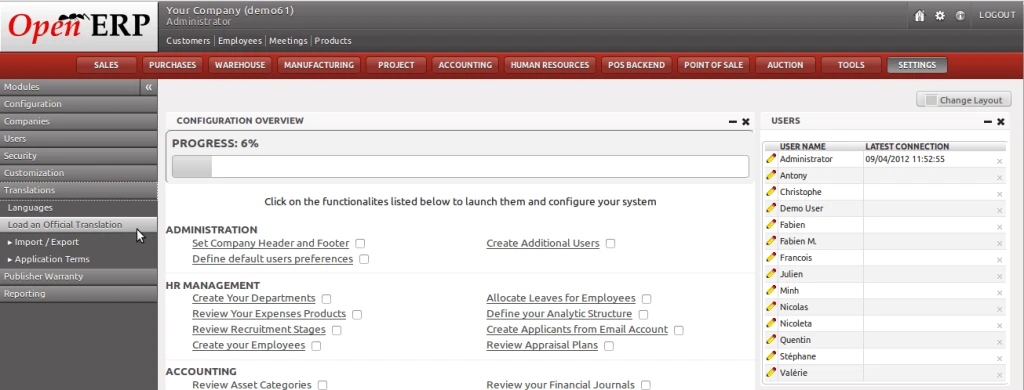
After clicking, a wizard will open which will allow us to select any language.
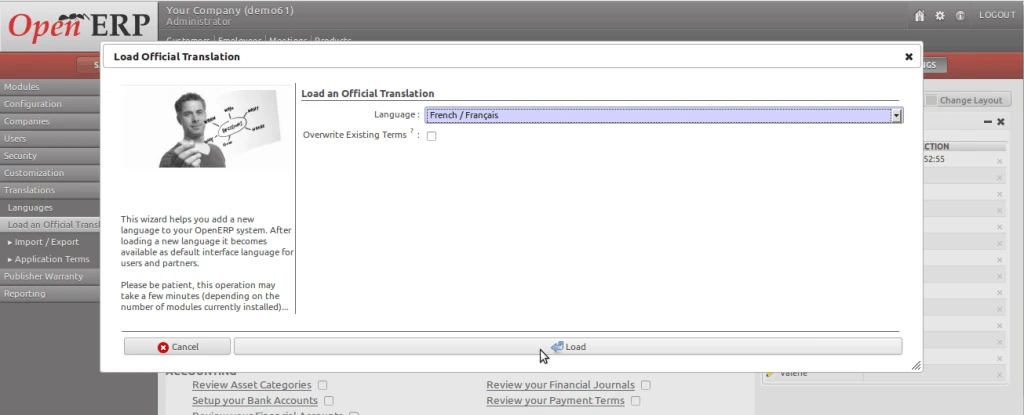
Press the “Load” button and a process will be there. After completion of process below screen be displayed on your screen.
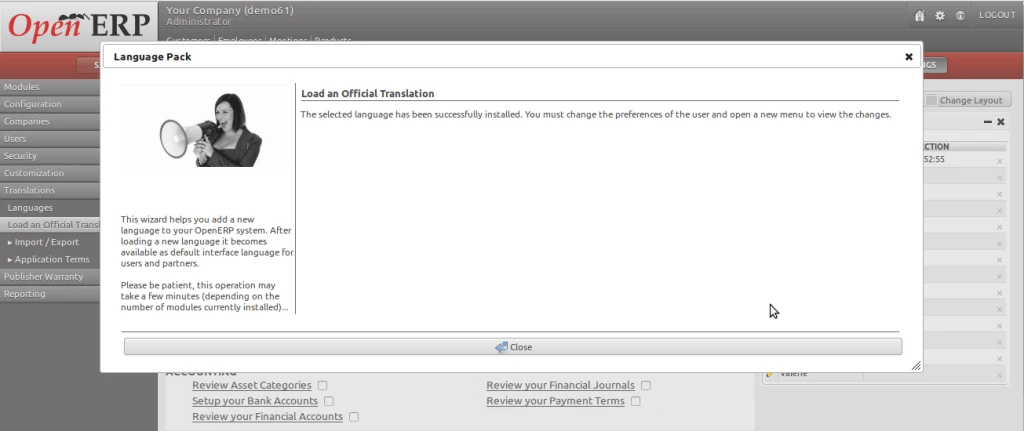
Here, your language has been loaded now. You have to select your language from “Preferences” from top.
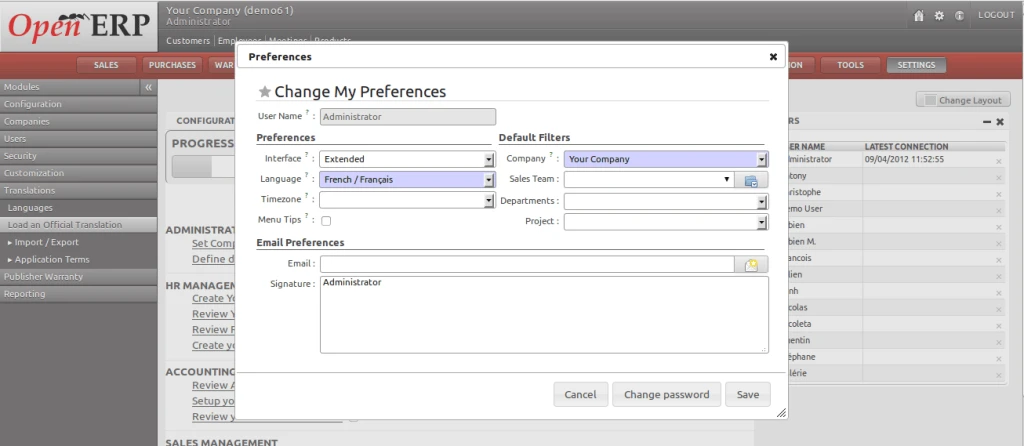
Once you select your loaded language from the list, just save this form and you will find OpenERP environment in your language.
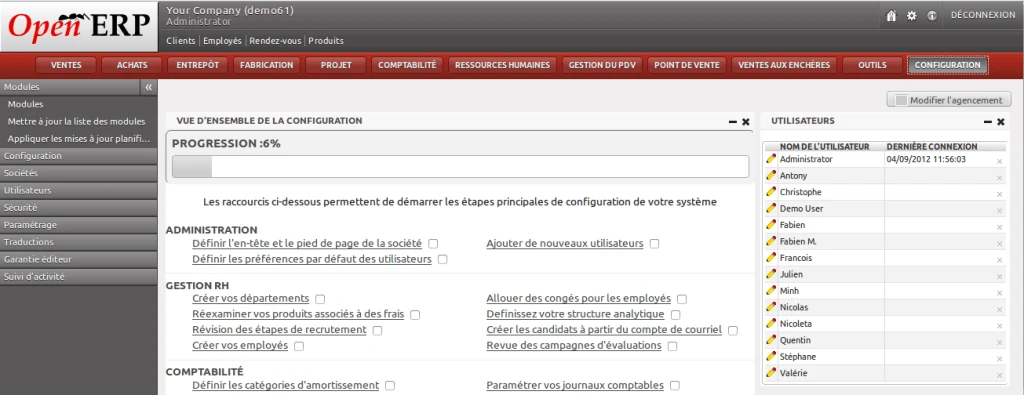
Its pretty simple…
OpenERP LDAP Synchronization
Let me share another important feature of OpenERP.
We have implemented OpenERP LDAP synchronization.
Its very interesting to make this process in working.
Here I have given a sample video which will show a small demo of creating employee from OpenERP HR and it will automatically added into LDAP.
This demo shows only “Local LDAP” implementation.
But we can include many features which will affects OpenERP as well as LDAP side, like :
– Create users from any of the side, and it will be created other side.
– Modification on any user/record, it will affect on other side.
– Deletion has also having the same functionality which works both the side.
Feel free to ask for any questions if you have.


