Click here to download the module
Features
- Easy To Manage Agent Commission.
- Give commission to Agent.
- Commission calculation based on Product, Product category, Agent
- Manage the commission based on Product Sell Price, Product Profit Margin.
- Manage the commission payment.
How to use
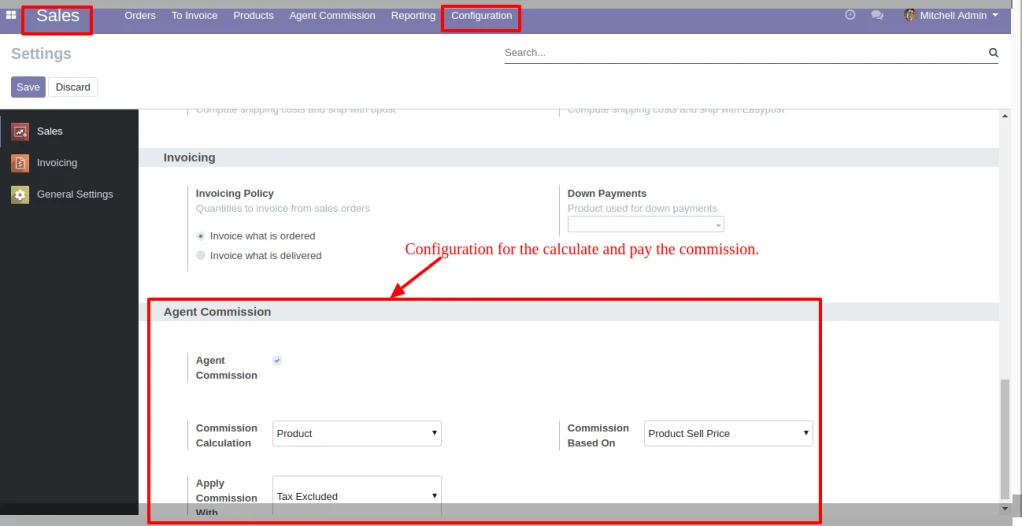
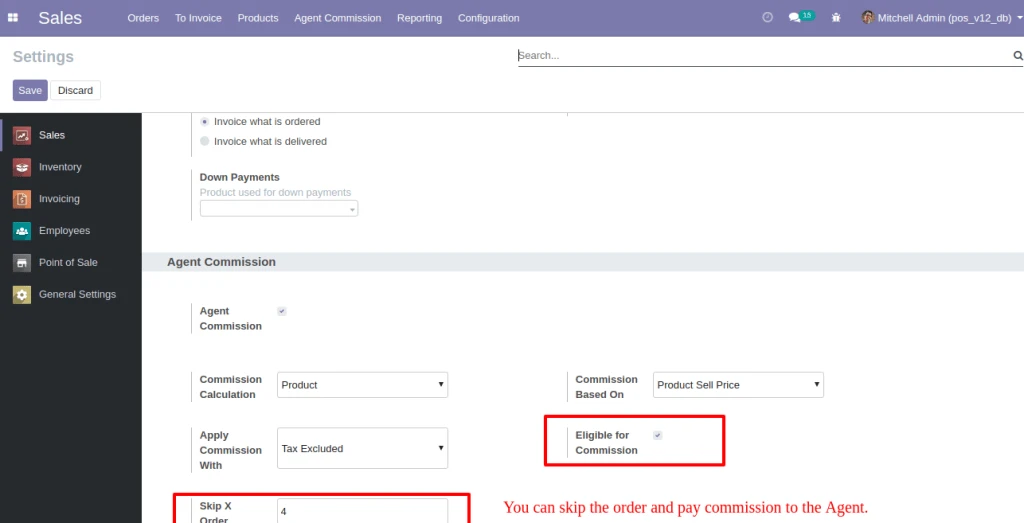
In Sales > Configuration, under the Agent Commission, set the option for Commission Calculation, Commission Based on and Apply Commission With. Based on this configuration the commission is calculate and paid.
User can set the order that you want to skip. Based on this configuration the commission is calculate and paid.
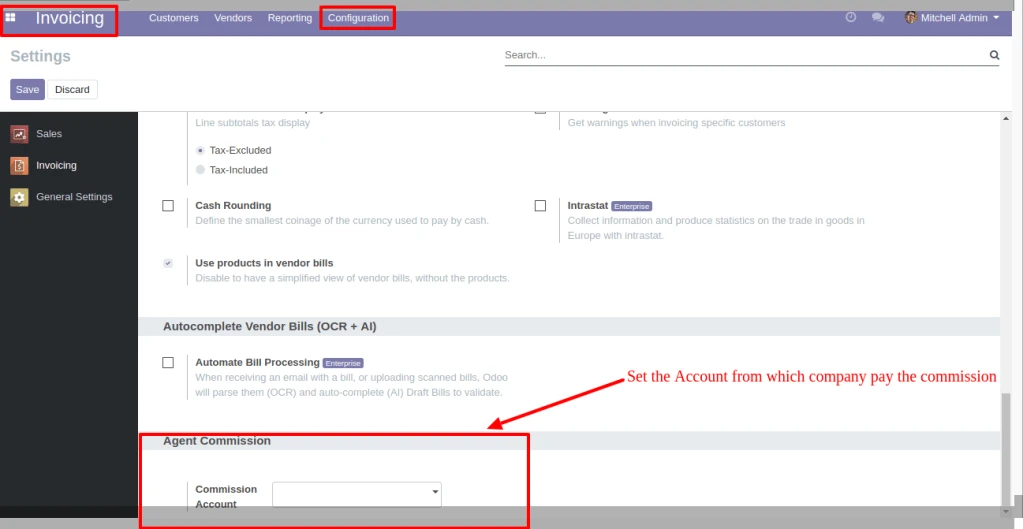
In Invoicing > Configuration, under the Agent Commission, set the option for Commission Account. Based on this configuration the commission is paid.
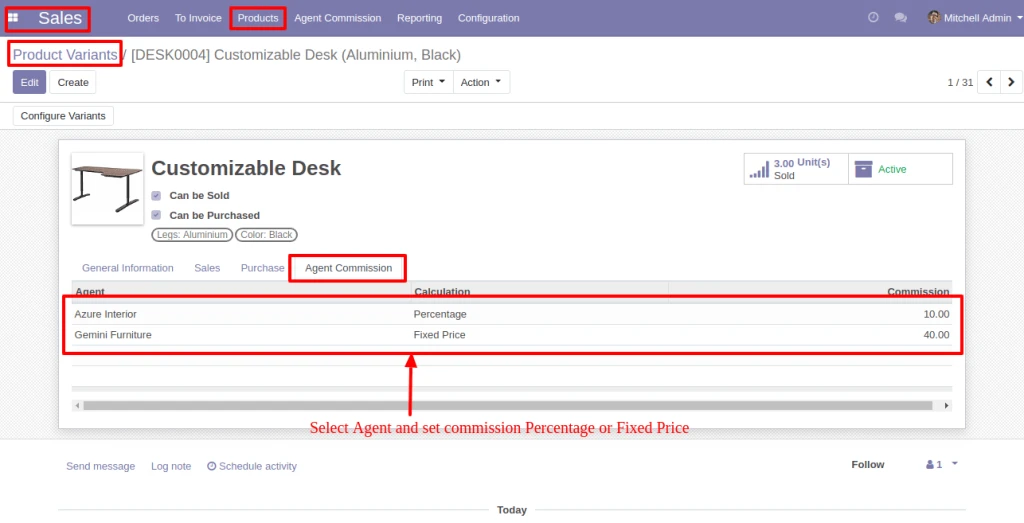
In Products, below the Agent Commission tab, select the Agent and set Compute Price as Fixed price or Percentage. The same configuration is also available in the Product Category and Customer.
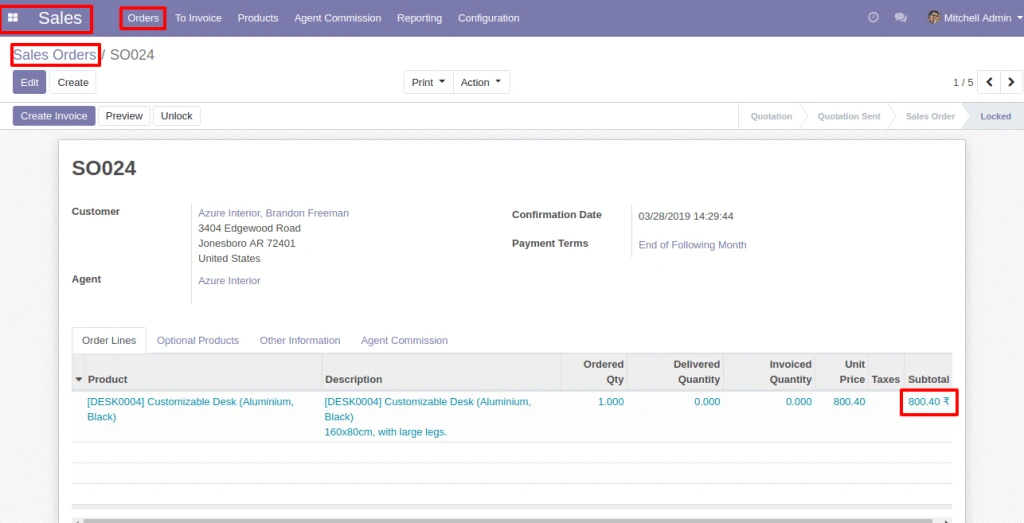
If Agent is selected in Sale Order, he will be eligible for commission as per the Configuration.
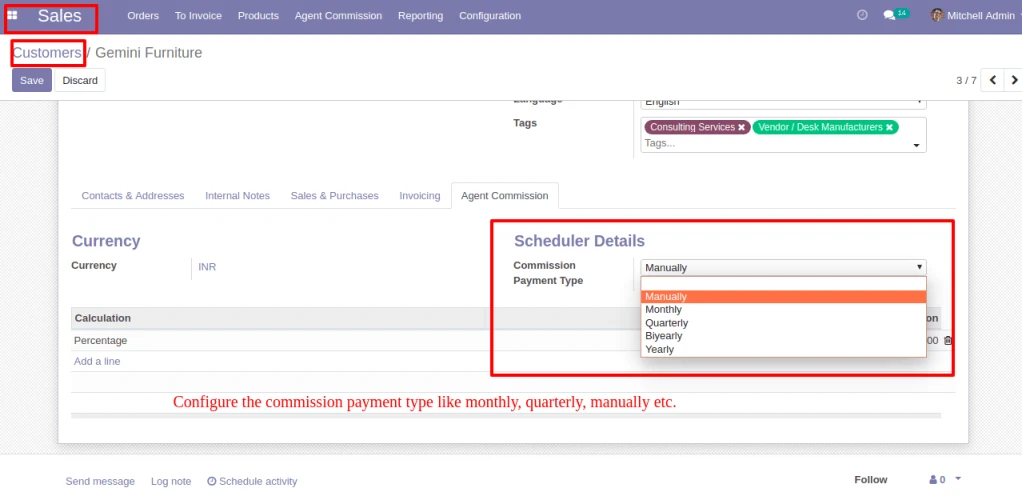
In Customer > Agent Commission, Configure the Commission Payment type like monthly, quarterly, manually etc.
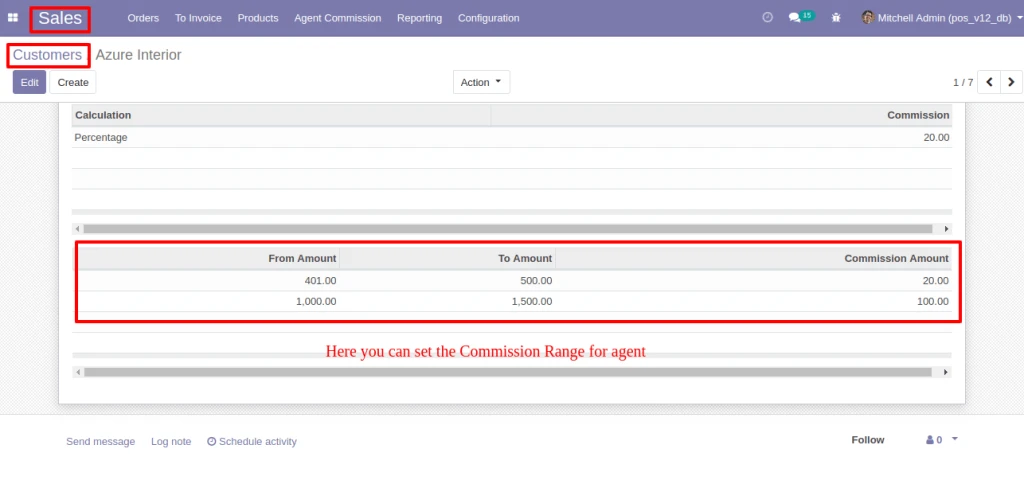
In Customer > Agent Commission, Configure the Commission Range, If Sale Order amount is between the range then Agent get commission which is configured.
In Sale Order, below the Agent Commission tab, based on the Agent and commission calculation option, Commission is calculated.
If commission is based on ‘Product/Product Category/Agent’, Commission will be calculated for each Order Lines.
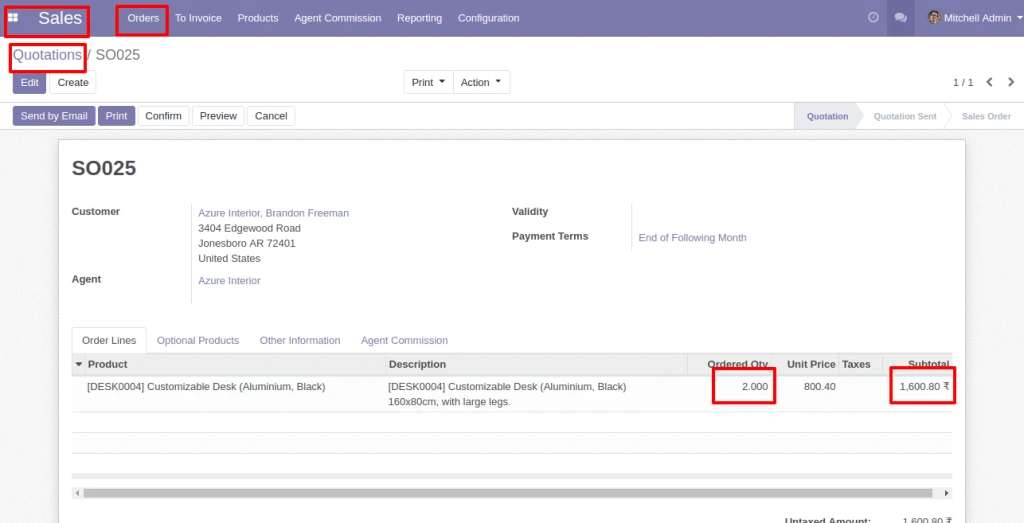
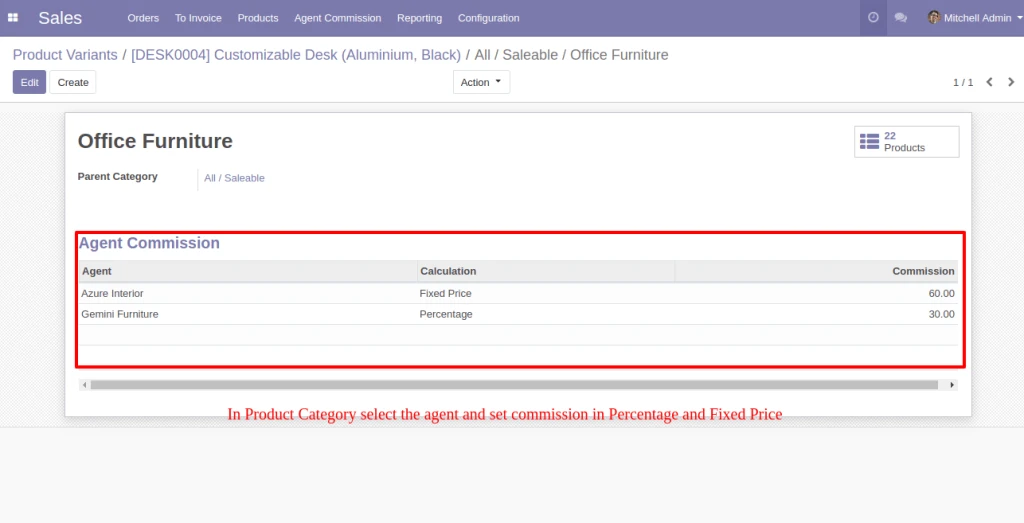
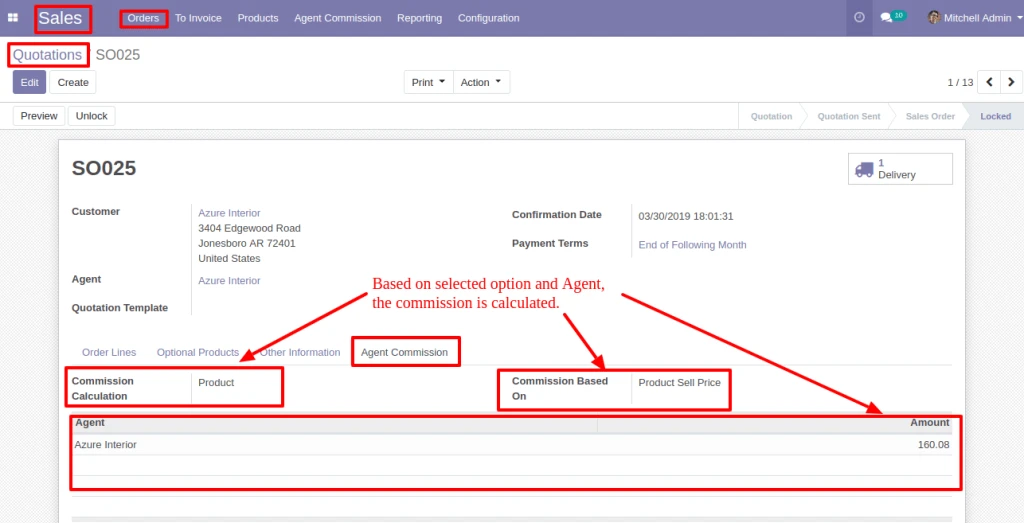
Note : If Commission is based on ‘Product/Product Category’, Commission will be calculated as per quantity for each order line.
Into Agent Commission menu, you can see the Commission detail.
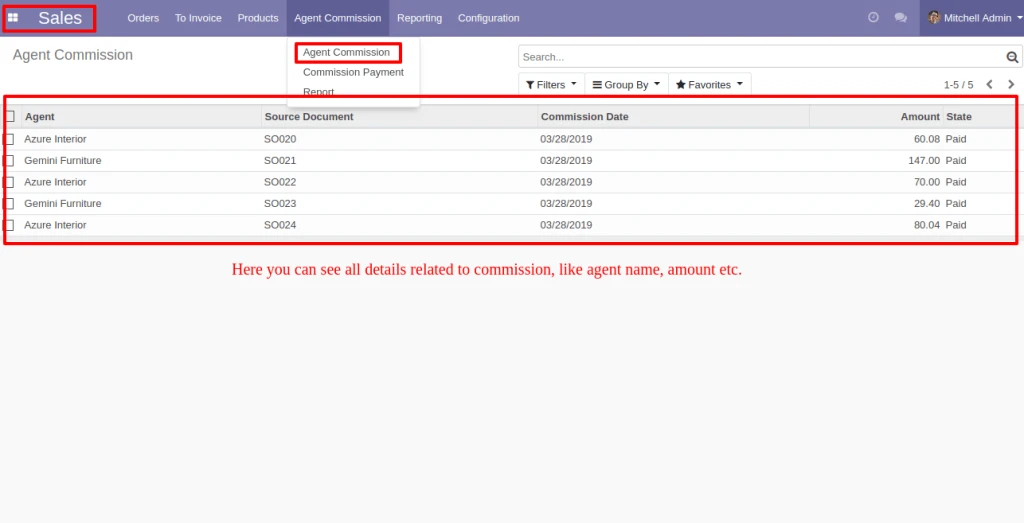
By Clicking on the Commission Payment, Vendor Bill can be generated by filterring Commission records.
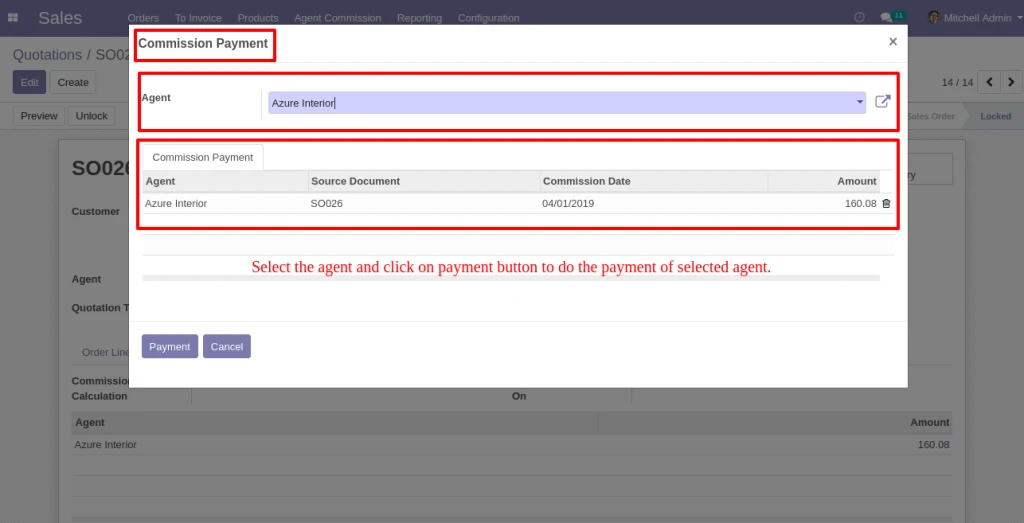
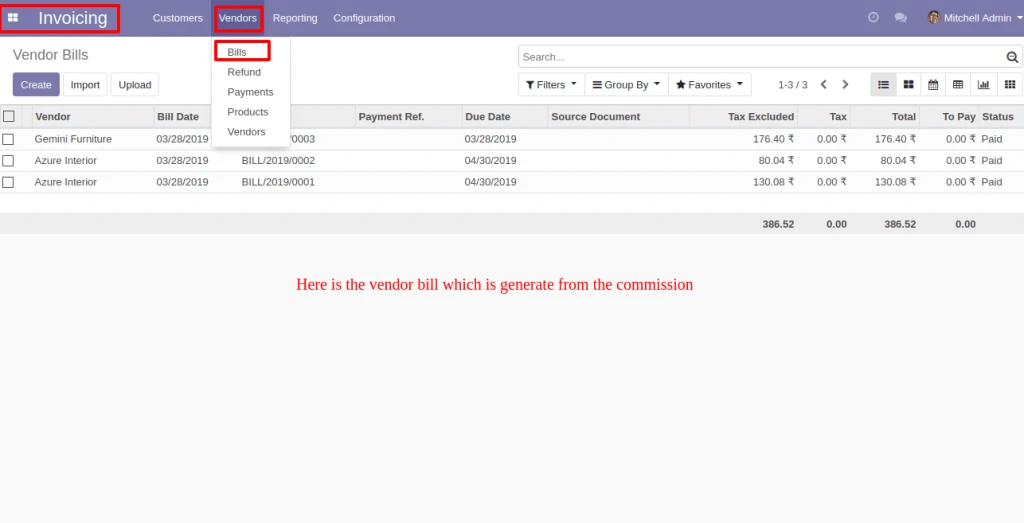
Here below is the Vendor bill which is generate from the Commission and related payment also be created.
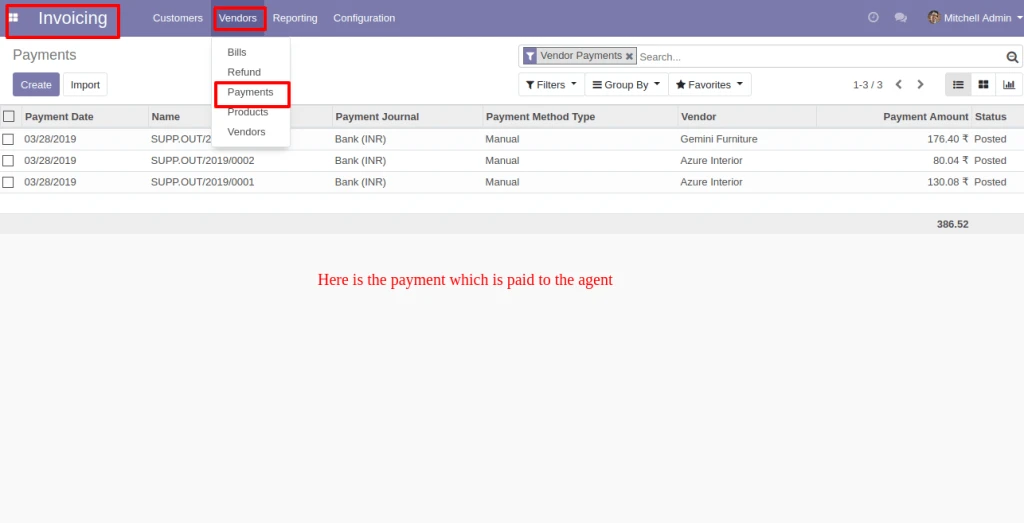
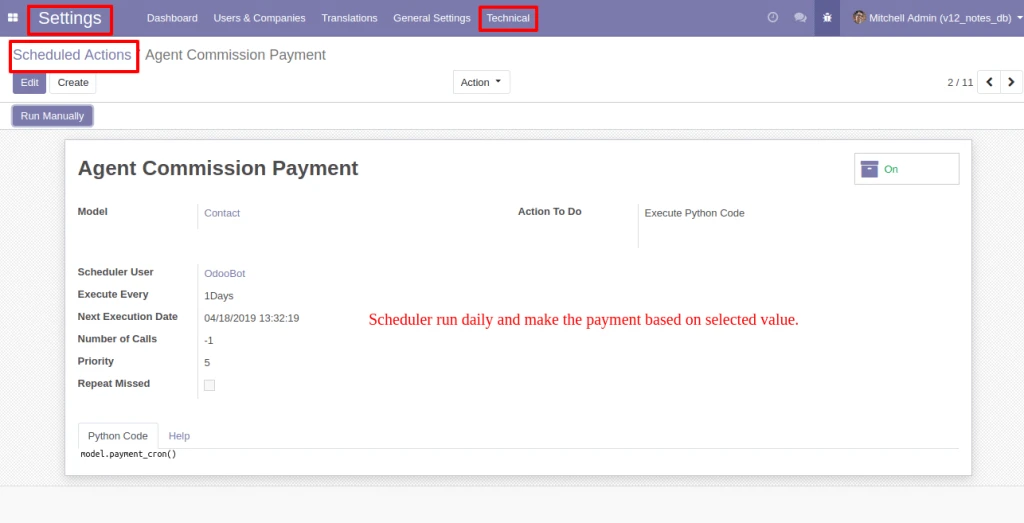
Schedular will run everyday and make the payment based on selected Payment Method(Monthly/Quarterly/Bi-Yearly/Yearly) in Agent form view.
By clicking in Report menu, Commission Payment Report can be generated with having different filters as shown in image.
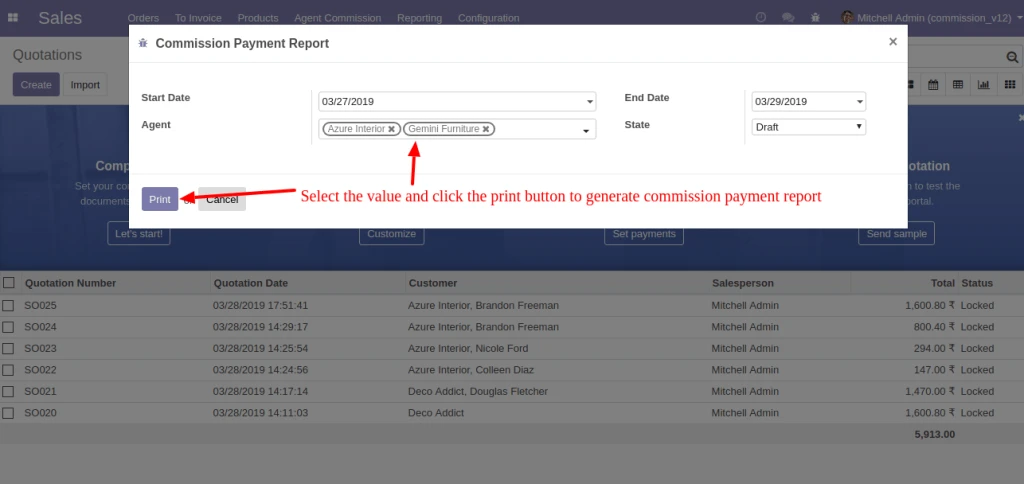
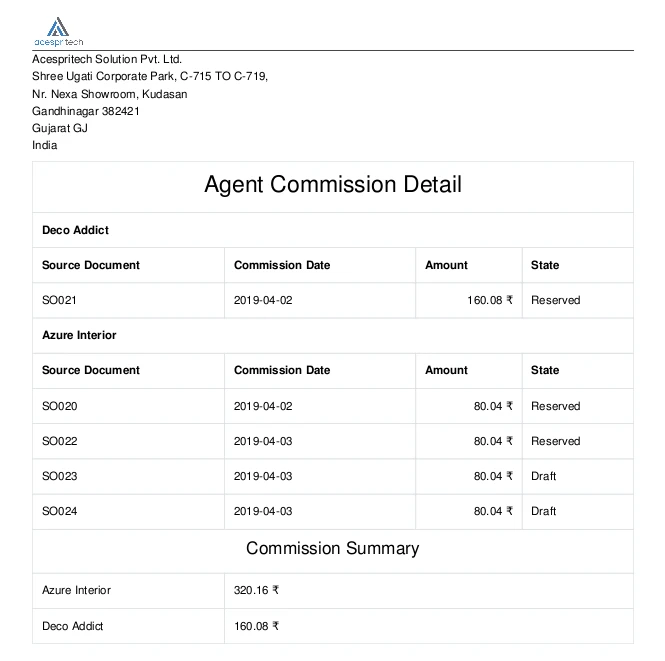
Here below is the Commission Report for selected Agent(s).