Daily Archives: May 27, 2013
Configure multiple shops in OpenERP Point of Sale
How to configure multiple shops when we are dealing with OpenERP Point of Sale.
We may have multiple shops with single warehouse in such case we can have only one warehouse to manage all shops.
But sometimes its also require to manage stock per shop, in such case we can have multiple shops with multiple warehouses. So each warehouse will be used to manage shop wise stock entries.
Stock management configuration with the help of shop, warehouse and Point of Sale is explained in this blog.
We will start with one by one screens displayed below. We will assume that Sales, Point of Sale, Warehouse modules are installed and Database with demo data are installed.
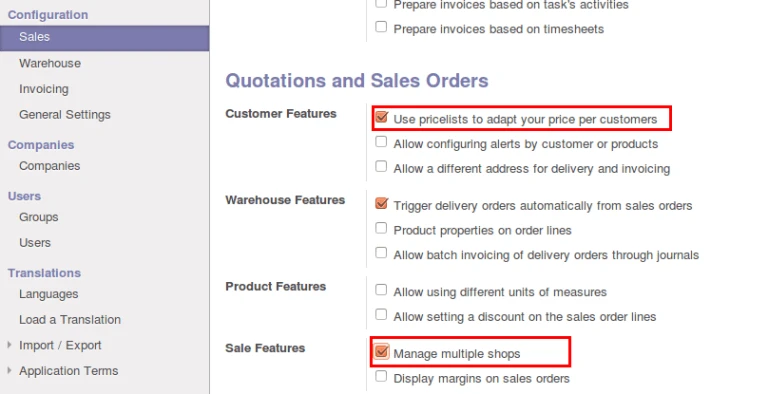
Here in below screen we can see that first of all, we have to eneble two options: Pricelist, Multiple shops. And just click on Apply button on the top.
Now we will create new shop with new warehouse and pricelist applied as displayed in below screen.
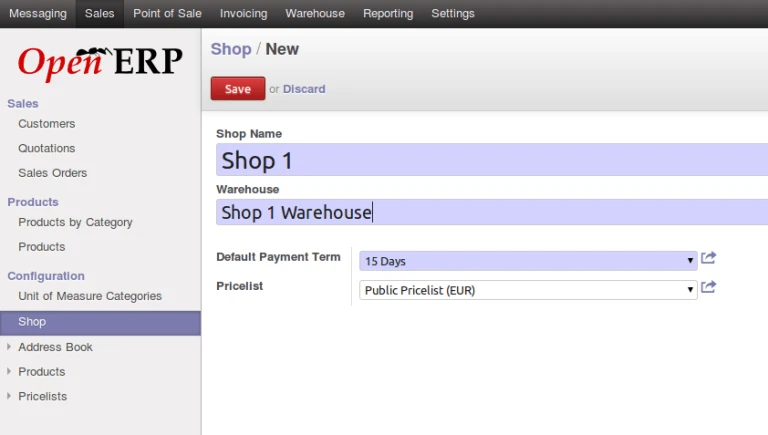
OpenERP Shop Configuration for POS
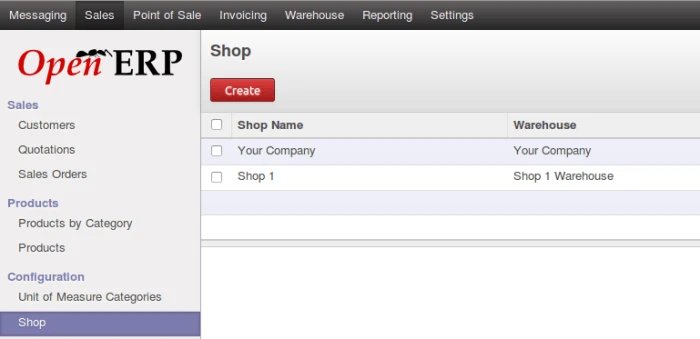
Now we can see, we have 2 shops configured. We will consider one is for Admin and another is for Demo user.
We can see in this screen, we have select Shop 1 which we have created and we have created new Point of Sale. So once we will save this, we will have two Point of Sale, one is Main (Default one) and second, we just created Shop 1.
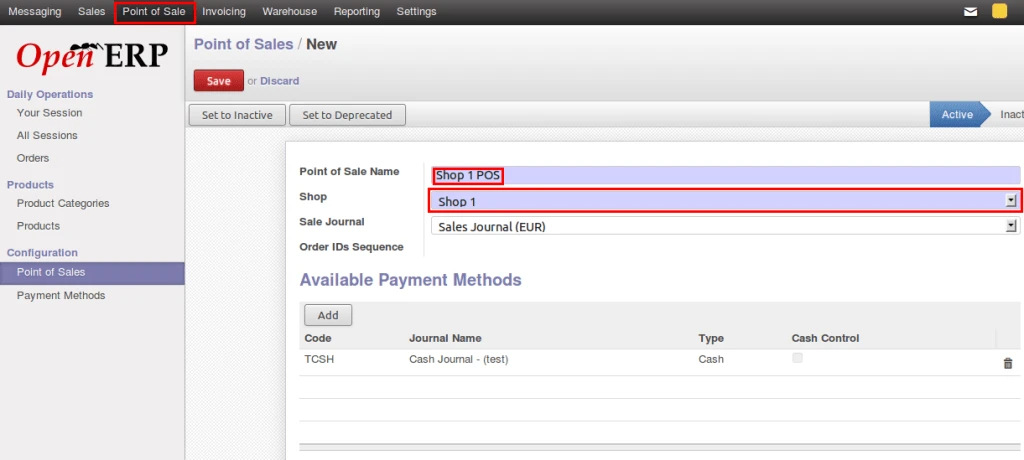
Configure POS Shop
Now lets turn to User Form. We have to assign this both Point of Sale shop to different users. Please find in below screen. We have assigned “Main” to Admin, and “Shop1” to Demo User. So to access different shop, both user will select their own shop only.
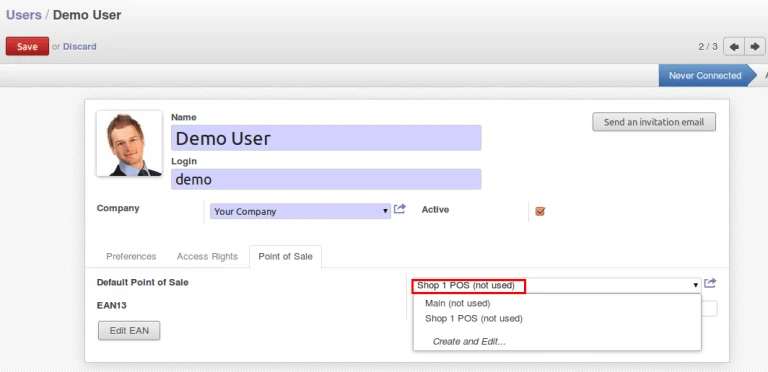
Assign POS to user
We have two Point of Sale in this list. We will use with referenced user. We can restrict here that particular user can use his own shop only.
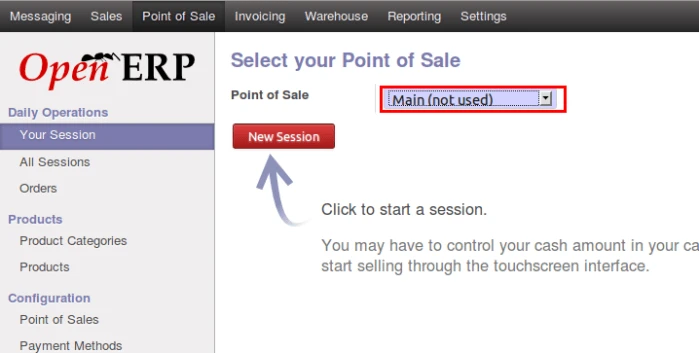
List of Point of Sale shop
So after this much configuration, we can login to different users and we can operate Point of Sale so stock will be managed individually.
Few points to be remember:
– Assign proper access rights to the users.
– We can use different Pricelist for different shop to make rate different.


