Skip to content

Acespritech Solutions Pvt Ltd

Applying Intellect in Open source

  • Home
  • Odoo
    • Odoo Videos
  • Django
  • Android
  • Magento
  • WordPress
HomePosts tagged 'refund invoice'

refund invoice

OpenERP integration with Authorize.net

November 26, 2013November 29, 2013 Acespritech Solutions Pvt. Ltd. Accounting, Configuration, OpenERP 7.0, Point of Sale (POS), Product, Sale Account, Accounting, AES Algorithm, authorize.net, customer invoice, customer refund invoice, integration, Invoice, OpenERP, refund invoice

We have implemented solution for allowing payment process via Authorize.Net from OpenERP. We are still improving this module by adding new functionalities. Currently we have implemented feature with Customer Invoice and Customer Invoice Refund.

We have created account on Authorize.Net (https://sandbox.authorize.net/) and turn OFF TEST mode. We can get more information from here : http://developer.authorize.net/

In OpenERP, first we have to configure credentials for conneting with Authorize.Net. we are working on encryption/decryption of credit card information.
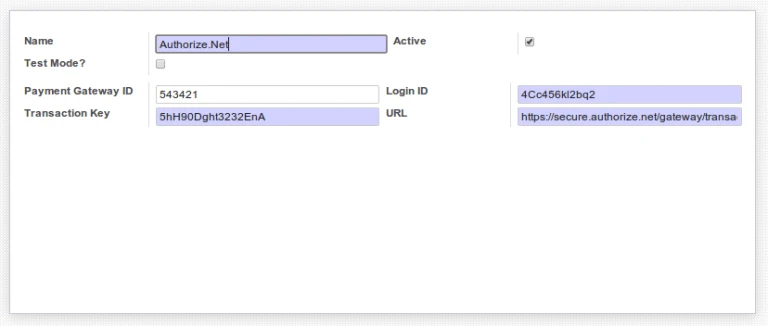
Authorize.net Configuration

For payment process, it requires customer address information. We are directly taking “Invoice” type address information from customer.
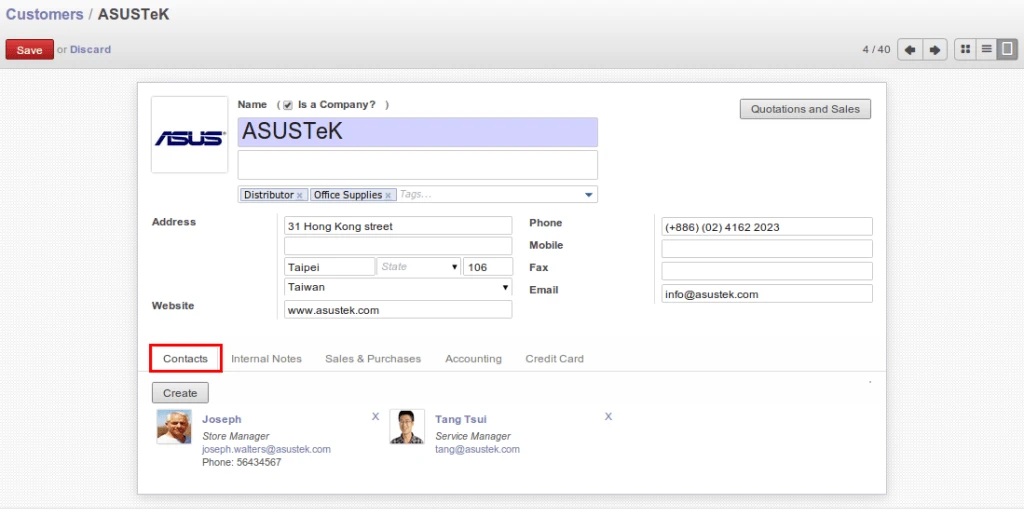
OpenERP Customer Address

Also added new fields related to Credit Card information. Currently we are processing with only one credit card. In future we are going to add feature for defining more than one credit card and activating one of them or ask user to select anyone. If “Allow Credit Card Payment” is TRUE then it will allow to do process. This field is useful during automatic payment process by cron job.

In below screen, we can see that credit card number can be change and how it will look like.
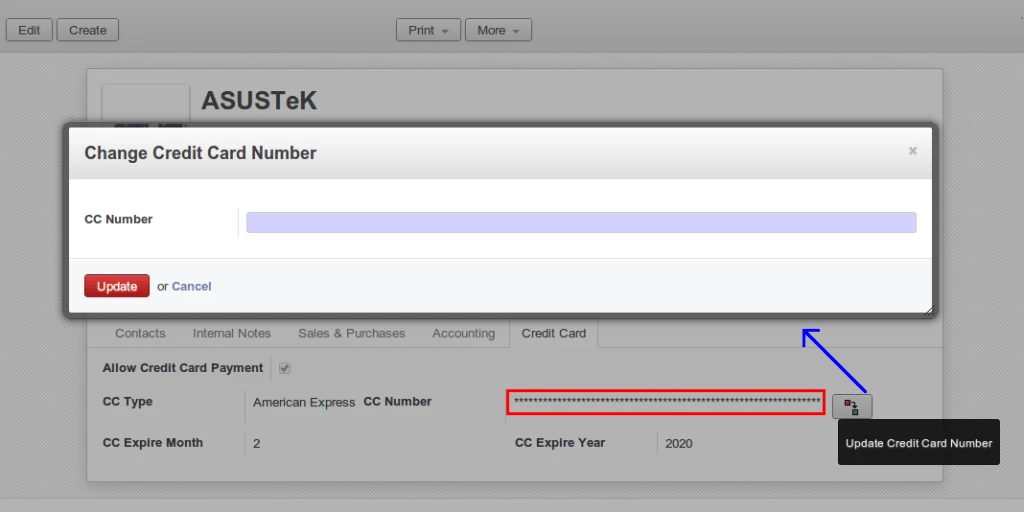
Change Credit Card Number

Here we have used AES algorithm to store credit card information for security purpose. We are using this algorithm for encryption/decryption.

Credit Card Encryption

Currently we put option for payment in Customer Invoice and Refund Customer Invoice.
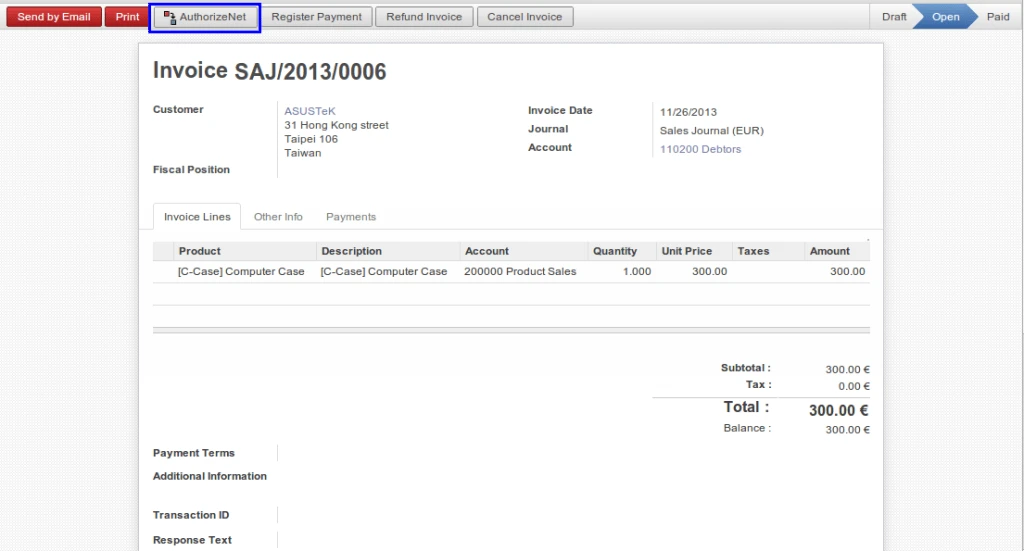
OpenERP Customer Invoice

After payment procedure, OpenERP will get response from Authorize.Net with information like “Transaction ID”, “Response Text”.
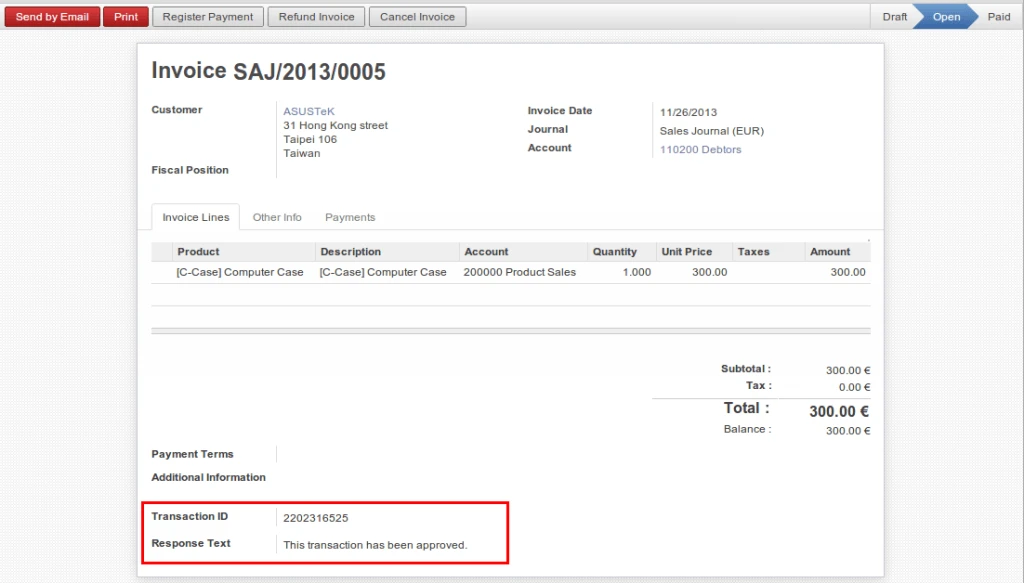
OpenERP Customer Invoice Proceed

Company will get an email also once payment request is completed.
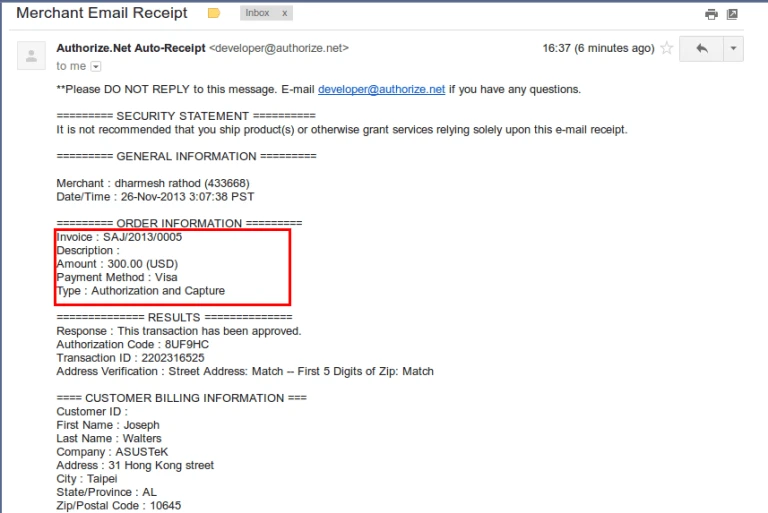
Authorize Payment Email

Sometimes, if we want to pay back to customer because of any reason. We have implemented feature that we can easily pay from Refund Invoice. But refund invoice has to be created from existing Customer Invoice only.
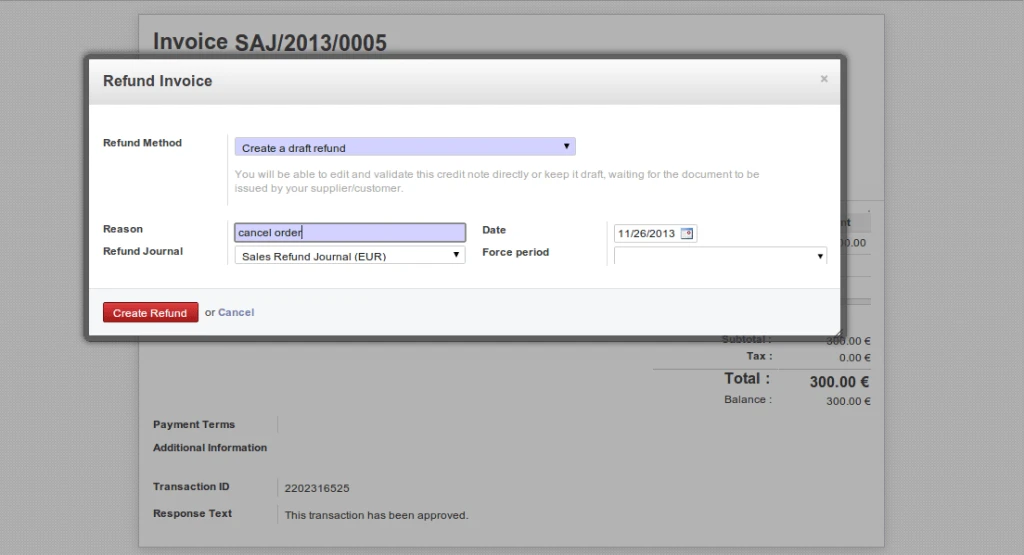
Refund Customer Invoice

We can have the same process in Refund Customer Invoice also.
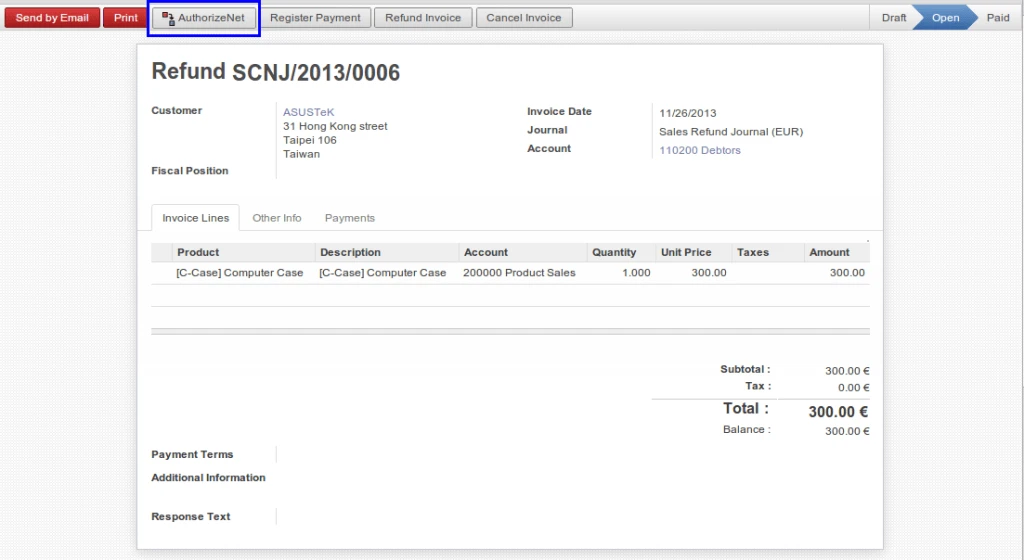
Refund Customer Invoice

We will get same response during refund procedure if our transaction is completed successfully.
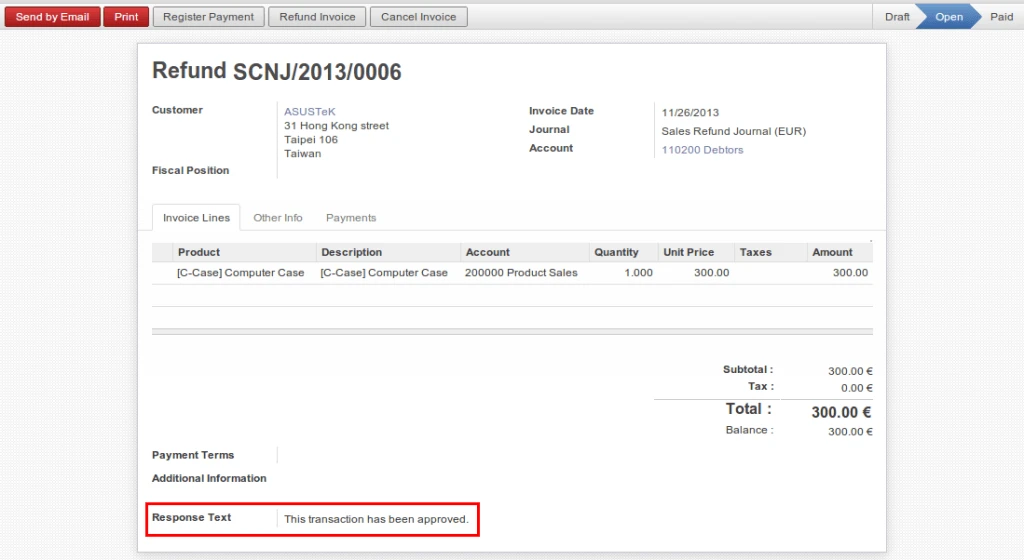
Refund Customer Invoice

We are going to implementing this feature for Voucher and POS.

Advertisements

Share this:

  • Click to share on Facebook (Opens in new window)
  • Click to share on LinkedIn (Opens in new window)
  • Click to share on Twitter (Opens in new window)
  • Click to share on Reddit (Opens in new window)
  • Click to share on Tumblr (Opens in new window)
  • Click to share on Pocket (Opens in new window)
  • Click to share on Pinterest (Opens in new window)
  • More
  • Click to print (Opens in new window)
  • Click to email this to a friend (Opens in new window)

Like this:

Like Loading...
4 Comments

Any Query ?

  • Contact US

Play Store (Android App)

PLAY STORE

Search

Categories

  • Accounting
  • Android
  • CentOS
  • Configuration
  • Django
  • Magento
  • News
  • Odoo
  • Open Source
  • OpenERP 7.0
  • OpenERP Installation
  • OpenERP Videos (YouTube)
  • PHP / Python
  • Point of Sale (POS)
  • PostgreSQL
  • Product
  • Quotation
  • Sale
  • SMTP
  • Stock
  • Ubuntu
  • Uncategorized
  • Views
  • Website
  • Windows
  • Woocommerce
  • How to enable customer email verification on registration in magento 2
  • OpenERP Web: Enhancement in Gantt Chart
  • OpenERP Product Barcode Report
  • Odoo POS Multi Currency
  • Odoo Sales Commission
  • User defined Sequence in OpenERP 7 POS (Point of Sale)
  • Odoo POS Android Application for PDA with Barcode Scanner and Bluetooth Printer
  • How to backup and restore OpenERP database ?
  • Authorize.net payment gateway connection in Django
  • How to write-off in OpenERP/Odoo Accounting

Recent Posts

  • Odoo Biometric Integration using Digital Persona
  • Magento Favourite Product
  • Magento Product Label
  • Android Tablet Application for Odoo POS
  • Magento Quick View
Follow Acespritech Solutions Pvt Ltd on WordPress.com

Enter your email address to follow this blog and receive notifications of new posts by email.

Join 518 other followers

RSS Feeds

RSS Feed RSS - Posts

RSS Feed RSS - Comments

Advertisements
Blog at WordPress.com.
Cancel
loading Cancel
Post was not sent - check your email addresses!
Email check failed, please try again
Sorry, your blog cannot share posts by email.
Privacy & Cookies: This site uses cookies. By continuing to use this website, you agree to their use.
To find out more, including how to control cookies, see here: Cookie Policy
%d bloggers like this: