Skip to content

Acespritech Solutions Pvt Ltd

Applying Intellect in Open source

  • Home
  • Odoo
    • Odoo Videos
  • Django
  • Android
  • Magento
  • WordPress
HomePosts tagged 'http://www.sagepay.co.uk/'

http://www.sagepay.co.uk/

SagePay integration with OpenERP

January 30, 2014June 15, 2018 Acespritech Solutions Pvt. Ltd. Accounting, Configuration, OpenERP 7.0, Sale Account, CreditCard, http://www.sagepay.co.uk/, integration, Invoice, OpenERP, Payment, SagePay, Transaction, voucher

We have implemented solution for allowing payment process via SagePay from OpenERP. We will see how this module is developed.

We will start from configuration of SagePay account information. It is very important to select appropriate “MODE” of SagePay account.
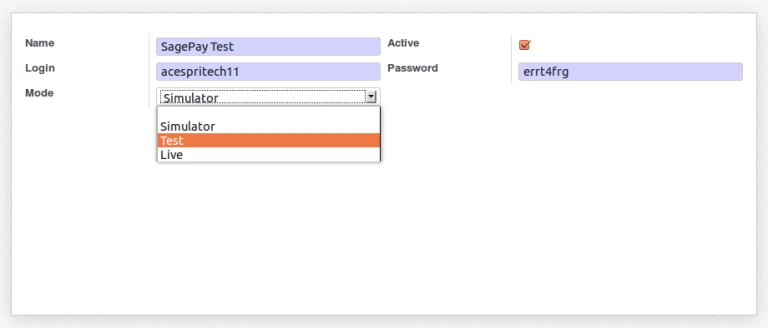
SagePay Configuration

It is possible that customer may have more than one credit cards. We can configure credit card related information into Customer form itself. We are storing credit card number into database with encrypted format.
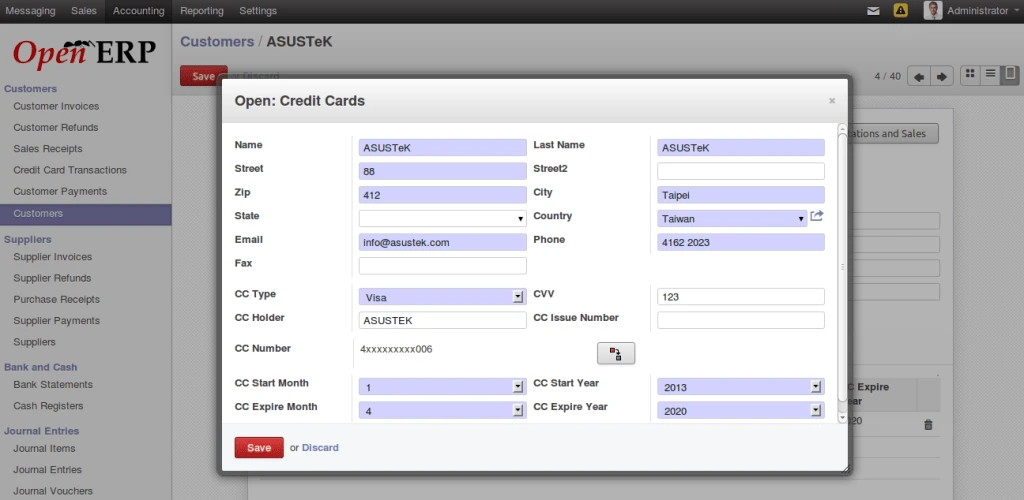
Credit Card Configuration

To process with sagepay, we have added option into OpenERP voucher form. We can easily make payment or stop it from here.
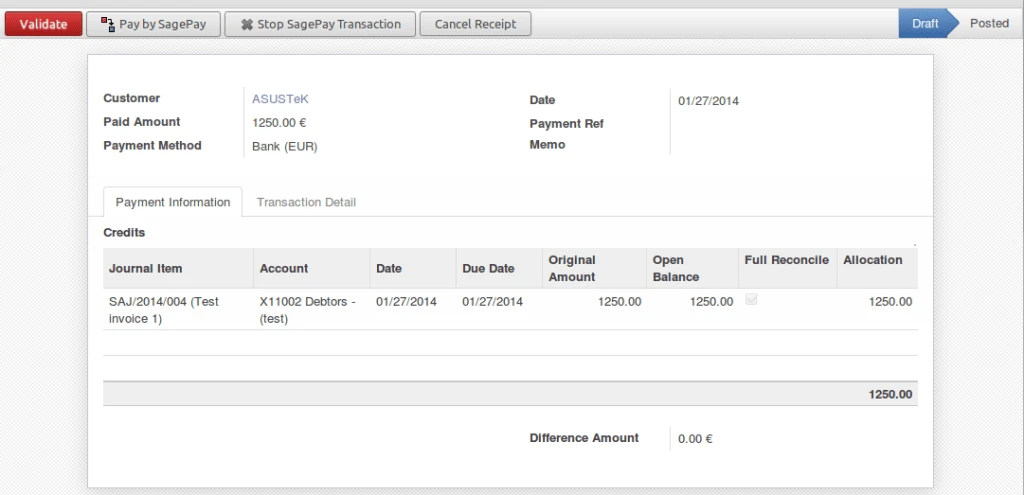
OpenERP Voucher
OpenERP Voucher

We are allowing to make three types of transactions with SagePay from OpenERP.

– Payment
– Deferred
– Authenticate

Further process will work according to selected transaction.
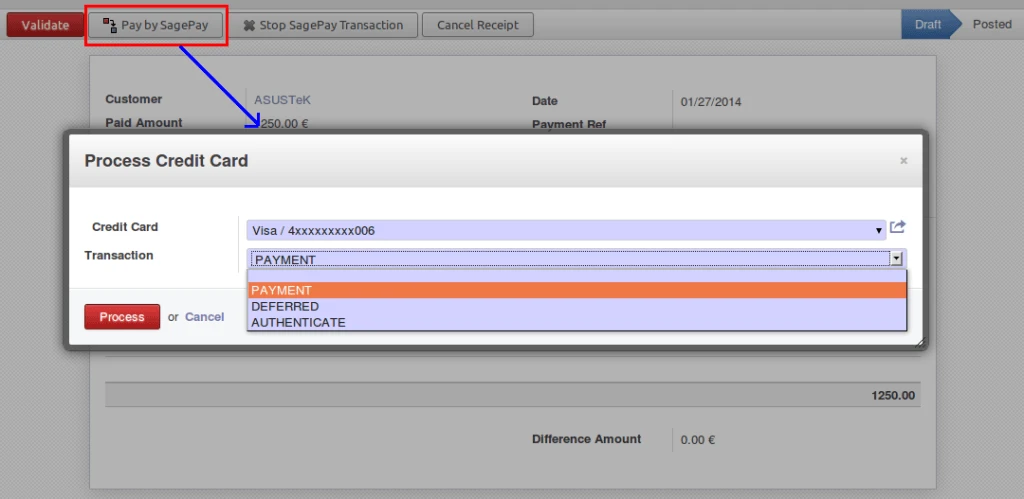
Payment Options
Payment Options

After making process, SagePay server will give response about transaction and we are storing that into database for future actions.

We are storing mainly following data:

– Transaction ID
– Transaction Status
– Transaction Message
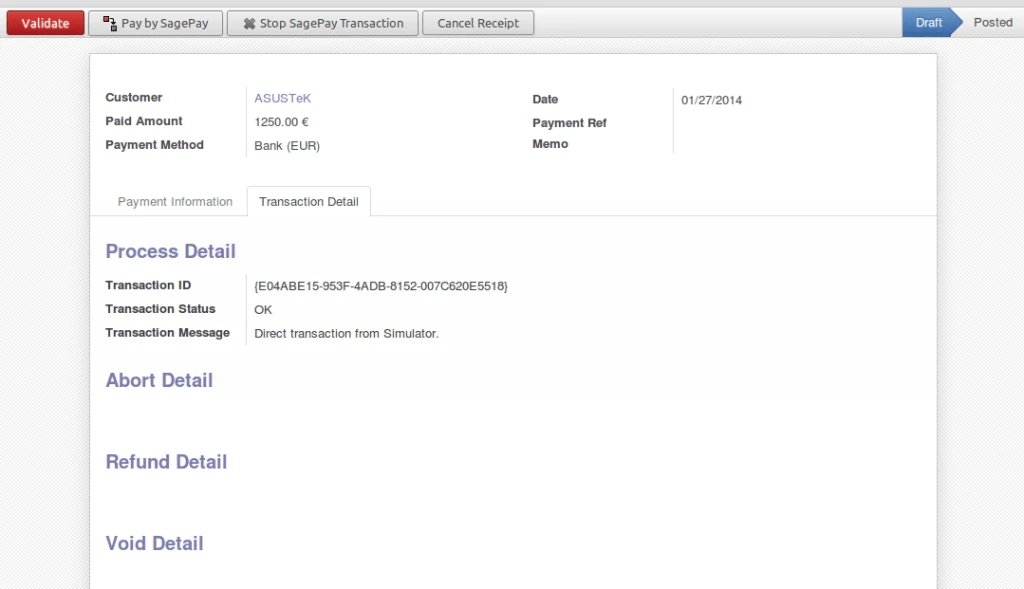
Process Response
Process Response

Now It is very easy to stop your transaction for any reason.
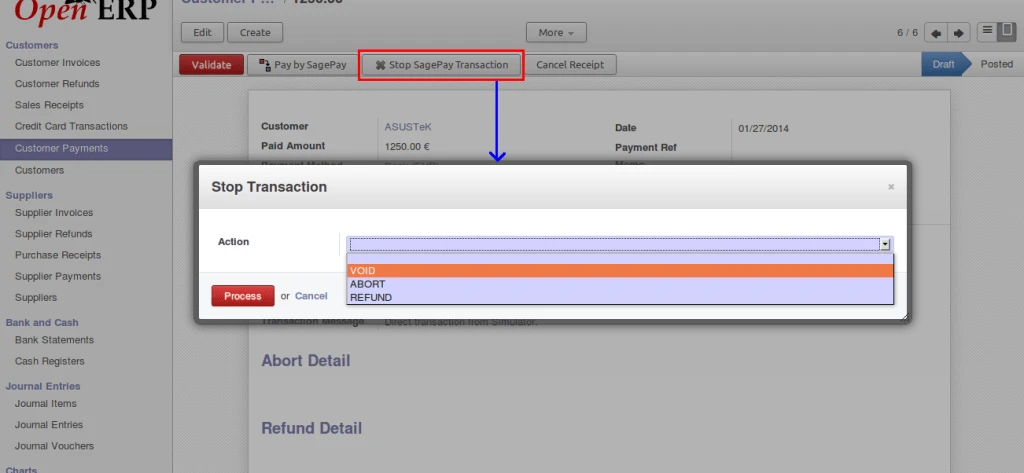
Stop Option
Stop Option

We are restricting user to make any invalid actions on transactions.
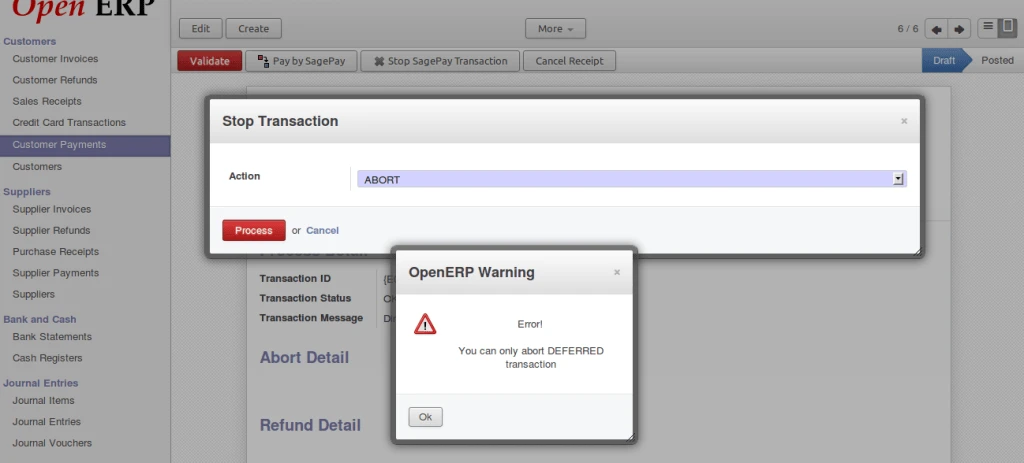
Error on abort payment

It is displaying VOID response from SagePay server. It is possible to perform on transactions which are registered with SagePay.
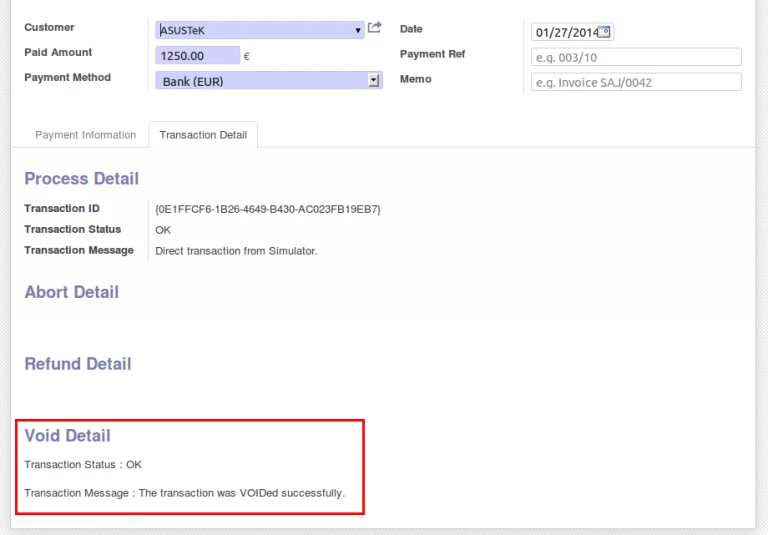
Void Message
Void Message

As mentioned above, it is possible to ABORT only DEFERRED transactions.
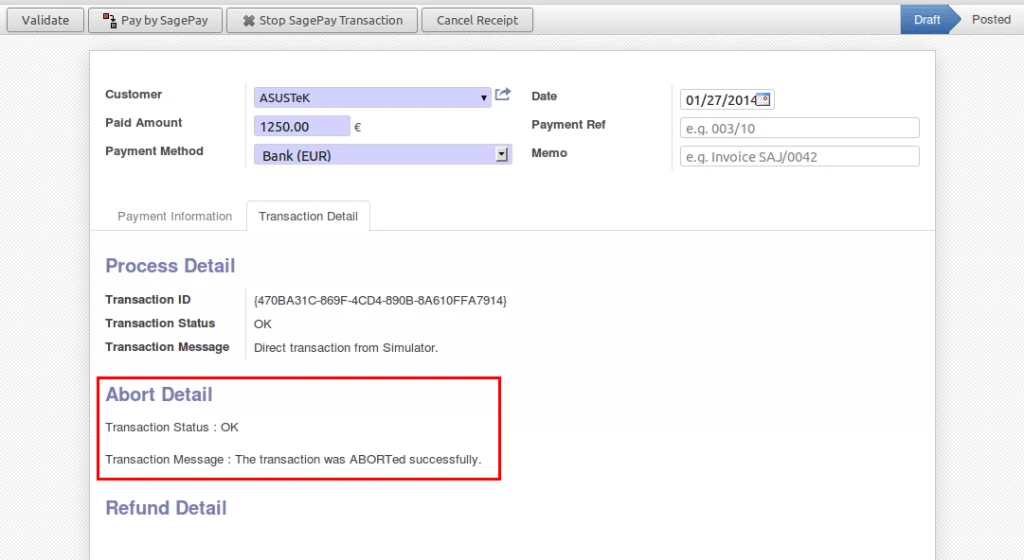
Deffered Abort
Deffered Abort

We are getting status “REGISTERED” for AUTHENTICATE type of transaction. And that transaction has to AUTHORIZE with SagePay.
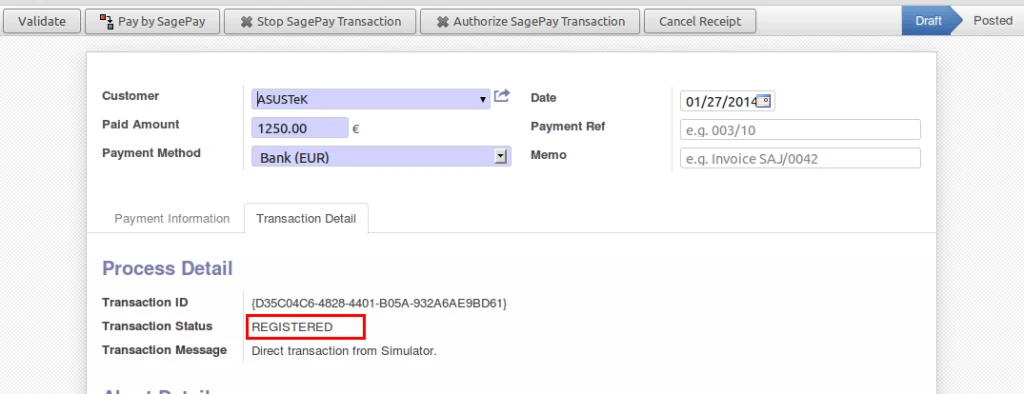
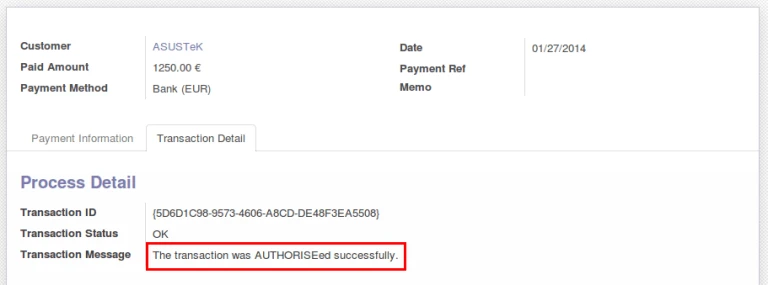
Authenticate Transaction
Authorize Transaction

We are keeping record of each and every transaction with detail information in OpenERP.
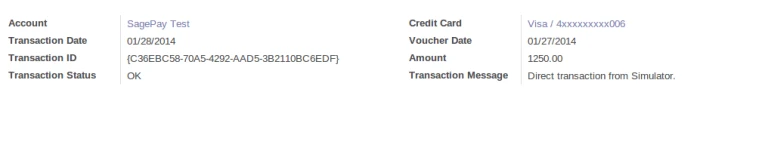
Card History
Card History

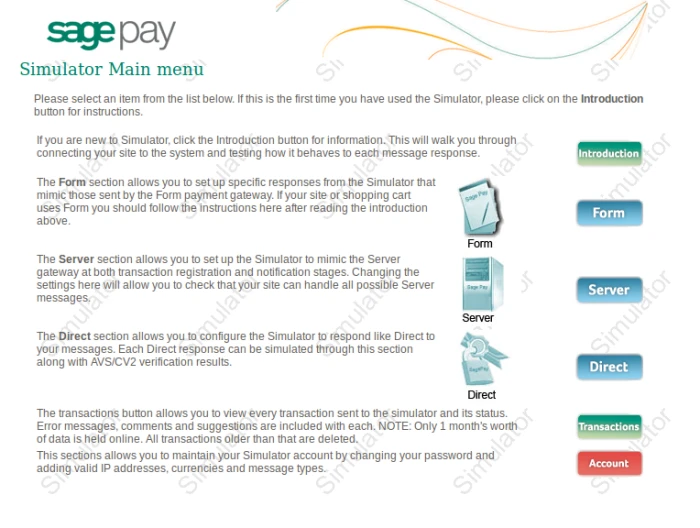
This is how SagePay Simulator page looking.
SagePay Home PAge
SagePay Home PAge

Here we have to Add IP address of our server or machine from where we are accessing our SagePay account through API. And also add appropriate Currency code for allowing transactions.
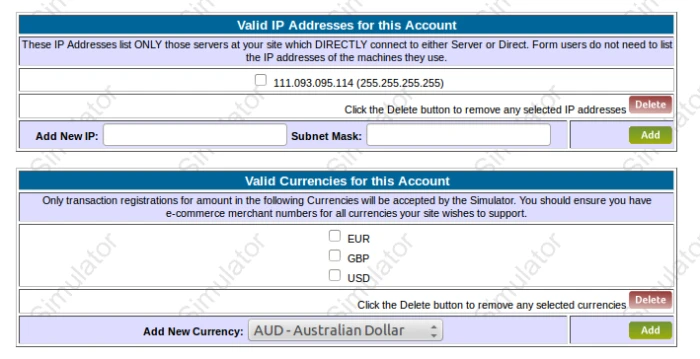
SagePay Website Amin

It is displaying list of transactions that is related with our account.
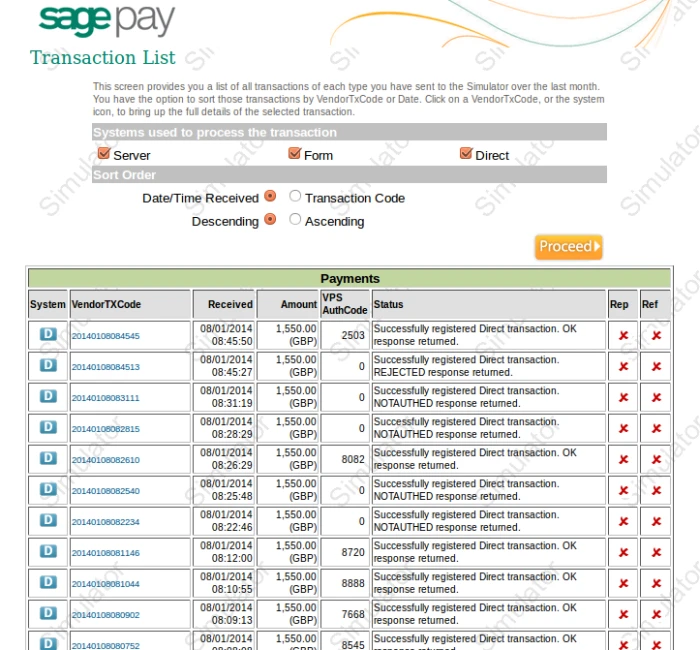
SagePay Website Transaction

Advertisements

Share this:

  • Click to share on Facebook (Opens in new window)
  • Click to share on LinkedIn (Opens in new window)
  • Click to share on Twitter (Opens in new window)
  • Click to share on Reddit (Opens in new window)
  • Click to share on Tumblr (Opens in new window)
  • Click to share on Pocket (Opens in new window)
  • Click to share on Pinterest (Opens in new window)
  • More
  • Click to print (Opens in new window)
  • Click to email this to a friend (Opens in new window)

Like this:

Like Loading...
Leave a comment

Any Query ?

  • Contact US

Play Store (Android App)

PLAY STORE

Search

Categories

  • Accounting
  • Android
  • CentOS
  • Configuration
  • Django
  • Magento
  • News
  • Odoo
  • Open Source
  • OpenERP 7.0
  • OpenERP Installation
  • OpenERP Videos (YouTube)
  • PHP / Python
  • Point of Sale (POS)
  • PostgreSQL
  • Product
  • Quotation
  • Sale
  • SMTP
  • Stock
  • Ubuntu
  • Uncategorized
  • Views
  • Website
  • Windows
  • Woocommerce
  • How to enable customer email verification on registration in magento 2
  • OpenERP Web: Enhancement in Gantt Chart
  • OpenERP Product Barcode Report
  • User defined Sequence in OpenERP 7 POS (Point of Sale)
  • Android Tablet Application for Odoo POS
  • Odoo v10 POS Cross Selling
  • Odoo v10 Point of Sale: POS Graphs
  • OpenERP Point of Sale: Product return from POS Interface
  • How to backup and restore OpenERP database ?
  • OpenERP 7 Point of Sale : Enhancement in Pricelist

Recent Posts

  • Odoo Biometric Integration using Digital Persona
  • Magento Favourite Product
  • Magento Product Label
  • Android Tablet Application for Odoo POS
  • Magento Quick View
Follow Acespritech Solutions Pvt Ltd on WordPress.com

Enter your email address to follow this blog and receive notifications of new posts by email.

Join 518 other followers

RSS Feeds

RSS Feed RSS - Posts

RSS Feed RSS - Comments

Advertisements
Create a free website or blog at WordPress.com.
Cancel
loading Cancel
Post was not sent - check your email addresses!
Email check failed, please try again
Sorry, your blog cannot share posts by email.
Privacy & Cookies: This site uses cookies. By continuing to use this website, you agree to their use.
To find out more, including how to control cookies, see here: Cookie Policy
%d bloggers like this: