Login in to Magento Admin
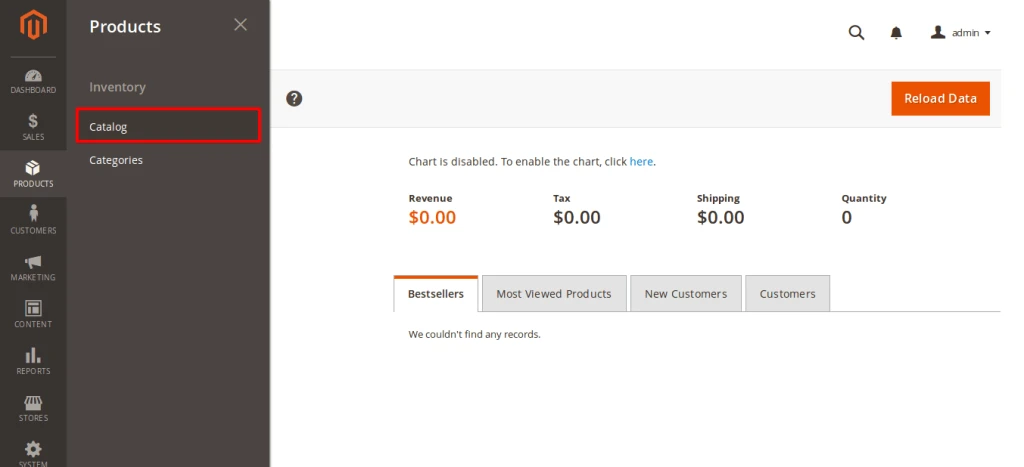
Go to Products -> Catalog From Navigation
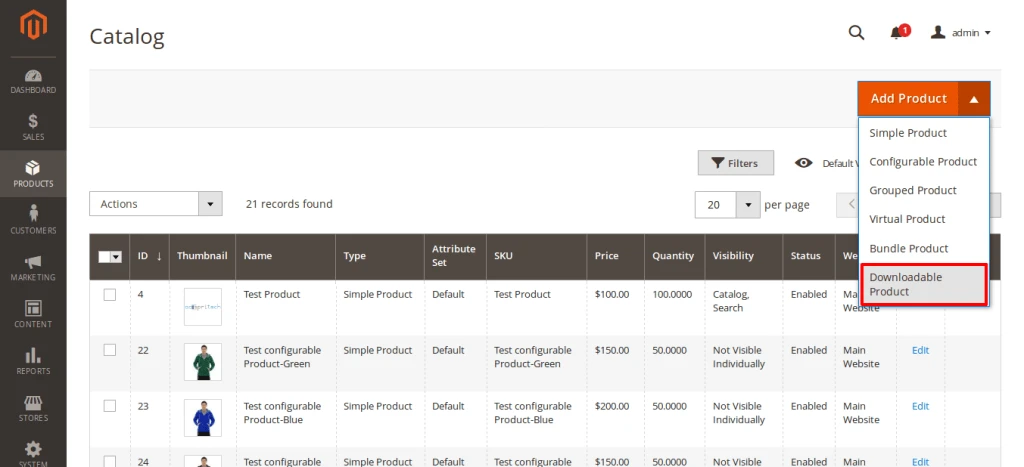
Click on “Add Product” drop-box and select “Downloadable Product”
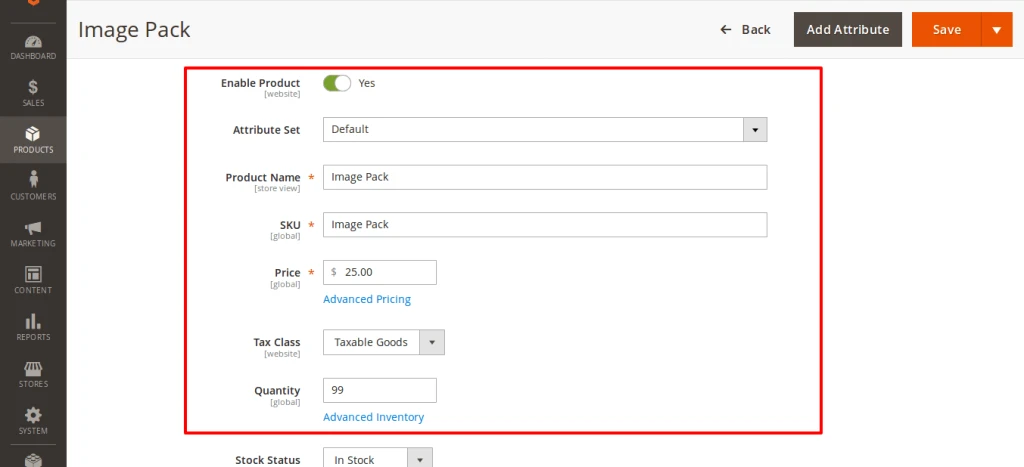
Fill out details of product that is required (* Required Fields). Don’t forget to assign category of product
Go to Downloadable Information section and checked on Is this downloadable Product? And Add Downloadable Product URL or files by clicking on “Add Link” button.
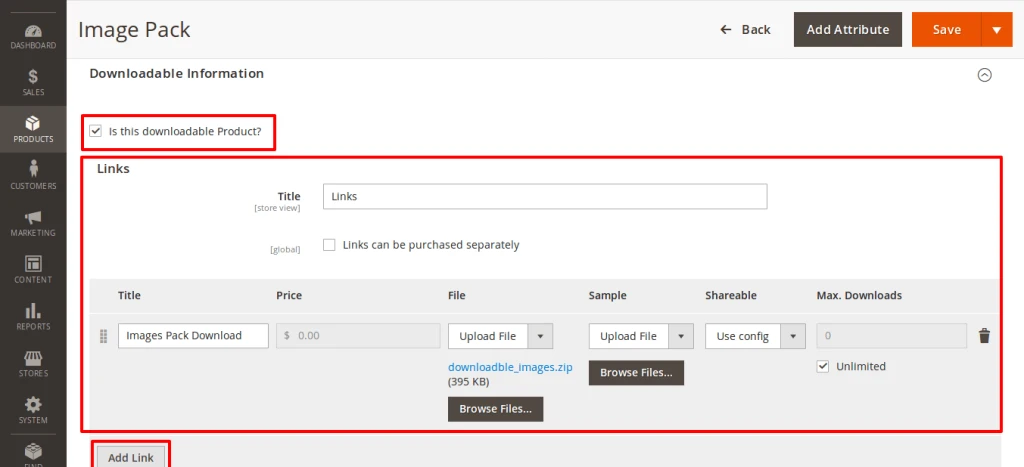
You can upload Sample of that downloadable product on Sample Section
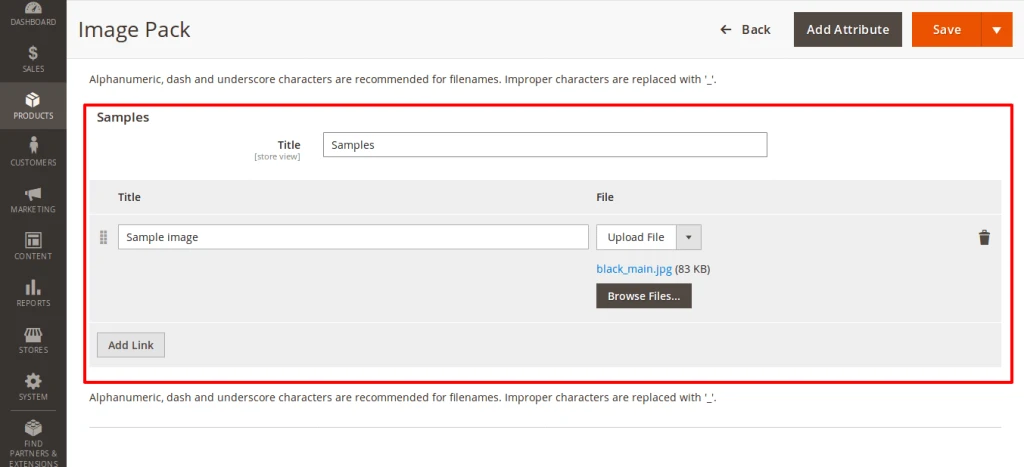
After that Save Product
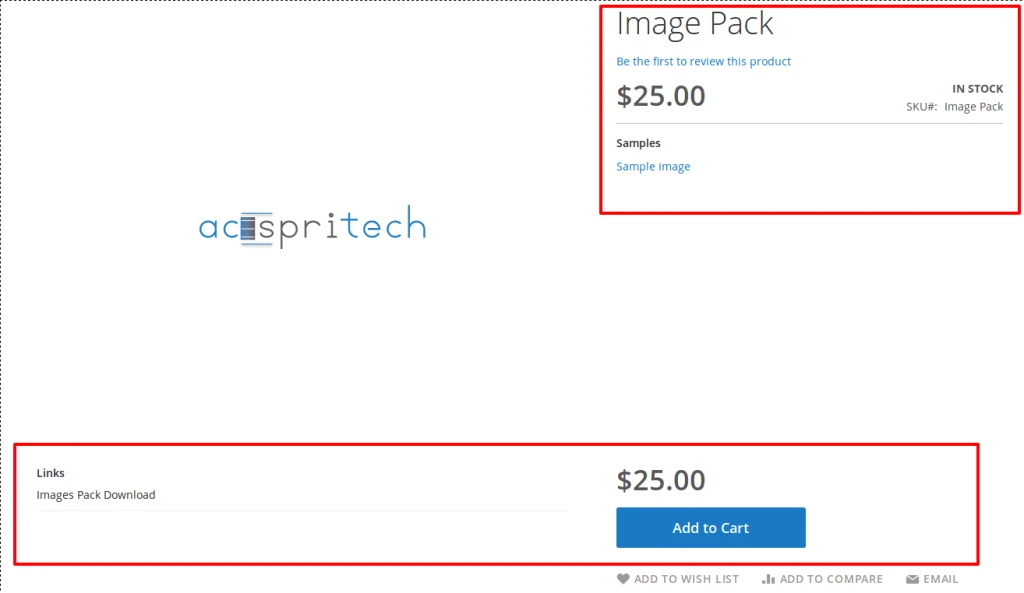
You can see your Downloadable Product on front side.
Advertisements