Login in to Magento Admin
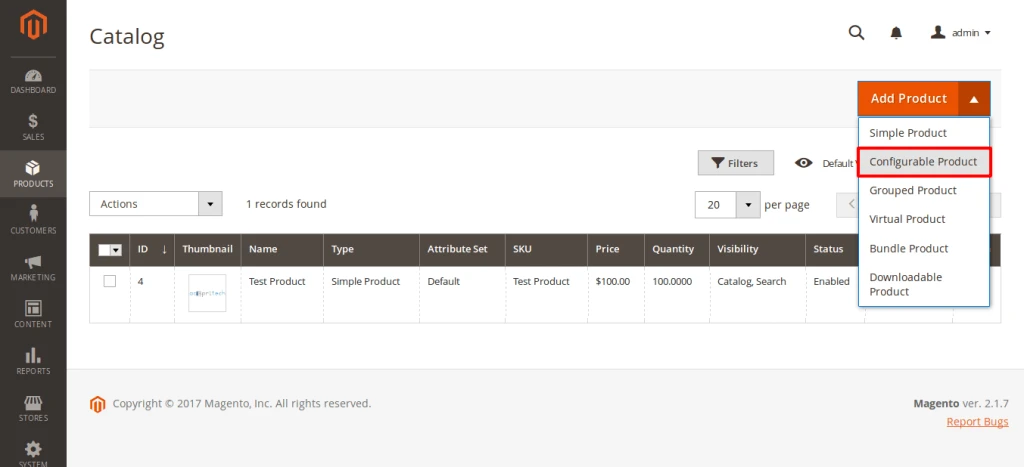
Go to Product – Catalog – Add Configurable product
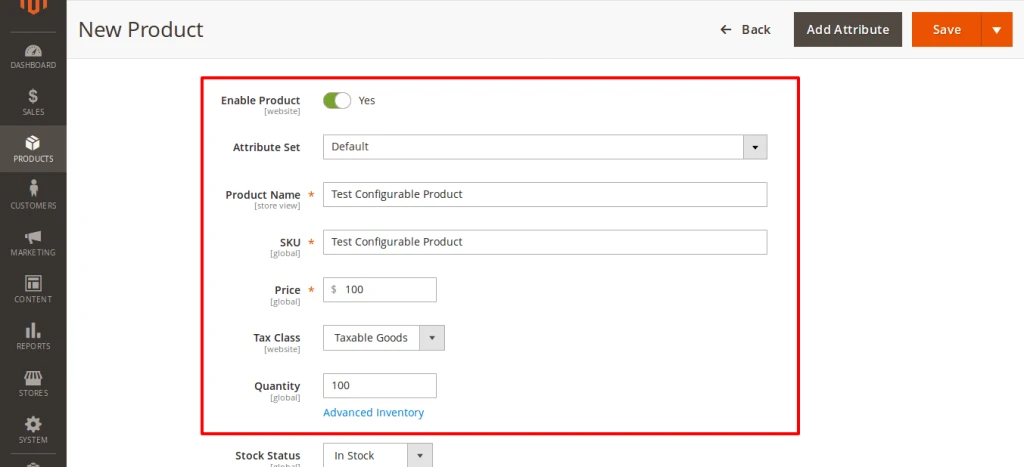
Fill up required details and go to “Configurations” section and click on create configurations

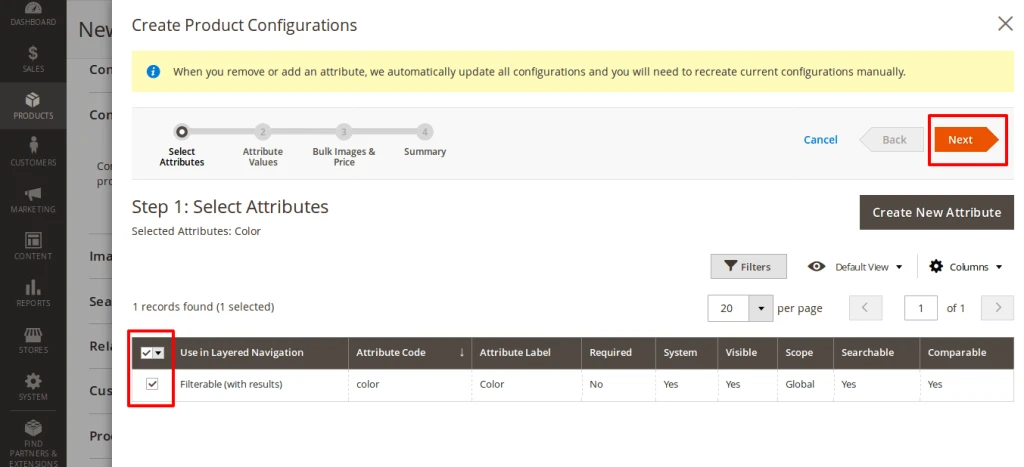
Select attribute that you want to use for configurable product and press on Next button
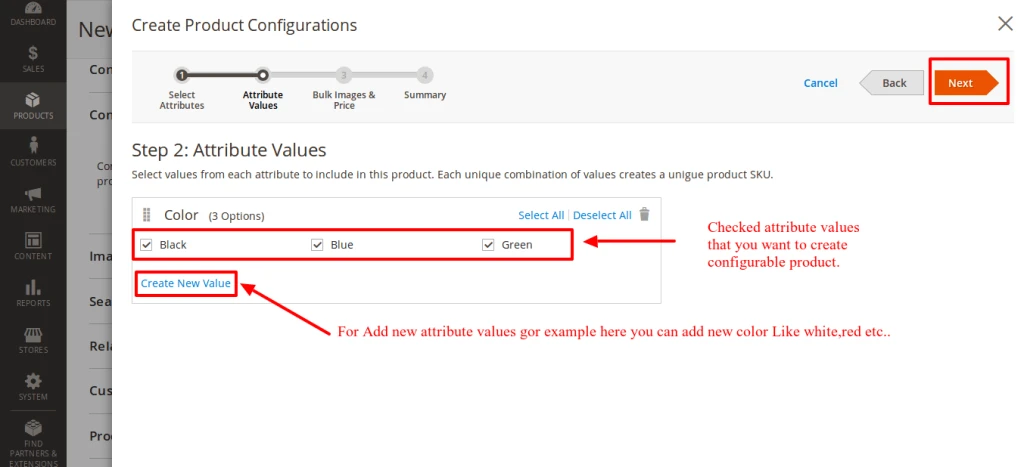
Select attribute values for configurable product and if not available create new value of attribute. and press on Next Button
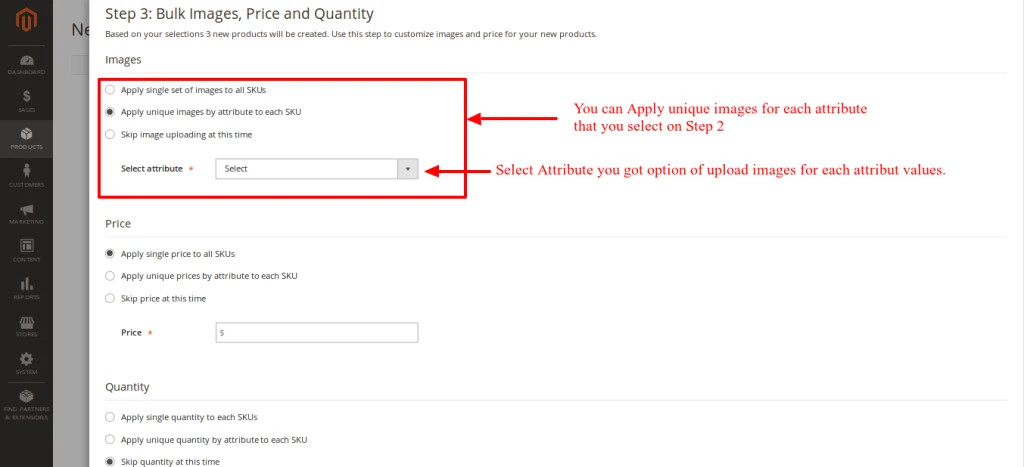
Select images price quantity for configurable product and press on Next button
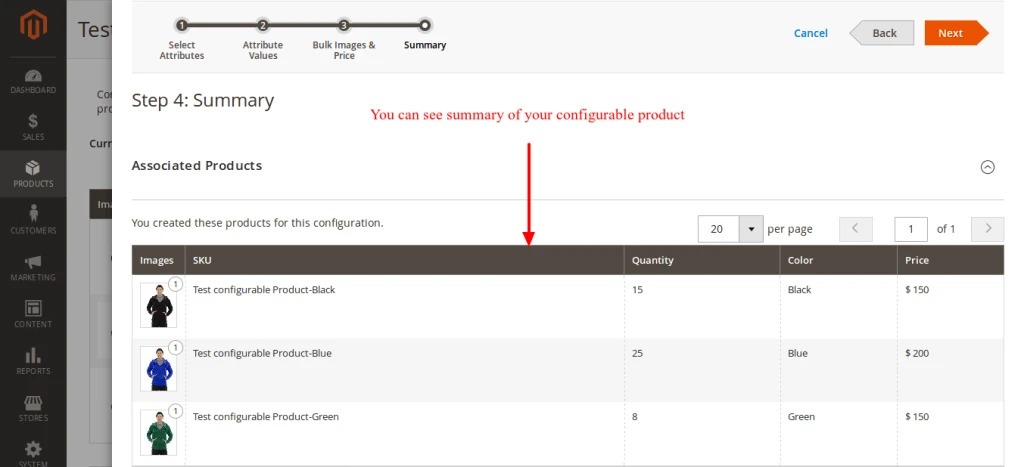
Check summary of your configurable product and press on Next button
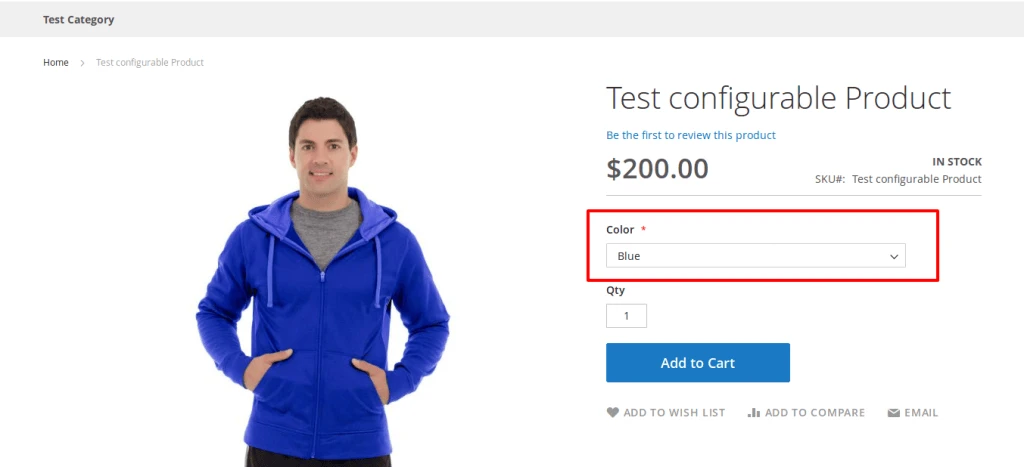
You can see your product on your selected category where options are available that you configurable for your products