Skip to content

Acespritech Solutions Pvt Ltd

Applying Intellect in Open source

  • Home
  • Odoo
    • Odoo Videos
  • Django
  • Android
  • Magento
  • WordPress
HomePosts tagged 'login'

login

Django Registration And Login

August 19, 2020 Acespritech Solutions Pvt. Ltd. Django, PHP / Python Django, login

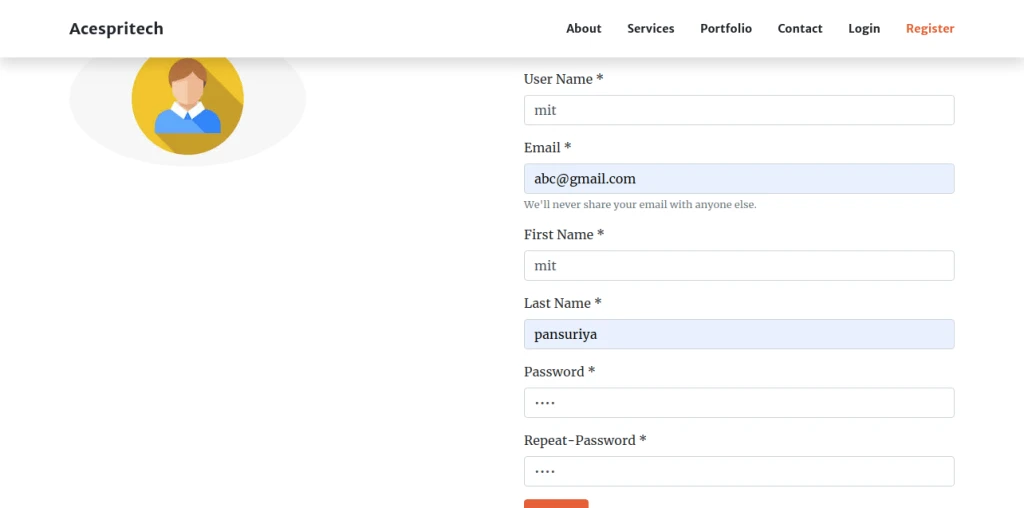
User can enter details for Registration.

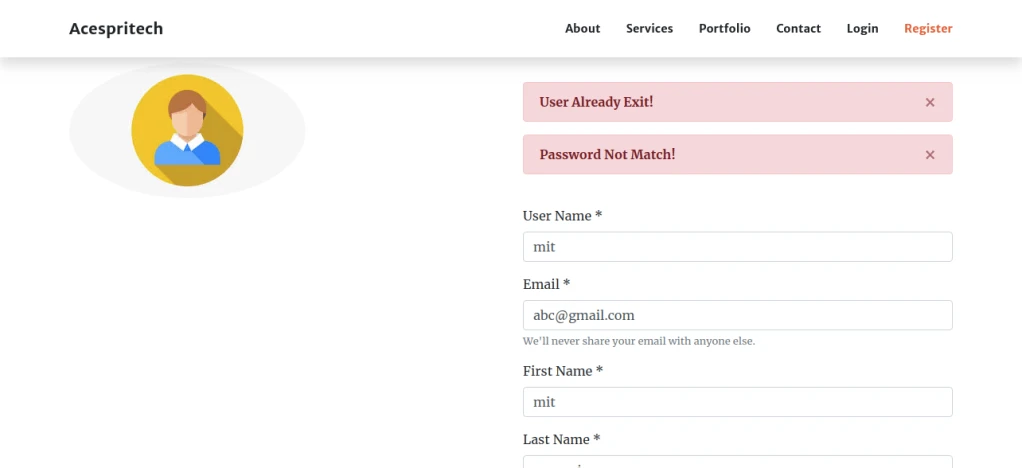
User Registration form Validation.

After successful register, user gets an email to verify.

After Verify email address, user can login.

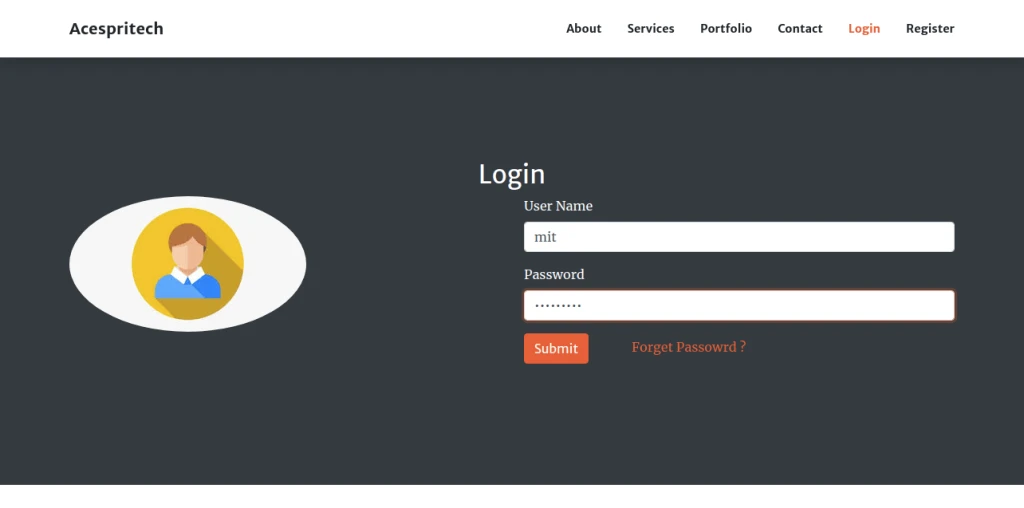
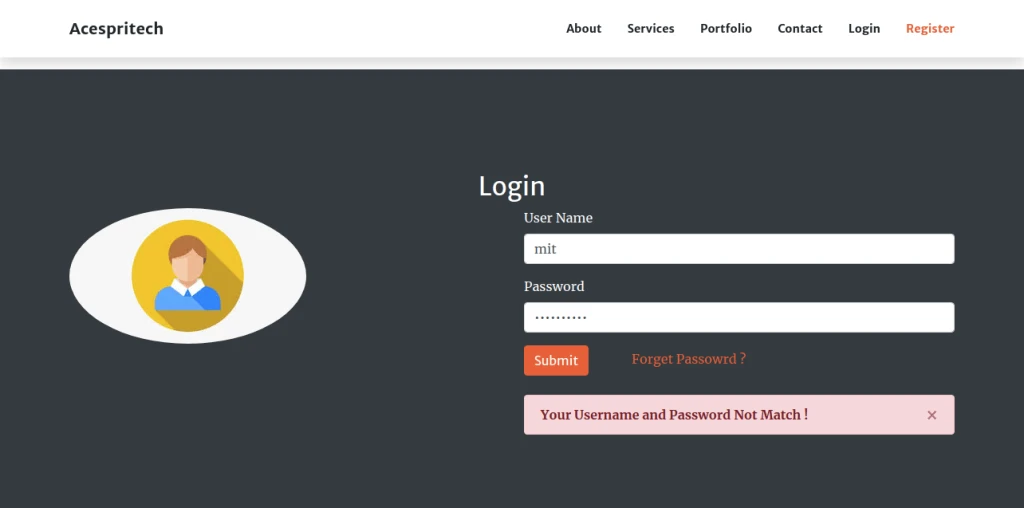
Check Username and Password Validation.

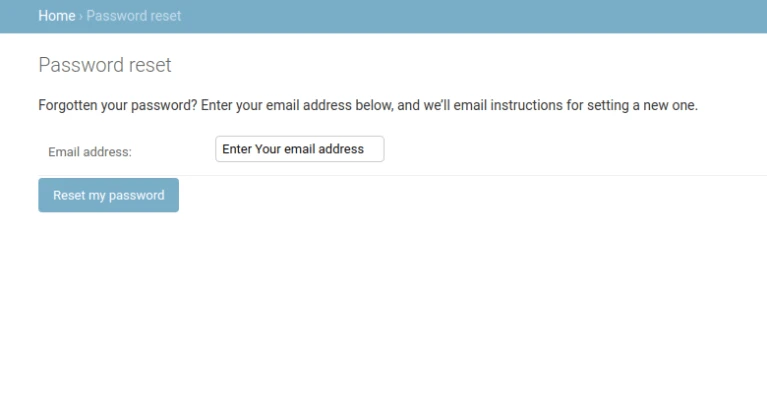
If you Forget Password then Click Button Forget Password?
Enter Your Email.

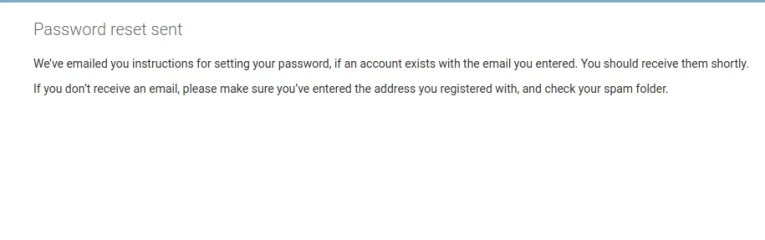
Open Mail and Reset Password.

After Login You show Welcome Message.


Share this:

  • Click to share on Facebook (Opens in new window)
  • Click to share on LinkedIn (Opens in new window)
  • Click to share on Twitter (Opens in new window)
  • Click to share on Reddit (Opens in new window)
  • Click to share on Tumblr (Opens in new window)
  • Click to share on Pocket (Opens in new window)
  • Click to share on Pinterest (Opens in new window)
  • More
  • Click to print (Opens in new window)
  • Click to email this to a friend (Opens in new window)

Like this:

Like Loading...
Leave a comment

Odoo Biometric Integration using Digital Persona

July 30, 2019August 1, 2019 Acespritech Solutions Pvt. Ltd. Odoo Biometric, integration, login, Odoo

Click here to download the module (Biometric Registration)

Click here to download the module (Biometric Login)

Device used for this module: Digital Persona

User Biometric Registration using Digital Persona

Setup Node js application

Install Node application into client machine Where device is attached.

Install Node Application

Once node app running. Open odoo server Go to General Settings -> Enable biometric and Enter Node URL(Port must be same as you can see in terminal)
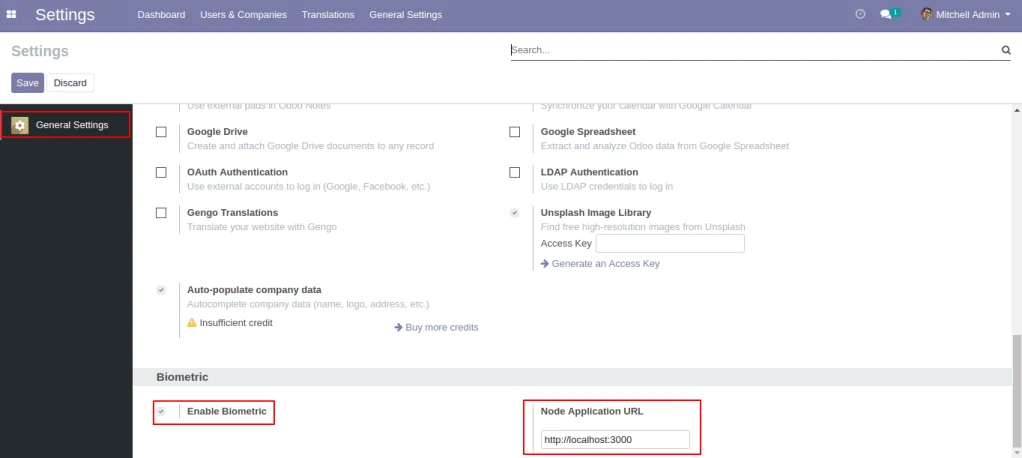
Configuration Biometric Registration

By clicking on Register Biometric button pop-up will be open, select desired finger and scan.

By clicking on Confirm Biometric button all the scanned fingerprint will be confirm.
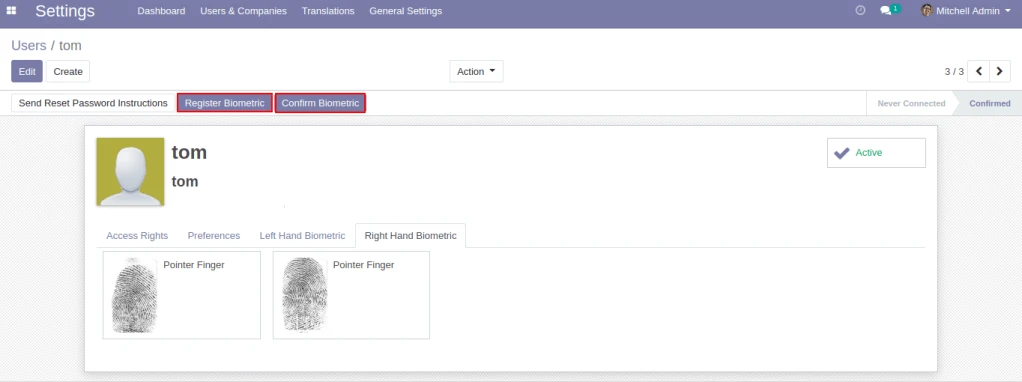
Register and Confirm Biometric Button

User can see his/her related registered fingerprint counts here as well as user can register new fingerprints by clicking the spot.
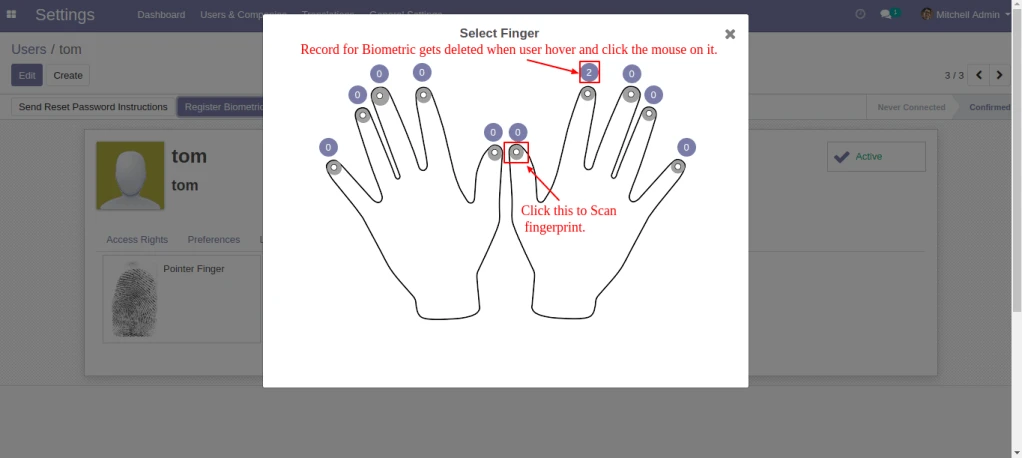
Scan Selected Finger

Scan selected Finger.
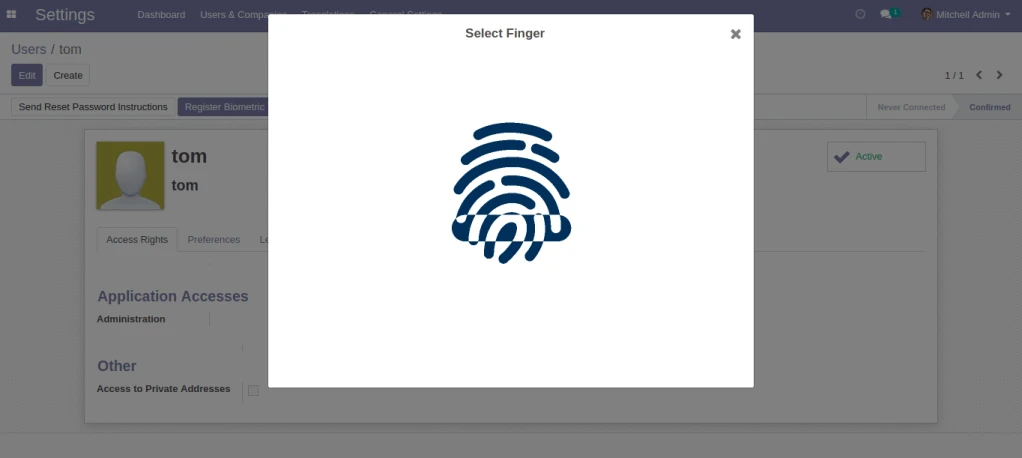
Scan Finger

After Successful scanning you can save, rescan and Go back.
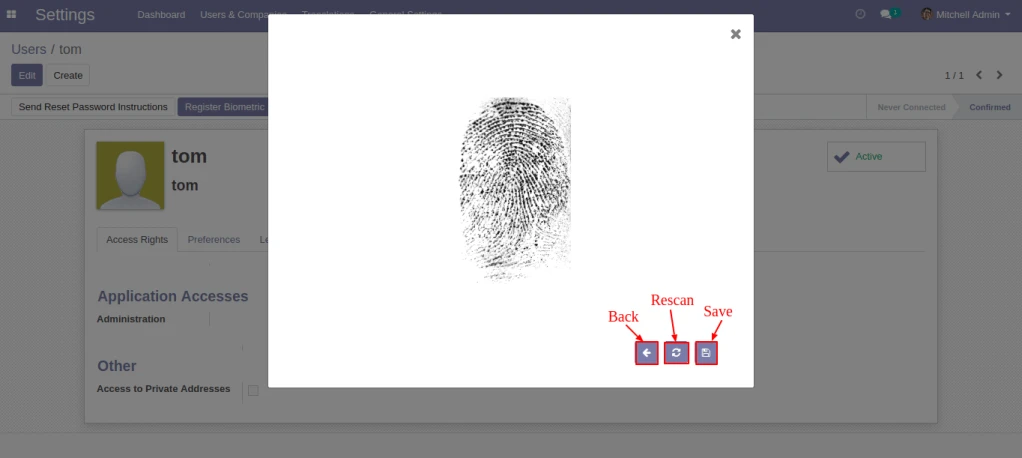
Save Finger

User can select multiple records here and Confirm the related Biometric by clicking Action -> Confirm Biometric.
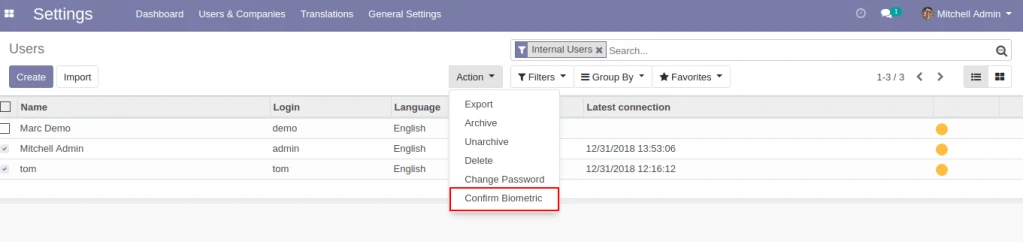
Odoo Multiple Registration Confirmation

User Biometric Login using Digital Persona

User can login by scanning the registered Biometric from the login page.

Login Page

Scan Finger.

Scan Finger

Share this:

  • Click to share on Facebook (Opens in new window)
  • Click to share on LinkedIn (Opens in new window)
  • Click to share on Twitter (Opens in new window)
  • Click to share on Reddit (Opens in new window)
  • Click to share on Tumblr (Opens in new window)
  • Click to share on Pocket (Opens in new window)
  • Click to share on Pinterest (Opens in new window)
  • More
  • Click to print (Opens in new window)
  • Click to email this to a friend (Opens in new window)

Like this:

Like Loading...
Leave a comment

OpenERP V7 – Two way login authentication

May 19, 2015 Acespritech Solutions Pvt. Ltd. Odoo authentication, login, Odoo, OpenERP, security, two-way

To provide more security during login process, we have developed a feature by providing two way authentication.

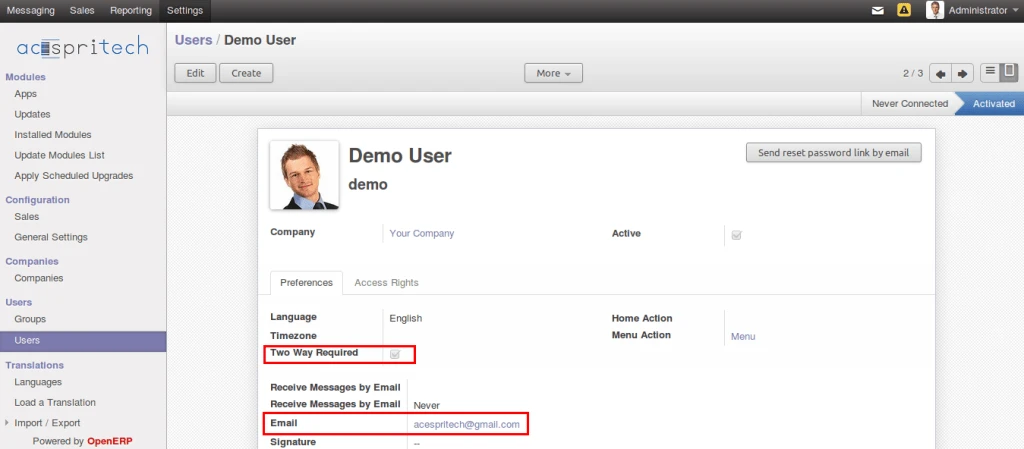
In below screen we can configure if we want to restrict any user by providing two way authentication required option.

Odoo user configuration
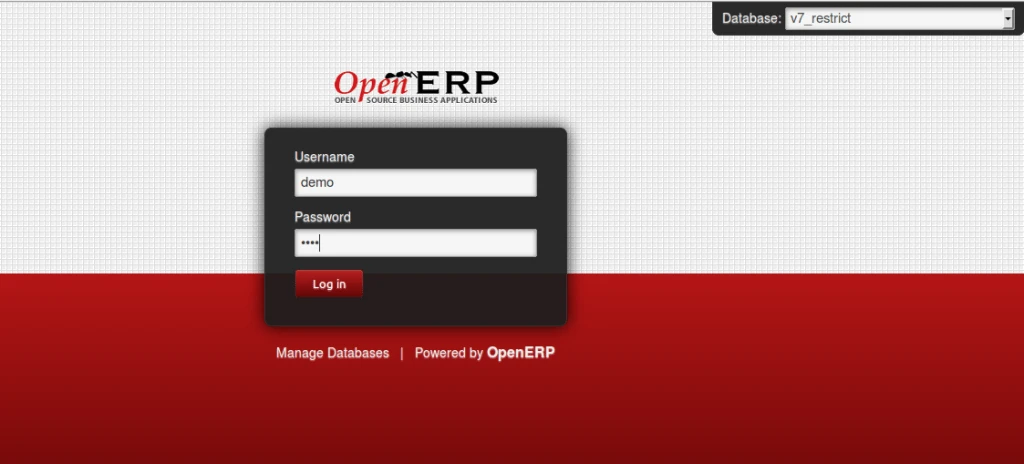
Odoo login page
Odoo login page

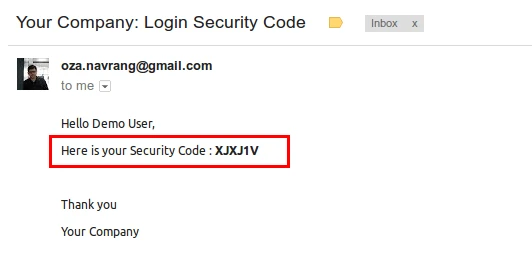
After configuration, now when user will login from webclient, at that time, he will get one email on his registered email id as shown in below image.

Security code by mail

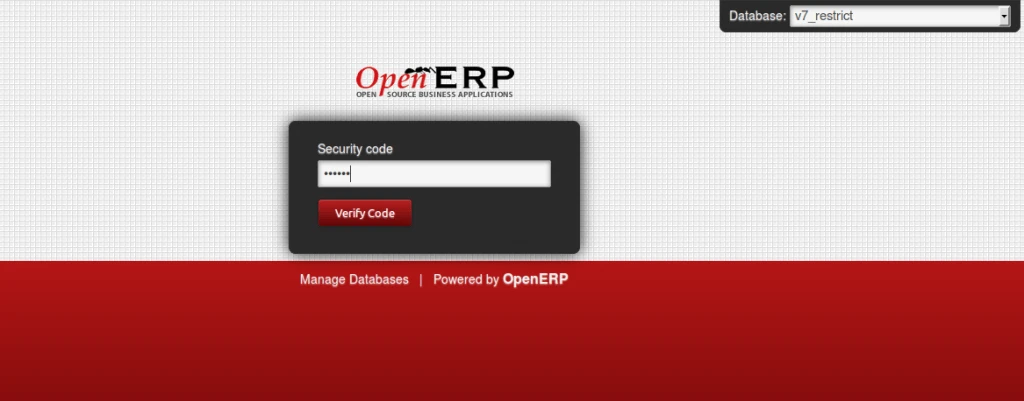
Use has to enter this security code on login page then only he can login to the system and this is the mail goal of this feature.

Enter security code
Enter security code

Successful login
Successful login

Share this:

  • Click to share on Facebook (Opens in new window)
  • Click to share on LinkedIn (Opens in new window)
  • Click to share on Twitter (Opens in new window)
  • Click to share on Reddit (Opens in new window)
  • Click to share on Tumblr (Opens in new window)
  • Click to share on Pocket (Opens in new window)
  • Click to share on Pinterest (Opens in new window)
  • More
  • Click to print (Opens in new window)
  • Click to email this to a friend (Opens in new window)

Like this:

Like Loading...
1 Comment

Any Query ?

  • Contact US

Play Store (Android App)

PLAY STORE

Search

Categories

  • Accounting
  • Android
  • CentOS
  • Configuration
  • Django
  • Magento
  • News
  • Odoo
  • Open Source
  • OpenERP 7.0
  • OpenERP Installation
  • OpenERP Videos (YouTube)
  • PHP / Python
  • Point of Sale (POS)
  • PostgreSQL
  • Product
  • Quotation
  • Sale
  • SMTP
  • Stock
  • Ubuntu
  • Uncategorized
  • Views
  • Website
  • Windows
  • Woocommerce
  • Odoo - Dynamic Page and Label Report
  • WooCommerce Autocomplete Checkout Address
  • How to configure payment terms in OpenERP ?
  • How to configure Payroll in OpenERP ?
  • OpenERP Barcode Reports (Small Barcodes)
  • Odoo Invoice round off
  • How to configure Pricelist in OpenERP ?
  • How to enable customer email verification on registration in magento 2
  • WordPress Contact Form

Recent Posts

  • Odoo POS Scale
  • Django Covid19 – Dashboard App
  • Django Report App
  • Django Registration And Login
  • WordPress Contact Form
Follow Acespritech Solutions Pvt Ltd on WordPress.com

Enter your email address to follow this blog and receive notifications of new posts by email.

Join 560 other followers

RSS Feeds

RSS Feed RSS - Posts

RSS Feed RSS - Comments

Month wise posts

Blog at WordPress.com.
Cancel
loading Cancel
Post was not sent - check your email addresses!
Email check failed, please try again
Sorry, your blog cannot share posts by email.
Privacy & Cookies: This site uses cookies. By continuing to use this website, you agree to their use.
To find out more, including how to control cookies, see here: Cookie Policy
%d bloggers like this: